Как построить инфраструктуру защиты рекламного трафика с Cloaking.House и SotaProxy
Как собрать надёжный стек для рекламного трафика из прокси, браузерных профилей и клоакинга: тесты по GEO, фильтрация и поиск проблем в кампаниях.

Когда работаешь с платным трафиком на несколько GEO, проблема обычно не в самом лендинге. Гораздо сложнее контролировать, кто на него на самом деле попадает: живой пользователь, бот, автоматический сканер, модератор, инструмент конкурента или технический трафик через VPN или прокси.
Особенно это заметно при масштабировании. Пока у вас одна кампания и несколько десятков визитов в день, многое можно контролировать вручную. Но как только объём трафика растёт, проверять каждый источник, IP и визит самому уже нереально. Нужен отдельный инфраструктурный слой, который автоматически сегментирует трафик по заранее заданным параметрам.
Поэтому я не пытаюсь закрыть всё одним инструментом. Я раскладываю стек на несколько слоёв: прокси и сетевые окружения используются под конкретные рабочие задачи, а Cloaking.House обрабатывает входящий трафик и определяет, какие посетители подходят под настроенные условия и куда их направить.
Почему одного инструмента для инфраструктуры трафика мало
Я часто вижу один и тот же подход: от одного сервиса ждут, что он сделает всё сразу, от управления аккаунтами и работы с GEO до фильтрации трафика, защиты лендинга и аналитики.
На небольшом объёме это может работать. Но как только начинаешь масштабироваться, такой архитектурой становится трудно управлять.
Например, прокси решает задачу на сетевом уровне. Он позволяет работать с конкретным IP, GEO или типом подключения. Но сам прокси не решает, что должно произойти с каждым посетителем, который заходит на сайт.
С другой стороны, платформа фильтрации трафика умеет определять GEO, устройство, браузер, ISP, статус VPN/Proxy и другие параметры. Но это не значит, что она должна заменить остальную инфраструктуру.
Поэтому я предпочитаю разделять ответственность.
Мой стек выглядит примерно так:
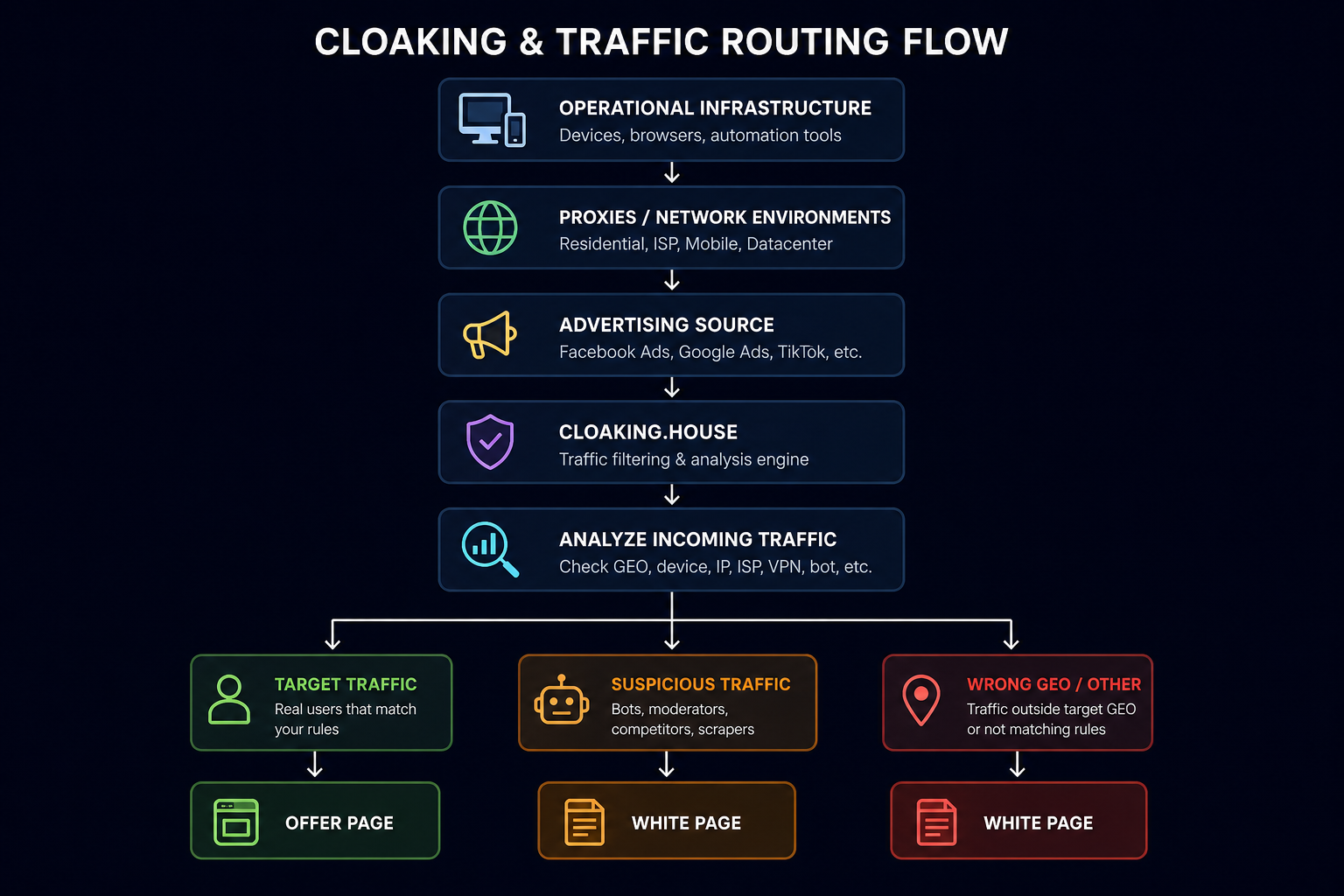
Важно понимать, что SotaProxy и Cloaking.House выполняют разные функции.
SotaProxy даёт резидентные, ISP, мобильные и датацентровые прокси, а также геотаргетинг, ротацию подключений и sticky-сессии. Это полезно там, где нужно создать конкретное сетевое окружение.
Cloaking.House работает на другом уровне. Он обрабатывает входящий трафик и может оценивать IP, GEO, устройство, браузер, ISP, статус VPN/Proxy и другие параметры, прежде чем применить настроенную логику маршрутизации.
Как я делю инфраструктуру на слои
Если упростить, я смотрю на схему как на несколько независимых компонентов.
1. Сетевой слой
Здесь в игру вступают IP-адреса и прокси.
Например, в SotaProxy на одной платформе есть несколько типов прокси: резидентные, мобильные, ISP и датацентровые. Резидентные подходят для задач, привязанных к GEO, и для проверки рекламы, мобильные для сценариев с мобильными сетями, ISP когда нужен стабильный адрес, а датацентровые для объёмных технических задач.
2. Браузерный слой
Следующий слой это браузерные профили и устройства.
Я стараюсь без необходимости не смешивать разные окружения. Если профиль используется под конкретный рабочий процесс, я держу его конфигурацию неизменной.
Особенно это важно, когда работаешь с несколькими GEO одновременно.
3. Слой фильтрации
Здесь появляется CloakingHouse.
Его задача: принять входящий запрос и сравнить его параметры с правилами, которые я настроил заранее.
4. Слой назначения
Последний слой это страница, куда попадает посетитель.
В зависимости от результата фильтрации его можно отправить на Offer Page или на White Page.
Такое разделение сильно упрощает поиск проблем. Если что-то работает не так, как ожидалось, я могу отдельно проверить сетевой слой, браузерное окружение, правила фильтрации и страницу назначения.
Практическое правило: если от одного инструмента ждут решения пяти разных инфраструктурных задач сразу, рано или поздно становится трудно понять, откуда на самом деле берётся проблема.
Где прокси встраиваются в рабочий процесс
Здесь есть важное разграничение.
Прокси не стоит воспринимать как обязательное промежуточное звено между пользователем и CloakingHouse.
В обычном сценарии пользователь просто открывает рекламную ссылку, а CloakingHouse анализирует его реальное сетевое окружение.
Прокси нужны там, где команде надо создать конкретное сетевое окружение для собственных рабочих задач: работы с определёнными GEO, проверки рекламы, работы с веб-сервисами, автоматизации, тестирования страниц и других процессов.
Для этих задач тип прокси имеет значение.
Когда я использую резидентные прокси?
Для работы с GEO, проверки рекламы и сайтов, чувствительных к хостинговым IP. Они дают IP из резидентных пулов.
Когда я использую ISP-прокси?
Для стабильных длинных сессий. Они дают стабильный IP с ASN провайдера/резидентной ASN.
Когда я использую мобильные прокси?
Для мобильных сервисов и тестирования приложений. Они дают IP из реальных мобильных сетей.
Когда я использую датацентровые прокси?
Для объёмных технических операций. Они дают высокую скорость и предсказуемую стоимость.
В SotaProxy есть все четыре типа, резидентные прокси поддерживают геотаргетинг вплоть до страны и города, а ротация и sticky-сессии позволяют выбрать поведение подключения под конкретную задачу.
Я не считаю резидентные, мобильные и датацентровые прокси взаимозаменяемыми. Если нужна стабильная сессия, смотрю на ISP или sticky-резидентные. Если нужно мобильное окружение, беру мобильные. Если задача чисто техническая и резидентные IP не нужны, рациональнее могут оказаться датацентровые.
То есть прокси помогают создать нужное сетевое окружение, а CloakingHouse определяет, что должно произойти с входящим трафиком.
Что делает Cloaking.House
В Cloaking.House я воспринимаю Flow как набор правил обработки трафика.
Платформа получает входящий запрос и анализирует его параметры. В зависимости от настроек это могут быть IP, GEO, устройство, операционная система, браузер, ISP, статус VPN/Proxy, IPv6, реферер и другие условия.
Как я создаю Flow
Первое, что я делаю в CloakingHouse, это создаю отдельный Flow под конкретный сценарий.
Не советую сразу запихивать в один Flow все возможные условия. Гораздо проще начать с базовой логики, а дополнительные ограничения добавлять после первых тестов.

Как подключить White Page и Offer Page
Cloaking.House можно интегрировать со своим доменом через PHP-скрипт. Также платформа поддерживает готовую клоакованную ссылку без собственного хостинга, что удобно для быстрого запуска.
Если использовать классическую интеграцию со своим хостингом, процесс довольно простой.
Шаг 1. Подготовьте White Page
White Page должна лежать в корневой директории сайта. Для PHP-интеграции я обычно переименовываю страницу в site.html. Так index.php становится основным обработчиком трафика.
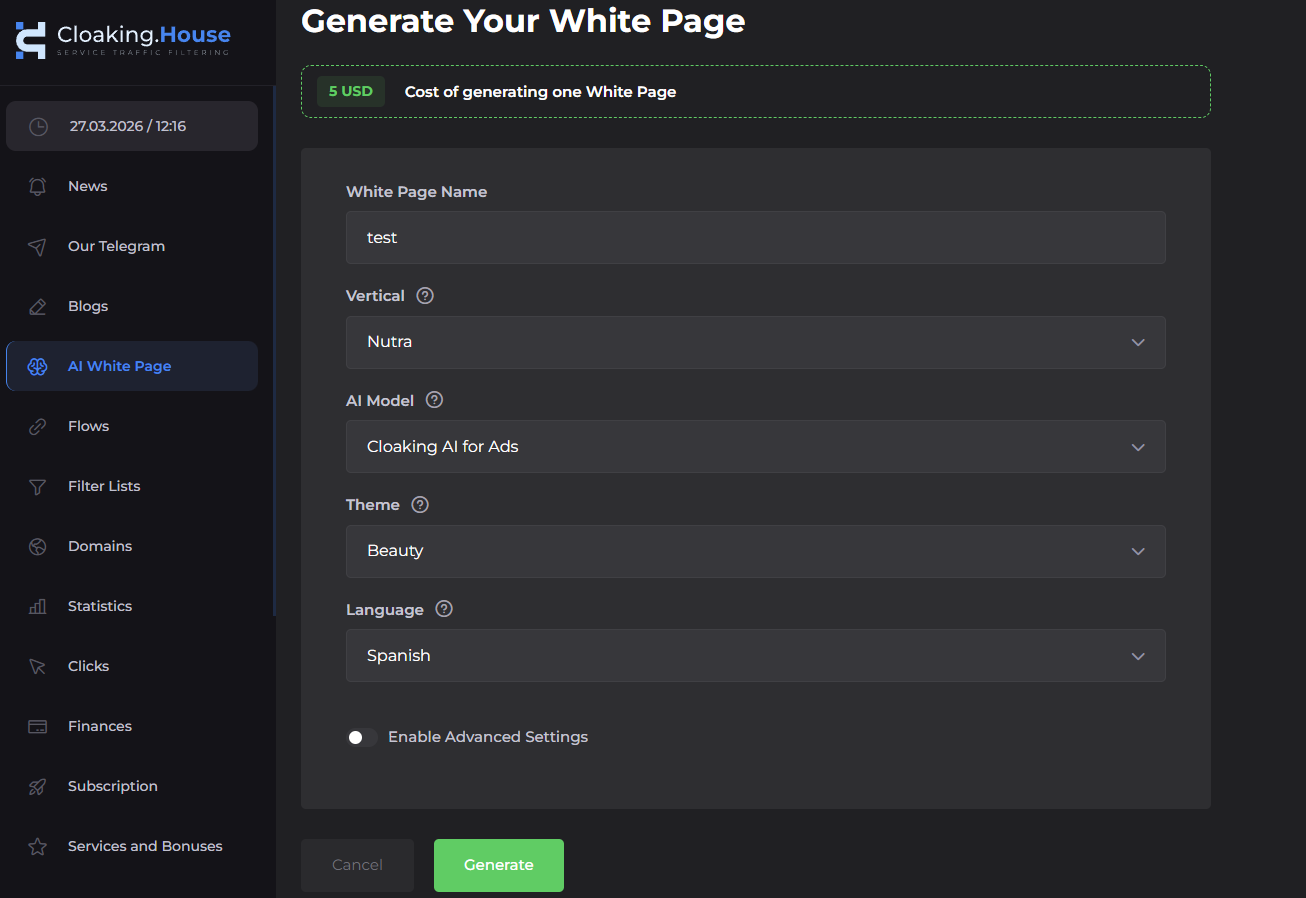
В платформе есть AI-генератор White Page, который создаёт страницы на разные тематики и на разных языках.
Шаг 2. Настройте Flow
Внутри Flow я указываю:
White Page → site.html
Method → Load
Offer Page → целевой URL
Method → Redirect
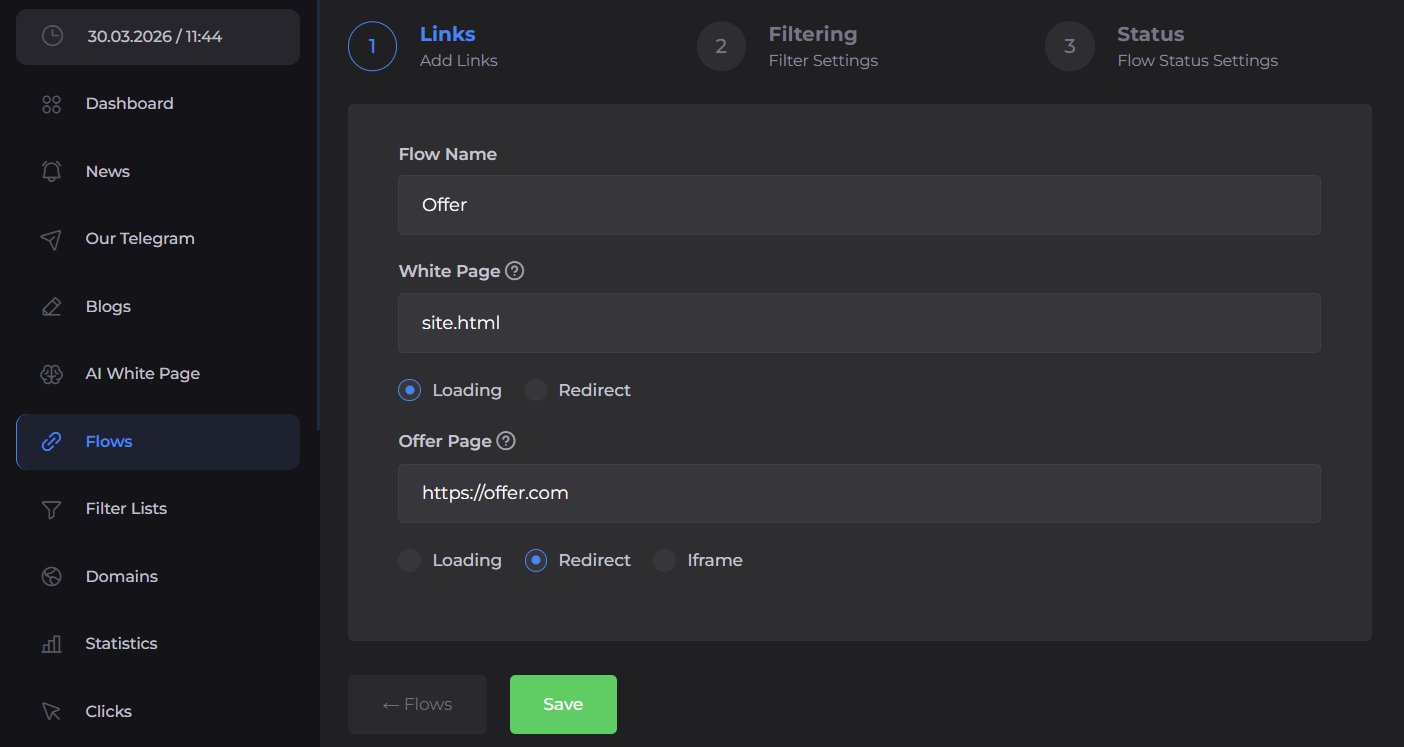
Это один из самых полезных скриншотов в статье: на нём видно, как теоретическая схема маршрутизации превращается в реальную настройку.
Какие фильтры я включаю первыми
Я добавляю фильтры постепенно. Первый уровень это GEO.
Например:
Целевая страна → Offer
Остальные страны → White
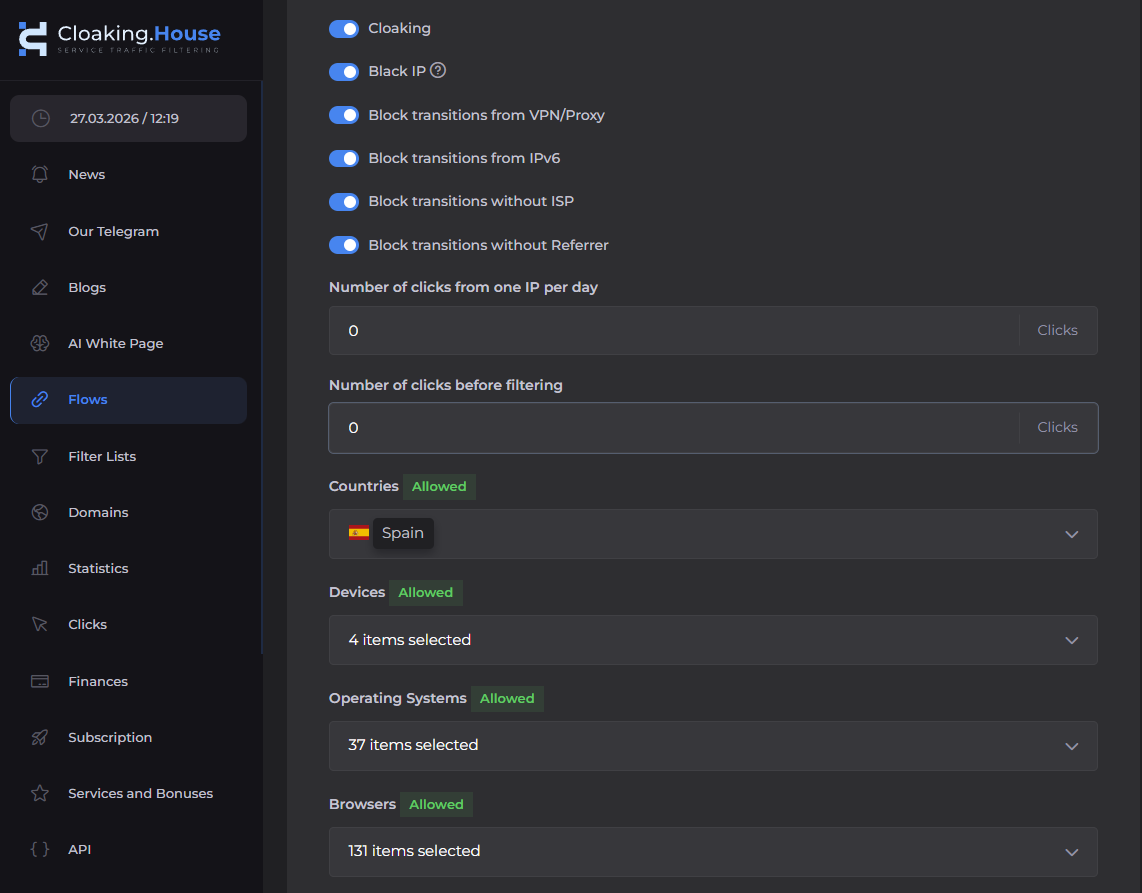
VPN / Proxy
Если сценарий требует фильтровать VPN- и прокси-трафик, я включаю соответствующее условие. CloakingHouse умеет распознавать IP, связанные с VPN или прокси, и, когда срабатывает правило, отправляет такой трафик на White Page.
Здесь важное разграничение: SotaProxy команда использует для создания собственных сетевых окружений, а фильтр VPN/Proxy в CloakingHouse применяется к входящему посетителю.
ISP
Ещё один полезный фильтр это ISP. В зависимости от кампании провайдер может служить дополнительным сигналом качества трафика. Если ISP определить не удалось, соответствующее условие в Cloaking.House обработает запрос по настроенному правилу и отправит его на White Page.
Referrer
Реферер помогает понять, откуда пришёл визит. Если кампания требует, чтобы трафик шёл из конкретного источника, реферер можно использовать как дополнительный параметр фильтрации.
Как проверять трафик
Создав Flow, я никогда не считаю работу законченной. Сначала проверяю, что базовый сценарий вообще работает. Потом тестирую отдельные условия по очереди.
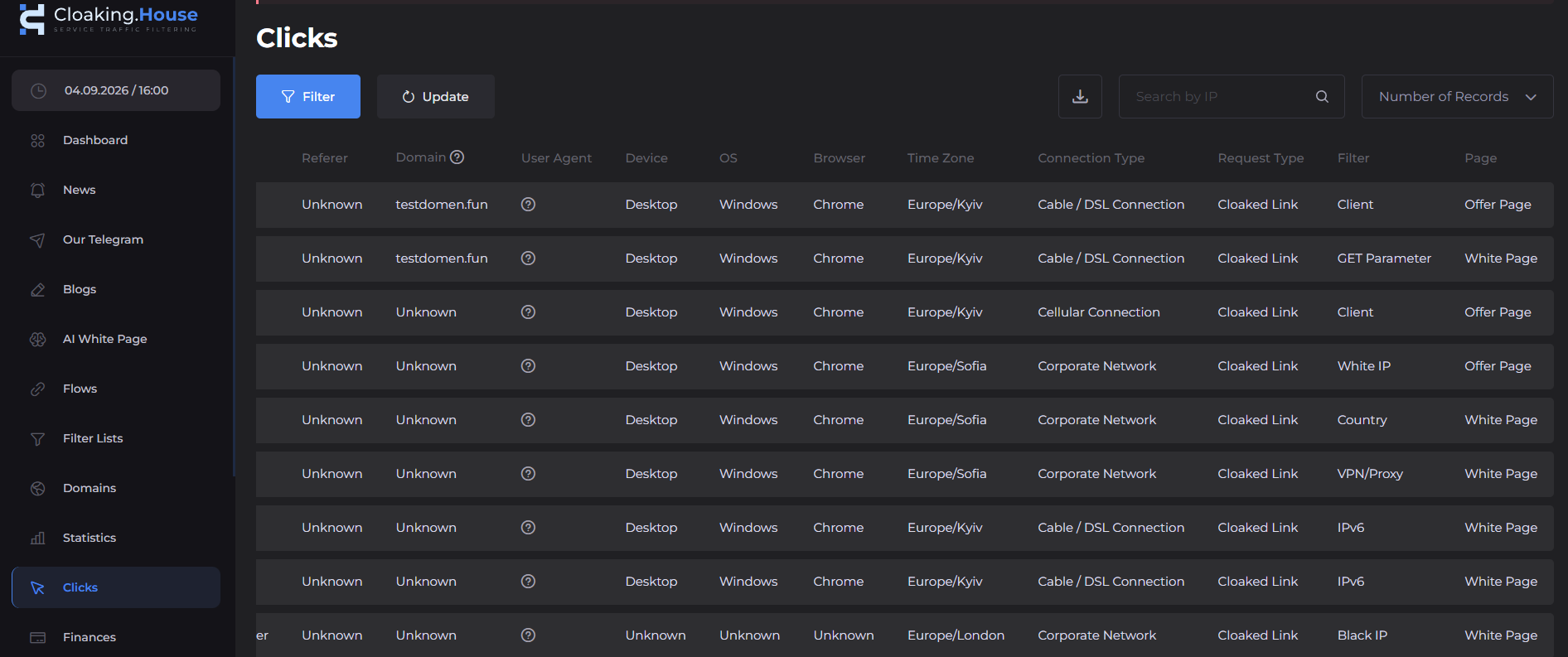
После запуска кампании я смотрю не только на общее количество визитов.
Мне важно понимать:
- сколько кликов прошли настроенные фильтры;
- какие фильтры срабатывают чаще всего;
- из каких GEO идёт трафик;
- какие устройства встречаются чаще всего;
- есть ли необычные всплески трафика;
- какие IP или источники дают подозрительно много визитов.
Типичные ошибкиОдин Flow на всё
Если у разных кампаний разные GEO, устройства и условия, я разношу их по отдельным Flow. Так и аналитика, и дальнейшие изменения становятся намного проще.
Нет тестового IP
Для тестирования Flow полезно иметь доверенный IP.
Cloaking.House позволяет добавить IP в доверенный список для тестов, чтобы запрос попадал на Offer Page независимо от остальных условий фильтрации.
Тест только с одного устройства
Если кампания нацелена на мобильные, десктоп и разные операционные системы, тестировать её только с одного ноутбука недостаточно.
Минимальное тестовое окружение у меня включает:
- десктоп;
- Android;
- iOS;
- несколько GEO;
- обычные подключения;
- отдельные сетевые окружения.
Смешивание ролей прокси и фильтрации
Это ещё одна частая ошибка.
Прокси отвечает за сетевое окружение, а Cloaking.House за обработку входящего трафика.
Когда эти роли разделены, архитектуру намного проще понять.
FAQ
Можно ли пользоваться CloakingHouse без своего сервера?
Да. Cloaking.House поддерживает готовую клоакованную ссылку, которая работает без собственного хостинга. Для более гибких настроек есть PHP-интеграция.
Зачем прокси, если Cloaking.House сам определяет IP?
Потому что прокси и фильтрация трафика решают разные задачи.
Cloaking.House анализирует входящий трафик, а прокси позволяют команде создавать нужные сетевые окружения для собственных рабочих процессов.
Какой тип прокси выбрать?
Зависит от задачи:
Резидентные: когда важны домашние сети и геотаргетинг;
ISP: когда нужна стабильная сессия;
Мобильные: для задач, привязанных к мобильным сетям;
Датацентровые: для быстрых технических операций.
В SotaProxy все эти варианты доступны на одной платформе.
Что делать, если реальный посетитель попал на White Page?
Начните с разбора конкретного визита.
Проверьте:
1. GEO.
2. Устройство.
3. ОС.
4. Браузер.
5. ISP.
6. Реферер.
7. Статус VPN/Proxy.
8. Какой фильтр сработал.
Не спешите сразу переделывать весь Flow.
Заключение
Для меня хорошая инфраструктура трафика не в том, чтобы найти один «волшебный» инструмент, который якобы делает всё.
Гораздо надёжнее разделить ответственность.
SotaProxy отвечает за прокси-инфраструктуру и позволяет командам создавать разные сетевые окружения под конкретные рабочие задачи. Резидентные, ISP, мобильные и датацентровые IP можно выбирать в зависимости от того, что нужно процессу.
Cloaking.House работает на другом уровне. Он принимает входящий трафик, анализирует его параметры и применяет заранее заданную логику фильтрации по GEO, IP, устройству, ОС, браузеру, ISP, VPN/Proxy, рефереру и другим условиям.
Итоговая архитектура простая:
Главное не количество фильтров или IP, которые вы используете. Важно, чтобы у каждого компонента инфраструктуры было чётко определённое назначение.
Именно это позволяет масштабировать рекламу, не превращая всю систему в набор разрозненных костылей.
Похожие статьи

Telegram-автоматизация с Telegram Expert: что делать, если задача остановилась на середине

Для чего используется прокси: руководство по арбитражу 2026
Для чего используется прокси - узнайте, для чего применяется прокси в 2026 году: от повышения безопасности до управления мультиаккаунтами для арбитражных команд

Как создать парсер отзывов Amazon, который действительно работает
Создайте надежный парсер отзывов Amazon с проверенными тактиками использования прокси, обхода блокировок и парсинга. Пошаговое руководство для технических специалистов и агентств.

Сколько аккаунтов Google и Steam можно завести в 2026 году
Две платформы цикла, где число аккаунтов действительно не ограничено, а ограничение спрятано в другом месте. Google дозирует номера телефонов и не говорит, сколько аккаунтов можно завести на один номер. Steam разрешает регистрировать сколько угодно аккаунтов, но держит каждый в урезанном режиме, пока на нём не потрачено $5. Разбираем правила по страницам самих Google и Valve и смотрим, что на деле связывает два аккаунта между собой.
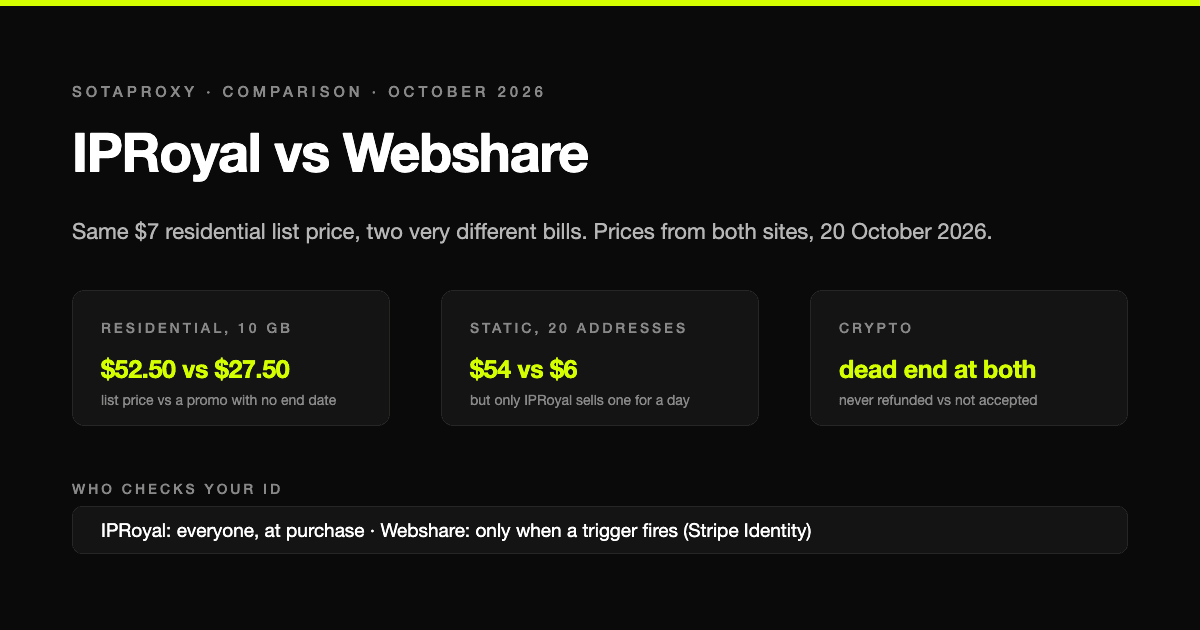
IPRoyal или Webshare в 2026: одна прайсовая цена, счёт в два раза меньше и кто проверяет документы
IPRoyal и Webshare пишут на страницах резидентских прокси одинаковые $7 за гигабайт, а берут за них очень разные деньги. Цены с обоих сайтов на 20 октября 2026 года, у кого сгорает трафик, статические адреса в десять раз дешевле, кто проверяет личность до покупки и почему крипта у обоих тупик, причём по разным причинам.
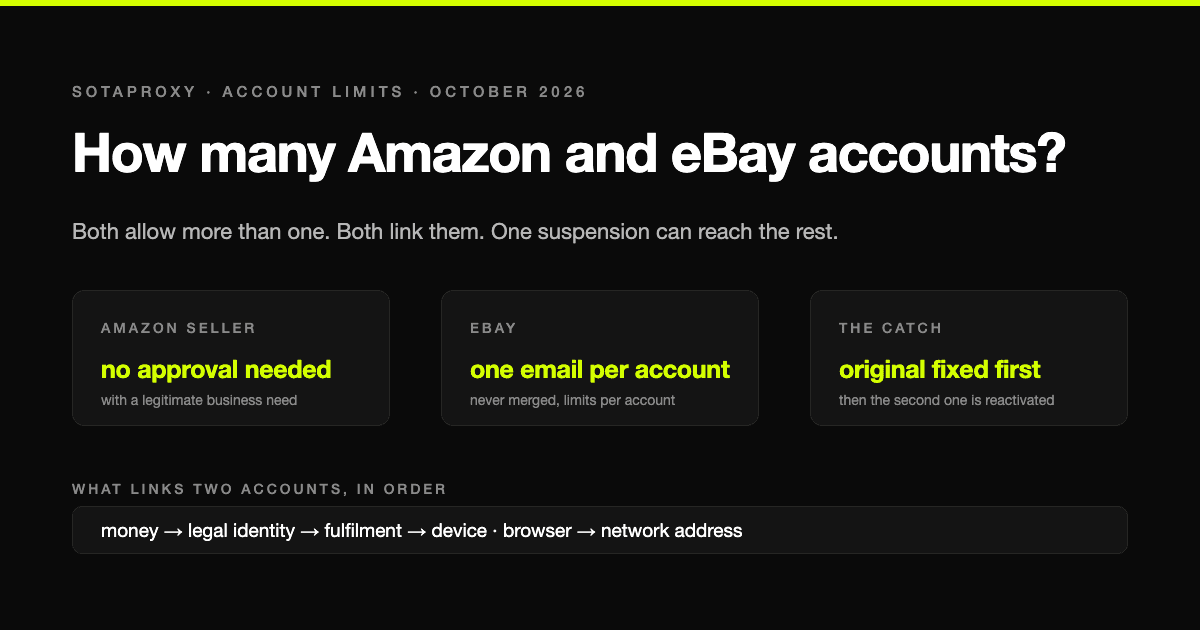
Сколько аккаунтов Amazon и eBay можно иметь в 2026 году
На бумаге Amazon и eBay самые щедрые площадки по лимитам аккаунтов, а на практике самые жёсткие: несколько аккаунтов разрешены, но все они связаны, и одна блокировка может положить их все разом. Разбираем правила словами самих площадок и то, что на деле связывает два аккаунта.