Proxy Pay as You Go Pricing: Master Costs 2026
Master pay as you go pricing for proxies. Guide for arbitrage & account farmers on billing, cost control, and choosing IPs. Optimize spend.
You pause a campaign for half a day, but the proxy bill keeps moving. Or traffic suddenly hits, your fixed plan caps out, and the team starts juggling replacements inside AdsPower, Dolphin Anty, GoLogin, Multilogin, or Hidemyacc while Facebook and TikTok accounts sit exposed. That's a core problem with proxy pricing. It's rarely the listed rate. It's the mismatch between what you bought and what you used.
For traffic arbitrage teams, account farmers, cloaking setups, and geo-targeted campaign operators, proxy costs belong on the same P&L line as ad spend, browser infrastructure, and account replacement. If the workload changes daily, flat subscriptions usually create waste on slow days and friction on scaling days. Pay as you go pricing fixes part of that, but only if you evaluate it the way operators work.
There's a broader reason this model keeps spreading. The global pay-as-you-go billing market is projected to grow from $10.33 billion in 2025 to $12.99 billion in 2026, with a projected $32.28 billion by 2030, according to Research and Markets' PAYG billing market report. Businesses want cost tied to consumption because variable workloads punish rigid plans. If you've ever audited foreign exchange fees and hidden charges, the same mindset applies to proxy spend. This guía sobre costos de cambio para negocios is useful because it trains you to look past sticker price and inspect what leaks margin.
Table of Contents
- Why Your Proxy Subscription Is Costing You Money
- PAYG vs Subscription Models A Technical Breakdown
- Decoding Proxy PAYG Billing Mechanics
- Matching Proxy Types to Your Task And Budget
- PAYG in Action Real World Use Cases
- Advanced Cost Control And Profit Optimization
- Your PAYG Implementation Checklist
Why Your Proxy Subscription Is Costing You Money
A fixed proxy subscription looks clean in a spreadsheet. In practice, it breaks the moment your workload stops behaving like a flat line.
Traffic arbitrage teams don't spend evenly. One week you're testing creatives across geos for TikTok. The next week you're parking spend while accounts cool off. Account farming is the same. Some days you warm profiles in Multilogin and GoLogin. Other days you barely touch half the stack. If you're locked into a monthly quota, you pay for idle capacity or you underbuy and scramble when demand returns.
That's why many operators end up switching from “how much bandwidth did I buy?” to “how much useful work did I get done?” A fixed plan hides waste because unused traffic gets treated like insurance. Many teams overpay for that insurance.
Where subscriptions fail in daily operations
Subscriptions usually fail in three places:
- Volatile campaign pacing: Facebook and TikTok budgets don't move in a straight line. Proxy demand follows campaign volume, not billing cycles.
- Uneven account activity: Bulk account management in AdsPower or Hidemyacc rarely activates every profile at the same intensity.
- Testing-heavy workflows: Cloaking, landing page checks, geo-targeted creative validation, and replacement account spin-up all create bursts, not steady consumption.
Practical rule: If your proxy load changes faster than your billing cycle, a flat plan is usually charging you for dead weight.
A usage-based setup aligns better with real operations because spend rises when the campaign is active and falls when it isn't. That doesn't make it automatically cheaper. It makes it more honest.
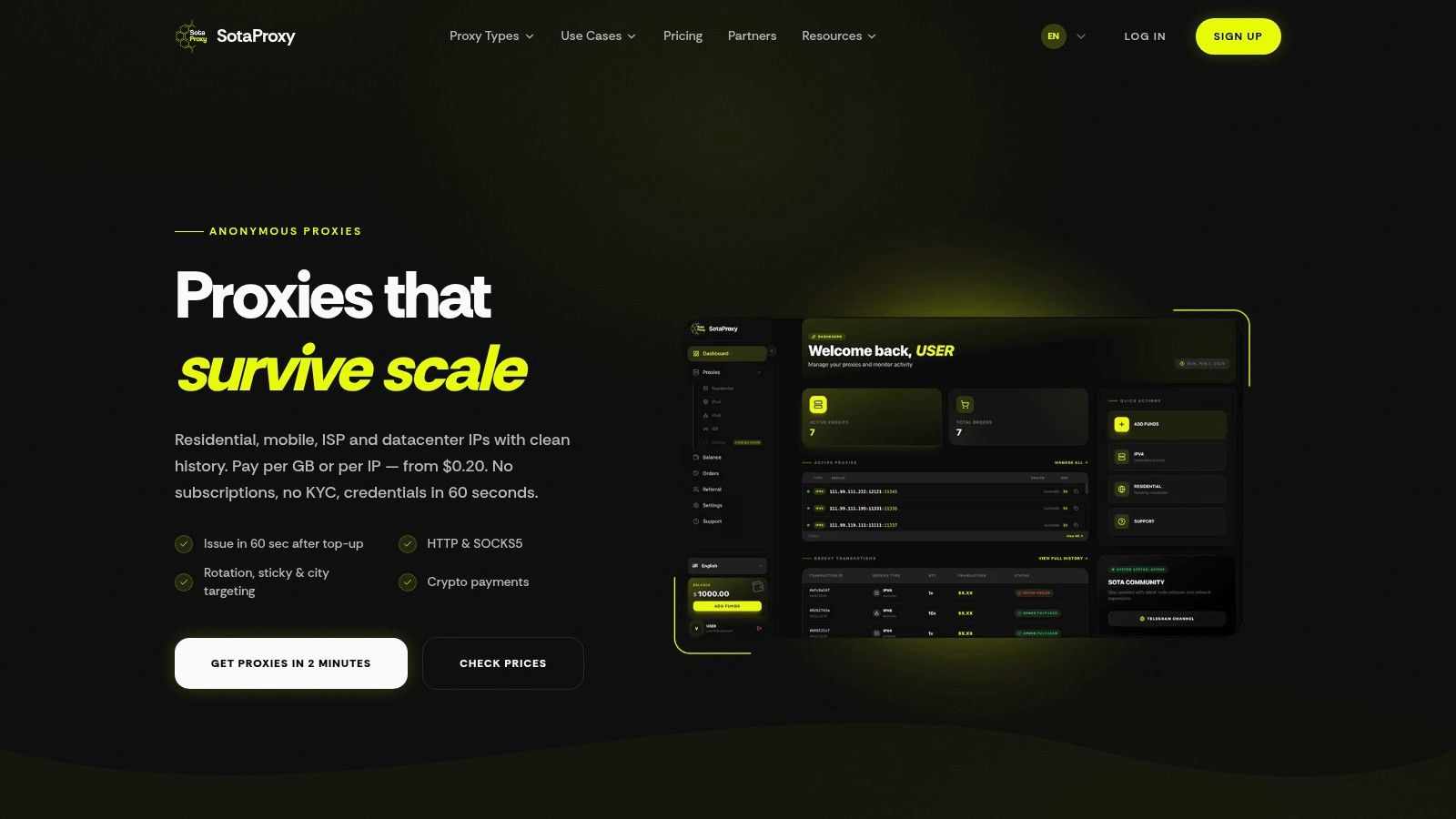
For teams comparing options, the first thing to check is whether the provider exposes transparent usage controls and balances instead of burying them inside plan tiers. A live pricing page like Sota Proxy pricing makes that review easier because you can compare proxy classes and purchase logic before committing to a structure that won't match your workload.
PAYG vs Subscription Models A Technical Breakdown
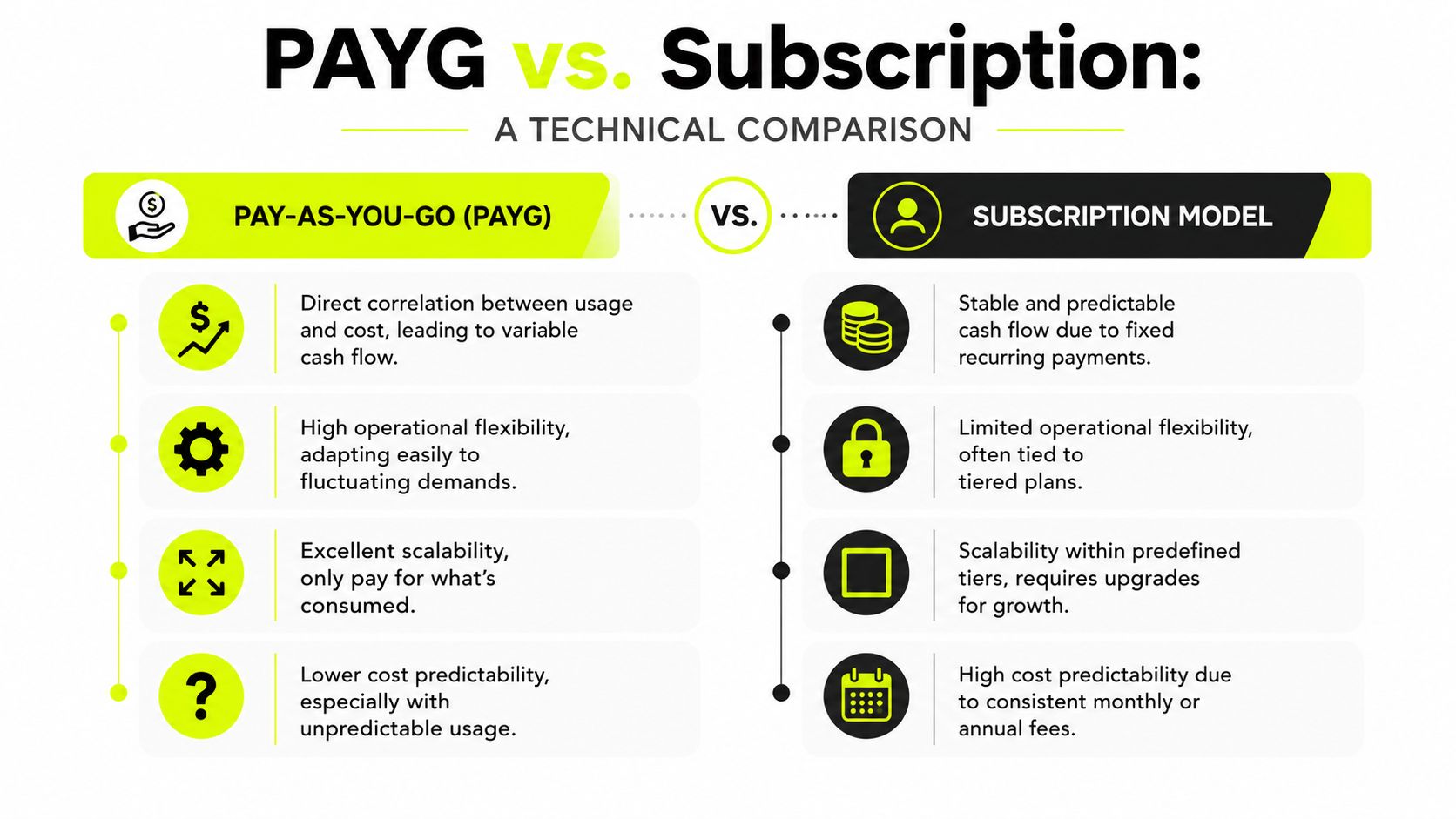
Subscriptions buy predictability. PAYG buys flexibility. The right choice depends on whether your operation suffers more from idle spend or from billing volatility.
For technical users, this isn't a philosophy question. It's a cash flow and execution question. If you run stable scraping jobs on a known schedule, subscriptions can be easier to budget. If you rotate through account launches, geo tests, ad moderation checks, and cloaking validations, fixed allocations become a constraint.
Side by side operational trade-offs
| Model | Cash flow behavior | Scaling campaigns | Main risk | Best fit |
|---|---|---|---|---|
| Pay as you go pricing | Variable. Spend tracks actual usage. | Fast. You can expand or reduce consumption without changing plans. | Cost spikes if the team doesn't monitor usage closely. | Arbitrage, account farming, geo-targeted testing, cloaking |
| Subscription | Fixed. Easier to forecast month to month. | Limited by plan tiers and upgrade friction. | Paying for unused capacity or hitting ceilings during scale. | Stable, repeatable workloads with predictable demand |
A key difference shows up when conditions change mid-cycle. A subscription assumes your average month matters most. Operators know that edge cases matter more. A launch week, a ban wave, or a country-specific test can change proxy demand fast.
What works and what doesn't
What works with subscriptions:
- Known steady-state loads: If the same scraping process runs every day with similar behavior, fixed capacity can be efficient.
- Procurement-heavy teams: Some teams value stable invoicing more than precision.
What doesn't:
- Burst scaling: Subscription tiers don't react well when 20 profiles become the priority and the rest sit idle.
- Mixed proxy classes: If your workflow moves between datacenter, residential, and mobile depending on task sensitivity, one rigid plan usually misallocates budget.
What works with PAYG:
- Campaign-linked infrastructure: You can tie proxy spend directly to account activity, ad checks, or crawler runs.
- Short test loops: You don't need a full commitment to validate a new geo, browser fingerprint setup, or cloaker route.
What doesn't:
- Unmonitored teams: If buyers, farmers, and automation operators all draw from the same balance without controls, your finance view gets noisy fast.
Subscription plans optimize for procurement comfort. PAYG optimizes for operational truth.
If you're deciding between the two, don't ask which model is cheaper in abstract terms. Ask which one maps cleanly to the way your team burns traffic. That answer is usually obvious once you review two weeks of browser sessions, account actions, and geo test volume.
Decoding Proxy PAYG Billing Mechanics
An understanding of pay as you go pricing often seems clear until a week of usage is reconciled against actual outcomes. That's where mechanics matter.
At the billing level, PAYG systems follow a simple logic. Cost scales with measured consumption. In formal billing terms, the monthly model can be expressed as Price per month = (price per unit per hour) × (used resource amount) × 24 hours × 30 days, as outlined in CloudBlue's PAYG billing model documentation. The formula is simple. The operational consequences aren't.
What the invoice is really measuring
In proxy operations, teams usually think in sessions, browser profiles, and tasks. Billing systems think in metered units. If you miss that translation layer, you can't forecast spend.
Three variables drive most of the invoice behavior:
Traffic volume
Every retry, asset load, redirect chain, and platform call adds consumption. A profile that looks “idle” inside AdsPower may still be pulling data through a page refresh loop, script, or heartbeat process.Session behavior
Sticky sessions can reduce re-auth friction and help account consistency, but they can also increase background traffic if profiles stay open longer than needed. Aggressive rotation can solve trust issues on one target and waste traffic on another.Top-up discipline
PAYG only works if the team treats balance management as an operating control, not as an afterthought.
Why forecasting goes wrong
Forecasting usually breaks when teams estimate by accounts instead of by actions. Ten Facebook ad accounts warmed lightly are not the same as ten accounts actively running geo-specific checks, asset previews, moderation reviews, and cloaking verification.
A better forecasting process looks like this:
- Map traffic to workflows: Separate ad review checks, account farming, scraping, and geo validation.
- Track browser behavior: Antidetect environments can create hidden transfer through repeated loads and sync processes.
- Set replenishment rules: Manual top-ups create downtime risk. Blind auto-top-ups create budget creep.
If you work with media buying tools and AI-driven ad systems, this AI ad platform pricing guide for marketers is useful for the same reason. It forces you to compare unit pricing against how campaigns consume resources, not how vendors label plans.
The controls that matter
The minimum PAYG control stack is simple:
- Live balance visibility
- Usage alerts by workflow or operator
- Clear bandwidth definitions
- A top-up rule for mission-critical tasks only
If a team doesn't share a common definition of billable traffic, arguments start fast. Keep one reference point for metered transfer and session behavior. A practical starting point is a plain bandwidth glossary for proxy usage, then build your internal rules around it.
The invoice only looks unpredictable when the workload isn't tagged properly.
Matching Proxy Types to Your Task And Budget
A buyer runs the same workflow across two proxy pools. One costs less per gigabyte. The other costs more. The cheaper pool still loses because logins fail, review pages loop, and operators retry the same action three times. The metric that matters is cost per successful connection, not sticker price per GB.
Proxy selection hits margin faster than the billing model. PAYG only works well if the IP class matches the task. If it does not, low headline pricing turns into wasted sessions, extra labor, and more account damage.
The basic split still holds. Datacenter proxies are built for cheap throughput. Residential proxies cost more and usually survive sensitive platform checks better. Mobile proxies are for cases where mobile network identity changes the result. IPv6 can work for volume jobs on tolerant targets, but it does not replace residential or mobile on anti-fraud-heavy platforms.
The price spread is wide enough to matter. Databay's proxy pricing overview shows datacenter traffic priced far below residential traffic at comparable volume bands. That gap is why overusing residential burns margin, and underusing it raises failure rates on revenue-sensitive tasks.
Proxy Type Comparison for PAYG Models
| Proxy Type | Primary Use Case | Trust/Anonymity | Practical PAYG Cost Profile |
|---|---|---|---|
| Datacenter | High-volume scraping, bulk checks, lower-friction targets | Lower trust on protected platforms | Lowest cost per GB in many PAYG setups, as noted by Databay |
| Residential | Facebook and TikTok account work, geo-targeted campaigns, cloaking checks | Higher trust and stronger platform acceptance | Higher cost per GB, but often lower cost per successful session on sensitive workflows, according to the same source |
| Mobile | Sensitive mobile-led workflows, high-stealth session work | Very high trust when mobile identity matters | Usually premium-priced. Worth it only when mobile reputation changes pass rates |
| IPv6 | Scale-oriented tasks where target support is tolerant | Task-dependent | Can be cost-efficient for broad collection, but acceptance varies by target |
What each proxy type is actually good for
Datacenter for cheap throughput
Use datacenter where failure does not break the workflow. Early scraping passes, URL checks, stock monitoring, page availability checks, and broad research fit well here.
The trade-off is straightforward. You save on traffic, but you accept lower trust. On ad platforms, account logins, or protected review flows, a cheap GB often becomes an expensive outcome because the operator burns time on retries and the account picks up more risk signals.
Residential for high-value session quality
Residential earns its keep when the session has revenue attached to it. That includes account access, ad review checks, cloaking verification, geo audits, and browser-based work inside antidetect tools.
In this scenario, teams should track unit economics tightly. If a residential session costs more but clears the task on the first try, the effective cost is often better than running repeated failures through datacenter. For anyone assigning traffic by workflow, this residential vs datacenter proxy guide is a useful reference.
One more consideration. Better proxy selection reduces noise in downstream reporting. If bad sessions corrupt geo checks, event validation, or page QA, the ultimate cost shows up later in analytics cleanup and missed decisions. That is part of the broader Investment in analytics data quality.
Put premium IPs on steps where a failed session has direct P&L impact.
Mobile for edge cases with clear upside
Mobile proxies belong in narrow situations. Mobile app-adjacent flows, mobile-first social platforms, and cases where carrier identity materially improves session acceptance.
They are expensive, so the burden of proof should be high. If the issue is poor browser hygiene, bad cookie handling, or too much concurrency, mobile traffic will not fix the root problem. It will just make the mistake cost more.
IPv6 for selective scale
IPv6 has a place in volume operations. Broad crawling, some parsing jobs, and target sets that accept IPv6 cleanly can make it a good budget tool.
It should be tested, not assumed. On protected targets, support can be inconsistent, and session quality can drop fast. Treat IPv6 as a route for specific workloads, not a blanket substitute for trusted residential traffic.
Match the proxy to the job, not the vendor pitch
A workable routing model is simple:
- Start with datacenter for broad collection, pre-checks, and other low-risk tasks.
- Switch to residential when trust, geo accuracy, or anti-bot pressure affects pass rates.
- Use mobile only when mobile identity improves acceptance enough to justify the premium.
- Deploy IPv6 on targets that have already proven support in testing.
The budget decision is not really about proxy type alone. It is about what each successful session is worth. Operators who price by successful login, successful review load, or successful geo check usually make better routing choices than operators who only watch cost per GB.
PAYG in Action Real World Use Cases
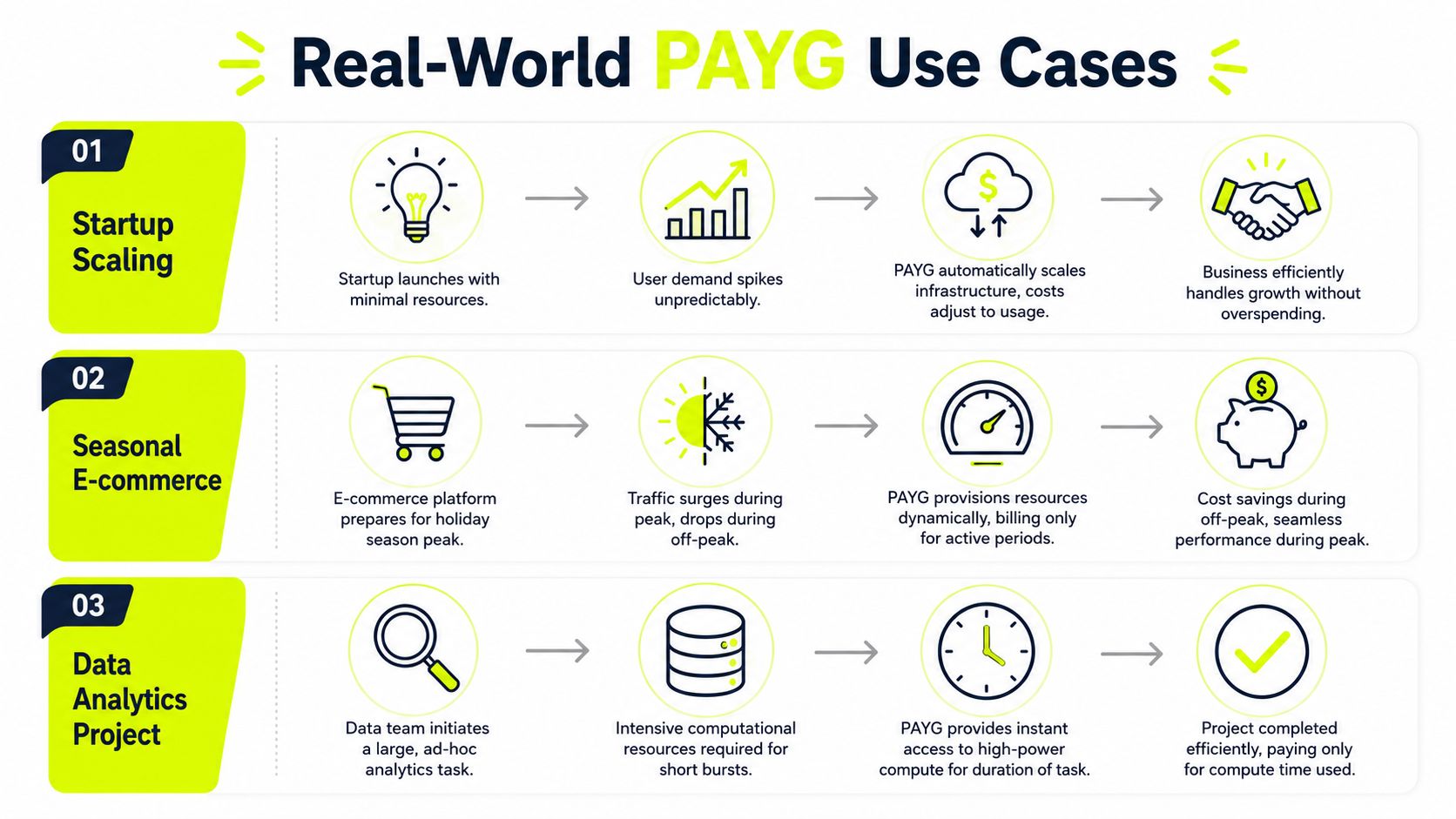
Most proxy pricing discussions stay theoretical. Operators don't work in theory. They work in campaign spikes, account bans, geo mismatches, and browser session failures.
Geo-targeted buying teams
A media buying desk running Facebook and TikTok campaigns usually doesn't need the same proxy load every day. Campaign approvals, creative tests, competitor checks, and landing page verification all expand and contract with spend.
That's where on-demand residential traffic matters. Decodo's proxy buy page shows residential PAYG pricing around $4/GB with no monthly commitment, which fits teams that need to activate traffic only when accounts, geos, or review workflows call for it. For geo-targeted campaigns, PAYG lets the buyer open the traffic tap when the test is live and close it when the task is done.
Account farming without dead inventory
Account farming teams don't keep every browser profile equally active. Some accounts warm slowly. Some are in recovery. Some are in rotation for backup inventory. A monthly plan assumes stable profile demand that rarely exists in real life.
With PAYG, the operator can keep only active profiles consuming premium traffic inside AdsPower or Dolphin Anty while dormant profiles stay cheap. That matters when the primary business risk isn't traffic usage by itself. It's paying premium proxy cost for profiles that aren't producing useful accounts.
If half your browser profiles are idle this week, a subscription makes you finance inactivity.
Cloaking and competitive checks
Affiliate marketers using cloaking and geo-specific creatives need clean verification from multiple angles. They may test a money page, a neutral page, moderation-facing content, and regional variants in the same day. Those tasks don't justify fixed monthly volume unless the operation is huge and steady.
PAYG works better because you can allocate traffic exactly when a cloaker route, landing page check, or ad review scenario needs to be tested. The same logic applies to price intelligence and competitor monitoring. If you're checking offer presentation by region or device condition, you want flexible traffic allocation, not a prepaid pool that expires while you're waiting for the next test cycle.
For teams mixing arbitrage and market intelligence, a workflow like competitor price tracking with proxies is a useful example of how to separate low-sensitivity collection from high-sensitivity verification. That separation is what keeps PAYG profitable instead of merely convenient.
Advanced Cost Control And Profit Optimization
Teams frequently optimize proxy spend with the wrong metric. They chase the lowest cost per GB and ignore whether the session did the job.

The metric that matters is cost per successful action. That could mean cost per verified ad view, cost per warmed account that survives, cost per approved cloaking check, or cost per usable data pull. The hidden problem with mobile and residential traffic is that standard billing treats all transferred data as equal. In real operations, it isn't. Chargebee's PAYG glossary highlights a critical point: unit economics for mobile and residential IPs should be measured per valid session or clean handshake, not just per GB, because failed attempts can effectively double the cost per successful data point without showing up as “more valuable” traffic.
Stop measuring cheap traffic as efficient traffic
A low listed rate can lose money if the IP reputation is weak, rotation is wrong, or the geo isn't clean enough for the target. That's why operators should compare traffic classes by outcome.
Use a review framework like this:
- Valid login rate: Did the account session open cleanly inside Multilogin or GoLogin?
- Ad verification quality: Did the buyer see the intended page and regional creative?
- Retry burden: How many extra attempts did the workflow need before the task completed?
- Survival value: Did the account remain stable after the session?
A datacenter route that looks cheap on paper can become expensive after retries. A residential route that costs more per GB can still win if it lands the task on the first clean session.
Bench rule: Measure proxy spend against completed business actions, not raw transfer.
Add controls before scaling spend
PAYG rewards disciplined teams. It punishes loose access and vague accountability.
The minimum control stack should include:
- Budget caps by workflow: Separate farming, buying, scraping, and cloaking spend.
- Alert thresholds: Trigger warnings before balances hit dangerous zones.
- Operator-level ownership: Someone should own the balance and the burn rate every day.
- Session quality logs: Mark failed handshakes, retries, and weak geos.
If you already invest in campaign instrumentation and event hygiene, the same mindset should apply here. This Investment in analytics data quality reference is relevant because cleaner data governance makes hidden spend visible faster.
Use revenue offsets where they fit
High-volume operators should also think beyond cost cutting. If you already recommend vendors to peers, an affiliate structure can offset infrastructure spend. Sota Proxy's referral program offers up to 40% commission, which can matter if your team has a network of media buyers, scrapers, or account operators asking what stack you use. It won't rescue bad unit economics. It can reduce net infrastructure cost when the underlying workflow is already efficient.
Here's a short breakdown of the same idea from another angle:
The important part is sequencing. First fix session quality. Then control burn. Then look for offsets.
Your PAYG Implementation Checklist
Start with policy, not traffic. If the team doesn't know when to use datacenter, residential, mobile, or IPv6, spend will drift before you collect enough data to correct it.
Use this checklist:
- Define task-to-proxy mapping: Assign cheap traffic to low-sensitivity checks and premium traffic to account access, cloaking validation, and geo-specific review.
- Set balance ownership: One operator should own top-ups, alerts, and usage review.
- Create hard caps by workflow: Separate budgets for Facebook buying, TikTok checks, account farming, and scraping.
- Log successful actions: Track clean logins, successful checks, stable sessions, and retries.
- Test in escalation order: Start with the lowest-cost proxy class that can realistically complete the task. Move up only when trust or geo quality becomes the bottleneck.
- Review idle consumption: Browser sessions left open in AdsPower, Dolphin Anty, GoLogin, Multilogin, or Hidemyacc can burn traffic.
- Document setup standards: Rotation rules, sticky session use, and browser hygiene should be written down.
If the team needs a repeatable baseline for deployment, keep one internal SOP tied to a practical proxy setup workflow. That removes guesswork when new buyers or farmers join the operation.
If your operation depends on clean IPs, flexible billing, and tight control over spend, Sota Proxy is built for that style of work. It gives media buyers, automation teams, and multi-account operators pay-as-you-go access to residential, mobile, ISP, datacenter, and IPv6 proxies, with real-time usage visibility and fast top-ups when campaigns or account workloads change.
Related articles
Geographic Distribution for Proxy Infrastructure
Master geographic distribution for proxy infrastructure. Learn how to choose locations, proxy types, and routing strategies for ad verification, scraping
What Is Sticky Session: A Technical Guide for Proxy Users
Learn what is sticky session, how session affinity works in load balancers and proxies, and when to use it for multi-accounting, scraping, and ad campaigns.
7 Top Proxy Providers for Arbitrage and Scraping
Compare 7 top proxy providers by IP types, targeting, rotation, uptime, pricing signals, and fit for scraping, ad accounts, farming, and arbitrage.