How to Set Up Proxy: A Guide for Automation & Ad Teams
Learn how to set up proxy servers for technical use cases. A step-by-step guide on configuration, proxy types, automation, and troubleshooting for ad teams.

You bought a proxy plan, pasted the host and port into a browser profile, and the stack still fails. Facebook ad accounts trigger checkpoints. TikTok creatives land in the wrong region. Your scraper starts returning blocks instead of pages. That usually isn't a platform problem. It's a proxy selection, auth, or session-control problem.
Most guides on how to set up proxy stop at OS screenshots. That's not enough for traffic arbitrage teams, media buyers, account farmers, cloaking setups, or anyone running AdsPower, Dolphin Anty, GoLogin, Multilogin, or Hidemyacc. The essential work starts after purchase. You need to know which proxy type fits the job, how to wire auth correctly, when to use sticky versus rotating sessions, and how to troubleshoot failures fast.
Table of Contents
- Proxy Setup for High-Stakes Operations
- A Framework for Choosing the Right Proxy Type
- Configuring Authentication and Session Control
- Setup Guide for Browsers and Antidetect Tools
- Integrating Proxies into Automation Scripts
- Troubleshooting, Security, and Best Practices
Proxy Setup for High-Stakes Operations
A media buying team launches a geo-targeted campaign for the United Kingdom. The ads are approved. The creatives are localized. But the landing pages and review flows keep resolving from the wrong location, so Facebook and TikTok see inconsistent signals. Spend gets choked before the campaign stabilizes.
Another team runs account farming through an antidetect browser stack. Profiles look clean, cookies persist, fingerprints are separated, yet logins still trigger extra verification. The issue isn't the browser profile. It's the session model behind the proxy. A rotating IP where a sticky session was required will burn stable account work fast.
Scraping teams hit the same wall from the other side. They wire up fast datacenter IPs because throughput looks great in testing, then protected targets start blocking requests the moment volume ramps. Cloaking flows break too, because the proxy layer doesn't match the trust level the destination expects.
Practical rule: If the proxy type, authentication method, and session policy don't match the workload, the rest of your stack won't save you.
That's the gap most proxy setup content ignores. It tells you where the toggle is in Windows or Chrome. It doesn't tell you how to go from a purchased proxy to a working setup inside AdsPower, Dolphin Anty, GoLogin, Multilogin, Hidemyacc, Selenium, or shell-based scrapers.
For high-stakes operations, proxy setup is infrastructure work. Treat it like infrastructure work. Choose the IP class for the target. Keep auth clean. Control sessions intentionally. Verify routing before launch. Then wire that same logic into your browser profiles and automation code so Facebook ad accounts, TikTok ad accounts, cloaking flows, and geo-targeted campaigns behave the way you expect.
A Framework for Choosing the Right Proxy Type
The fastest way to break a setup is picking proxies by price alone. The right way is to match trust, speed, and session behavior to the platform you're touching.
What fails first when the proxy type is wrong
Datacenter proxies are useful when speed matters more than trust. They're common for lower-friction scraping targets, internal testing, and workloads where identity reputation isn't the limiting factor. They also have a hard ceiling on protected platforms. Bright Data's comparison of proxy classes says datacenter proxies are 3x to 4x faster than residential connections, but only reach 40-60% success rates on protected websites versus 95-99% success rates for residential proxies on the same targets.
That trade-off matters immediately for Facebook and TikTok. If you're managing ad accounts, warming accounts, or running cloaking flows that depend on consistent trust signals, speed alone doesn't help.
Residential proxies fit general scraping, ad verification, account work, and geo-targeted campaigns. They route through real household IPs, so they blend in better on platforms that aggressively score traffic quality. They're usually the safer default when the platform is sensitive and you need city or region alignment for creatives, storefronts, or localized review flows.
Mobile proxies are the high-trust option for social platforms and ad networks that hate automation. NodeMaven's breakdown of mobile, residential, and datacenter proxies notes that mobile proxies route traffic through 3G, 4G, and 5G networks, are harder to detect than residential proxies, and are often the safer choice for social account operations. They cost more, so they make sense where bans are expensive.
ISP proxies sit in the middle. LiveProxies' comparison of residential, datacenter, and mobile proxies describes ISP proxies as a hybrid that combines datacenter hosting with residential-looking registration under legitimate ISPs. In practice, that makes them useful for geo-targeted campaigns, antidetect browser sessions, and ad verification where you want better stability than rotating residential traffic usually gives.
IPv6 proxies deserve a practical note. They can be cheap and plentiful, but they're only useful when the target platform and the tooling path support IPv6 cleanly. For Facebook, TikTok, major ecommerce targets, and most sensitive account workflows, IPv6 often creates more compatibility questions than it solves. Use it when you've already verified the destination stack accepts it and your anti-detect or automation tooling handles it correctly.
Proxy Type Comparison for Technical Use Cases
| Proxy Type | Best For | Trust Score | Speed | Cost |
|---|---|---|---|---|
| Datacenter | Broad scraping, low-friction targets, internal testing | Low on protected targets | High | Lower |
| Residential | Facebook and TikTok ad accounts, cloaking, geo-targeted campaigns, account work | High | Moderate | Moderate |
| ISP | Antidetect browsers, ad verification, stable regional sessions | High | High | Moderate to higher |
| Mobile | Account farming, social media automation, highly sensitive platforms | Highest | Variable | Higher |
| IPv6 | Niche targets that fully support IPv6 | Depends on target acceptance | Variable | Often lower |
For a deeper breakdown of categories and use cases, see this proxy type overview.
A practical selection rule
Use datacenter when the site doesn't care much about IP reputation. Use residential when trust and geolocation matter. Use ISP when you need stable sessions with better performance characteristics. Use mobile when account survival matters more than cost.
If you're running Facebook and TikTok ad accounts, account farming, or Hidemyacc and Multilogin profiles tied to valuable sessions, don't force a cheap proxy into a high-trust workload.
That's usually where operators lose time. They debug the browser, the cookies, or the script. The mismatch started at the IP layer.
Configuring Authentication and Session Control
Buying the proxy is the easy part. Turning it into a stable session is where teams usually slip.
What you actually receive after purchase
At minimum, a usable proxy setup needs the server address and port number. That's the common layer across operating systems and browsers. Palo Alto Networks' proxy setup guide states that configuring a proxy server relies on standardized manual setup across major operating systems and universally requires entering a specific server address and port number to route traffic through an intermediary.
After purchase, you'll usually also get one of these auth patterns:
- Username and password auth. Best when the team works from multiple networks, remote machines, servers, or cloud boxes.
- IP whitelisting. Best when the outbound IP of your machine or server stays stable and you want fewer moving parts during login.
- Session parameters. Some providers expose rotation or sticky behavior directly in the credentials or dashboard.
- Protocol choice. HTTP, HTTPS, or SOCKS5, depending on the tool and target.
Auth methods that matter in production
User and password auth is more portable. It works well with AdsPower, Dolphin Anty, GoLogin, Multilogin, Hidemyacc, Selenium, and command-line tools because you can move the setup between hosts without changing whitelist rules.
IP whitelisting is cleaner for fixed servers, but it breaks fast when the machine's egress IP changes. That's common on home internet, rotating VPS inventories, and some cloud environments. Teams often think the proxy died when the whitelist no longer matches.
If you keep hitting auth errors, check the basic path first. Wrong protocol, malformed credentials, or a stale whitelist causes most of the pain. If you need a focused walkthrough for that failure mode, this 407 proxy authorization guide covers the common causes.
Sticky versus rotating sessions
This choice has more operational impact than the OS setup itself.
Use sticky sessions when identity continuity matters:
- Facebook ad accounts
- TikTok ad accounts
- Account farming
- Aged ecommerce profiles
- Antidetect browser profiles in AdsPower, GoLogin, Dolphin Anty, Multilogin, and Hidemyacc
Use rotating sessions when each request or batch benefits from IP churn:
- Large-scale scraping
- SERP collection
- Price monitoring
- Ad verification across many locations
- Broad market research pulls
A sticky IP keeps session history coherent. A rotating IP spreads load and avoids concentration. Mixing them up causes avoidable damage. Sticky on a scraping burst gets you rate-limited faster. Rotating on a warmed social account gets you flagged for inconsistent access patterns.
The proxy isn't just transport. For account work, it becomes part of the account's identity.
Setup Guide for Browsers and Antidetect Tools
Where teams get stuck before setup even starts
A lot of proxy setup content assumes you already know where the proxy came from and how to turn a purchase into credentials. That's the wrong assumption. A Reddit discussion about beginner confusion around proxy setup points directly to this sourcing gap, including the basic question of where to find and pay for a proxy service in the first place, which many guides skip entirely in favor of OS toggles and browser menus, as noted in this Reddit thread on proxy beginners.
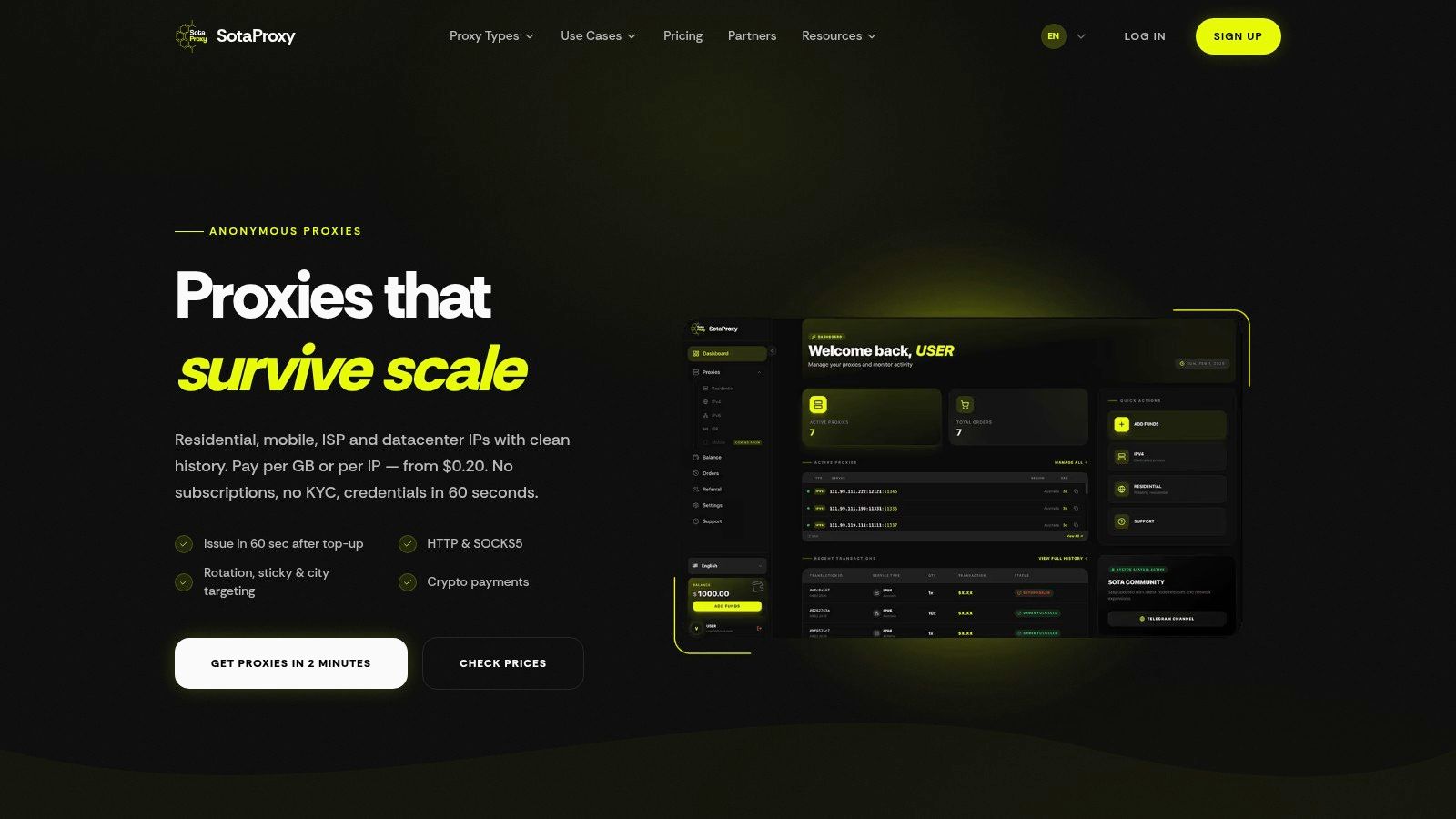
Once you've bought access, you need to map the provider output into fields your tools understand: host, port, username, password, protocol, and session behavior. Some dashboards also expose city targeting, sticky session duration, or separate endpoints for residential, mobile, ISP, datacenter, and IPv6 pools.
A typical provider dashboard looks like this:
System and browser setup
For Windows, go to network settings, find the manual proxy area, enable the proxy toggle, and enter the host and port. For macOS, iOS, and Android, the process is similar. Pick manual proxy configuration and enter the hostname and port. In Chrome, the browser usually hands proxy configuration off to system settings. Firefox can manage proxy settings inside its own network configuration panel.
Keep these rules in mind:
- Match the protocol to the endpoint. If the provider gave you HTTP or HTTPS credentials, don't force SOCKS5 into the profile.
- Test one target first. Confirm the exit IP and region before launching account work or large scrape jobs.
- Avoid system-wide proxies when isolation matters. For ad accounts and cloaking workflows, profile-level setup inside the tool is usually safer.
Antidetect browser workflow
In AdsPower, create a new profile, open the proxy section, select the protocol, then paste host, port, username, and password. Run the built-in proxy check before saving. If the region doesn't match your campaign plan, fix that before you import cookies or log into an account.
In Dolphin Anty, the process is similar. New profile, proxy section, credentials, test, save. Don't clone a profile with a mismatched proxy policy and assume the browser fingerprint layer will hide it. It won't.
In GoLogin, set the proxy at profile creation time and verify timezone, language, and geolocation alignment with the proxy region. For Multilogin, the same logic applies, and if you're using that stack directly, this Multilogin integration page shows the credential mapping clearly.
For Hidemyacc, treat proxy assignment as part of profile identity. One profile, one session logic. Don't bounce a warmed account between unrelated proxy types.
This walkthrough is useful if you want to see the setup flow in motion:
Field check: Before launch, confirm proxy region, local browser timezone, language, and account market all line up. Geo-targeted campaigns often fail on inconsistency, not on the ad itself.
Integrating Proxies into Automation Scripts
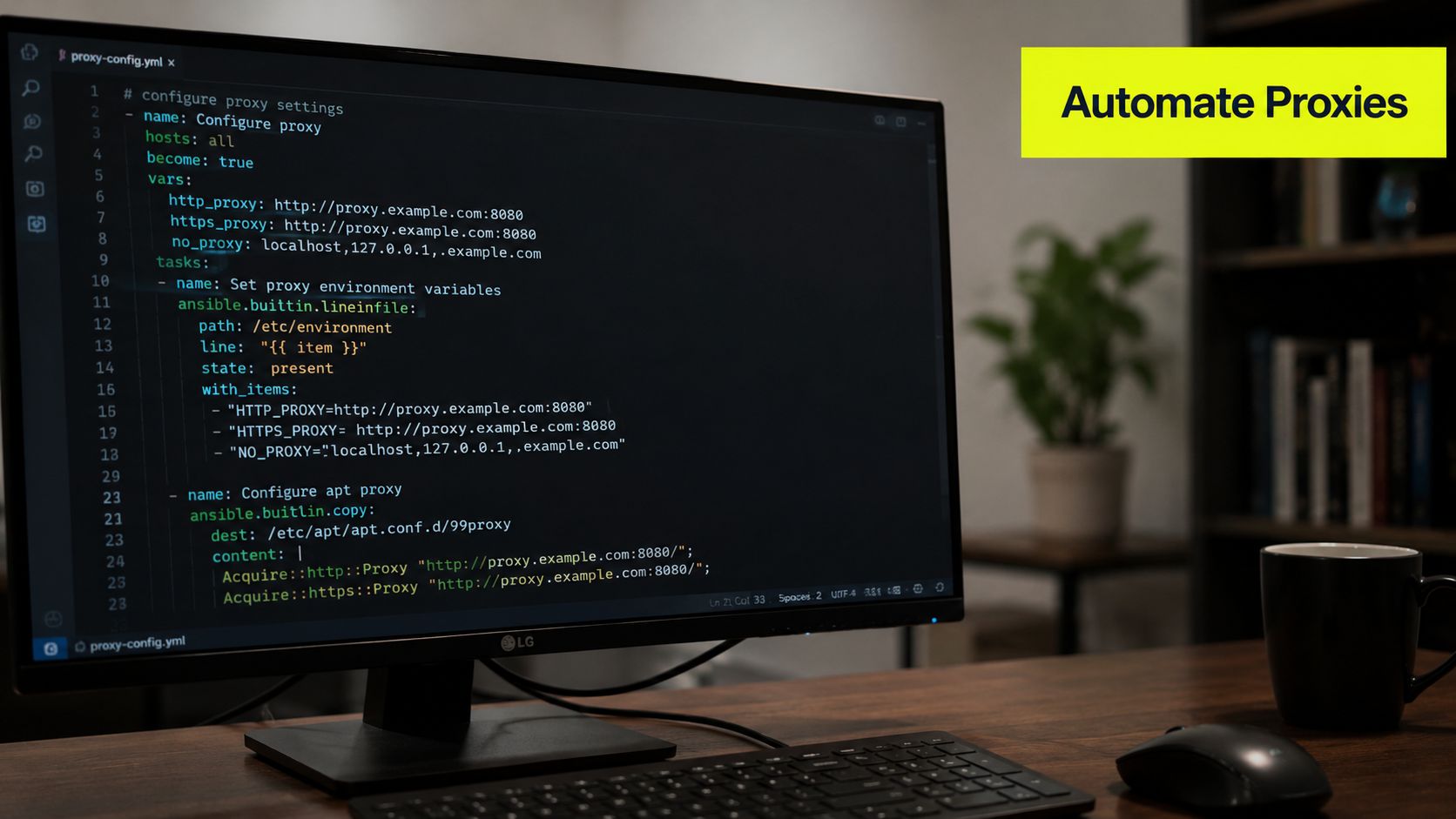
Manual browser setup doesn't scale. Once you're running repeated checks, scraping jobs, or automated account actions, the proxy has to live in code and deployment logic.
Bright Data's infrastructure overview notes that the modern proxy environment supports massive-scale operations with over 400 million monthly residential IPs alongside ISP and datacenter pools. That matters because automation is no longer a one-endpoint problem. Teams route different workloads through different IP classes, regions, and session policies depending on the task.
CLI checks before you automate
Start with a command-line test before you debug Python or Selenium.
HTTP proxy with auth in cURL
curl -x http://USERNAME:PASSWORD@HOST:PORT https://httpbin.org/ip
Use this for a fast sanity check. If this fails, the problem is usually credentials, protocol mismatch, or network egress, not your app.
SOCKS5 proxy with auth in cURL
curl --proxy socks5h://USERNAME:PASSWORD@HOST:PORT https://httpbin.org/ip
The socks5h form tells cURL to resolve DNS through the proxy path, which is often what you want when testing geo-sensitive behavior.
Python requests examples
HTTP or HTTPS proxy in Python requests
import requests

proxy = "http://USERNAME:PASSWORD@HOST:PORT"

proxies = {
    "http": proxy,
    "https": proxy,
}

resp = requests.get("https://httpbin.org/ip", proxies=proxies, timeout=30)
print(resp.status_code)
print(resp.text)
This is enough for many scraping and verification tasks. Keep the timeout explicit so hung proxy sessions fail fast.
SOCKS5 proxy in Python requests
import requests

proxy = "socks5h://USERNAME:PASSWORD@HOST:PORT"

proxies = {
    "http": proxy,
    "https": proxy,
}

resp = requests.get("https://httpbin.org/ip", proxies=proxies, timeout=30)
print(resp.status_code)
print(resp.text)
Use SOCKS5 when the provider supports it and your workflow benefits from that transport. Don't switch protocols just because it sounds more technical. Match the provider endpoint.
Selenium setup for browser automation
For browser-driven automation, wire the proxy into the WebDriver options before the browser launches.
from selenium import webdriver
from selenium.webdriver.chrome.options import Options

proxy_host = "HOST"
proxy_port = "PORT"

chrome_options = Options()
chrome_options.add_argument(f"--proxy-server=http://{proxy_host}:{proxy_port}")

driver = webdriver.Chrome(options=chrome_options)
driver.get("https://httpbin.org/ip")
print(driver.page_source)
driver.quit()
If the proxy requires username and password, you'll usually handle that with a browser extension, a Selenium-compatible auth flow, or a provider endpoint that supports session-auth patterns your stack can consume. The exact implementation differs by browser and provider.
For teams building browser automation pipelines around this, Selenium proxy integration guidance is a practical reference.
Keep your routing logic separated by workload. Don't send every task through the same pool. Scraping, Facebook account operations, TikTok ad reviews, cloaking checks, and geo-targeted QA should each have their own proxy policy.
Troubleshooting, Security, and Best Practices
A proxy can pass a basic connection test and still fail the job that matters. The browser opens, the script returns 200, then the login flow trips a challenge, the target serves the wrong region, or the session dies halfway through a checkout or ad review. That gap between "connected" and "usable" is where most proxy setups break in production.
Many setup failures come from local configuration, auth handling, protocol mismatch, or poor session policy. General explainers such as Fortinet's proxy setup overview cover the basics, but high-stakes workflows need a tighter checklist than "enable proxy" and refresh the page.
The errors that waste the most time
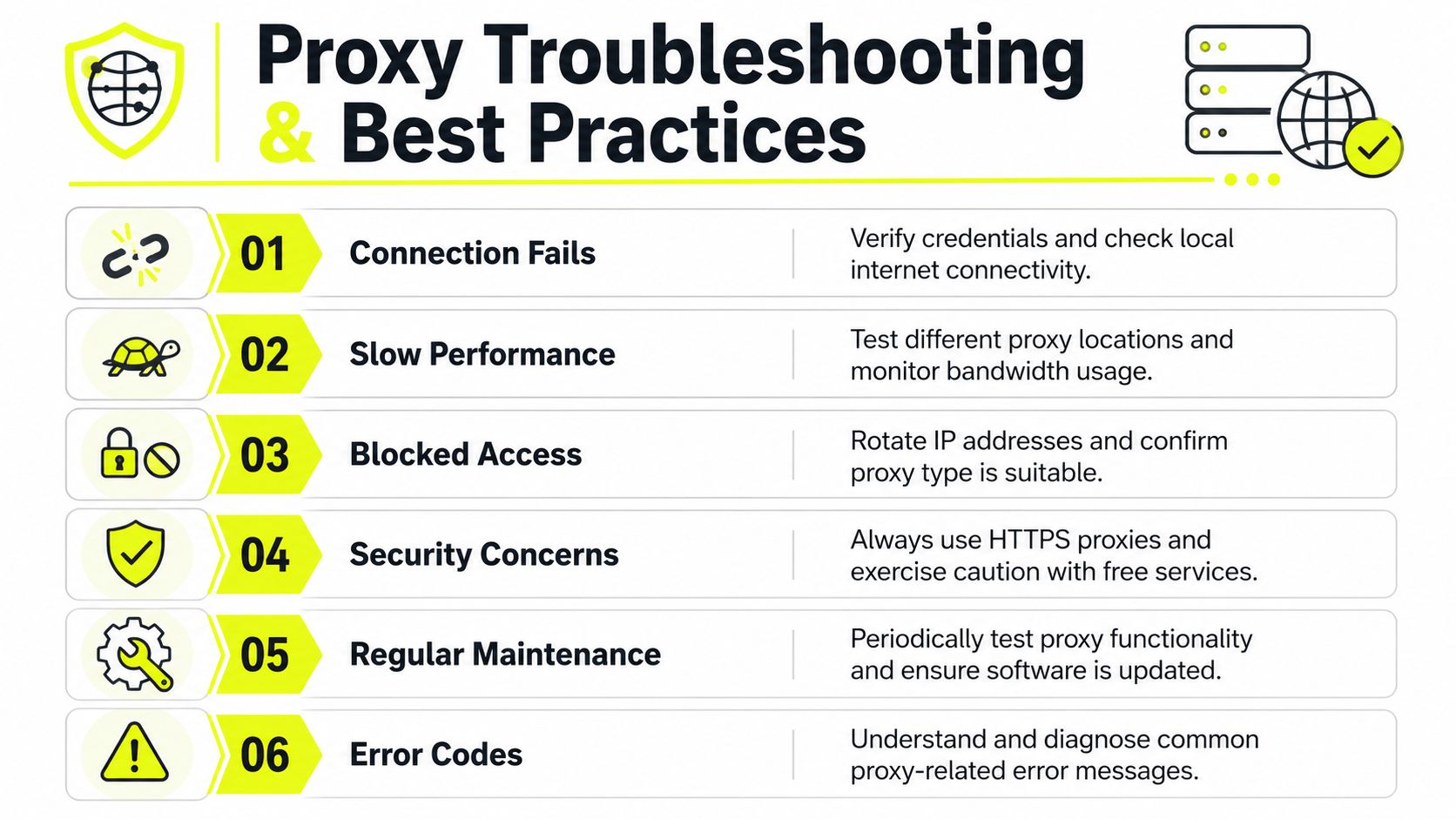
407 Proxy Authentication Required
The client is reaching the proxy, but the proxy is rejecting the credentials. Check the username and password, the auth format, IP whitelist rules, and whether the tool strips special characters or fails to pass auth on redirected requests. In browser automation, this error often comes from the browser launching with the proxy set but without a valid auth handler.
Connection timeout
Start with reachability. Wrong host, wrong port, firewall policy, DNS failure, and dead upstream routes all produce the same symptom. Test the endpoint with cURL or a minimal script before touching Selenium, Puppeteer, AdsPower, or your scraper framework. If the low-level test fails, the application layer is not the problem.
SSL handshake failure
This usually points to the wrong proxy protocol, broken HTTPS interception, or a client library that rejects the certificate chain. It also shows up when the target handles TLS differently by region or ASN, which matters in ad verification, localized QA, and protected scraping targets.
Proxy connects but the target blocks you
Treat this as a fingerprint and trust issue. The IP class may be wrong for the target, the session may rotate too often, the geo may not match the browser profile, or the request pattern may be too aggressive for that pool.
A production checklist
- Verify the visible IP and region first. Confirm the exit IP, country, city, timezone alignment, and DNS behavior before logging into a platform or hitting a protected target.
- Match the proxy type to the job. Residential, mobile, ISP, datacenter, and IPv6 each carry different block profiles, latency, and cost.
- Keep one identity per profile. In AdsPower, Dolphin Anty, GoLogin, Multilogin, and Hidemyacc, do not reuse the same proxy across unrelated account groups.
- Avoid free proxies for sensitive workflows. Uptime, logging policy, abuse history, and credential exposure are too uncertain.
- Use encrypted transport where the provider supports it. This matters on shared networks and remote teams passing credentials through multiple systems.
- Document session policy. Mark which profiles need sticky sessions, which jobs can rotate per request, and which targets require long-lived IP continuity.
- Track bans by pool, region, and target. If one region starts failing, isolate it quickly instead of rotating every workload into the same bad outcome.
Many “proxy issues” are inventory management issues. Teams lose track of which accounts, regions, devices, and session policies belong together, then blame the proxy when the identity story stops matching.
Operational discipline for ad teams and scrapers
For ad teams, assign the proxy before the first login and keep the environment consistent after that. Region, language, timezone, browser fingerprint, and account history need to line up. If the account was warmed on a German residential IP, moving it to a US datacenter endpoint for convenience is how reviews, checkpoints, and trust drops start.
For scraping teams, separate pools by target sensitivity and request pattern. Use one pool for broad discovery, one for protected pages, and another for authenticated flows. If blocks rise, inspect request rate, header consistency, session duration, and IP class before swapping providers. This guide on reducing IP ban risk is a useful reference when you need to diagnose whether the problem is rotation strategy, fingerprint mismatch, or target-side rate controls.
Security needs the same discipline. Store proxy credentials in a secret manager, not in browser notes or plain text config files. Restrict who can view gateway credentials, rotate them on a schedule, and remove access when a contractor or operator leaves the workflow. If a provider supports IP whitelisting, use it for server-side jobs. If your team runs distributed local browsers, use per-user credentials and audit logs so you can trace abuse, leaks, or accidental cross-account reuse.
If this setup still treats proxies as a field to paste into a browser, it will keep failing in edge cases. Stable proxy operations depend on inventory control, session discipline, and fast troubleshooting across browsers, antidetect tools, and scripts.
Related articles
How to Avoid CAPTCHA on Automated Workflows
Learn how to avoid CAPTCHA on automated workflows with proxy tactics, antidetect browsers, request pacing, and solver fallbacks built for real operators.
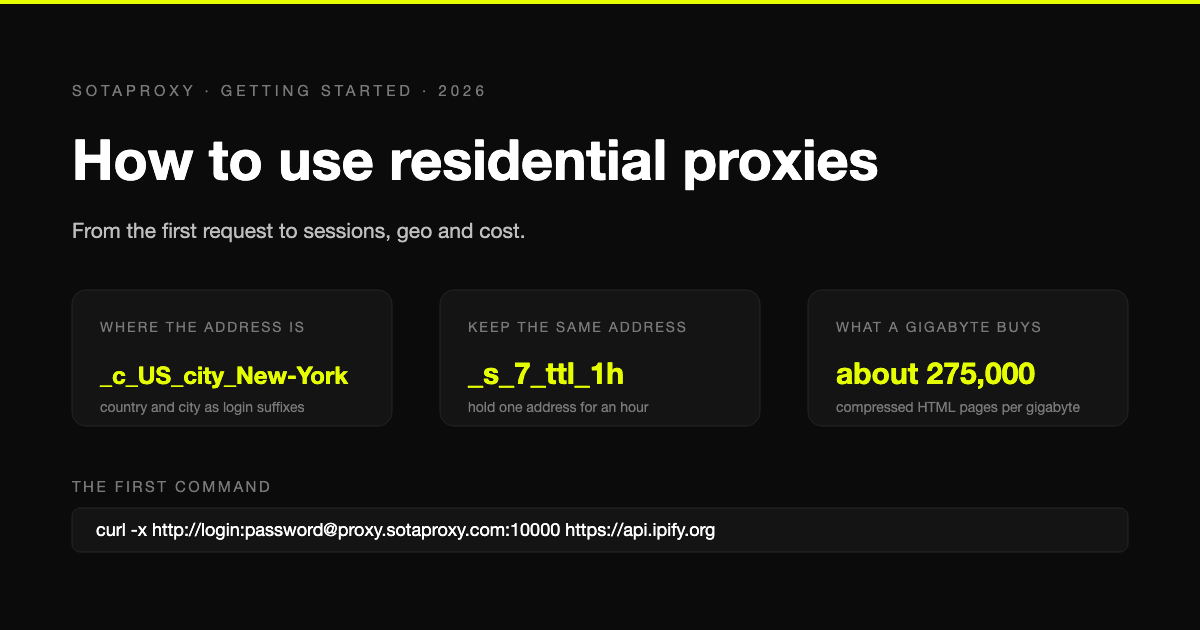
How to Use Residential Proxies: From the First Request to Sessions, Geo and Cost
A residential proxy is a gateway in front of a pool of home addresses, billed by the gigabyte. How to send your first request through one, hold or rotate addresses, pick a country and city, and keep the bill small.
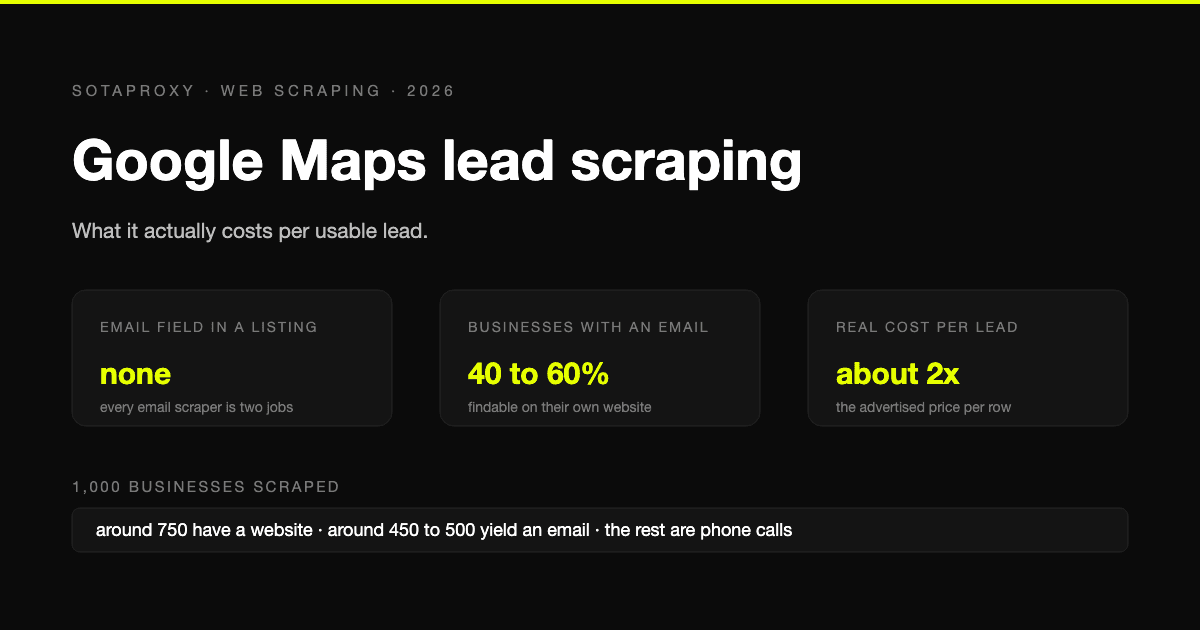
Google Maps Lead Scraping: What It Actually Costs Per Usable Lead
Google Maps has no email field, so every email scraper is a two-stage pipeline and only about half of businesses yield an address. What a thousand listings really costs per usable lead, the businesses-without-websites play, and where the law stands after the SerpApi ruling.
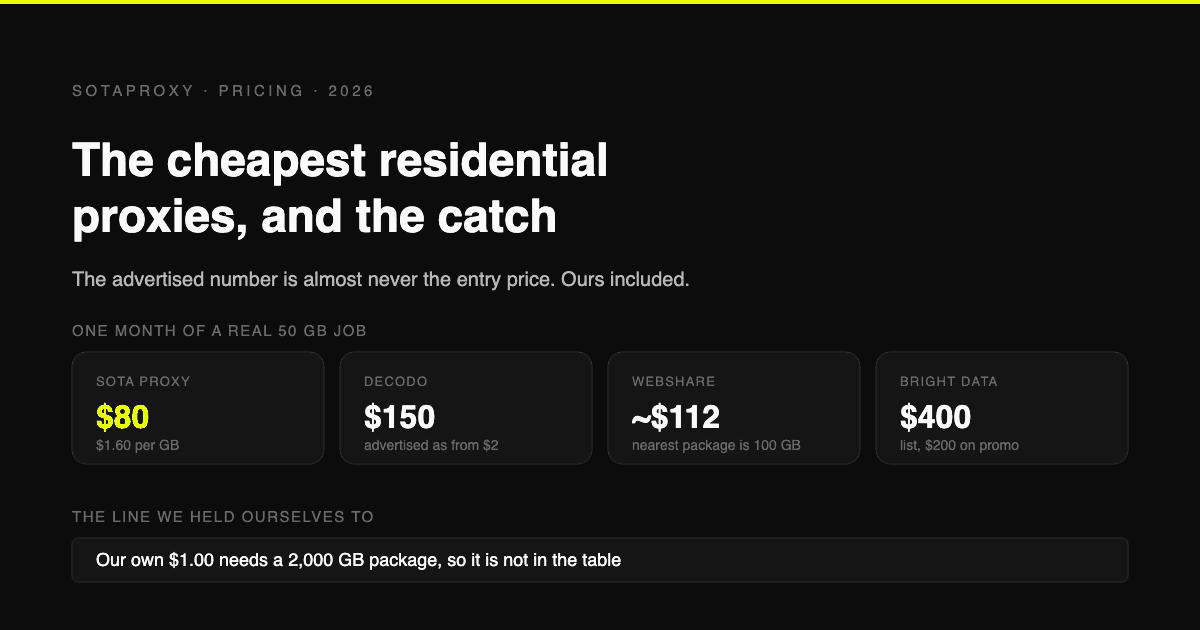
The Cheapest Residential Proxies in 2026, With the Catch Each One Hides
Verified per-gigabyte prices from five vendors' own pages, not from last year's blog posts. Why the advertised number is almost never the entry price, which providers put a monthly floor under your bill, and how to work out your real cost per gigabyte.
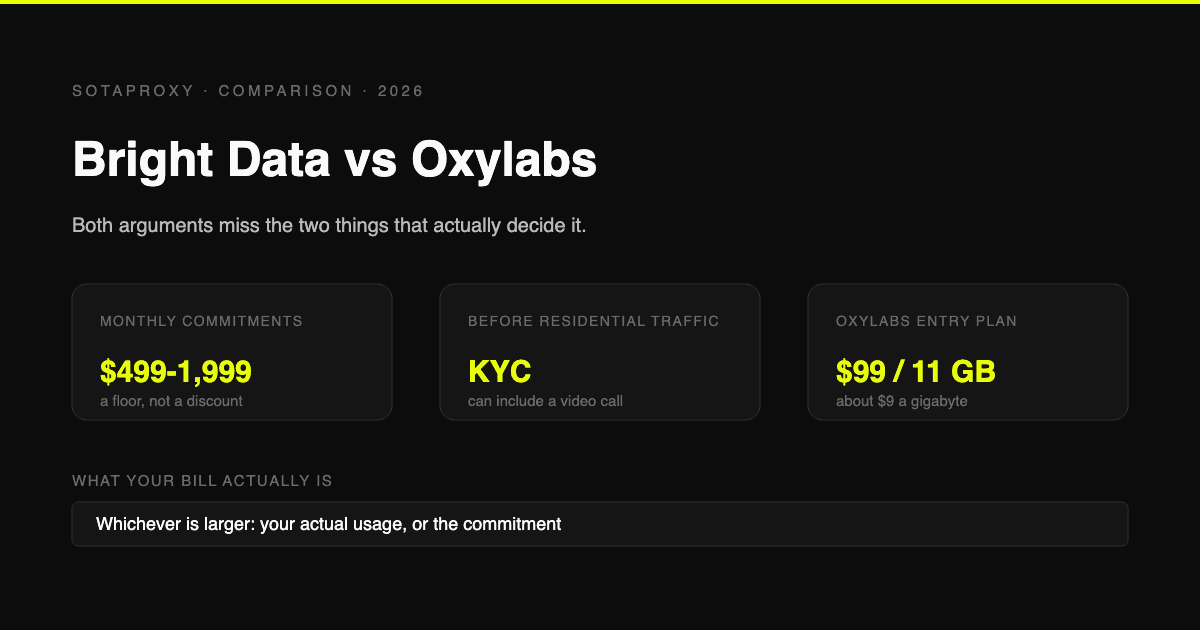
Bright Data vs Oxylabs in 2026: Prices, Commitments and the KYC Nobody Mentions
Both are enterprise platforms with minimum monthly commitments and a compliance check before you can touch residential traffic. Current prices from both vendors' own pages, what the commitment actually costs if you underuse it, and who each one is genuinely for.
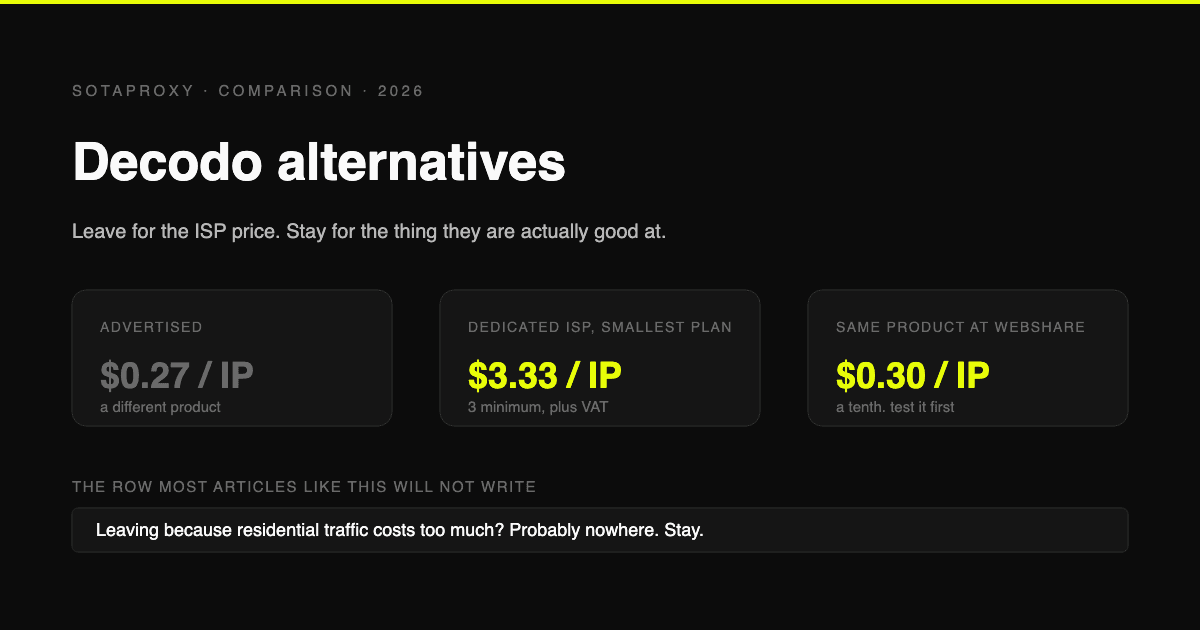
Decodo Alternatives in 2026: Who to Move to, and Who Not to Bother
Decodo is the cost leader on rotating residential and one of the pricier options on dedicated ISP. Verified prices for both, the reasons people actually leave, and which alternative fits each one.