AdsPower Proxy Integration: The Complete Setup Guide
Step-by-step AdsPower proxy integration with SotaProxy. Covers setup, proxy types, rotation, troubleshooting, and best practices for multi-account workflows.
You open AdsPower and the morning queue is already moving. Facebook profiles need warming, TikTok ad accounts need campaign checks, cloaked Shopify landers need geo validation, and every browser profile has its own fingerprint. Then one profile reports a connection failure, another resolves in the wrong country, and several accounts appear to come from the same network.
That isn't a browser configuration problem alone. It's a profile-to-proxy identity problem. AdsPower isolates browser environments, but the network path still determines how each account appears to the platform. A poor pairing can undermine careful fingerprint management, especially across Facebook and TikTok advertising, account farming, cloaking, and geo-targeted campaigns.
This guide treats AdsPower proxy integration as an operating system for multi-account work, not a host-and-port tutorial. The focus is on selecting the right pool, matching authentication to the provider, handling mobile IP changes, and keeping hundreds of profile-proxy relationships stable.
Table of Contents
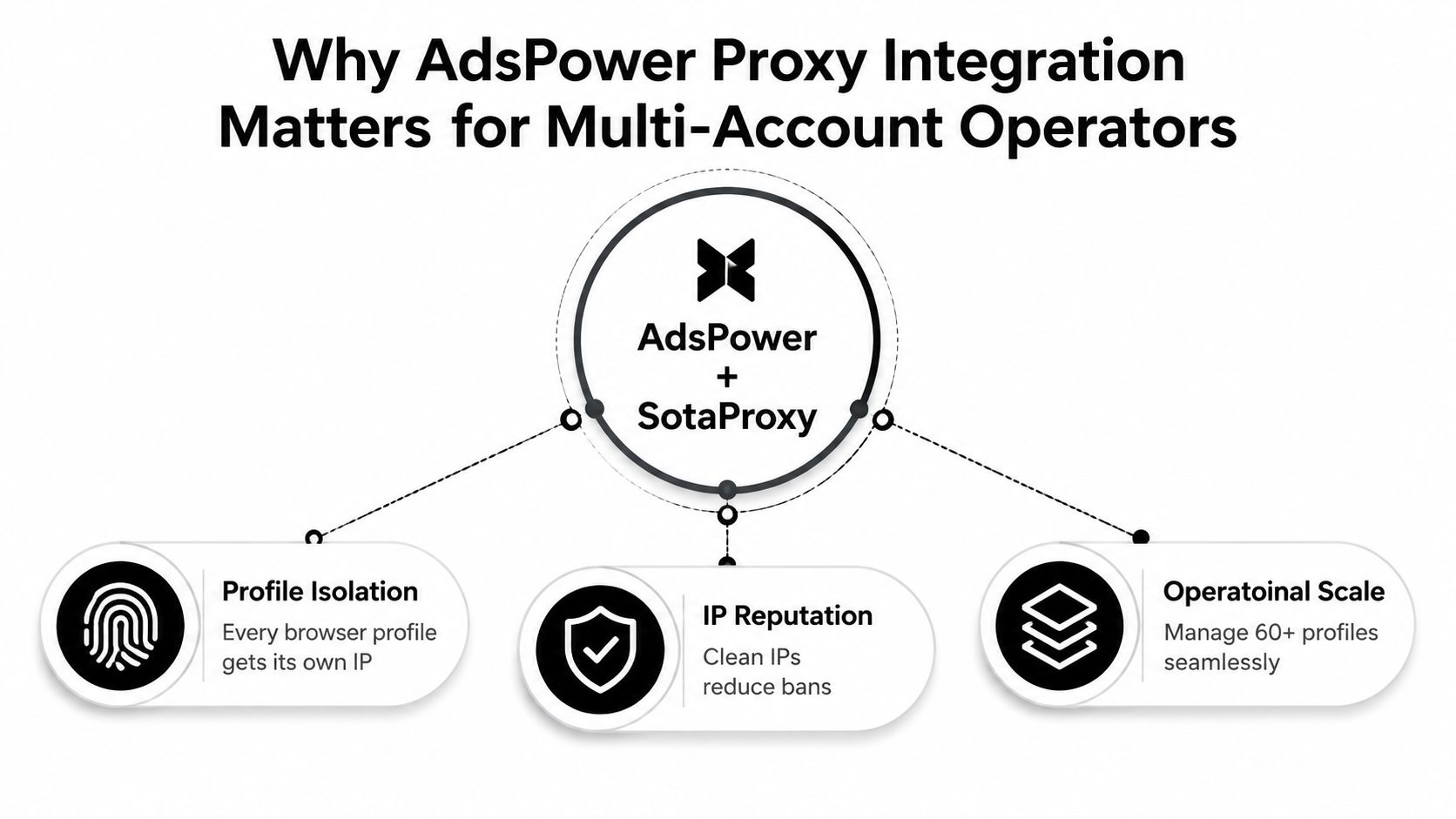
- Why AdsPower Proxy Integration Matters for Multi-Account Operators
- Choosing the Right Proxy Type for AdsPower Profiles
- Configuring SotaProxy in AdsPower Step by Step
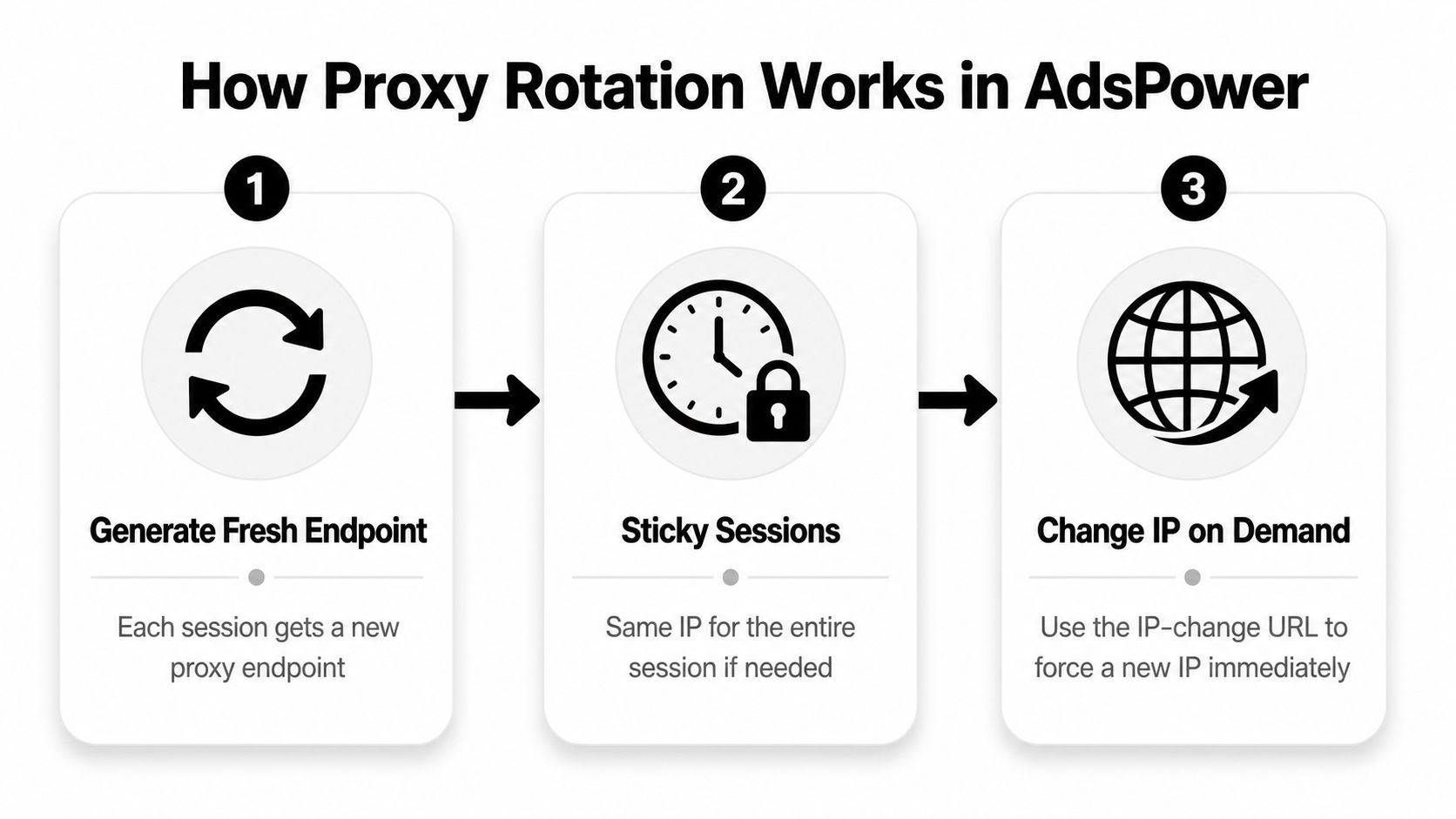
- Rotation, Sticky Sessions, and Mobile IP Changes
- Scaling Profile-Proxy Pairings Across Hundreds of Accounts
- Troubleshooting Common AdsPower Proxy Failures
- Operator Checklist and SotaProxy Referral Note
Why AdsPower Proxy Integration Matters for Multi-Account Operators
A traffic arbitrage team may start the day with dozens of Facebook profiles, TikTok ad accounts, and storefront environments open across AdsPower. Each profile can carry a distinct fingerprint, cookies, language configuration, and browser state. If all of those profiles leave through one shared IP identity, the isolation model becomes much weaker.
Meta can see simultaneous activity from a common network source. TikTok reviews can encounter a location that conflicts with the campaign market. A cloaker can send the right landing page to the wrong visitor when the apparent location or network ownership doesn't match the intended route. The issue isn't solved by adding another proxy to a list. The team needs a predictable pairing between account, profile, location, and endpoint.
The operational pressure usually appears in three places:
- Account continuity: A sloppy pairing can create suspicious login patterns or force repeated verification.
- Geo precision: Country, city, ASN, and carrier context affect how an ad account or lander appears during checks.
- Throughput: Manual reassignment becomes risky when operators launch many profiles throughout the day.
Practical rule: Treat the proxy as part of the account identity, not as a disposable connection setting.
AdsPower documents a profile-based workflow where operators create or edit a profile, open the Proxy section, select a protocol, enter the endpoint fields, run Check Proxy, and save after the test succeeds. The help center also supports HTTP, HTTPS, and SOCKS5, plus proxy list management for adding, filtering, exporting, and updating entries. AdsPower's proxy list documentation reflects a workflow that has remained consistent across its integration guidance.
The same discipline applies if the team uses Dolphin Anty, GoLogin, Multilogin, or Hidemyacc alongside AdsPower. Each antidetect browser may present a different interface, but the control problem stays the same: preserve a coherent relationship between the profile and its network identity. Teams building that operating model can also review this guide to multiple-account management and the broader AdStellar AI workflow optimization resource for process ideas.
Sota Proxy fits this model as a proxy backbone because its residential, mobile, ISP, and datacenter pools can be assigned at the profile level rather than treated as one undifferentiated list.
Choosing the Right Proxy Type for AdsPower Profiles
Proxy selection should follow the account's behavior, trust requirements, and session pattern. A residential pool can suit Facebook farming where traffic should resemble ordinary household access. A mobile pool makes more sense for TikTok creator accounts or workflows where a carrier ASN is central to the test. Static ISP proxies bridge the gap between residential appearance and long-lived sessions, while datacenter proxies remain useful for lower-friction scraping and QA.
The wrong choice creates a trade-off that no AdsPower setting can fully repair. Datacenter speed may look attractive during account creation, but it can create a network profile that doesn't fit the target platform. Residential rotation can provide broader coverage, but aggressive changes during an active account session can break continuity.
| Proxy Type | Best AdsPower Use Case | Trust Level | Session Style | Cost Band |
|---|---|---|---|---|
| Residential | Facebook farming, social account management, geo-targeted campaign checks | Household-style network context | Rotating or sticky, depending on account behavior | Variable usage-based |
| Mobile | TikTok creator accounts, carrier-sensitive checks, mobile-network simulation | Carrier ASN context | Sticky sessions with deliberate IP changes | Usually higher operational cost |
| ISP | Long ad-account sessions, US or EU city targeting, stable store operations | ISP-associated context | Long-lived sticky sessions | Mid to higher |
| Datacenter | Scraping, account creation tests, QA, low-friction automation | Datacenter network context | Fast rotation or static allocation | Often lower |
For cloaking, the important question is whether the delivery logic sees the intended country and network category. For Facebook and TikTok campaigns, the operator should align the proxy location with the account's market instead of changing geography casually between launches. Independent antidetect-browser guidance recommends matching each ad account to a proxy location and a distinct browser fingerprint across Meta, Google, and TikTok workflows. This affiliate marketing setup guidance describes that pairing principle directly.
IPv6 can help when a workflow supports it and the target environment handles the address family correctly, but compatibility must be tested before placing it into a large profile group. IPv4 remains the safer default when a platform, automation layer, or verification service has inconsistent IPv6 support.
Authentication also matters. SotaProxy exposes username and password authentication as well as IP whitelisting. Username and password works well for distributed operators and profile-level provisioning. IP whitelisting can reduce credential handling, but it depends on stable outbound office or server addresses. Mixing those modes across providers without documenting the difference is a common source of silent failures. For a deeper comparison of residential, mobile, ISP, datacenter, and IPv6 options, use this reference on proxy types.
Configuring SotaProxy in AdsPower Step by Step
Start with the profile that will own the connection. In AdsPower, create a new profile or edit an existing one, open the Proxy section, choose Custom, and select the protocol that matches the SotaProxy endpoint. AdsPower documents this sequence as a profile-level configuration rather than a loose browser-wide setting.
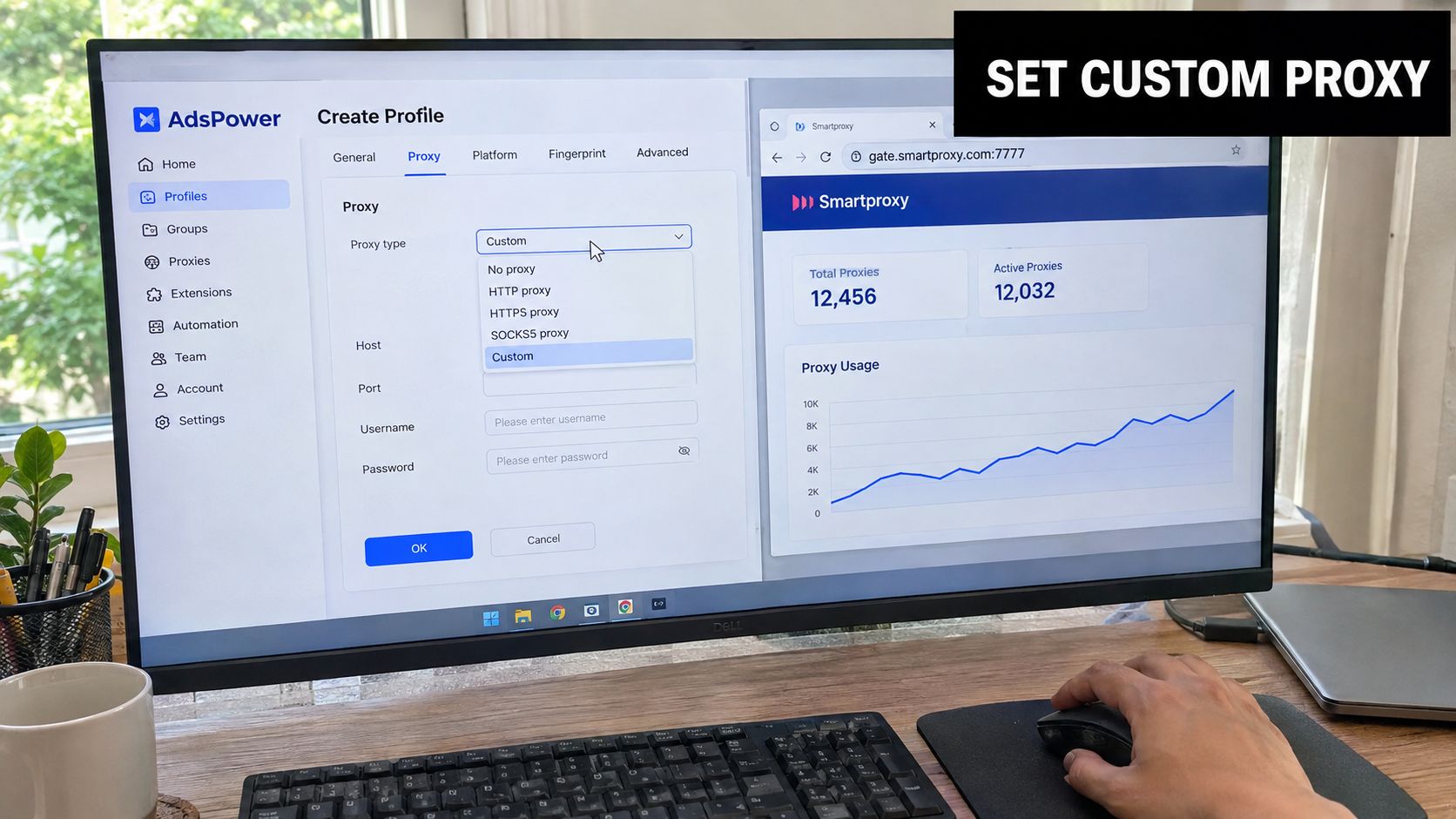
Use the endpoint values separately:
- Select the protocol. Choose HTTP, HTTPS, or SOCKS5 according to the pool and endpoint provided. Don't assume that a working hostname supports every protocol.
- Enter the host. Paste only the hostname or IP into the Host field.
- Enter the port. Put the port in its own field. Never paste the full credential string into Host.
- Add authentication. Use the SotaProxy username and password, or select the IP-whitelist method when the team has authorized the relevant outbound address.
- Configure mobile rotation. For a mobile proxy, place the provider's IP-change URL into AdsPower's dedicated Change IP URL field.
- Run Check Proxy. Confirm that the test returns a valid connection before saving the profile.
AdsPower also supports parsing common credential strings such as IP:port:username:password, which can reduce manual entry errors during bulk provisioning. That doesn't remove the need to inspect the resulting fields. A parser can save time, but a malformed source line can still assign the wrong protocol or credential position.
Configuration rule: A proxy URL belongs in a parser or import field. The manual Host field should contain only the endpoint host.
Protocol mismatch is the fastest way to produce an immediate failure. If the provider supplies a SOCKS5 endpoint and the profile is set to HTTP, the browser may fail before the request reaches the intended pool. The same applies when the endpoint port belongs to another protocol.
After the first successful test, save the profile and launch it in isolation. Check the apparent IP, location, and ASN from inside that browser environment. For teams automating profile creation or reassignment, AdsPower's API documentation can help structure the provisioning layer, while teams coordinating broader paid-media tooling may benefit from these integrations for paid media teams.
The video below provides another visual reference for the configuration flow.
Rotation, Sticky Sessions, and Mobile IP Changes
Rotation isn't automatically safer. An account that needs continuity can become unstable if the IP changes during every navigation or login. A rotating residential endpoint suits discovery, scraping, or controlled testing. A Facebook farming profile or e-commerce account usually needs a session window that preserves the same public identity while the operator works.
SotaProxy-style rotation controls commonly separate three decisions:
- Lifetime: How long an endpoint remains associated with the session.
- Request count: Whether the provider changes the IP after a defined number of requests.
- Expiry: What happens when the session token or endpoint reaches its end.
The practical settings described for these workflows range from 1 to 60 minutes for a rotation lifetime, as documented in the supplied AdsPower integration material. That range should be treated as a configuration choice, not a universal recommendation. A short window may suit scraping, while a longer sticky period better fits a profile warm-up routine.
Mobile IP changes need their own control
AdsPower documents the Change IP URL field as exclusive to mobile proxies. Add it only when the provider supplies a valid rotation endpoint. The field isn't a replacement for the normal host, port, username, or password fields. It gives the profile a separate mechanism for requesting a new carrier IP.
Before launching a mobile profile, reset the assigned IP when the operating procedure requires a fresh carrier address. That reduces the chance of two profiles inheriting an unintended sibling identity through carrier NAT. During a session, trigger a change only when the account workflow can tolerate a network transition.
AdsPower's documented process is to run Check Proxy, verify the result, and save the profile only after the connection succeeds. Use that same test after a session change. The session persistence guide is useful when deciding whether a profile should preserve an endpoint or request a new one.
Residential pools generally work best with controlled rotation for Facebook research and account farming. Mobile pools need deliberate carrier changes for TikTok scaling. ISP proxies fit stable ad-account and store sessions. Datacenter proxies belong in scraping or QA flows where the target doesn't demand a household or carrier context.
Scaling Profile-Proxy Pairings Across Hundreds of Accounts
The lazy model is simple: buy a proxy list, paste one endpoint into every AdsPower profile, and launch. That model fails because it collapses many account identities into one network relationship. It also makes diagnosis difficult. When the endpoint is flagged, the operator can't tell which profiles share the problem or which accounts need reassignment.
A scalable pairing model starts with inventory design. Group profiles by platform, market, vertical, and session behavior. A Facebook farming group may use residential or ISP endpoints. TikTok creator profiles may require mobile assignments. Cloaking and geo-targeted campaign checks should use locations that match the market being tested.
Give every pairing an audit trail
Use names that expose the relationship at a glance. A label such as FB-US-NY-014 can identify platform, market, region, and sequence. Add AdsPower tags for provider, proxy type, session mode, and review status. The operator should be able to filter a group and answer three questions quickly:
- Which profiles share this endpoint or session?
- Which profiles failed their latest proxy check?
- Which profiles need a replacement after a provider or protocol change?
A stable fingerprint should stay with its assigned proxy unless there is a deliberate reason to rebuild the identity. Don't rotate the proxy because the dashboard makes rotation available. Rotate at defined intervals, record the change, and preserve the profile's broader context.
| Profile Count | Proxy Type | Session Mode | Rotation Interval | Pairing Logic |
|---|---|---|---|---|
| Small test group | Residential or datacenter | Rotating | Task-dependent | Separate profiles by platform and market |
| Growing farm | Residential or mobile | Sticky | Defined warm-up window | One profile, one fingerprint, one endpoint |
| Large paid-media operation | ISP and residential | Mostly sticky | Scheduled review | Group by geo, vertical, and provider |
| Mixed automation fleet | Multiple pools | Per-workflow | Policy-based | Tag every profile with protocol and auth mode |
Bulk reassignment should follow a controlled import process. Prepare a clean mapping file, validate the endpoint format, assign replacements to the affected profiles, and run Check Proxy before reopening accounts. AdsPower supports saved proxy lists and common credential-string parsing, but its public documentation doesn't quantify bulk-management limits or failure rates. That means the team should measure its own queue behavior instead of assuming that a large import will behave like a single-profile edit.
When residential volume becomes inconsistent, ISP proxies can provide a stable alternative for sessions that need location continuity. Retire a proxy when repeated tests fail across different networks, when the target platform consistently challenges the associated profiles, or when the provider confirms the endpoint is no longer valid. Don't recycle a visibly burned identity into another account group and call it recovery. The operational playbook in this multi-account stack guide offers a useful reference for organizing that infrastructure.
Troubleshooting Common AdsPower Proxy Failures
Most AdsPower proxy failures are input or environment problems before they become provider problems. Start by separating the endpoint into its fields, confirm the protocol, and test the same credentials outside the affected profile only when the provider permits that diagnostic workflow.
| Error or Symptom | Root Cause | Fastest Fix |
|---|---|---|
| Proxy connection failed immediately | Full URL pasted into Host, or malformed endpoint | Clear Host and enter only the hostname or IP, then place the port separately |
| Connection reaches the wrong service | HTTP, HTTPS, or SOCKS5 mismatch | Match AdsPower's protocol selector to the provider endpoint |
| Credentials worked previously, then stopped | Expired, rotated, or revoked authentication | Generate or confirm current credentials and retest |
| Multiple profiles fail together | VPN, system proxy, or environment variable conflict | Disable competing network routes and restart AdsPower |
| Check Proxy passes, but the platform challenges the account | IP reputation, location mismatch, or unstable pairing | Test the IP and ASN independently, then review the profile's history |
AdsPower's troubleshooting guidance recommends eliminating local interference first. On Windows, remove the HTTP_PROXY and HTTPS_PROXY environment variables when they override the intended route. On macOS or Linux, disable system-level web and SOCKS proxy settings. If the credentials and endpoint are valid, check for another VPN or proxy, reboot, and retest on a different network or device using the AdsPower configuration troubleshooting guide.
Use two verification layers
Run AdsPower's Check Proxy before saving. Then verify the resolved IP, ASN, and location through an independent IP inspection service such as ipinfo.io. Before trusting a sensitive session, run a browser fingerprint and leak check through BrowserLeaks.
A failed Check Proxy points toward configuration, credentials, endpoint validity, or local interference. A successful check followed by repeated platform challenges points elsewhere. Review geo alignment, session changes, shared profile assignments, and the reputation of the network. Don't keep editing the Host field when the actual problem is that several accounts are sharing a suspect identity.
Operator Checklist and SotaProxy Referral Note
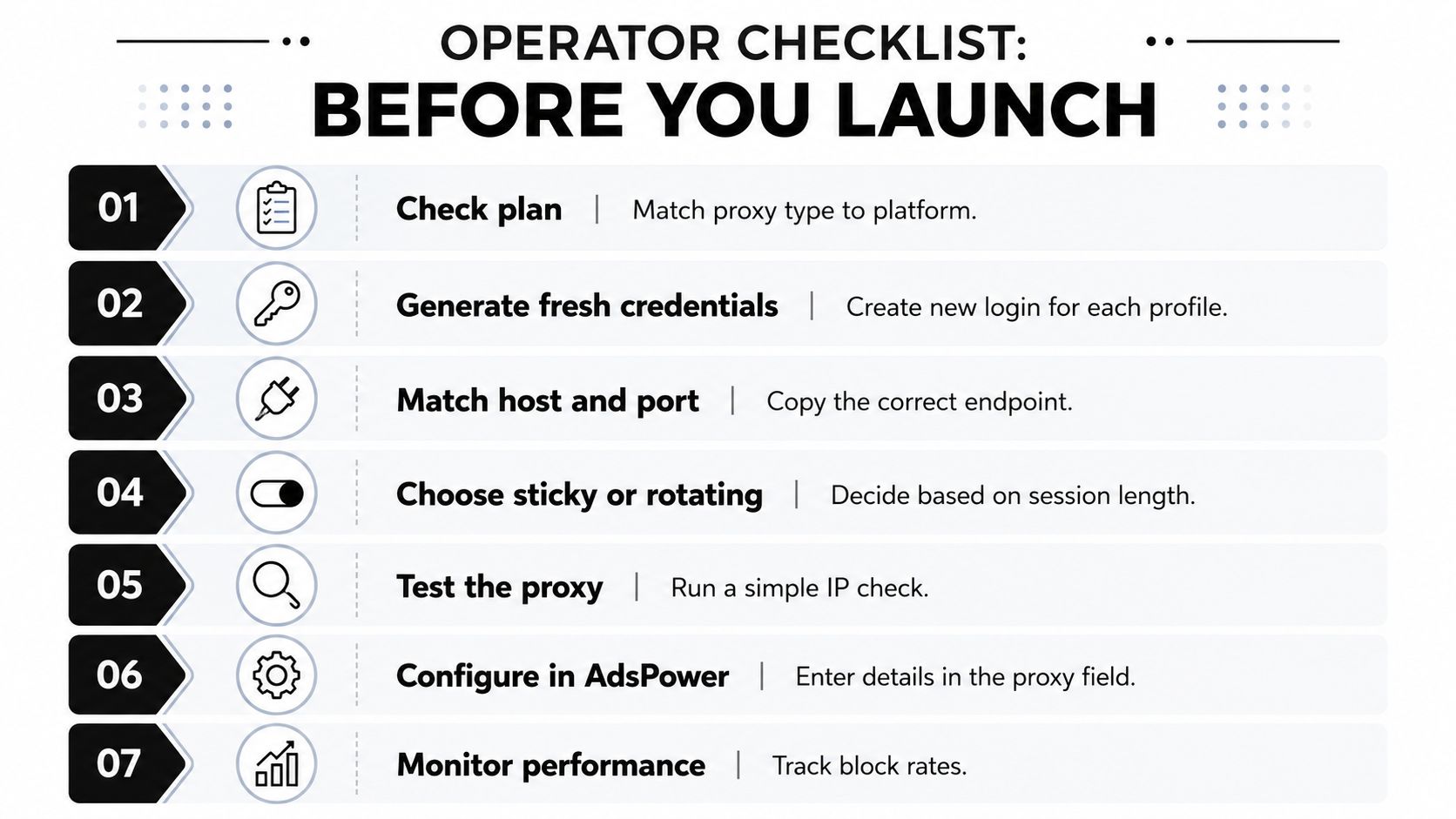
Before launching an AdsPower profile, verify the seven controls that prevent most avoidable failures:
- Match the plan: Choose residential, mobile, ISP, or datacenter access for the target platform and workflow.
- Generate fresh credentials: Use the current provider credentials assigned to the profile.
- Separate host and port: Keep the Host field free of full URLs and credential strings.
- Choose the session mode: Decide whether the account needs a sticky endpoint or controlled rotation.
- Run the proxy test: Use Check Proxy before saving and confirm the result.
- Group the profile: Organize profiles by geography, subnet, platform, and vertical.
- Prepare mobile changes: Add and document the IP-change URL for mobile profiles that need carrier rotation.
A lean operation can manage credentials in a controlled password or environment system, while a larger team should centralize provisioning and keep a weekly audit of profile-proxy pairings. A burned subnet often shows up as a cluster of challenges across profiles that previously behaved normally. Isolate the group, test the endpoints independently, and replace the network identity instead of repeatedly reopening the same sessions.
Sota Proxy also offers a referral and affiliate program with up to 40% commission, which can help agencies and media buyers offset proxy spend as their account fleets expand.
Sota Proxy provides residential, mobile, ISP, and datacenter proxies for AdsPower workflows, with controls for location targeting, rotation, sticky sessions, and mobile IP changes. Review the available proxy options, map them to your profile groups, and visit Sota Proxy to configure the pool that matches your campaigns and account operations.
Related articles

IP Reputation Check: A Guide for Media Buyers & Farmers
Master the IP reputation check process for ad accounts and automation. Learn to analyze scores, handle blacklists, and manage proxies to avoid platform bans.

Secure Your Ads: Avoid a Free Rotating Proxy in 2026
A free rotating proxy poses major risks to Facebook/TikTok ads and antidetect browsers. Understand the security dangers and why paid proxies are essential for
IPv6 Proxy Service: Boost Ad Accounts & Automation
Boost ad accounts & automation with our IPv6 proxy service. Discover optimal IPv6 vs IPv4 use for Facebook, TikTok, and antidetect browsers in 2026.

Proxy Servers and Firewalls: A 2026 Guide for Media Buyers
Master proxy servers and firewalls with our 2026 guide for media buyers & account operators. Learn interaction, configs, and multi-account security.

Residential Proxy Reddit: Master Accounts & Avoid Bans
Master Reddit account management, data scraping, and ban avoidance with our technical guide. Learn expert strategies using a residential proxy reddit in 2026
Proxy for Facebook: The Technical Guide for Media Buyers
Need a proxy for Facebook ad accounts or farming? This guide covers residential vs. datacenter IPs, antidetect browser setup, and choosing a reliable provider.