Proxy for Facebook: The Technical Guide for Media Buyers
Need a proxy for Facebook ad accounts or farming? This guide covers residential vs. datacenter IPs, antidetect browser setup, and choosing a reliable provider.
You're usually not looking for a proxy for Facebook because you're curious. You're looking because accounts started tripping checkpoints, ad review got inconsistent across geos, or your team tried to scale in AdsPower, Dolphin Anty, GoLogin, Multilogin, or Hidemyacc and the stack started leaking signals.
That's its main use case. Not “privacy.” Operational control.
What Facebook itself permits, from one personal account up to an ad ceiling in the hundreds, is laid out in how many Facebook accounts you can have.
For media buyers, traffic arbitrage teams, account farmers, cloaking setups, and geo-targeted campaign operators, a proxy is only one layer. The account survives when the IP, browser profile, session behavior, and task type all match. If one of those breaks, Facebook and TikTok workflows start getting expensive fast.
Table of Contents
- Why Proxies Are Essential for Facebook Operations
- Choosing the Right Proxy Type A Technical Breakdown
- Aligning Proxies with Antidetect Browsers
- Proxy Setup and Integration Checklist
- Troubleshooting Common Facebook Proxy Issues
- Legal Boundaries and Scaling with Sota Proxy
Why Proxies Are Essential for Facebook Operations
Facebook is too large and too sensitive for raw, unstructured access. Its advertising reach stood at 2.28 billion users in January 2025, up by 93.3 million people or 4.3% year over year, with major markets including India at 384 million users and the United States at 197 million users, according to DataReportal's Facebook stats breakdown. At that scale, serious account operations, ad testing, and geo verification always turn into environment management.
Why raw account access is not the problem
A common initial thought is that the issue is login origin. That's only part of it.
A key issue is account correlation. If multiple Facebook ad accounts, Business Managers, pages, or farmed profiles touch the same network identity, or jump between unrelated geos, Facebook has an easy reason to challenge the session. The same applies when you run TikTok ad accounts in parallel and reuse bad infrastructure habits across both platforms.
A proxy for Facebook gives you IP separation. That separation matters when your team does any of the following:
- Multi-account media buying: One buyer manages several ad accounts and needs clean separation between profiles.
- Account farming: Warm-up flows break when many new accounts hit from one network identity.
- Cloaking and ad review checks: You need to see what Facebook reviewers or users in another geo are likely seeing.
- Geo-targeted campaign validation: A campaign targeted to one country or city can't be checked properly from the wrong region.
- Public data collection: Scraping public-facing data without any IP strategy usually ends in rate limits or blocks.
Practical rule: If the account matters, don't let it share infrastructure with anything noisy.
Where teams actually need a proxy for Facebook
New operators typically make a mistake. They buy one residential plan, plug it into a browser, and assume the setup is safe. It isn't.
Different Facebook tasks need different trust levels:
| Task | What matters most | Bad setup |
|---|---|---|
| Ad account login | Session stability | Rotating IP every few requests |
| Account farming | Clean reputation and isolation | Reusing one IP across many fresh profiles |
| Geo ad verification | Correct location | Browser timezone not matching proxy geo |
| Cloaking checks | Repeatable reviewer view | Random IP rotation mid-session |
| Public scraping | Throughput and replacement | Expensive sticky mobile IPs for bulk fetches |
A proxy is essential once you operate at volume. But “use a proxy” is still shallow advice. The stack only works when proxy type matches the task, and the browser profile matches the proxy.
Choosing the Right Proxy Type A Technical Breakdown
A bad proxy choice usually shows up like this. The farm survives week one, then checkpoints pile up because fresh accounts were warmed on reused residential IPs. Or the ad team burns money on mobile proxies for routine account work that would have run fine on sticky ISP sessions.
Proxy selection for Facebook is an operations decision. The right type depends on the task, how stable the session needs to be, what browser profile will sit on top of it, and how much failure costs. Incogniton's breakdown of Facebook proxy workflows makes the same broad point: sensitive actions need higher-trust IPs, while cheaper infrastructure fits lower-risk jobs. The mistake is treating all Facebook activity as one risk bucket.
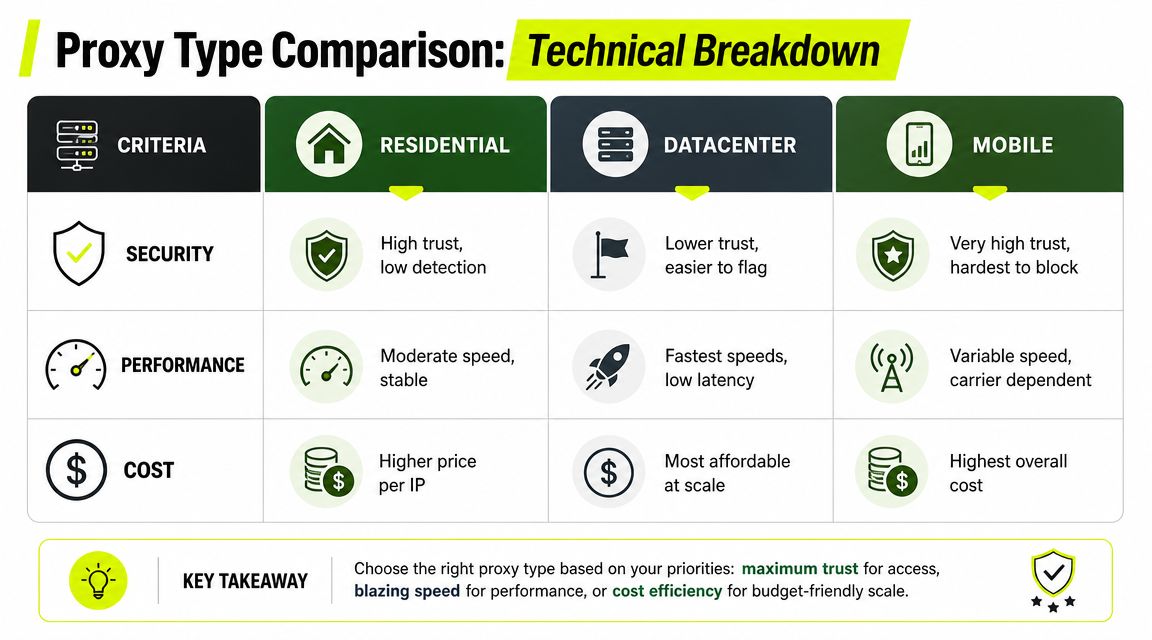
If you want a neutral breakdown of proxy categories and how they differ, use that as background. For Facebook work, the decision is simpler. Match the proxy to the account stage and the action being taken.
Residential proxies
Residential proxies are the default for first-touch account work. That includes account creation, early warm-up, recovery flows, security checks, and logins to ad assets you cannot afford to lose.
Why they fit:
- They resemble normal consumer traffic.
- They support local account stories better than server IPs.
- They pair well with browser profiles built to look like real users in the same region.
Where teams get burned:
- Good residential inventory is expensive.
- Provider quality varies hard.
- Rotation creates unnecessary noise if the profile needs continuity.
For farming, residential is usually the safer baseline, but only if the farm is isolated properly. One good residential subnet reused across too many fresh profiles stops being "safe" very quickly. I would rather run fewer profiles per clean IP than squeeze more volume out of a range and spend the next month dealing with disabled assets.
Mobile proxies
Mobile proxies fit narrower workflows than people admit. They are useful for high-friction account creation environments, mobile-first social operations, and cases where carrier-origin traffic helps reduce login friction.
The trade-off is cost and control. Mobile pools are expensive, sticky quality can vary, and operators often bolt them onto desktop fingerprints that do not match the network story. That is sloppy stack design, not a proxy problem.
Use mobile when the workflow is built around mobile behavior. For example, if a profile is meant to represent a phone-first user, the browser profile, language, timezone, and session timing should all support that. If the task is routine ad account maintenance from a stable workstation profile, mobile is often overkill.
Datacenter proxies
Datacenter proxies are for throughput and cost control. They work well for bulk tasks that do not depend on high trust.
Good use cases:
- landing page checks
- public scraping
- lower-risk geo validation
- ad preview collection
- internal automation that stays away from fragile account events
Bad use cases:
- fresh account farming
- first logins on sensitive assets
- recovery flows
- Business Manager work after a recent restriction
A dedicated datacenter IP can still make sense inside a mature workflow. If an account has long session history, low friction, and a stable browser identity, a clean dedicated server IP may hold fine for repeat operational tasks. Shared cheap datacenter inventory is where problems start. It is fast, but it often carries too much reputation risk for Facebook account work.
ISP proxies
ISP proxies sit between residential and datacenter. They are usually the practical choice for longer sticky sessions, repeat login environments, and account management where you want steadier behavior without paying mobile rates.
This is the proxy type I look at when the account is already established and the job needs consistency more than novelty. For ad operations, ISP can be a strong middle ground: less volatile than rotating residential, less exposed than generic datacenter, and often easier to keep aligned with a stable browser profile over time.
IPv6 is not a proxy strategy
IPv6 gets oversold because it is cheap and available at scale. For Facebook operations, that framing is weak.
IPv6 only tells you the addressing format. It does not tell you whether the IP range is trusted, whether the session will stay stable, or whether the browser profile matches the network identity. If the goal is farming or ad account access, those factors matter more than whether the address is v4 or v6.
The practical decision framework
Use task risk, not forum hype.
- Farming fresh accounts: residential first, mobile only when the full identity is mobile-consistent and the cost is justified.
- Warming and maintaining aged profiles: residential, ISP, or dedicated mobile depending on how often the account travels and how stable the browser profile is.
- Sensitive ads work: residential or ISP for sticky, repeatable sessions. Avoid unnecessary rotation.
- Geo verification and reviewer checks: residential or ISP from the target region, with session stability if you need reproducible views.
- Scraping and bulk collection: datacenter first if the data is public and account trust is not involved. Save residential budget for account-facing actions.
The short version is simple. Residential and mobile buy trust. Datacenter buys speed. ISP buys stability at a more tolerable cost. The right answer depends on whether you are protecting a farm, preserving ad account continuity, or pushing volume through a low-risk workflow.
Aligning Proxies with Antidetect Browsers
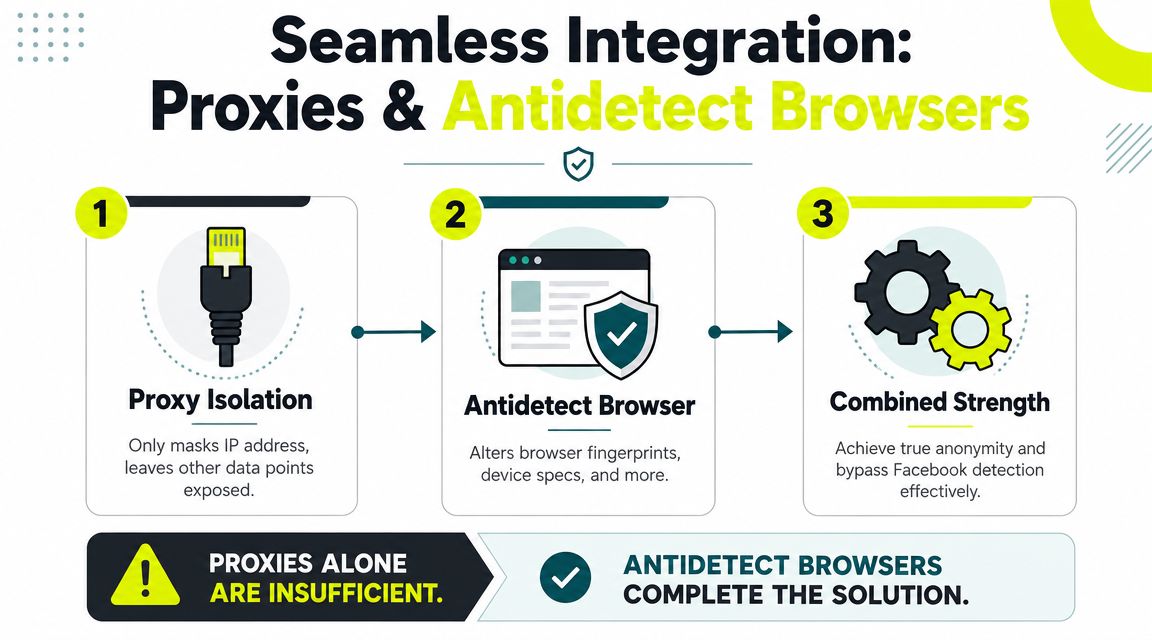
A proxy changes the network path. It does not create a believable user.
That's why teams running only a proxy for Facebook still get hit with checkpoints. Facebook proxy workflows are typically built around IP isolation plus browser fingerprint alignment, where the proxy hides the origin IP and the antidetect browser aligns signals like timezone, language, and screen resolution so the session looks geographically consistent, as described in AdsPower's guide to Facebook proxy setup.
If you need background on transport security around proxied browsing, this SSL proxy server article is a useful side read.
What a proxy does not fix
A proxy won't fix these mistakes:
- Timezone mismatch: IP says Berlin, browser says New York.
- Language mismatch: Proxy geolocates to Spain, browser profile defaults to US English with unrelated locale patterns.
- Resolution mismatch: Every profile uses the same screen settings.
- Profile reuse: One browser fingerprint touches multiple Facebook or TikTok assets.
- Session inconsistency: IP rotates while the account is in a normal management flow.
This is why AdsPower, Dolphin Anty, GoLogin, Multilogin, and Hidemyacc matter in actual operations. They let you isolate profiles and control the profile-level signals that a plain browser exposes by default.
How to build a consistent profile
Think in pairs. One proxy. One isolated browser profile. One account cluster. The same pairing, applied to accounts that hold a payout, is worked through in the agency guide.
A good profile setup usually includes:
- Geo match: Country, timezone, and language should fit the proxy location.
- Device coherence: User agent, OS style, fonts, and hardware hints should make sense together.
- Persistence: Cookies, local storage, and profile history should stay attached to the same account.
- Stable task mapping: Don't farm on one profile, then switch it into ad account review work with a different network story.
Most “proxy for Facebook” articles stop at proxy selection. The operational pain point is what happens after that. Guidance that goes further than basics keeps stressing geo checks, timezone checks, and “check proxy” workflows because mismatch detection is the core failure point, as outlined in this Facebook proxy guide focused on setup consistency.
If the browser profile tells a different story than the IP, the proxy didn't help. It just changed one signal.
For teams running cloaking, affiliate funnels, or geo-targeted ad creatives, this matters even more. You don't just need a foreign IP. You need a profile that behaves like it belongs there.
Proxy Setup and Integration Checklist
Most bad setups fail before the first login. The operator buys the wrong session type, uses a random city, skips leak checks, and pushes the profile live anyway.
Start with the environment, not the account.
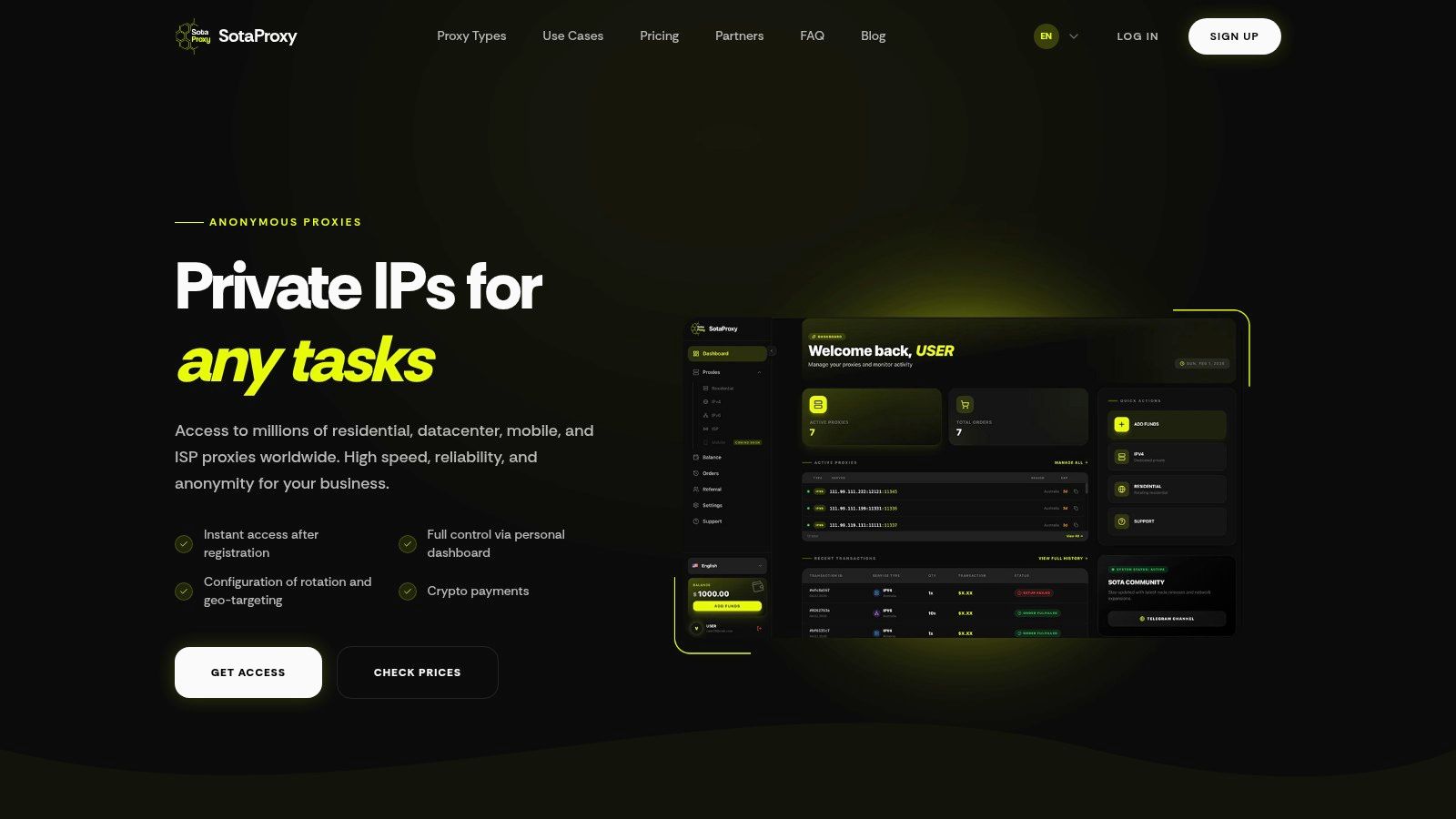
Provider selection before you buy
Use this checklist before you spend on any proxy pool:
Match the proxy type to the task
Farming and sensitive Facebook ad account logins usually need higher-trust IPs. Bulk page checks and lower-risk fetches can tolerate faster, cheaper infrastructure.Check geo options carefully
Country-level targeting is the minimum. City-level targeting helps for geo-restricted creatives, local offers, and ad verification.Verify session control
You need to know whether the provider gives you rotation, sticky sessions, or both. If you manage ad accounts, session stability matters.Look for operational controls
Dashboard visibility, replacement workflows, and usage tracking save time when a pool starts acting noisy.Avoid buying on marketing claims alone
Test inside your actual stack. AdsPower may behave differently than GoLogin. Dolphin Anty may expose profile issues you won't notice elsewhere.
Integration workflow inside antidetect browsers
The browser side is straightforward. The discipline is what matters.
- Create a new isolated profile for the specific Facebook account or account cluster.
- Add the proxy credentials in the browser's proxy settings.
- Let the antidetect browser generate or tune a profile that fits the proxy geo.
- Confirm timezone, language, and WebRTC handling before launching.
- Save that mapping internally so nobody on the team reassigns the profile later.
If your team uses Firefox in some parts of the workflow, this browser proxy settings guide for Firefox is a good reference for the proxy input side.
The point isn't the browser brand. The point is profile isolation. AdsPower, GoLogin, Dolphin Anty, Multilogin, and Hidemyacc all solve versions of the same operational problem.
Before login, run a basic verification pass. Then run another one after the browser profile is loaded.
Verification before you touch the account
This is the minimum pre-login routine:
- Check IP geo: Make sure the browser sees the country you intended.
- Check timezone: It should line up with the proxy location.
- Check language and locale: They should not contradict the geo story.
- Check leaks: Run the profile through common fingerprint and IP test pages such as iphey.com.
- Check persistence: Reopen the profile and confirm it keeps the same environment assumptions.
Don't test on a valuable account first. Test the environment first, then attach the asset.
If you're dealing with Facebook and TikTok ad accounts, this step prevents a lot of expensive noise. Most “proxy problems” are profile problems discovered too late.
Troubleshooting Common Facebook Proxy Issues
A common failure pattern looks like this. The account logs in, Facebook asks for verification, the operator swaps the proxy, then opens the same asset from a second profile to test again. By that point, the original signal is buried under three new mistakes.
Treat troubleshooting like incident response. Freeze the environment, identify the symptom, and change one variable at a time. Facebook problems are rarely "just a bad proxy." They usually come from the combination of IP quality, session behavior, profile history, and task mismatch.
Checkpoint on login
A checkpoint on first login usually means the account does not trust the access story. That can come from the proxy, but just as often it comes from the way the browser profile presents itself.
Start with these suspects:
- Geo mismatch: The proxy location, timezone, and browser language tell different stories.
- Low-trust first-touch IP: The IP is technically working but carries the wrong reputation for account login.
- Wrong session behavior: A rotating IP was used for a task that needed continuity.
- Profile contamination: The antidetect profile already touched unrelated assets, cookies, or Facebook IDs.
- Task-to-proxy mismatch: A setup used for farming got reused for ad account access, even though those jobs tolerate risk very differently.
What to do next:
- Stop retries and keep the setup unchanged while you inspect it.
- Verify the exact IP, city, timezone, language, and WebRTC behavior inside the same profile that triggered the checkpoint.
- If the account is worth preserving, move it to a cleaner sticky residential, mobile, or ISP line based on its history and spend level.
- Keep the same operator and profile. Extra recovery attempts from fresh environments often make review harder.
Slow loads, captchas, and unstable sessions
These symptoms usually point to transport quality or session design problems, not just Facebook being difficult. Business Manager is sensitive to latency spikes, packet loss, DNS issues, and IP changes during active work.
| Symptom | Probable cause | Immediate fix |
|---|---|---|
| Slow Business Manager pages | congested node, weak route quality, or poor proxy pool | test another node in the same geo, then switch provider if latency stays high |
| Captchas during normal browsing | weak IP reputation or repeated scripted behavior | reduce automation, lower request pressure, replace the IP |
| Session drops or forced logouts | rotation during active account work | use a sticky session and keep the same profile attached |
| Broken previews or inconsistent localized views | city or country targeting does not match the account workflow | pin a better-matched geo and stop switching locations mid-session |
The practical rule is simple. Farming can tolerate cheaper inventory and more replacement. Ad account access usually cannot. If a spend account is stable, do not test aggressive rotation, new geos, or bargain pool traffic on it just to save a few dollars.
If pages load oddly even on a clean profile, check name resolution before blaming the browser. Bad DNS handling can create partial loads, login loops, and mismatched location signals. This guide to proxy DNS behavior helps isolate that layer.
Disabled ad accounts after proxy changes
This issue is often self-inflicted. The ad account was stable, then someone changed proxy type, switched country, or opened the asset from another team member's profile. Facebook now sees a different access pattern around a sensitive asset that already had a baseline history.
Use a stricter response here:
- Keep one ownership lane: One ad account should map to one profile path and one proxy logic.
- Avoid sudden geo moves: If the business is tied to one country, do not bounce access between unrelated regions.
- Separate farming from spending: Fresh account creation and mature spend management should not share the same proxy pool or browser templates.
- Log every change: Record IP class, geo, session type, profile ID, and operator. Without that, root cause analysis turns into guessing.
- Protect known-good setups: If an account is spending cleanly, preserve the environment instead of "optimizing" it.
Stable ad accounts usually fail after several inconsistencies stack up. One weak IP might pass. A weak IP plus a timezone mismatch plus a second operator plus a rotated session often does not.
Legal Boundaries and Scaling with Sota Proxy
Using a proxy isn't automatically illegal. That doesn't mean the workflow is risk-free.
Terms risk is real
For Facebook operations, the immediate business risk is usually platform enforcement, not criminal law. Multi-accounting, account farming, cloaking, and location simulation can conflict with Facebook's terms. If your team runs these workflows, treat that as an operational risk model. Don't pretend it isn't there.
That means documenting who touches which assets, keeping profile-to-proxy mappings clean, and avoiding sloppy access patterns that create obvious links.
What teams should care about when they scale
Most proxy content stays stuck on selection. The harder problem is keeping geo, timezone, session persistence, and browser fingerprint aligned after setup. That's the gap that affects multi-account stability, as discussed in this article on building and managing a proxy server workflow.
If you're scaling with Sota Proxy, the useful parts aren't marketing slogans. It's the practical stuff. Broad geo coverage, support for residential, mobile, ISP, and datacenter pools, session control, and enough flexibility to separate farming, ad account access, scraping, and geo verification into different lanes.
For agencies and operators who already recommend infrastructure to clients or partner teams, Sota Proxy also has a referral program with up to 40% commission. That only makes sense if you already have a network that needs proxy infrastructure. It's not a strategy by itself.
If you need a proxy setup that fits real Facebook operations, from farming and cloaking to ad verification and stable account access, Sota Proxy is built for that kind of workload. You can choose residential, mobile, ISP, or datacenter IPs by geo, control sticky or rotating sessions, and fit the proxy layer to the exact job instead of forcing one proxy type onto everything.
Related articles
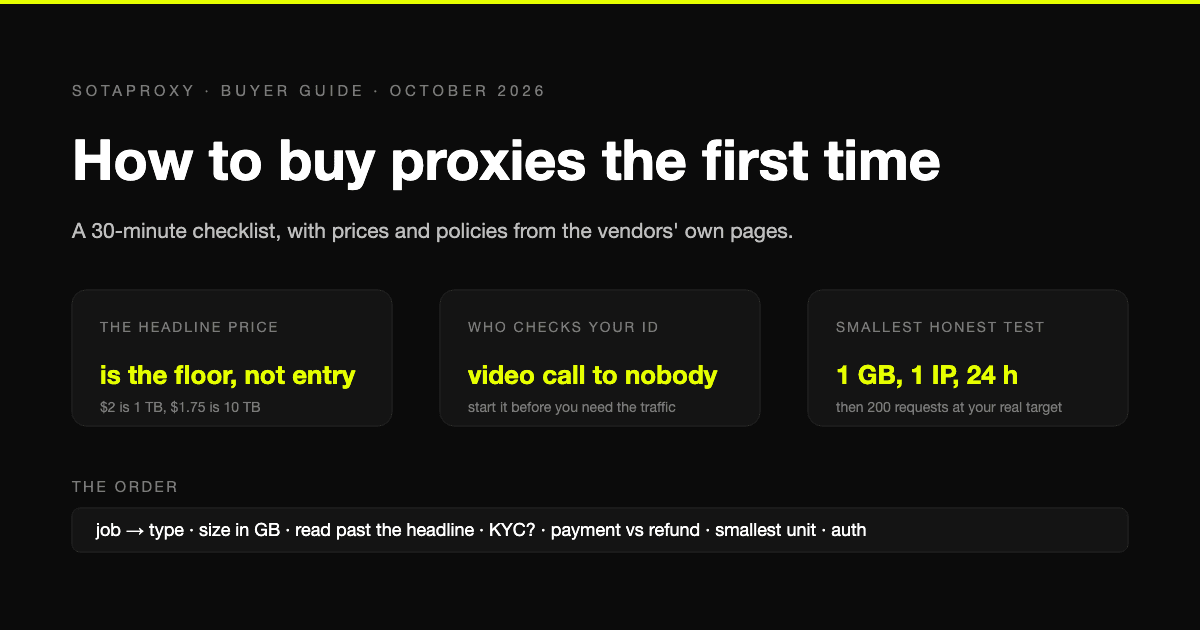
How to Buy Proxies for the First Time: A 30-Minute Checklist
A first purchase goes wrong in predictable places: the wrong proxy type, a headline price nobody pays, an identity check nobody mentioned, a refund that does not apply to how you paid. The checklist, with prices and policies from the vendors' own pages.
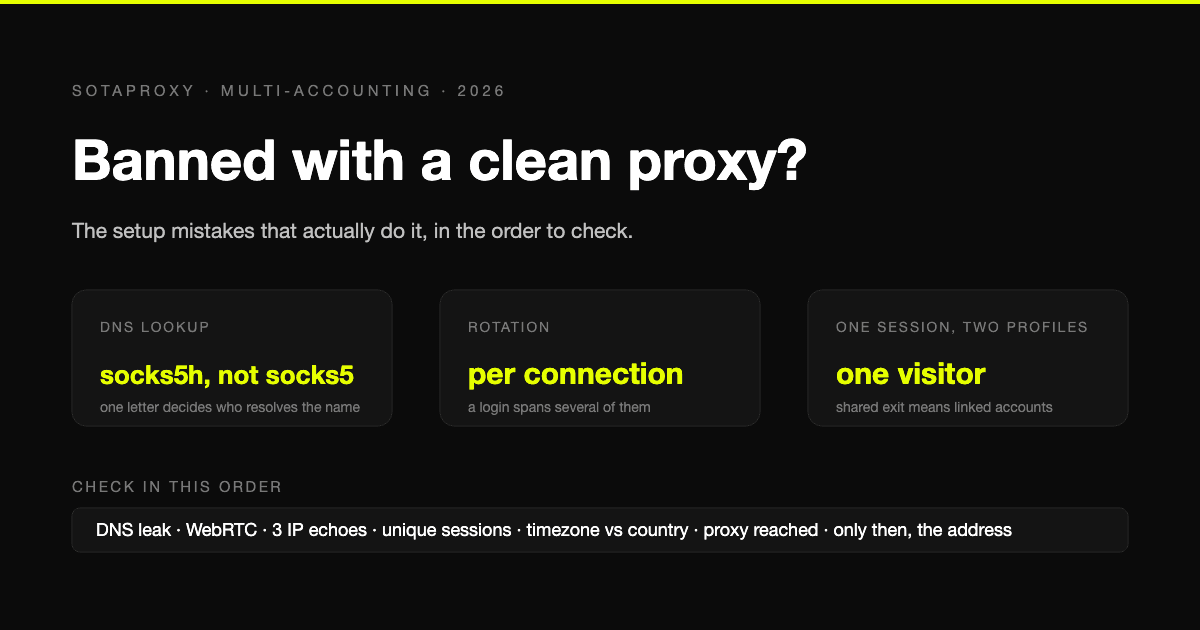
Banned With a Clean Proxy? The Setup Mistakes That Actually Do It
The proxy was clean, the address was residential, and the account still died. In most cases we see, the address was never the problem. Seven setup faults, each one checkable in a minute, in the order they usually turn out to be the cause.
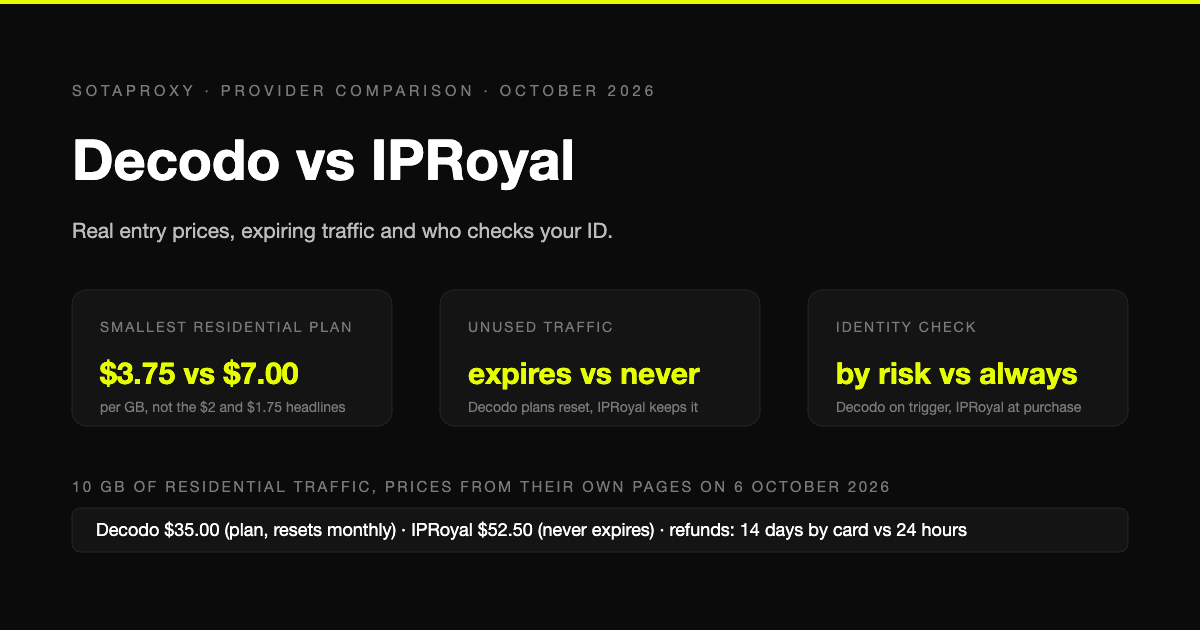
Decodo vs IPRoyal in 2026: Real Entry Prices, Expiring Traffic and Who Checks Your ID
Both are mid-market proxy vendors that take cards and crypto and sell by the gigabyte. The prices on their own pages on 6 October 2026, why neither headline rate is an entry price, whose traffic expires, who checks your identity before you can buy, and who gives money back.
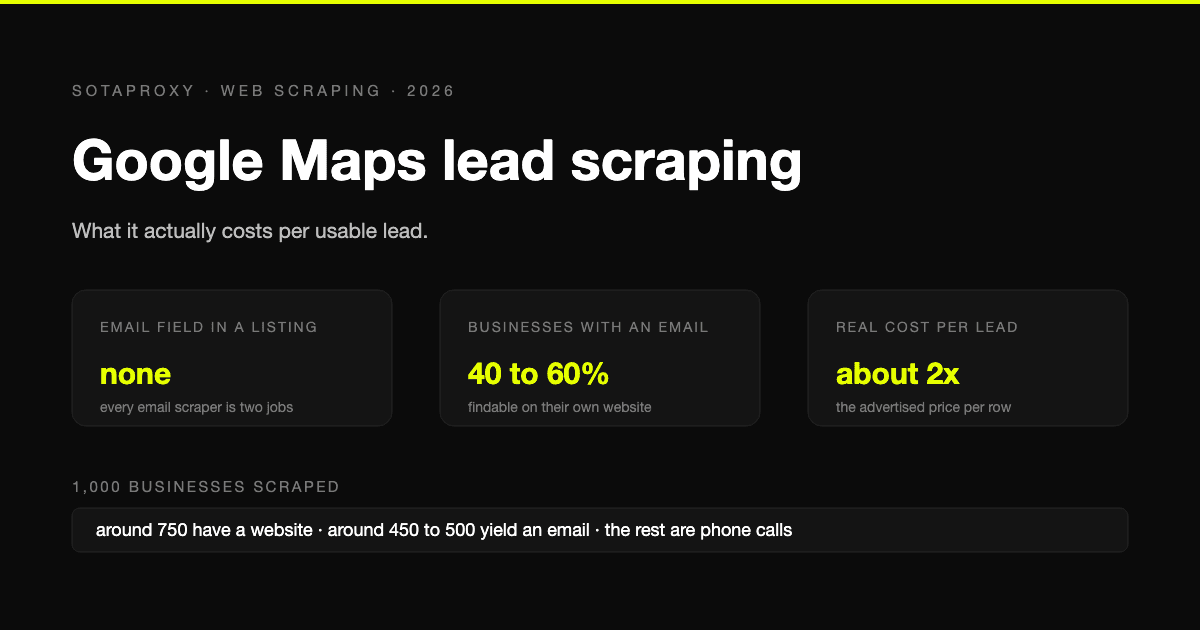
Google Maps Lead Scraping: What It Actually Costs Per Usable Lead
Google Maps has no email field, so every email scraper is a two-stage pipeline and only about half of businesses yield an address. What a thousand listings really costs per usable lead, the businesses-without-websites play, and where the law stands after the SerpApi ruling.
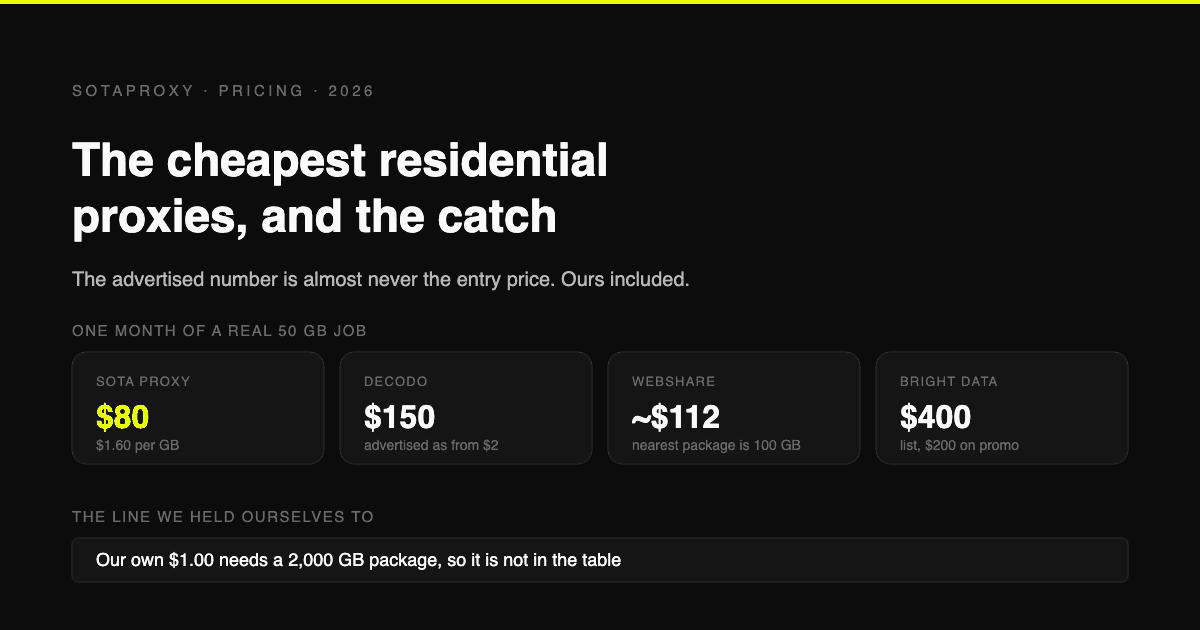
The Cheapest Residential Proxies in 2026, With the Catch Each One Hides
Verified per-gigabyte prices from five vendors' own pages, not from last year's blog posts. Why the advertised number is almost never the entry price, which providers put a monthly floor under your bill, and how to work out your real cost per gigabyte.
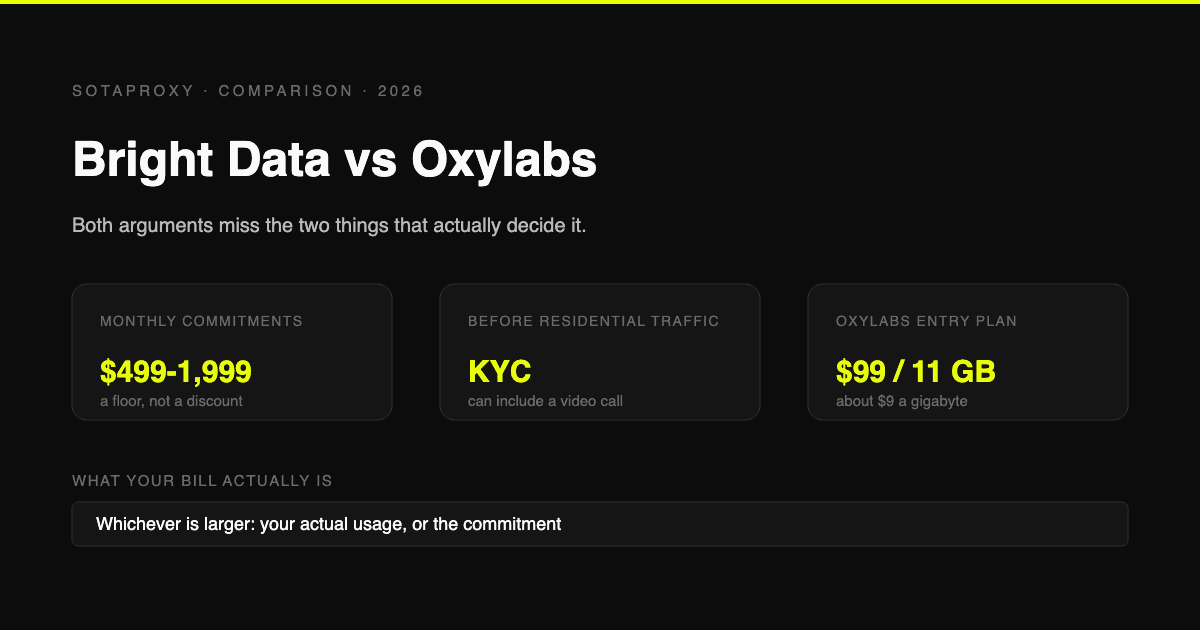
Bright Data vs Oxylabs in 2026: Prices, Commitments and the KYC Nobody Mentions
Both are enterprise platforms with minimum monthly commitments and a compliance check before you can touch residential traffic. Current prices from both vendors' own pages, what the commitment actually costs if you underuse it, and who each one is genuinely for.