Proxies for YouTube: A Technical Guide for Operators
A technical guide to using proxies for YouTube. Compare residential, mobile, and datacenter IPs for automation, antidetect browsers, and ad verification.
You're usually not looking at proxies for YouTube because you want to watch a blocked clip. You're looking because an ad review workflow broke, a batch of accounts got linked, a scraping job started returning garbage, or your YouTube checks don't match what users in the target region see.
That's where many organizations waste money. They buy “good proxies,” plug them into a random browser profile, and assume the problem is solved. It isn't. On YouTube, proxy choice only matters if it matches the job, the session pattern, and the browser identity attached to it.
For traffic arbitrage teams, media buyers, and multi-account operators, the stack has to support geo-targeted campaigns, account farming, cloaking checks, and repeatable verification across Facebook and TikTok ad accounts. It also has to work inside antidetect browsers like AdsPower, Dolphin Anty, GoLogin, Multilogin, and Hidemyacc without cross-contaminating identities.
Table of Contents
- Beyond Unblocking YouTube's Geo-Restrictions
- Choosing the Right Proxy Type for YouTube Tasks
- Integrating Proxies with Antidetect Browsers
- Configuration Patterns for Common Use Cases
- Maintaining High Trust Scores and Avoiding Blocks
- Troubleshooting Common YouTube Proxy Issues
- Optimizing Proxy Costs and Calculating ROI
Beyond Unblocking YouTube's Geo-Restrictions
A failed YouTube operation usually starts with the wrong assumption. Someone buys cheap datacenter IPs, points ten or fifty accounts at them, runs uploads or ad verification, and then wonders why playback checks fail, sessions get challenged, and the whole batch starts looking connected.
That setup might work for a throwaway test. It won't hold up when revenue depends on clean access from the right location, over and over again. YouTube proxies are operational infrastructure. They sit underneath account management, geo checks, moderation review, scraping, and campaign validation.
The primary use case isn't “can I access the video.” It's whether your team can verify localized delivery, compare what users in different regions see, and maintain separate trust layers across account clusters. That matters when you're checking cloaked funnels tied to Facebook and TikTok ad accounts, reviewing landing page variants, or confirming that a geo-specific creative accurately resolves the way the campaign logic says it should.
What breaks first
Most failures come from one of three mistakes:
- Bad IP type for the job: Datacenter IPs are easy to buy and easy for platforms to distrust.
- Shared identity leaks: Multiple YouTube accounts sit behind the same browser fingerprint, even if the proxies differ.
- Location mismatch: The IP says one country, the browser locale says another, and the session history says something else.
Practical rule: If a YouTube session is tied to money, don't build it on disposable infrastructure.
For geo-sensitive work, the proxy isn't just a route. It's the location signal your stack presents to YouTube. Proxies also act as the intermediate layer that masks the original IP and can unblock region-restricted content by making access appear to come from another location, which is why they function like a digital passport for geo-specific workflows, as described in ProxyScrape's YouTube proxy overview.
That same logic drives ad verification. If you're validating a geo-targeting setup, the account, IP, browser language, and session timing have to line up. Otherwise you're not seeing a real in-market experience. You're seeing a broken simulation.
What the stack has to support
For operators, proxies for YouTube need to support these workflows cleanly:
- Ad verification across regions for city and country-specific campaign checks.
- Multi-account channel management without linking profiles together.
- Account farming where trust builds slowly and survives over time.
- Scraping public YouTube data without tripping rate limits too fast.
- Cloaking validation where you need to confirm what the platform bot sees versus what users see.
That's the baseline. If your proxy layer can't handle those jobs, it's not helping the operation. It's just adding noise.
Choosing the Right Proxy Type for YouTube Tasks
A team launches ten channel logins, two upload sessions, and a round of ad checks through the same cheap proxy pool. By lunch, half the profiles are flagged, one upload stalls, and the geo-checks are useless because the IP reputation is wrong for the market being tested. That failure usually comes from a bad proxy-to-task match, not from YouTube being unpredictable.
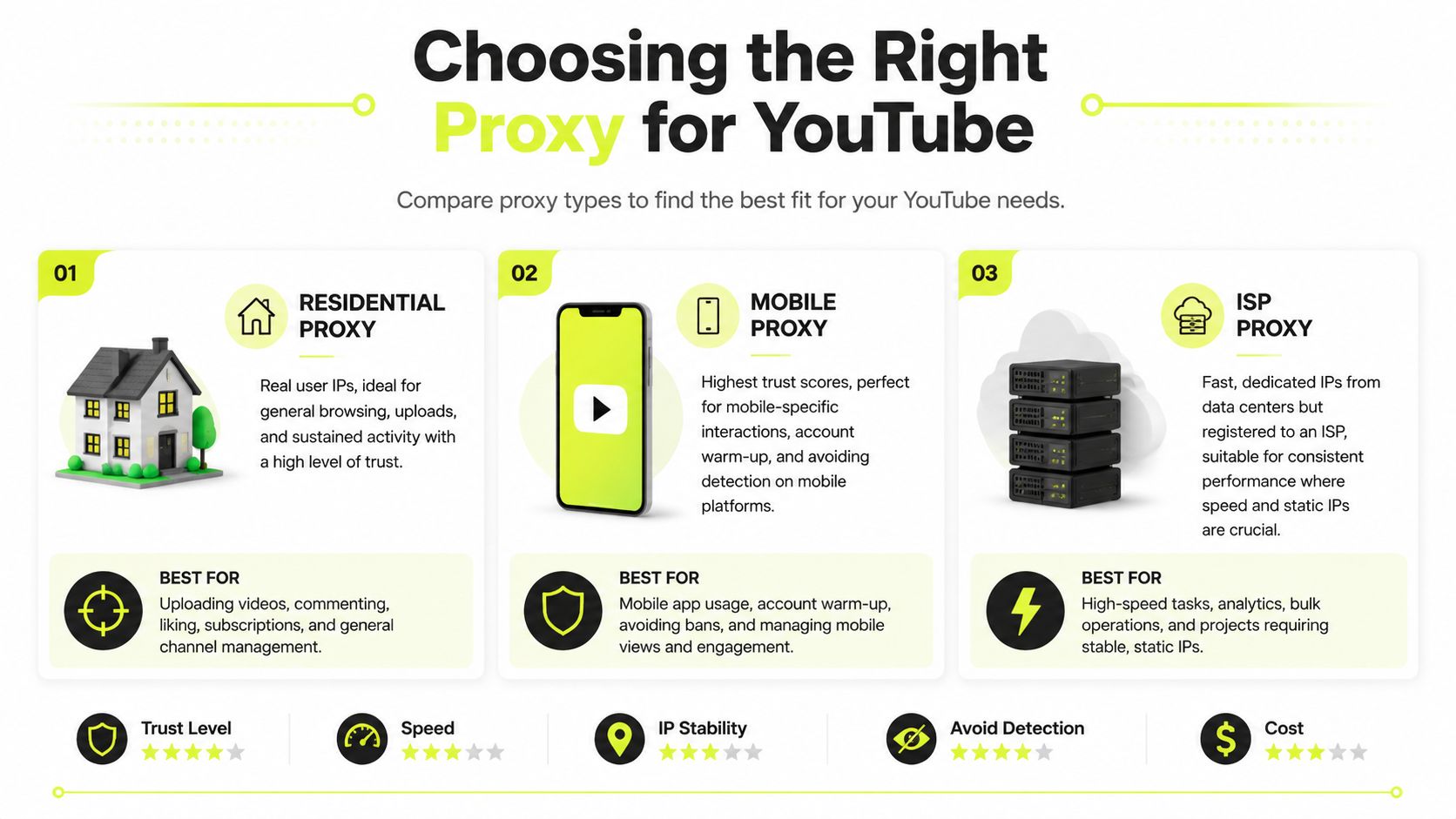
Proxy selection affects three things at once. Trust score, operating cost, and how stable the session stays during real work. If you use one proxy class for every workflow, you usually overpay for scraping and underinvest in the sessions tied to accounts, approvals, and campaign checks.
Match the proxy to the task
Residential proxies are the default for serious YouTube operations. They come from real ISP-issued consumer IPs, so they blend into normal traffic better than datacenter ranges. Use them for ad verification, account logins, browsing, uploads, comment moderation, and public data collection where session quality still matters.
Mobile proxies are for the actions you cannot afford to burn. They route through cellular networks and often hold up better during account warm-up, trust recovery, sensitive login flows, and cloaking validation. They cost more, so keep them for fragile account identities and high-risk checks, not routine harvesting.
ISP proxies fit long-running sessions that need a stable IP and better throughput than rotating residential traffic usually gives. They work well for repeated creator studio reviews, upload management, playback testing, and browser profiles that should keep the same network identity for weeks. In LiveProxies' breakdown of proxy classes, ISP proxies are described as static IPs hosted on datacenter infrastructure but registered under consumer ISPs.
Datacenter proxies still have a place. Just keep them away from trust-sensitive account work. They are useful for low-risk fetching, disposable automation, internal QA, and tasks where getting blocked has no meaningful cost.
A practical comparison
The clean way to choose is to ask one question first. What does a failed session cost?
| Proxy type | Best YouTube use cases | Main strength | Main weakness |
|---|---|---|---|
| Residential | Ad verification, browsing, uploads, scraping public data, multi-account operations | Strong trust profile and broad geo coverage | Usage-based billing gets expensive if traffic is poorly controlled |
| Mobile | Account farming, warm-up, cloaking checks, sensitive account actions | High trust on social and UGC platforms | Higher cost, slower scaling for everyday tasks |
| ISP | Stable uploads, long sessions, static profile work, HD playback checks | Fast and consistent identity | Less flexible than rotating residential pools |
| Datacenter | Low-risk bulk tasks and disposable jobs | Cheap and fast | Easier to detect on protected platforms |
| IPv6 | Experimental use on targets that support it well | Large address availability | Inconsistent support across tools and workflows |
The performance gap matters on defended targets. Bright Data's comparison states that datacenter proxies achieve only 40-60% success rates on protected websites, while residential proxies maintain 95-99% success rates because they appear as legitimate user traffic from real ISPs.
For YouTube teams, that difference shows up in operations fast. A cheap proxy that fails a geo-check forces a second verification pass. A flagged login can put a channel profile into extra review. A dead upload session wastes staff time and can delay campaign delivery. Cheap per IP is not cheap once rework enters the picture.
If your team still debates residential vs datacenter proxies, frame the decision around failure tolerance. Datacenter is fine when blocked requests have no downstream cost. For account management, ad verification, and any workflow tied to monetized assets, residential, mobile, or ISP usually produces better ROI.
Where IPv6 fits
IPv6 proxies get attention because the address supply is huge and the pricing can look attractive. In YouTube operations, they are still a secondary option.
The issue is not address volume. The issue is compatibility across tools, browser environments, and the specific platforms wrapped around a YouTube workflow. If a task touches account trust, monetization, or review accuracy, I would not start with IPv6. It makes more sense as a supplemental pool for low-risk jobs where identity consistency does not matter much.
Integrating Proxies with Antidetect Browsers
A YouTube login gets challenged in the middle of a channel handoff. The proxy is clean, but the profile says Paris, the browser timezone says Warsaw, and the cookies came from a different machine image. That is the kind of failure teams blame on the proxy vendor when the underlying problem is stack consistency.
A proxy only covers the network layer. YouTube also sees browser fingerprinting signals, session age, cookie history, locale settings, and how that identity behaves across repeated logins. If those signals do not line up, trust drops fast. In multi-account work, that means more verifications, more failed reviews, and more operator time spent recovering sessions instead of shipping campaigns.

That is why serious YouTube operations run inside antidetect browsers such as AdsPower, Dolphin Anty, GoLogin, Multilogin, and Hidemyacc. They isolate cookies, local storage, extensions, canvas data, WebRTC behavior, and other fingerprint surfaces that should never bleed between accounts. If the team reuses profiles carelessly, the software does not save them. It just makes cross-contamination easier at scale.
One profile, one proxy, one job
For account management, the safest pattern is simple. Assign one browser profile to one proxy and keep that pair stable. Then assign that profile a single operational role.
A clean setup usually follows this order:
- Create a dedicated profile for one YouTube account, one account cluster, or one geo review workflow.
- Bind one proxy to that profile and keep the session sticky for account actions such as logins, uploads, monetization checks, and Studio access.
- Set timezone, language, and browser region to match the proxy location.
- Separate profile groups by workflow so channel management, ad verification, and scraping do not share the same environment.
- Document ownership so operators know which profile is tied to which asset, market, and proxy pool.
That last point matters more than teams expect. A profile with no owner usually becomes a shared utility profile, and shared utility profiles are where trust scores get damaged.
If your stack includes Multilogin, keep a documented Multilogin proxy integration setup for isolated YouTube profiles and treat it like standard operating procedure.
Profile alignment is what keeps sessions alive
The common failure pattern is not a dead IP. It is a mismatched identity.
I see it all the time. The proxy exits in Germany, the browser runs in English US, the timezone is left on automatic from another region, and WebRTC exposes a different network path. The session may still load YouTube, but it carries enough inconsistency to trigger extra checks when the account logs in, switches channels, or opens billing and monetization pages.
Keep these signals aligned:
- Geography: IP location, timezone, interface language, and account recovery context should point to the same region.
- Device type: A mobile proxy paired with a desktop fingerprint can work for ad checks, but it looks wrong for long-lived account management unless the rest of the session matches that story.
- Persistence: Channel profiles need durable cookies and repeat behavior. Fresh sessions on every login create avoidable risk.
- Tooling: Disable or control browser features that expose conflicting fingerprint data, especially WebRTC, fonts, extensions, and automation flags.
For ad verification, profile design is different from account operations. Review profiles can be region-specific and short-lived if the goal is to confirm delivery, creative rendering, or landing page behavior. Channel management profiles should age naturally, keep session history, and avoid unnecessary resets. Mixing those two jobs in one identity is where teams lose efficiency.
A short walkthrough helps if you're training newer operators on the stack:
One more operational rule. Avoid browser-based web proxies for YouTube account work. Use proper HTTP(S) or SOCKS proxies inside the antidetect browser so authentication, session routing, and IP assignment stay predictable. Web proxy tabs are fine for quick checks on disposable traffic. They are a bad fit for revenue-linked accounts, shared team workflows, or any setup where trust and repeatability affect ROI.
Configuration Patterns for Common Use Cases
A buyer checks a Germany-targeted YouTube ad from a U.S. browser profile, rotates the IP twice, then wonders why the preview, landing page, and even the available creative keep changing. The proxy did its job. The workflow did not.
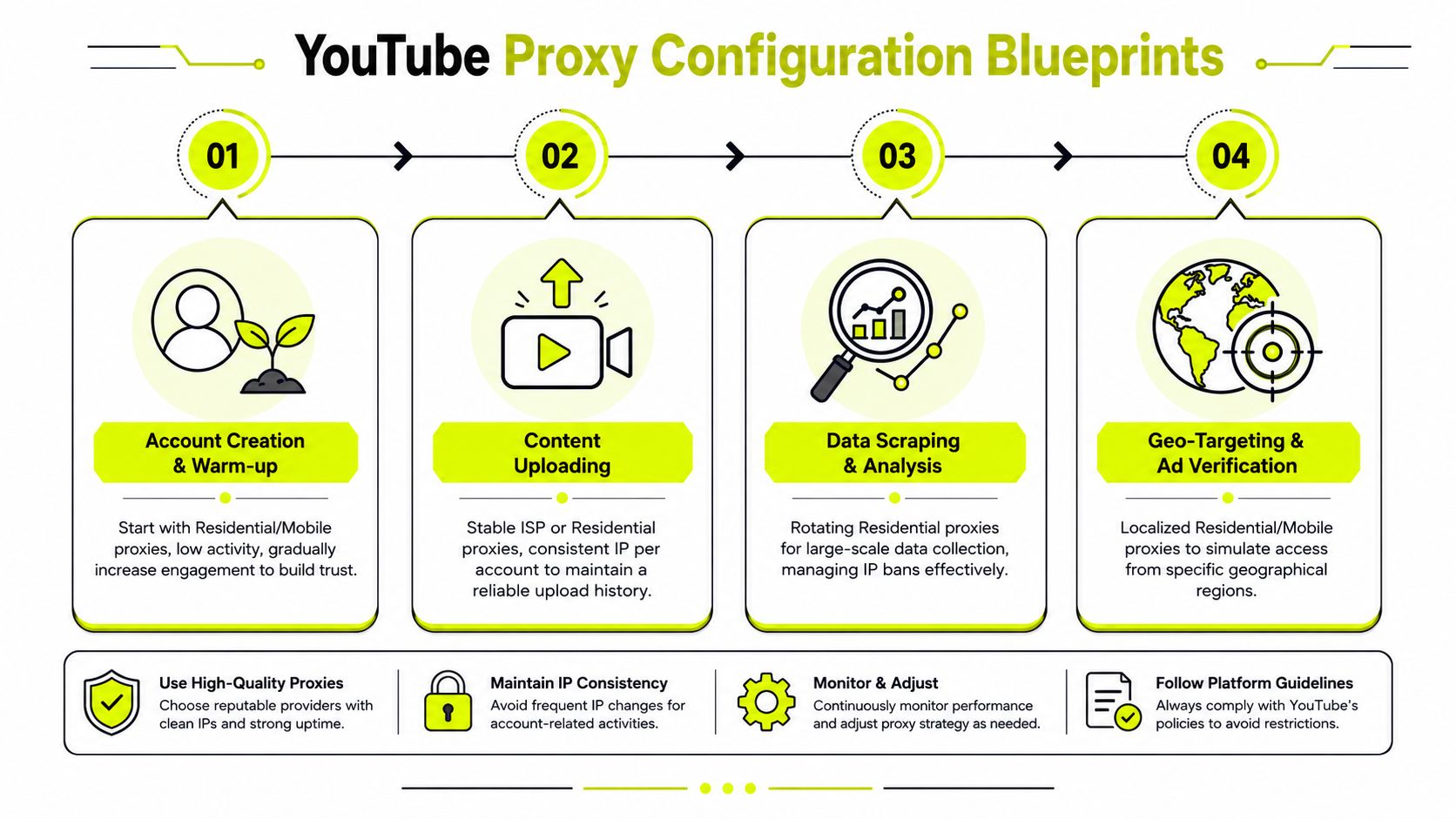
The right pattern depends on the job. On YouTube, teams usually run three separate lanes: ad verification, account operations, and public data collection. Mixing them creates noisy signals, lower trust, and wasted spend.
Geo verification for ad delivery
Ad verification is about reproducing the viewer's experience closely enough to catch delivery errors, cloaker branches, broken localization, and creative mismatches. That means the IP, browser language, timezone, and profile history all need to support the same regional story.
Use localized residential proxies first. They are usually the cleanest fit for repeat checks across the same markets. Mobile proxies help when the offer path behaves differently on mobile traffic or when a review target is sensitive to traffic quality signals. Keep the session stable while you test. If you rotate mid-review, you are no longer validating the same condition set.
A workable setup looks like this:
- Regional ad checks: Residential proxy mapped to the target country or city, plus matching browser locale and timezone
- Cloaking or redirect review: Mobile proxy if the funnel treats mobile traffic differently
- Repeat QA: One saved profile per market, with notes on carrier, language, and landing page variant
- Team handoff: Shared naming rules so another buyer can rerun the same verification path without rebuilding it
The common failure is operational, not technical. Teams refresh on a new IP, hit a different auction state, then treat the changed result as proof of inconsistency. In reality, they changed the test environment.
Account farming and channel operations
Channel operations need a different stack. The goal is session continuity, stable logins, predictable uploads, and less friction around moderation, comments, and linked assets. Freshness is not the priority here. Consistency is.
For new accounts, start with low activity on residential or mobile IPs. Once the profile has history, move it into a long-session setup. Sticky residential or ISP proxies usually fit better for ongoing channel work because they reduce unnecessary location changes across repeated logins, upload sessions, and post-publish checks.
I usually split the stack like this:
| Workflow | Recommended proxy pattern | Why it works |
|---|---|---|
| New account warm-up | Residential or mobile with low activity | Lets the account build normal session history |
| Ongoing channel management | Sticky residential or ISP | Keeps login patterns and location stable |
| Upload and post-publish review | ISP or stable residential | Reduces avoidable verification prompts and session resets |
| High-risk platform crossover | Mobile for the sensitive layer | Helps when the account touches stricter anti-abuse systems |
One rule matters here. Do not run monetized channel operations and aggressive collection jobs through the same proxy inventory. Shared infrastructure creates contamination risk. A pool that performs well for scraping often produces the wrong behavioral footprint for revenue-linked accounts.
If your team is building repeatable cross-platform workflows, a social media automation stack should separate warm-up identities, production identities, and review identities from day one.
Public data collection at scale
Public collection is the opposite of account work. Here, rotation is useful because the task is request distribution, not identity continuity. You are pulling search results, video metadata, comment pages, and channel-level public data without tying activity to a durable session.
Use rotating residential proxies for broad collection runs. Segment jobs by geography when search rankings, comments, or recommendations differ by market. Increase concurrency gradually. If you start too hard, you burn throughput and spend time replacing IPs instead of collecting data.
The pattern is simple:
- Use rotating residential proxies to spread requests across the pool.
- Split jobs by region when localized results matter.
- Throttle at the scheduler level instead of relying on proxy rotation alone.
- Keep collection infrastructure separate from account-management infrastructure.
That separation protects ROI. Scraping jobs are designed to absorb churn. Channel operations are designed to preserve trust. Running both through the same stack usually damages the more valuable side.
Maintaining High Trust Scores and Avoiding Blocks
Getting one successful session on YouTube isn't hard. Keeping trust intact across weeks of activity is the hard part. That's where operators either build stable inventory or spend their time replacing damaged accounts.
Trust score comes from consistency
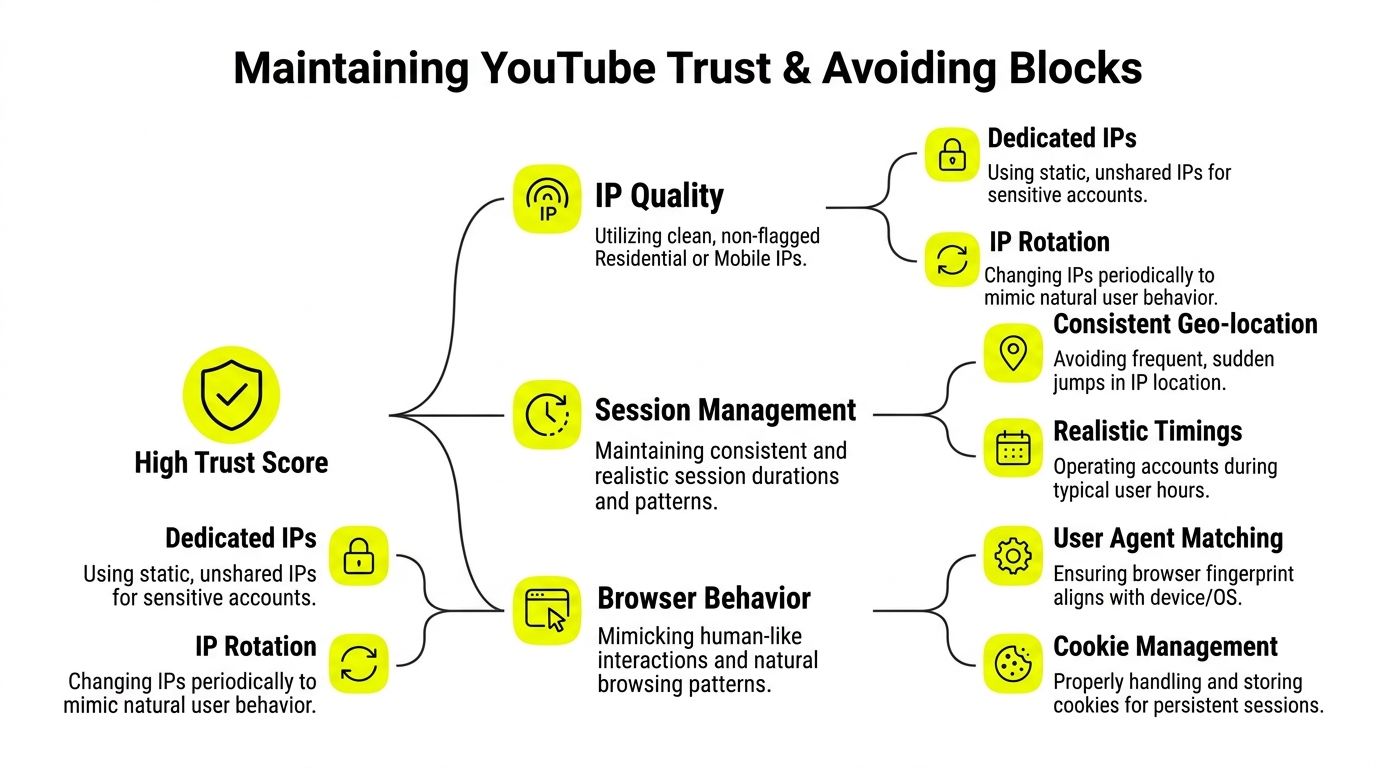
YouTube doesn't evaluate only the IP. It evaluates the session story. Does the location make sense? Does the browser fingerprint fit the device pattern? Does the account return in a stable way, or does it appear from unrelated environments every day?
This is why sticky sessions matter for account work. Rotating IPs are useful when the task itself is disposable, such as broad public scraping. For account management, rotating too often destroys continuity.
Technical analysis of proxy efficacy for YouTube automation states that residential proxies offer the highest detection resistance because they use ISP-assigned IPs from real end-user devices, making them nearly indistinguishable from organic human traffic and helping bypass YouTube's bot detection systems. That's the IP side. The browser side still has to match.
Use this framework when you audit an account stack:
- IP quality: Clean residential or mobile IPs for sensitive identities.
- Session type: Sticky for management, rotating for collection.
- Fingerprint fit: Browser locale, timezone, and device signals should support the proxy location.
- Behavior pattern: Logins, watch activity, uploads, and interactions should follow realistic timing.
A clean IP won't save a profile that behaves like three different people in three different countries.
Warm up before you scale
New YouTube accounts shouldn't jump straight into heavy automation. That's where impatient teams burn batches. A warm-up period gives the account a believable activity history before more aggressive use begins.
The exact cadence depends on the operation, but the principle stays the same:
- Start narrow: Log in, browse, watch, and perform low-risk actions first.
- Keep geography stable: Don't bounce the same account between regions.
- Delay high-risk actions: Bulk uploads, repetitive comments, or linked cross-platform behavior can wait.
- Preserve cookies and session state: Recreating a profile from scratch every session resets trust.
If accounts support broader arbitrage funnels, the same rule applies to associated Facebook and TikTok ad accounts. Trust is built at the identity layer, not just the platform layer. Once a cluster looks synthetic, the damage spreads quickly across the operation.
If you're seeing bans after otherwise normal activity, review your IP ban avoidance process with session history in mind, not just IP replacement.
Troubleshooting Common YouTube Proxy Issues
A common failure case looks like this. The account logs in cleanly, the proxy tests fine in a checker, then YouTube throws a CAPTCHA on the second action, serves the wrong ad market, or breaks playback halfway through a verification run. Replacing the IP sometimes clears the symptom for a few minutes. It does not fix the stack.
Treat YouTube proxy problems as an isolation exercise. The issue usually sits in one of four places: the IP reputation, the browser profile, the session design, or the workflow using that session. If the team changes all four at once, nobody learns what failed.
When CAPTCHAs and blocks keep happening
Repeated challenges usually point to a trust problem, not just a connectivity problem.
Check the stack in this order:
- Profile health: Open the same task in a fresh antidetect profile with no shared cookies, extensions, or account history.
- IP class: Re-run it on a different proxy type. Residential and ISP often survive checks that low-grade datacenter IPs fail.
- Session pattern: Review what happened before the block. Fast login attempts, repeated searches, tab bursts, and synchronized actions across accounts all raise risk.
- Identity overlap: Confirm the account is not sharing cookies, WebRTC behavior, DNS paths, or device traits with other profiles.
The sequence matters. If a clean profile on the same proxy works, the browser environment is the problem. If multiple clean profiles fail on the same subnet, the pool is likely burned for that task. If everything works manually but fails in automation, the issue is usually timing, request concentration, or a broken handoff between the proxy manager and the browser.
YouTube also reacts differently by action type. A setup that survives watching and light browsing can still fail on logins, uploads, comment posting, or ad verification loops. Test the exact workflow that produces revenue. Generic "proxy works" checks are too shallow to be useful.
When geo targeting still looks wrong
Geo mismatch is rarely just "the proxy is in the wrong country." In ad verification work, the bigger problem is signal conflict. The IP says Paris, the browser timezone says Berlin, the Accept-Language header says en-US, and the account has a long history of watching from Texas. YouTube has enough data to distrust the session or localize results in ways that make the check useless.
Run through these checks before blaming the provider:
- Timezone, locale, and language: Match them to the target market inside the antidetect profile.
- Session age: Old cookies and prior watch history can skew what the account sees.
- DNS and WebRTC leakage: Validate both, especially on desktop setups with helper apps or local resolvers.
- Session persistence: For verification, use sticky sessions long enough to complete the check. Mid-session rotation can change market signals.
- Logged-in state: Some ad views and recommendations differ between logged-in and logged-out sessions. Test the state that matches the actual use case.
A simple matrix keeps triage fast:
| Symptom | Likely issue | First check |
|---|---|---|
| CAPTCHA on login | Burned IP or contaminated profile | Retry with a clean profile on the same action |
| Wrong market or unavailable video | Conflicting geo signals | Verify timezone, locale, language, DNS, and WebRTC |
| Playback starts then stalls | Proxy type is weak for sustained traffic | Re-test on ISP or higher-quality residential |
| Session drops during verification | Rotation or provider instability | Use sticky sessions and review session duration settings |
One more point matters for ad verification teams. YouTube can return region-correct inventory while still personalizing around account history. If a market check looks inconsistent, compare results from a warm account, a fresh account, and a logged-out session. That usually reveals whether the issue is location fidelity or account bias.
Why web proxies are a bad fix
Browser-based web proxies are a poor choice for YouTube operations. They break session consistency, interfere with logins, inject their own scripts, and make it harder to tell whether a failure came from YouTube or the proxy layer. They are especially bad for multi-account work where profile isolation and repeatability matter.
Use HTTPS or SOCKS5 proxies inside controlled browser profiles. Keep proxy assignment, fingerprint settings, and cookies mapped one-to-one whenever the task involves account longevity. For scraping or lightweight collection, rotation can be acceptable. For account management and ad verification, stable sessions usually produce cleaner results and lower replacement cost.
A practical shortcut helps here. If the fix relies on a free web proxy or a random browser extension, assume the session data is no longer trustworthy. Rebuild the test in a controlled profile, then change one variable at a time.
Optimizing Proxy Costs and Calculating ROI
Teams that lose money on proxies usually aren't overspending on quality. They're misallocating quality. They use expensive IPs for cheap tasks, cheap IPs for expensive tasks, and never measure cost at the job level.
Calculate cost by task not by plan
Don't ask whether a proxy plan is cheap. Ask what each completed task costs when the task succeeds at an acceptable rate. That's the metric that matters for ad verification, account survival, and scraping throughput.
A simple internal model works well:
- Cost per verified region check
- Cost per surviving account
- Cost per completed upload workflow
- Cost per usable data batch
Once you calculate that, pricing starts to make sense. For example, IProyal's YouTube proxy guide says residential proxies can cost around $8/GB on a pay-as-you-go basis, while ISP proxies start at $1.80 per proxy. That's why ISP can be the better choice for long streaming or repeat playback tasks where stable performance matters more than broad rotation.
For scraping-heavy workloads, usage-based residential can still be economical if the collection job is tuned properly. As covered earlier, some providers price residential access far lower than others, so wastage in request design matters almost as much as list price.
Use the expensive IPs only where they matter
This is the split that keeps budgets sane:
Use mobile proxies for
- the most fragile account farming actions
- high-risk warm-up environments
- cloaking checks where trust matters more than bandwidth cost
Use residential proxies for
- most YouTube browsing and verification work
- public metadata collection
- broad geo-targeted campaign checks
Use ISP proxies for
- stable long sessions
- repeated upload workflows
- playback and consistency-heavy tasks
Use datacenter proxies for
- disposable, low-trust tasks only
That allocation improves ROI because it maps cost to risk. Expensive trust only goes where the operation needs it.
Treat proxy spend like infrastructure
Proxy cost belongs in the same category as browser tooling, account replacement, and downtime. If weak proxies get channels flagged or break campaign verification, the financial hit lands elsewhere in the stack. The proxy line item looks cheaper. The operation becomes more expensive.
There's also a side revenue angle for teams that already recommend tooling inside their network. Sota Proxy has a referral program that pays up to 40% commission, which can offset infrastructure spend for operators who naturally refer proxy services to partners, sub-teams, or clients.
If you want cleaner unit economics, audit three things every month: which proxy type each workflow uses, where sticky sessions are required but ignored, and which tasks still run on low-trust IPs just because they looked cheaper at checkout.
If your team needs a cleaner proxy layer for YouTube operations, ad verification, scraping, or multi-account work inside antidetect browsers, Sota Proxy is built for that kind of workflow. You get residential, mobile, ISP, and datacenter options, city-level targeting, rotation or sticky sessions, and a dashboard that makes it easier to control usage before costs drift. The referral program also pays up to 40% commission, which makes sense if you regularly introduce tools to clients or partner teams.
Related articles
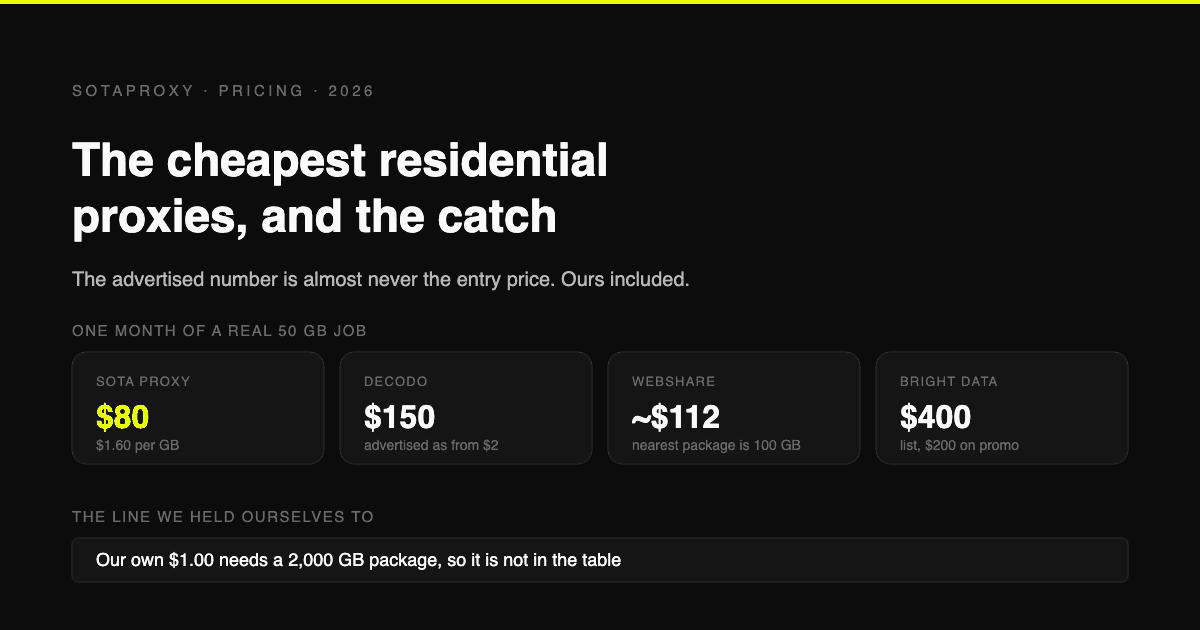
The Cheapest Residential Proxies in 2026, With the Catch Each One Hides
Verified per-gigabyte prices from five vendors' own pages, not from last year's blog posts. Why the advertised number is almost never the entry price, which providers put a monthly floor under your bill, and how to work out your real cost per gigabyte.
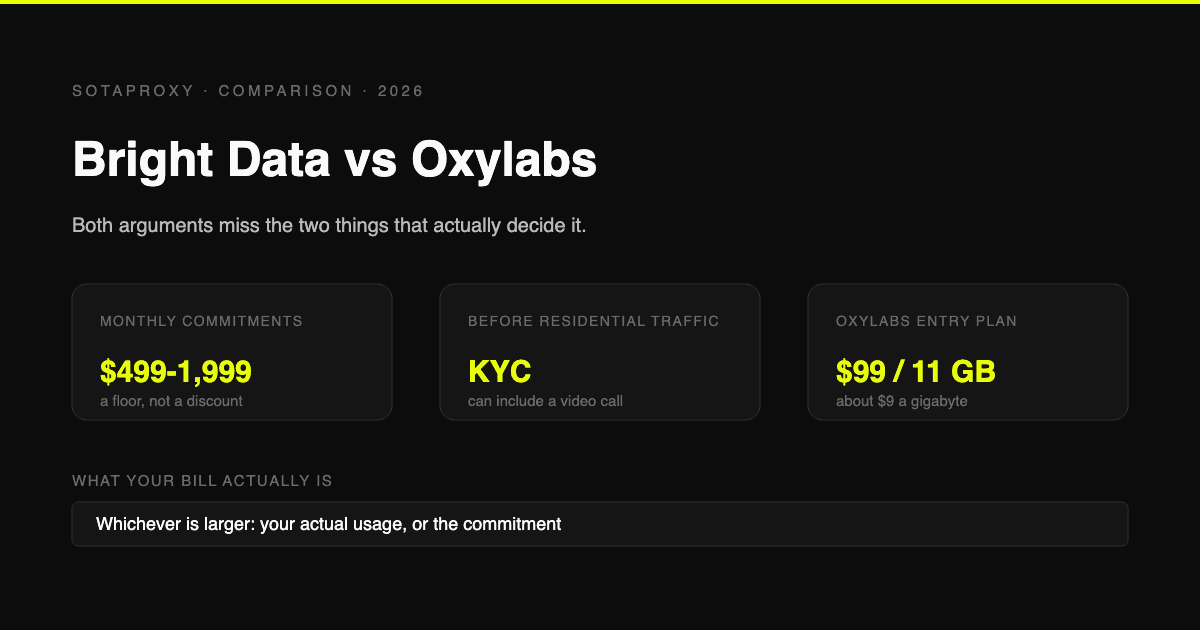
Bright Data vs Oxylabs in 2026: Prices, Commitments and the KYC Nobody Mentions
Both are enterprise platforms with minimum monthly commitments and a compliance check before you can touch residential traffic. Current prices from both vendors' own pages, what the commitment actually costs if you underuse it, and who each one is genuinely for.
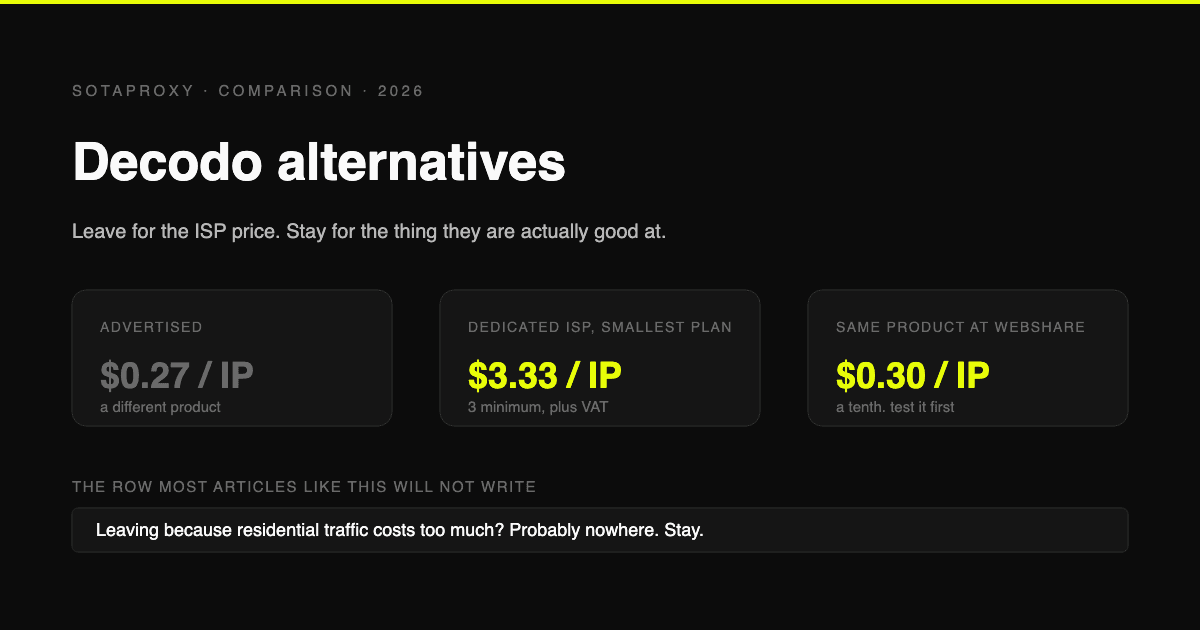
Decodo Alternatives in 2026: Who to Move to, and Who Not to Bother
Decodo is the cost leader on rotating residential and one of the pricier options on dedicated ISP. Verified prices for both, the reasons people actually leave, and which alternative fits each one.
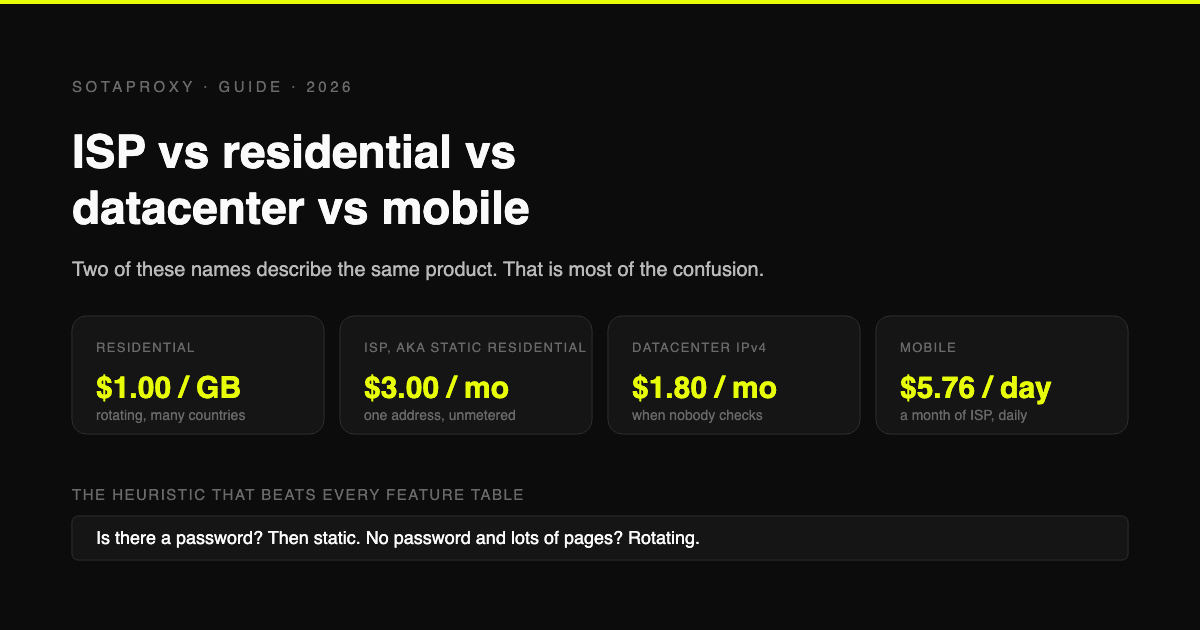
ISP vs Residential vs Datacenter vs Mobile Proxies: Which One You Actually Need
Static residential and ISP are the same product under two names, which is why half these comparisons compare a thing to itself. What each type is, what it costs per unit, and the one task each is genuinely best at.
Reddit "You've Been Blocked by Network Security": Every Cause, and the Fix for Each
It is not a ban and there is nothing to appeal. It comes from Reddit's edge, applies to your connection, and has six causes. Here is how to tell which one you have, and how long each lasts.
How to Test a Proxy Before You Buy It: A 10-Minute Checklist
Ten checks that tell you whether a proxy trial is worth paying for: exit ASN, hosting flags, rotation behaviour, subnet spread, DNS and WebRTC leaks, and success rate on your own target.