Inventory Monitoring Guide for Traffic Arbitrage Teams
Learn how inventory monitoring powers geo-targeted campaigns with real-time data, proxy scraping, KPIs and cost controls for Facebook and TikTok ad accounts.
You're already doing the hard part. Accounts are warmed. AdsPower or Dolphin Anty profiles are split by geo. Facebook and TikTok ad accounts are segmented by offer, landing page, and cloak path. Scrapers are pulling store pages, reseller feeds, and marketplace listings.
Then the whole setup breaks on something boring. Stock changed outside your system, your campaigns kept spending, and the funnel pushed traffic into an offer that wasn't available in that region.
That's why inventory monitoring matters to arbitrage teams. Not as a warehouse dashboard. As a control layer between external stock reality, your ad delivery logic, and the browser and proxy stack you use to operate safely at scale. If you run geo-targeted campaigns, account farming, cloaking flows, or multi-account buyer operations, stale inventory data doesn't just waste budget. It creates bad user signals, failed checkouts, support noise, and extra scrutiny on Facebook and TikTok ad accounts.
Table of Contents
- Setting the Stage with Real Use Cases
- Understanding Key Concepts in Inventory Monitoring
- Comparing Real-Time and Batch Monitoring Architectures
- Defining Essential KPIs and Alerting Strategies
- Integrating with ERP WMS PIM and APIs
- Scaling Implementation with Proxies and Reliability
- Troubleshooting and Controlling Inventory Monitoring Costs
Setting the Stage with Real Use Cases
A common setup looks like this. A media buyer runs TikTok campaigns for a regional offer and localizes creatives by city. AdsPower profiles map to separate buyer sessions. Residential proxies rotate by target location. The scraper checks competitor product pages and retailer stock status across 220+ geolocations, which is part of the operating model described in regional stock monitoring practices.

The failure point usually isn't the ad account. It's the gap between what your dashboard says and what buyers can purchase. Most inventory monitoring content ignores the critical gap between digital visibility and physical reality in high-shrinkage environments, and it also fails to explain how to technically bridge WMS or ERP data with real-time market scraping, which is exactly the problem e-commerce arbitrage teams run into, as noted in this discussion of external stock intelligence.
Where arbitrage teams actually get hurt
If your scraper misses an external stock drop in one city, the geo-targeted campaign doesn't pause. Spend keeps flowing. The cloak still routes traffic. The landing page still says available. The buyer hits a dead product or delayed fulfillment path.
That damage compounds fast in practical terms:
- TikTok spend gets misallocated: The algorithm keeps finding clicks in a geo that can't convert cleanly.
- Facebook feedback gets worse: Poor post-click experience raises complaint risk and creates noise across related ad accounts.
- Account farming loses value: Warmed GoLogin, Multilogin, or Hidemyacc profiles become less useful when the underlying offer logic is wrong.
- Cloaking rules drift from reality: The safe page and money page logic may still work technically, but stock invalidates the actual campaign intent.
Practical rule: If your offer depends on local availability, inventory monitoring belongs in the same reliability tier as your cloaker, tracker, and browser profile management.
The missing link between media buying and stock intelligence
Many organizations still treat inventory as an internal ops topic. That's outdated. In arbitrage, external stock is often the trigger for ad launch, pause, budget reallocation, and creative swaps. If a competitor sells out in a region, you may want to increase pressure. If your supplier or fulfillment partner goes thin on stock, you need the opposite behavior.
That's why serious teams fold inventory checks into price monitoring workflows for market-sensitive campaigns. Not because they need prettier dashboards, but because campaign logic is only as good as the freshness of the stock signal behind it.
Understanding Key Concepts in Inventory Monitoring
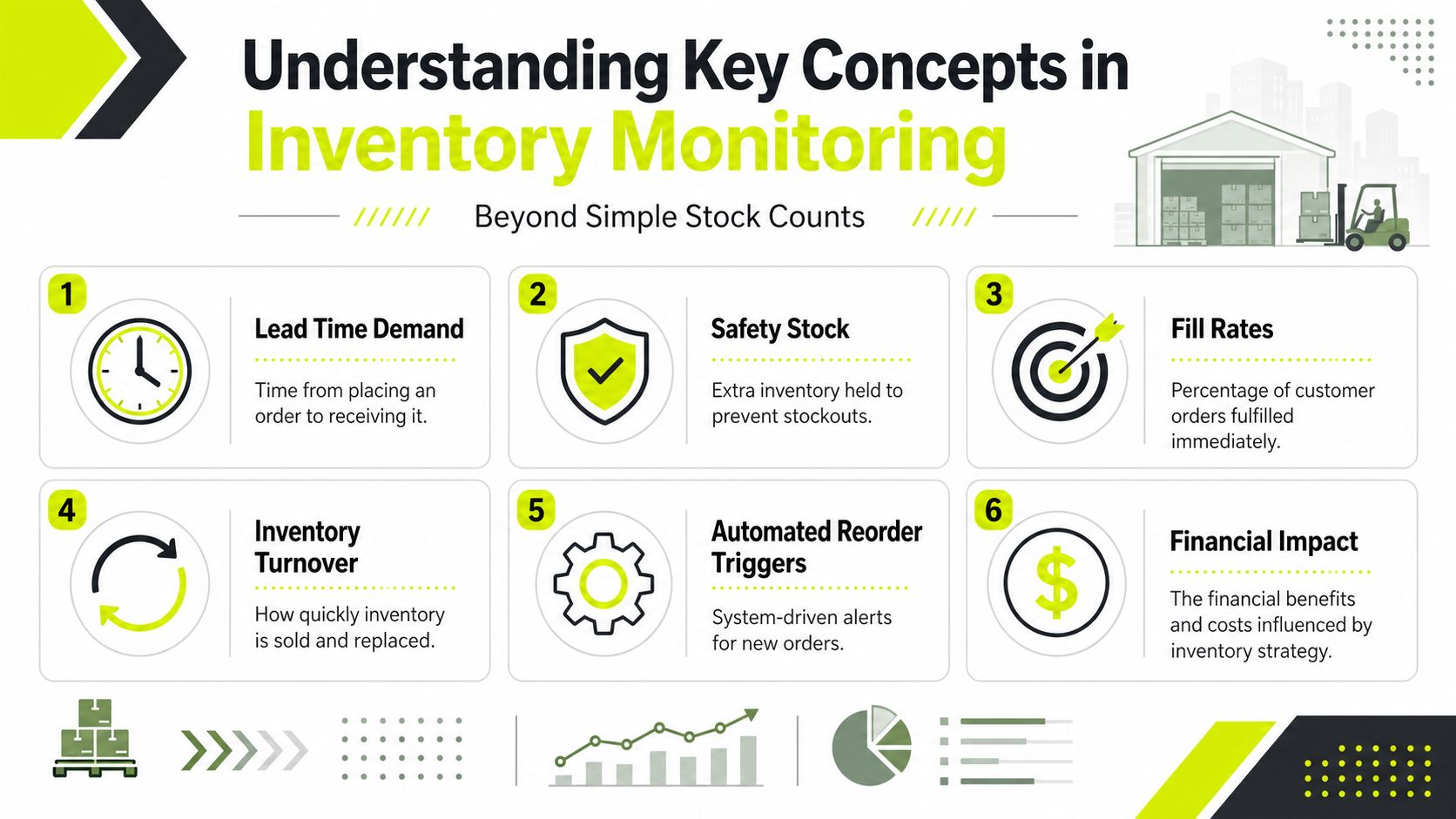
Inventory monitoring isn't just counting units. It's the discipline of tracking stock position, movement, reorder conditions, and discrepancy risk tightly enough that automation can act on the data without creating new problems.
The money side is too large to ignore. Global inventory distortion cost $1.77 trillion in 2024, with stockouts alone accounting for $1.2 trillion. Holding unsold inventory typically costs 20–30% of its value annually, according to inventory loss and carrying cost data. For arbitrage teams, those same dynamics show up as wasted paid traffic, bad conversion windows, and unstable scaling decisions.
The metrics that actually drive automation
The core concepts are simple. The implementation usually isn't.
- Lead time demand: How much inventory gets consumed while you're waiting for replenishment.
- Safety stock: Buffer inventory for delays, spikes, or noisy supplier data.
- Fill rate: How often demand gets fulfilled immediately instead of partially or late.
- Turnover: How quickly inventory moves relative to what you hold.
- Automated reorder triggers: Rules that fire actions when stock reaches a defined threshold.
- Financial impact: The trade-off between stockouts, holding cost, wasted labor, and missed revenue.
If you need a non-warehouse explanation for a broader product or operations team, Wistec's piece on how to streamline your product operations is a useful handoff. It frames inventory systems in a way non-engineers usually understand.
Why these concepts matter to ad operations
In affiliate and cloaking setups, the inventory signal doesn't just support fulfillment. It controls whether the funnel should stay live. A single stockout can invalidate a creative angle, destroy landing page relevance, and push junk traffic into your fallback flow.
For scraping teams, the same metrics influence architecture choices:
| Concept | What it changes in practice |
|---|---|
| Lead time demand | How early you need your monitoring system to react |
| Safety stock | Whether an alert should pause traffic or just throttle it |
| Fill rate | Whether geo campaigns should stay broad or split tighter |
| Turnover | How often you need to refresh supplier and competitor checks |
| Reorder triggers | Which webhook or rule should fire next |
A lot of teams miss that inventory monitoring and web scraping workflows are now coupled. If your external checks are weak, your inventory logic gets stale. If your inventory logic is stale, your campaign automation acts on dead input.
Here's a quick explainer worth sending to teammates who need the visual version before they'll implement the logic:
Inventory monitoring works when the stock signal is accurate enough that your automation can trust it. If buyers still have to second-guess every alert, the system isn't finished.
Comparing Real-Time and Batch Monitoring Architectures
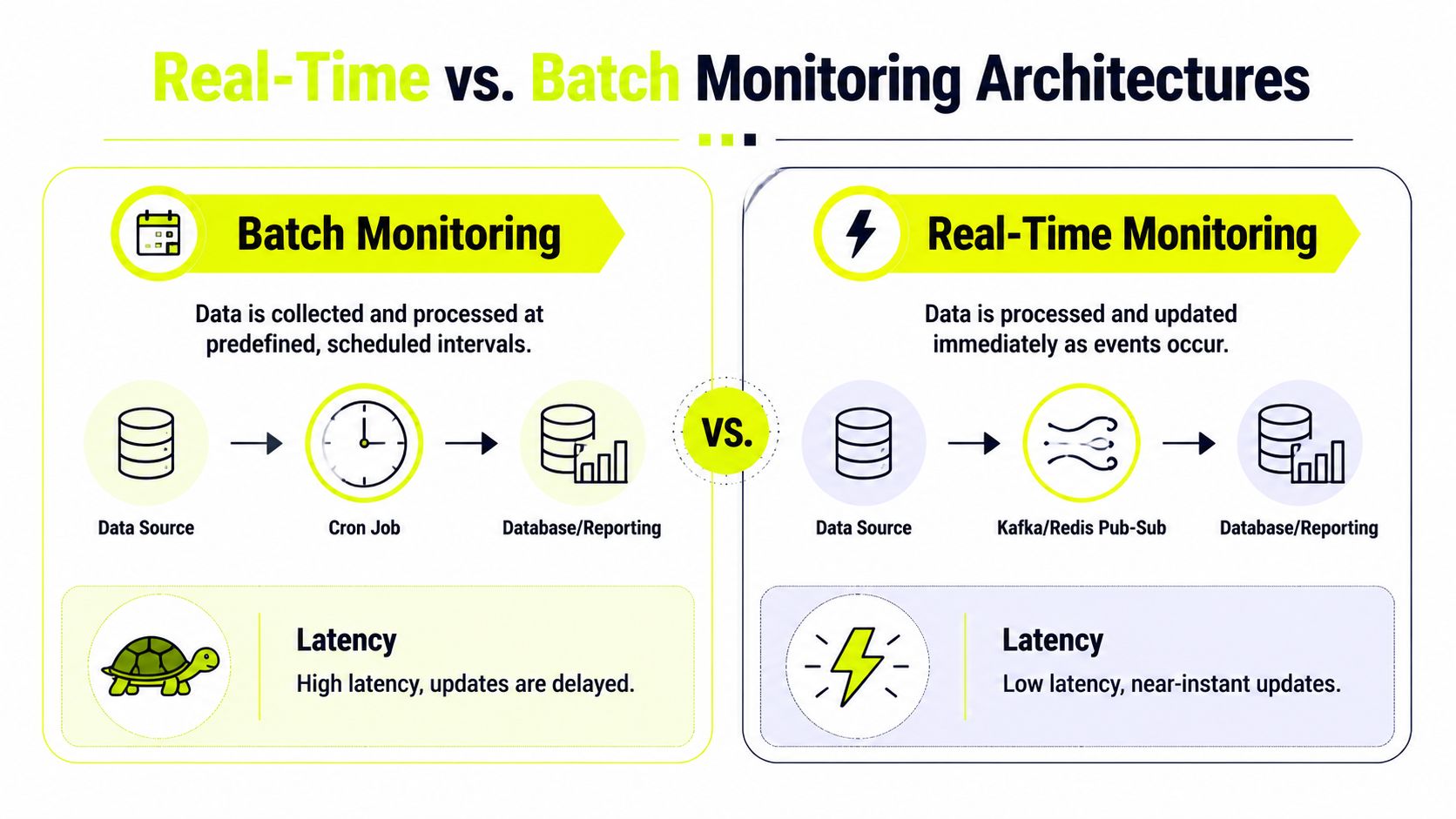
Teams typically start with batch polling because it's easy. A cron job runs every fixed interval, scrapes supplier pages or pulls API data, writes updates to a database, and refreshes a dashboard. That model works until campaign timing gets tighter and the lag starts costing money.
Real-time monitoring is different. Instead of waiting for the next polling window, the system pushes updates as events occur. That usually means a message bus, queue, or pub-sub layer. More moving parts. More operational discipline. Far less delay.
Batch works when the business can tolerate lag
Batch is fine for slower catalogs, low-volatility suppliers, and offers where stock doesn't flip every few minutes. A lot of affiliate operations don't need streaming on day one. They need consistency, clean logs, and a polling cadence that matches how often the source changes.
Batch usually gives you these advantages:
- Lower complexity: Easier to build and easier to debug.
- Cheaper infrastructure: Fewer always-on components.
- Cleaner retries: Failed runs can be replayed in a predictable block.
- Good fit for static catalogs: Especially when seller feeds update on a schedule anyway.
But the trade-off is obvious. If regional stock drops after the last poll, your Facebook or TikTok system may keep spending until the next cycle catches it.
Real-time pays off when campaign decisions depend on immediate changes
Real-time architecture starts making sense when inventory directly controls bidding, ad launch timing, route selection in cloaking logic, or purchase automation. Multi-account operators running city-level segmentation usually feel this first.
Modern cloud-based monitoring platforms sync data across locations and enforce real-time visibility, integrating with CMMS or EAM systems and supporting RFID scans to reduce manual errors by up to 90%, according to this overview of connected inventory systems.
Don't choose real-time because it sounds more advanced. Choose it when a delayed stock signal causes the system to make the wrong decision.
A practical comparison
| Architecture | Good fit | Weak point | Arbitrage impact |
|---|---|---|---|
| Batch polling | Stable suppliers, slower-moving SKUs, smaller teams | Update lag | Cheaper to run, slower to react |
| Real-time streaming | Volatile supply, geo offers, automated launch and pause logic | More infrastructure and failure modes | Faster response, tighter campaign control |
What I'd pick based on operating style
If you run a medium-volume setup with a few suppliers and manual campaign review, batch is enough. Build strong dedupe, alerting, and replay first.
If you're scraping marketplaces, retailer stock pages, and regional availability signals while syncing those changes into cloakers, buyer dashboards, and media rules, real-time is the better fit. The complexity is justified because lag has a direct spend cost.
For teams already building distributed scraping, the same patterns used in high-frequency data collection pipelines map cleanly into inventory monitoring. The stack changes. The reliability thinking stays the same.
Defining Essential KPIs and Alerting Strategies
Most inventory monitoring dashboards fail for one reason. They track too much, alert too often, and don't distinguish between a real operational threat and background noise.
The KPI set should stay small enough that a buyer, scraper operator, or automation engineer can act without interpretation overhead.
The KPI set that matters
Start with five:
Stockout rate
This tells you how often offers or SKUs become unavailable when demand exists. For ad operations, this is the fastest route to wasted spend.Fill rate
This shows whether demand gets served immediately. In campaign terms, it helps decide whether a geo stays fully funded or gets throttled.Turnover ratio
Use it to understand whether stock is moving too slowly or disappearing too fast for your current monitoring cadence.Days of supply
This helps forecast how long the current level should last under normal consumption.Reorder point
This is the control threshold, not just another dashboard number.
How to calculate reorder point properly
Reorder point is mechanical. That's good. You want less judgment in the trigger.
The formula is ROP = LTD + SS, meaning lead time demand plus safety stock, as outlined in NetSuite's inventory controls explanation here. If lead time demand is 100 units and safety stock is 50 units, the reorder point is 150 units, and the system should trigger replenishment at that threshold according to the same NetSuite reference.
That same logic works outside the warehouse. A geo campaign can use a parallel threshold. Below a stock floor, don't launch new ads. Below a lower floor, pause. Below a critical floor, divert to another region or offer.
Alerts should follow the operating model
A weak alerting strategy spams Slack, gets muted, and dies. A good one routes by urgency and owner.
- Email: Fine for low-priority trend shifts.
- Slack: Best for active team visibility and grouped incidents.
- Webhook to cloaking or routing layer: Best when the system should act immediately.
- Task queue or incident board: Better for issues that need review, not instant automation.
If your team needs a clean framework for escalation and notification design, this guide to alerts for DevOps teams is worth borrowing from. The context is different, but the anti-noise logic applies directly.
Operator hint: Alert on change that requires action. Log everything else.
How to avoid alert fatigue
Use classification, not brute force.
- Group related SKUs when they share a supplier, geo, or landing flow.
- Put the tightest thresholds on your A-items, meaning the SKUs and offers that drive the most value or the most spend.
- Use variance thresholds so minor discrepancies don't trigger endless recount and review loops.
- Treat cloaking dependencies as first-class alert targets. If stock invalidates the offer, the cloak should know fast.
Frequently, a lot of teams overbuild dashboards and underbuild action paths. Inventory monitoring only earns its keep when every alert has an obvious next move.
Integrating with ERP WMS PIM and APIs
Bad integration design creates fake inventory confidence. The dashboard looks clean. The records sync. The campaign logic trusts the data. But SKU mappings are off, timestamps drift, and one upstream system changes format without notice.
That's why integration work needs less “connect all the things” energy and more hard rules around identifiers, event ordering, and reconciliation.
Four patterns that show up most often
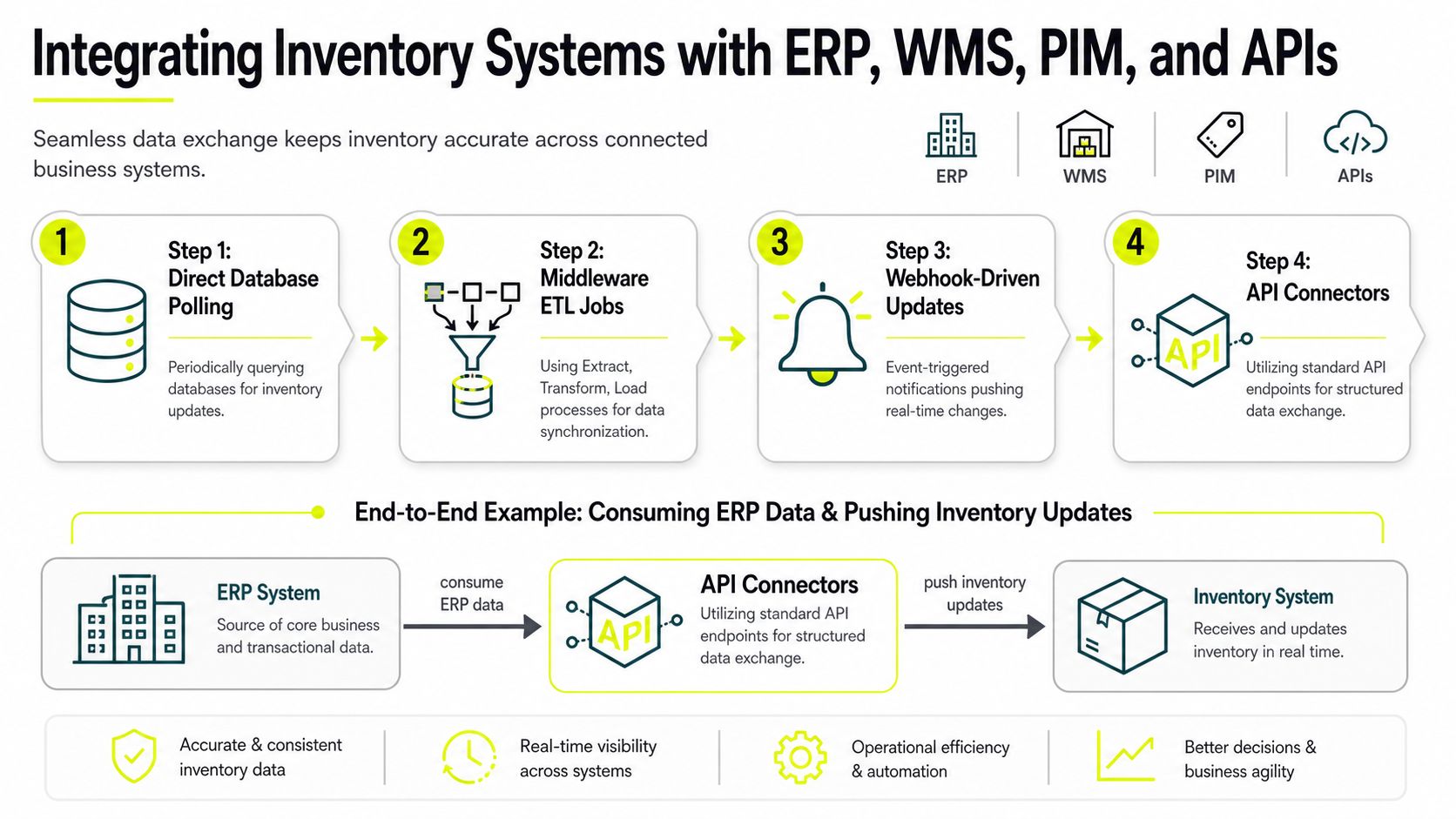
Direct database polling works when you control the source system and can query it safely. It's straightforward, but schema changes can break your parser without warning.
Middleware ETL jobs are better when you need transformation logic between systems. This is the usual answer when ERP naming, WMS status fields, and PIM metadata don't line up cleanly.
Webhook-driven updates are the best fit when upstream systems can push events immediately. They cut lag and reduce wasteful polling.
API connectors are the most maintainable option when the upstream vendor gives you stable endpoints, auth, and versioning.
SKU mapping is the part teams underestimate
A product often has multiple identities:
- ERP SKU: Used for purchasing and financial records
- WMS item code: Used for storage and movement
- PIM product ID: Used for descriptions, assets, and catalog display
- Marketplace or supplier identifier: Used in external scraping and offer matching
If those mappings aren't centralized, your inventory monitoring engine starts treating one product as several. That breaks alerting and corrupts campaign rules.
A simple adapter layer usually needs:
- Canonical SKU table
- Source-specific identifier map
- Timestamp normalization
- Conflict rules for stale or duplicate updates
- Reconciliation job for mismatch repair
Basic ingestion flow
A minimal implementation can look like this in pseudocode:
for each item in erp_response:
    canonical_sku = map_to_canonical(item.erp_sku)
    current_record = inventory_db.get(canonical_sku)

    normalized = {
        sku: canonical_sku,
        qty: item.available_qty,
        source: "ERP",
        updated_at: normalize_timestamp(item.updated_at),
        warehouse: map_location(item.location_code)
    }

    if is_newer(normalized, current_record):
        inventory_db.upsert(normalized)
        publish_change_event(normalized)
That's the happy path. The actual work is in stale update rejection, field validation, and replay support.
If your integration can't answer which system wrote the last accepted quantity and when, it's not ready for production.
Reconciliation loops keep the system honest
Every serious setup needs a loop that compares what the monitoring engine believes against what upstream systems and external checks report. That's where you catch:
- Silent API drift
- Wrong location mappings
- SKU merges and duplicates
- Supplier feed failures
- Stuck webhook consumers
For arbitrage teams, this matters because external stock checks often act as a reality check against internal records. ERP says available. Scraper says sold out. That discrepancy should land in review immediately, not wait until buyers report failed checkouts.
Scaling Implementation with Proxies and Reliability
At small scale, inventory monitoring is a parser problem. At scale, it becomes a network reliability problem. Supplier sites throttle. Retailers vary content by geo. Marketplaces serve different stock states based on session history, ASN reputation, or cookie age. If the proxy layer is weak, your inventory data degrades before your parser even sees the page.
This matters most for teams running AdsPower, GoLogin, Multilogin, Dolphin Anty, or Hidemyacc profiles across Facebook and TikTok ad account workflows. The browser profile may be clean, but if the stock checker sits behind the wrong IP type, blocks and false stock reads start showing up fast.
The practical difference between proxy types
You already know what proxies are. The important part is when each one breaks.
Residential proxies are the default choice for supplier scraping and competitor stock checks because they look like real consumer traffic from retail ISPs. They achieve 95–99% success rates on protected websites while datacenter proxies can drop to 40–60% on highly protected domains, according to Bright Data's comparison of residential and datacenter behavior.
Mobile proxies are what you reach for when protected targets are especially aggressive, or when your workflow overlaps with social platform trust systems. Mobile proxies achieve 85–95% success on protected sites because CGNAT prevents blocking individual IPs without affecting real mobile users, based on VoidMob's explanation of mobile proxy behavior.
Datacenter proxies are for speed-first jobs, broad discovery, and lower-friction targets. They're much faster, but they carry obvious reputation weaknesses. DataResearchTools reports that datacenter proxies are 5–10x faster than residential proxies and 10–20x faster than mobile proxies, but they only reach 25–35% success rates on protected sites because the hosting networks are easy to classify as non-human traffic in that proxy performance comparison.
IPv6 proxies deserve a separate mention. They're useful when the target accepts IPv6 cleanly and you need large address space at lower cost, but support varies by target and many retail and marketplace workflows still behave more consistently on broader IPv4-based consumer traffic. In practice, I'd use IPv6 only after testing the exact stock source and anti-bot behavior.
Matching proxy type to inventory task
Use this logic:
- Datacenter first for low-friction discovery, feed pulls, and endpoints that don't care much about ASN reputation.
- Residential next for competitor pages, retailer PDPs, local stock checks, and city-level offer validation.
- Mobile for hard targets, repeated session-sensitive checks, and social-adjacent account farming workflows where trust matters more than raw speed.
- IPv6 for cost-aware expansion where the target clearly supports it.
Session design matters as much as IP type
A lot of false negatives come from bad session handling, not bad parsers.
Keep these rules tight:
- Sticky sessions for multi-step flows: If the target reveals stock only after location selection, store pick, or cart interaction, don't rotate mid-flow.
- Rotation for repeated listing checks: For broad polling across many stores or SKUs, rotate more aggressively.
- Geo lock by city or region: If your ad campaign is geo-targeted, your stock checker needs the same location logic.
- Retry with back-off: Don't hammer the same endpoint after a soft block. Slow down, change IP, and replay.
A clean reliability loop usually includes:
- request
- content validation
- retry classification
- IP rotation decision
- parser confidence score
- alert or acceptance
Antidetect browsers and stock checks need the same geo truth
Multi-account operators often slip up here. They segment ad accounts correctly inside AdsPower or GoLogin, but their external stock checker runs from a mismatched location. That creates a false read. The browser looks local. The inventory query doesn't.
Use one geo model across:
- browser profile
- proxy location
- landing page variant
- stock scraper region
- campaign rule set
If you're building that rotation logic at volume, patterns from rotating proxy server setups apply directly. Keep the selector deterministic enough to debug, but flexible enough to shift under pressure.
Reliability beats raw scrape count
You don't need more requests. You need cleaner accepted results.
A blocked request is obvious. A bad inventory read that looks valid is the expensive failure.
That's why I'd rather run fewer supplier checks with the right proxy type, stable sessions, and parser verification than flood a target with fast datacenter traffic and fill the monitoring system with junk.
If you operate cloaking, account farming, and geo-targeted Facebook or TikTok campaigns, inventory monitoring depends on proxy discipline as much as parser logic. The stock signal is only reliable when the network path is believable.
Troubleshooting and Controlling Inventory Monitoring Costs
When inventory monitoring gets expensive, the cause usually isn't one big mistake. It's dozens of small ones. Polling low-risk SKUs too often. Recounting items that don't deserve it. Retrying dead endpoints forever. Letting proxy usage spike because nobody tied stock confidence to scrape priority.
The fix starts with replay and classification, not more tools.
A debugging flow that actually isolates the issue
Start with the record that triggered the problem. Then walk backward.
Replay the request path
Check the original fetch, parser result, normalization step, and accepted database write.Verify API and page latency behavior
Slow upstream systems often create stale data acceptance if your timestamp handling is sloppy.Check proxy health by pool and geo A regional pool can degrade subtly and skew stock reads for one campaign cluster.
Inspect parser confidence
If the HTML shape changed, your scraper may still return a result that looks structured but is semantically wrong.Compare internal and external views
If ERP says available and scraped market data says unavailable, move the item into an exception queue instead of letting automation guess.
Cost control comes from prioritization
Not every SKU deserves the same polling rate, recount effort, or proxy quality.
Without targeted exception queues and variance protocols, teams waste labor recounting low-risk SKUs. Applying ABC analysis can reduce labor costs by up to 40% while keeping 99% accuracy on critical stock, according to Cleverence's discussion of variance thresholds and count strategy.
That logic maps directly into scraper economics:
- A-items: High-value offers, volatile stock, expensive traffic. Give them the best proxy mix and tightest checks.
- B-items: Moderate business impact. Poll at a balanced cadence.
- C-items: Low-value or stable items. Slow them down and stop burning requests.
Practical controls that stop runaway spend
Use a short checklist:
- Cap session request depth: Don't let one bad target consume endless retries.
- Lower polling frequency for low-risk items: Save bandwidth and proxy spend where the business impact is small.
- Set variance thresholds: Small discrepancies should trigger review queues, not full recount or full scrape storms.
- Use budget-aware hooks: When scraping costs rise faster than accepted signal quality, throttle automatically.
- Track accepted result ratio: Cost per useful stock update matters more than raw request volume.
A pay-as-you-go model helps only if the system is disciplined enough to stop waste. Teams that need variable spend without long commitments usually benefit from understanding pay-as-you-go proxy pricing mechanics before they wire scraping volume into always-on monitoring.
The cheapest request is the one you never send because your prioritization logic was correct.
Where operators usually lose money
It's rarely on one premium proxy pool. It's on bad defaults.
A few examples:
- routing every SKU through premium residential sessions
- retrying parser failures as if they were network failures
- scraping every location at the same interval
- sending alerts on every discrepancy instead of applying thresholds
- ignoring stale mappings that create duplicate checks for the same product
Treat inventory monitoring like any other production system. Measure reliability, classify failures, and tie spend to signal quality.
If your team relies on clean stock signals for geo-targeted campaigns, account farming, ad verification, or supplier scraping, Sota Proxy is built for that kind of workload. It gives you residential, mobile, ISP, datacenter, and IPv6 options across city-level geos, plus an affiliate program with up to 40% commission for partners who refer other operators.
Related articles

Dolphin Anty for Multi-Accounting: Features, Automation, and Proxy Integration
How to use Dolphin Anty for multi-accounting: browser profiles, Cookie Robot, scenarios, Synchronizer, API automation, and three ways to connect SotaProxy proxies. Promo code SOTA20 gives 20% off.

Curl Basic Auth: Secure Automation Guide
Master Curl Basic Auth for secure automation. Learn credential handling, proxy integration, & troubleshooting tips for efficient multi-account operations.
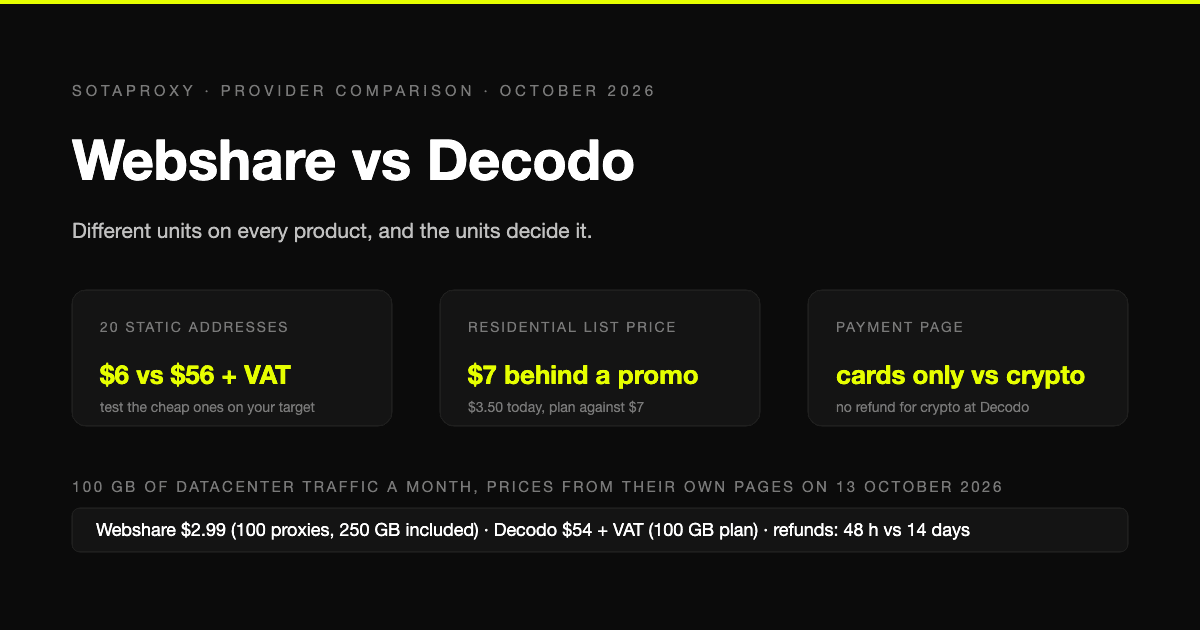
Webshare vs Decodo in 2026: Datacenter Value, a $7 Residential List Price, and Cards Only
Webshare and Decodo sell the same three products in different units, and the units decide the comparison. Datacenter by the address against by the gigabyte, static addresses at $0.30 against $3.33, a residential list price of $7 that nobody pays, and a payment page with no crypto on one side and no refund for crypto on the other.
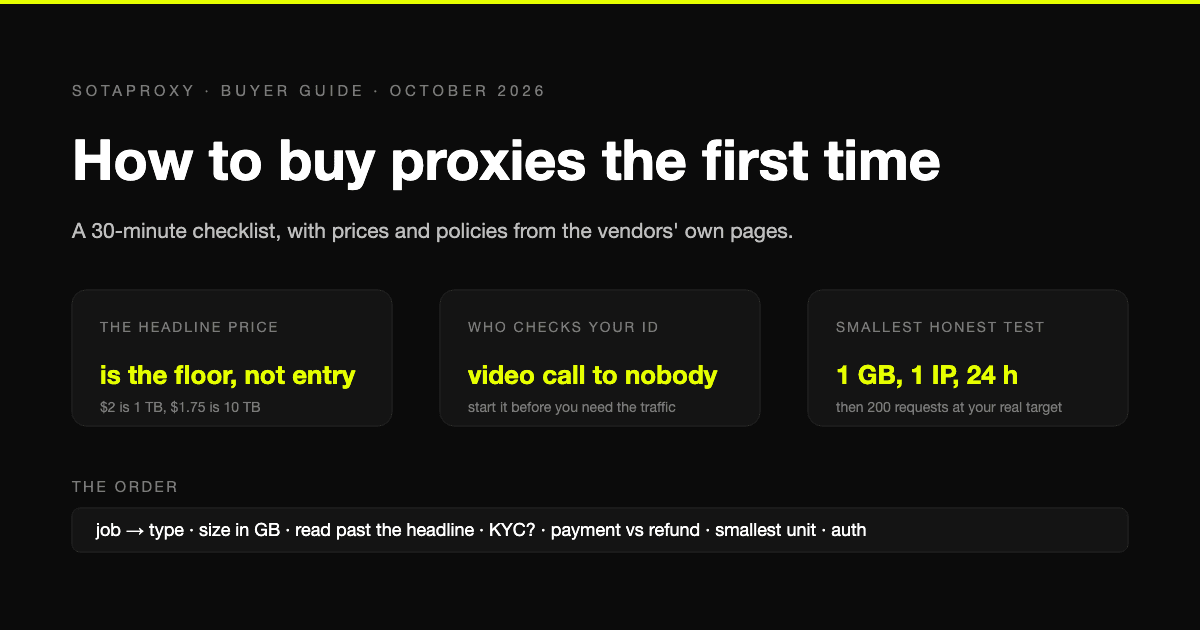
How to Buy Proxies for the First Time: A 30-Minute Checklist
A first purchase goes wrong in predictable places: the wrong proxy type, a headline price nobody pays, an identity check nobody mentioned, a refund that does not apply to how you paid. The checklist, with prices and policies from the vendors' own pages.
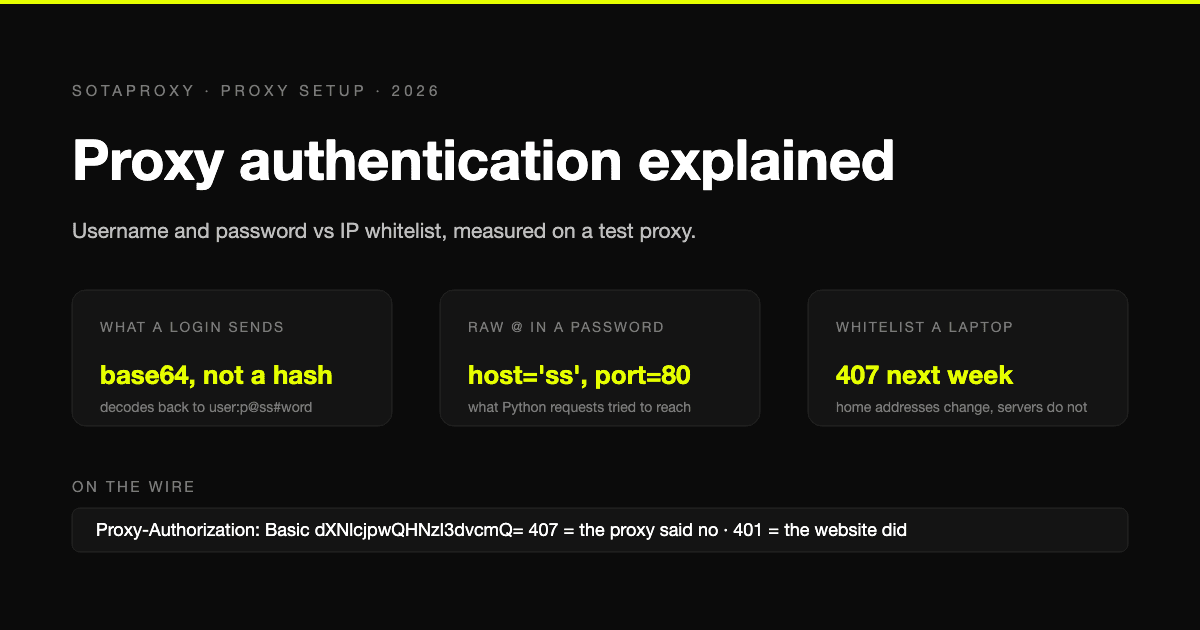
Proxy Authentication Explained: Username and Password vs IP Whitelist
Two ways a proxy knows it is you: credentials sent on every connection, or a list of addresses allowed in without them. What each one puts on the wire, measured on a test proxy, which tools cannot do which, and why a whitelisted laptop breaks a week later.
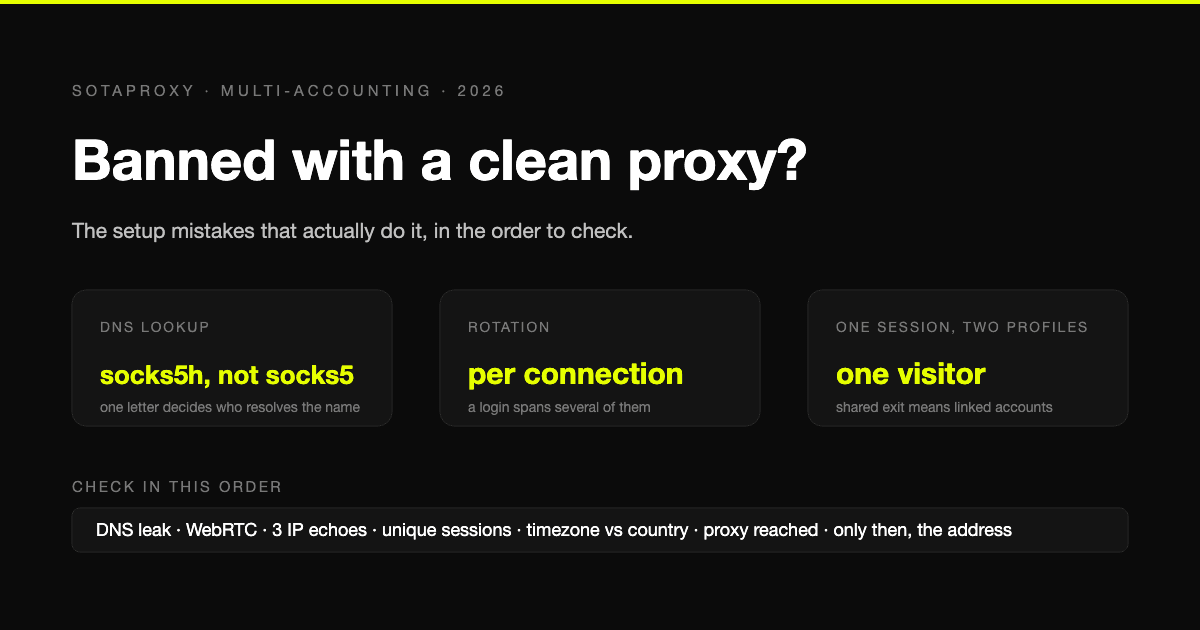
Banned With a Clean Proxy? The Setup Mistakes That Actually Do It
The proxy was clean, the address was residential, and the account still died. In most cases we see, the address was never the problem. Seven setup faults, each one checkable in a minute, in the order they usually turn out to be the cause.