Telegram Automation with Telegram Expert: What to Do If a Task Stops Midway
When a Telegram task over thousands of records fails, the failures have different causes and need different answers. How to tell a limit from a lost connection, and when to retry, change the route, wait or finish the record.

When a Telegram task processes several thousand records, a failure rarely looks like a single clear problem. Some requests may hit a Telegram limit, some may lose connection, and others may fail due to the settings of a specific chat or user.
The most common mistake in such a situation is not the failure itself, but the identical response to different causes. If you change proxies and restart the action after any error, a temporary network disruption may indeed disappear. But FLOOD_WAIT won't end because of this, a message sending ban won't change, and a lost response after an already completed action may lead to a duplicate operation.
Therefore, in mass automation, you first determine the cause of the failure, and only then choose an action: retry the request, change the route, wait, or complete processing the record.
Table of Contents
1. Why one Telegram error may require four different responses
2. When a Telegram task should be retried through the same proxy
3. When a problem actually requires changing the proxy
4. Why FLOOD_WAIT needs to be waited out, not bypassed with retries
5. Why timeout can't be automatically considered a failed operation
6. How to configure retry for mass processing in Telegram Expert
7. What to save in the database after each attempt
8. How to separate proxy work from Telegram Expert
9. FAQ on Telegram automation failures
Why one Telegram error may require four different responses
At the task level, the result often looks the same: record not processed. But the cause may be in different layers.
Telegram separates RPC errors by meaning. Some indicate an incorrect request, others are related to authorization or permissions, a third group reports temporary restrictions, and a separate class relates to internal server errors.
For mass automation, it's sufficient to divide them into several groups.
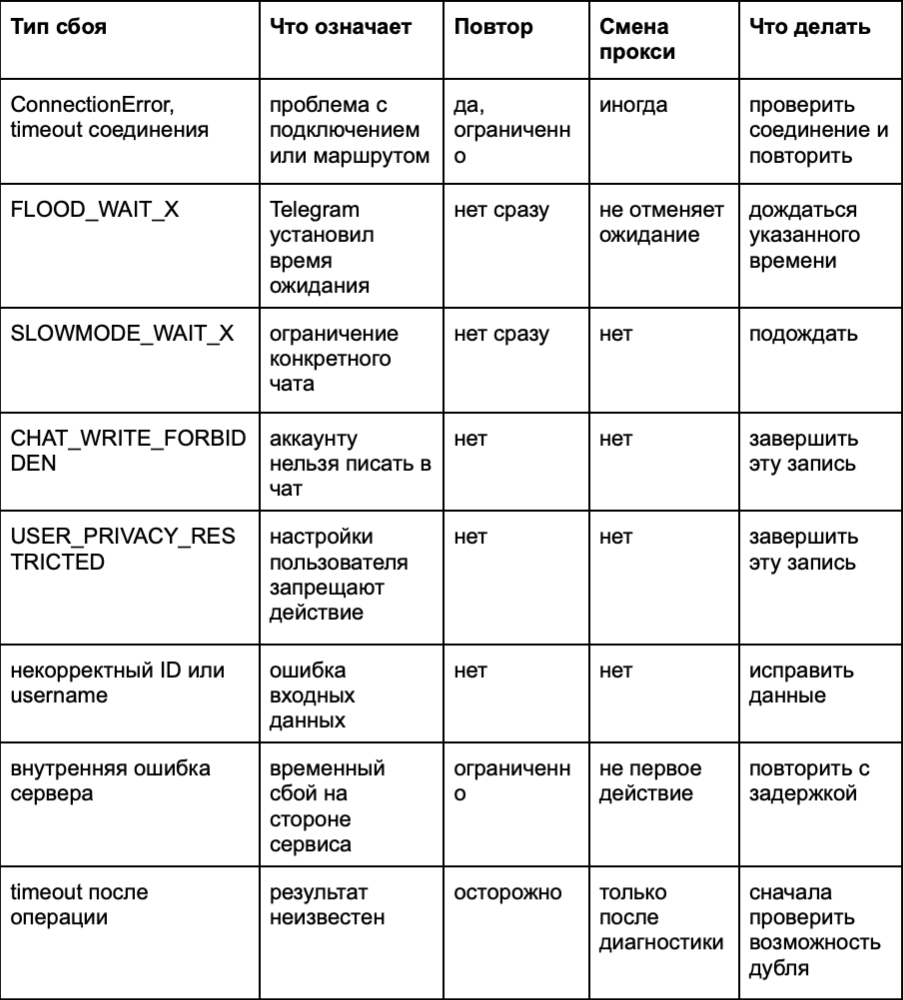
This is a basic strategy, not a universal table for all Telegram methods. A specific method may return additional errors.
The main principle is simple: retry only makes sense when re-executing can actually produce a different result.
Before retrying, you need to determine what will change between the first and second attempt. If nothing, the retry will most likely just reproduce the same failure.
This approach is especially important for tasks where one database contains thousands of users, chats, or other objects. An error with one record shouldn't stop the entire process, but you can't endlessly return this record to processing either.
When a Telegram task should be retried through the same proxy
Retry through the same route is suitable for a temporary connection error or brief server failure.
For example, Telegram may return an internal error of class 500. This by itself doesn't prove that the problem is with the proxy. In this case, changing the route may not help, but a limited retry with a pause makes sense.

Don't send the same request several times in a row. If the cause of the problem hasn't been resolved yet, repeated requests will only increase the load.
A practical scheme looks like this:
- the first error is logged;
- the task gets a short pause;
- a second attempt is executed;
- if it fails again, the interval increases;
- after a set number of attempts, the record is moved to a separate state.
For such tasks, exponential backoff is used. The interval between attempts gradually increases. Random delay adds a small time spread so that several parallel processes don't retry the request simultaneously.
It's important to limit the number of attempts. If you endlessly retry requests after each error, a temporary failure may eventually turn into a constant load on the system.
When a problem actually requires changing the proxy
Changing the proxy makes sense when there's reason to believe the network route is the cause.
If the connection doesn't establish, regularly drops, or one route produces errors, retrying through it may only reproduce the problem. For example, ConnectionError is a connection error where checking the proxy is recommended.

But changing the proxy is not a universal response to Telegram errors.
For example, CHAT_WRITE_FORBIDDEN means that the current account is forbidden from sending messages in the chat. A different IP won't change the account's permissions. USER_PRIVACY_RESTRICTED is related to user settings and also isn't solved by changing the route.
Therefore, it's better to separate network connection recovery from handling Telegram results.
In large tasks, you shouldn't tie all logic to manual IP replacement. You need to separate retries from managing problematic proxies and use gradual interval increase between attempts, random delay, and a mechanism to disable retries during mass errors. This approach is especially useful at the network level.
If you need a separate proxy layer for such scenarios, you can use SotaProxy: the service offers residential, mobile, ISP, and datacenter proxies, supports rotation and sticky sessions, so you can select a route for stable sessions or mass automation.
Why FLOOD_WAIT needs to be waited out, not bypassed with retries
FLOOD_WAIT_X has a fundamental difference from network failure. Telegram explicitly tells you how much time you need to wait before repeating the action. In the Telegram documentation, this mechanism is described as rate limiting.
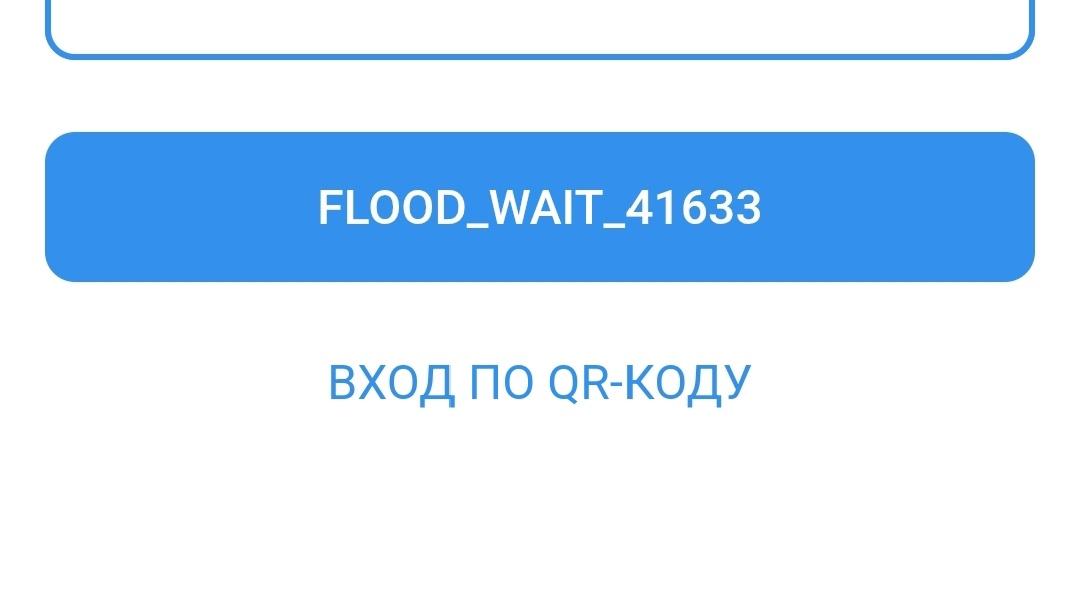
Therefore, Telegram doesn't recommend automatically changing proxies and retrying the request after receiving FLOOD_WAIT. The very fact of changing IP doesn't cancel the server-side wait.
The same applies to SLOWMODE_WAIT_X. This is a restriction set for a specific chat. Changing the network route doesn't change slow mode.
Here it's more correct to save the wait time and return the task to the queue after it expires.
A different processing model emerges:
1. Telegram reports the wait time.
2. The system saves this value.
3. The record is temporarily excluded from active processing.
4. After the wait expires, the task returns to the queue.
5. If retry again leads to a restriction, the system accounts for the new Telegram response.
This approach is better than locally inventing delays like "wait five seconds." For server-side restrictions, priority goes to information returned by the service itself.
Why timeout can't be automatically considered a failed operation
The most complex situation arises when the client doesn't receive a response.
With a regular error, the cause is often clear. With a timeout, all that's known is that the client didn't receive the expected result within the set time. This doesn't prove that Telegram didn't process the request.
Telegram separately documents this scenario for sending messages. A request can successfully create a message, but the method's response gets lost. As a result, the client considers the operation unsuccessful, even though the action has already occurred. For this, Telegram uses random_id and updateMessageID, which allow linking the original call with the created message.
The server also uses random_id for deduplication. If the same identifier has already been used for a corresponding call, Telegram should not create a second identical message.
After a timeout, you first need to determine whether the action could have already been executed. Only then should you choose a safe retry scenario.
This is especially important for operations that create side effects. Retrying a check is usually safer than retrying message sending. Therefore, a retry policy should consider not only the error type but also the operation itself.
How to Configure Retries for Bulk Processing in Telegram Expert
When a task consists of thousands of records, a single general rule for the entire process is not enough. Each record should have a clear state and a clear response to errors.
This can be conditionally broken down into stages.
1. Classify the Error First
A minimal set is sufficient:
- connection error;
- temporary Telegram limit;
- ban or privacy restriction;
- invalid data;
- internal error;
- unknown result after timeout.
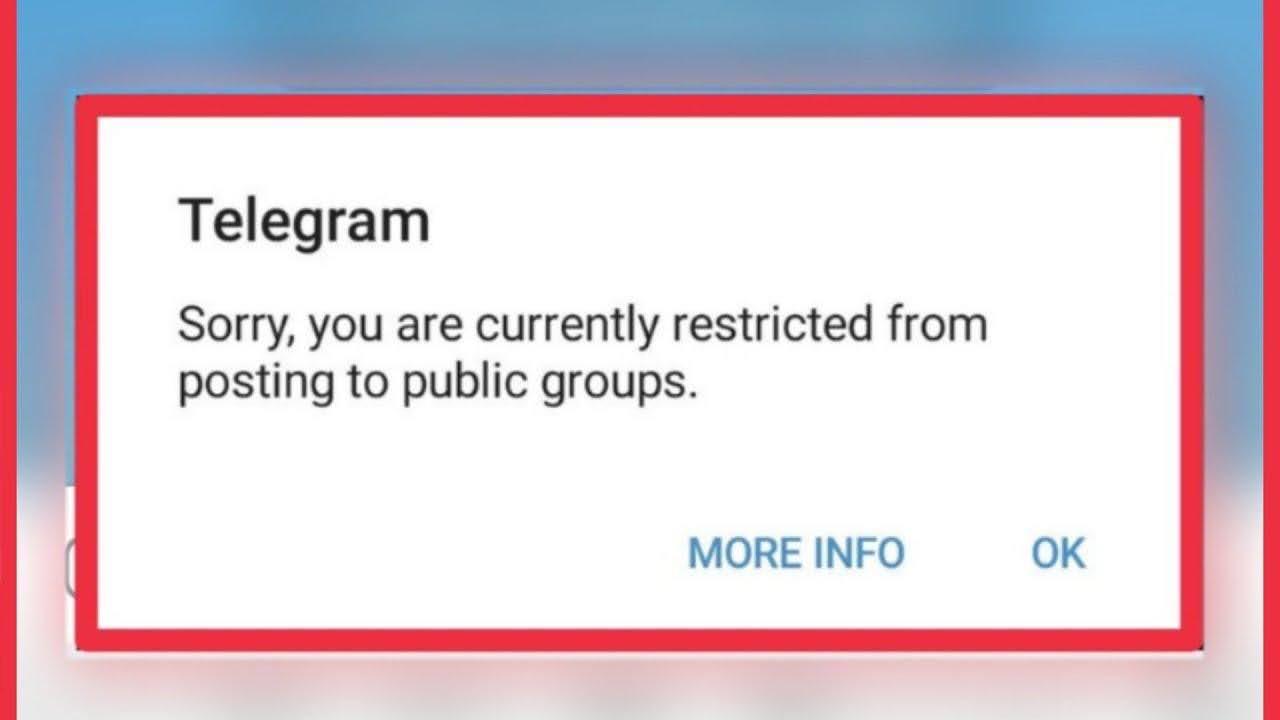
2. Define Action for Each Class
For example:
1. ConnectionError → limited retry → route change if needed → stop
2. FLOOD_WAIT → wait → retry after specified time
3. Privacy / Forbidden → terminate record
4. Invalid data → correct data
5. 500 → retry with increasing wait interval
This approach doesn't require manually writing a separate strategy for each error.
3. Limit Number of Attempts
The number of retries must be finite. If one route or one record continues to fail, the task should exit the loop and receive a clear final status.
For recurring network problems, you can temporarily stop retries. Its purpose is not to fix the error, but to temporarily stop requests to the problematic destination and prevent one failure from multiplying across the entire process.
4. Save the State of Each Record
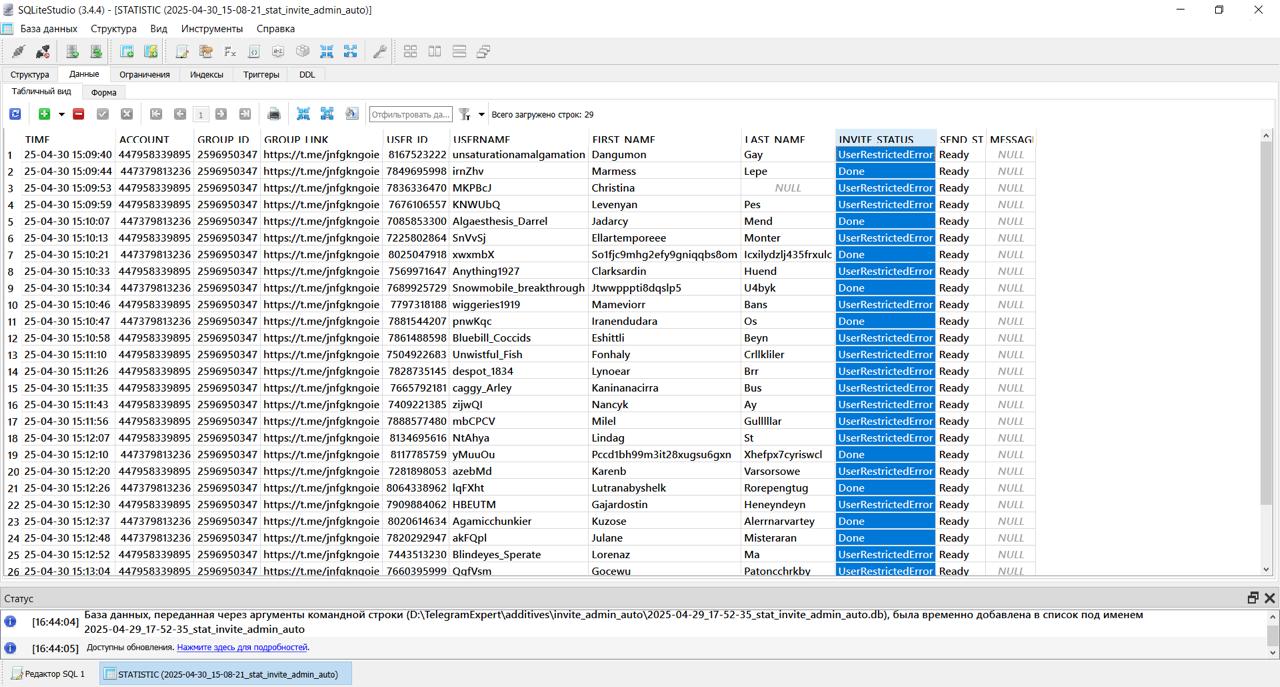
In Telegram Expert, the database separates Ready, Taken, and Done states. Ready means the record is ready for processing, Taken shows it's already being worked on, and Done records a completed action.
This is important when failures occur. If an entire task consists of ten thousand records, there's no need to restart it from the beginning just because a few hundred ended with an error.
The database allows continuing processing from the required state. If necessary, a record's status can be changed manually, for example, returning Done to Ready to relaunch it.
Additionally, if an error occurs, it will also be noted in the logs, allowing you to understand what action to take.
5. Separate Retries from Manual Review
After several failed attempts, a record should end up either in a final state or in a queue for manual review.
If Telegram reports that the action is prohibited by user settings, there's no need to retry it automatically. If the problem is with the connection, the record can be returned to processing after the route is restored.
This creates a managed process, not an endless retry loop.
What to Save in the Database After Each Attempt
With bulk automation, the error itself rarely helps understand what happened. You need context.
For each attempt, it's useful to save:
- time;
- account;
- action being performed;
- target object;
- proxy or route identifier;
- attempt number;
- request duration;
- Telegram error;
- proxy change fact;
- final action: retry, wait, skip, stop, or review.
After this, the record "47 errors" turns into proper diagnostics.
For example, you can see that all 47 errors are ConnectionError and occur through one route. This is a network layer problem.
If all 47 records received FLOOD_WAIT, the reason is already in Telegram limits.
If 47 users received USER_PRIVACY_RESTRICTED, the problem relates to the conditions of specific operations, not proxies.
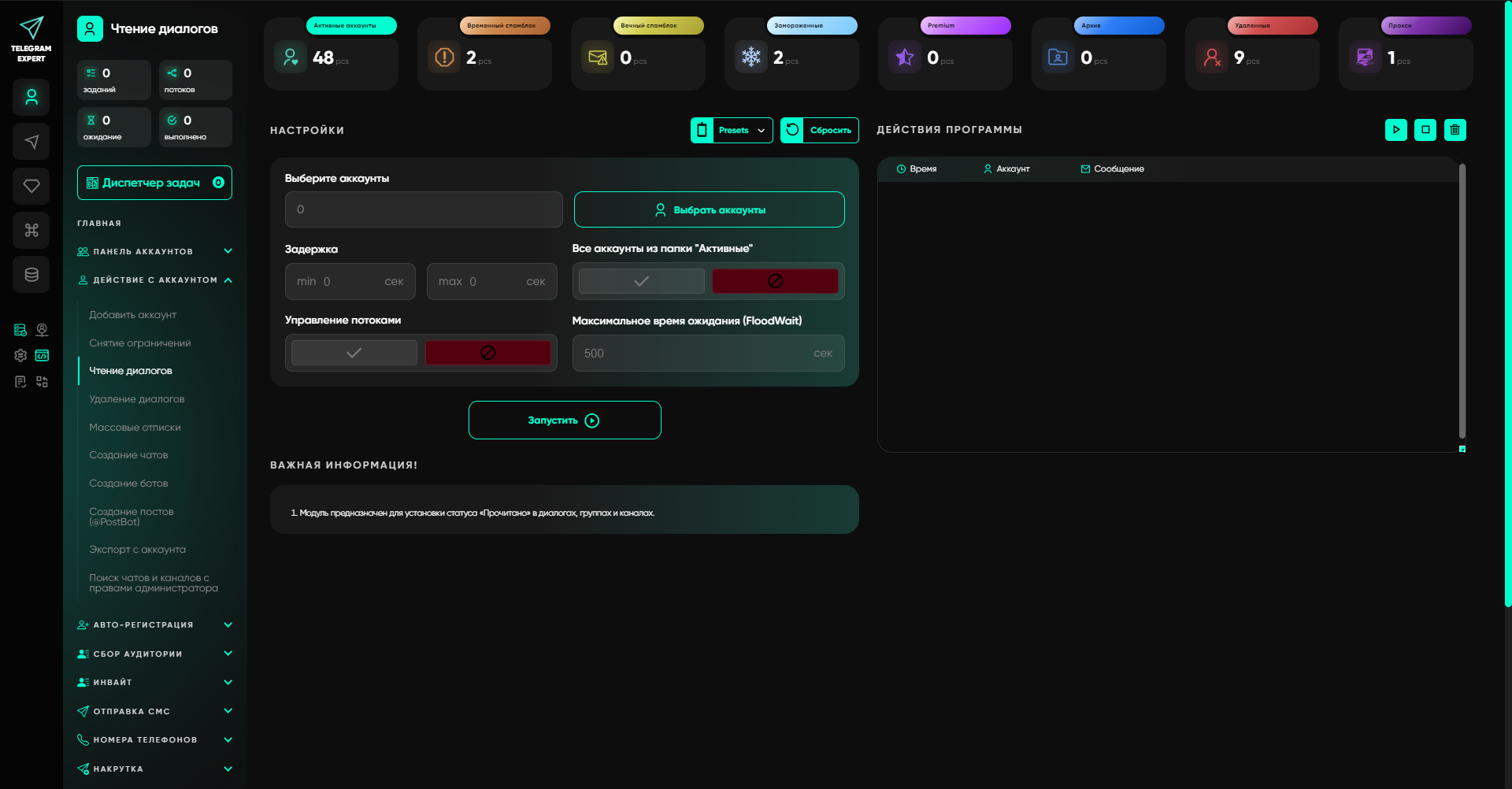
Telegram Expert works with operation results through databases and statuses, and forms its own result databases for different actions. This allows not mixing successfully processed records with those that require rework.
How to Separate Proxy and Telegram Expert Work
Proxy is responsible for network connection. Here, route availability, connection, delays, and recurring network failures are checked.
Telegram Expert is responsible for the application layer. Here, it determines which account performs the action, which record is being worked on, what response Telegram returned, and what to do with this record next.
This separation prevents turning any Telegram error into a proxy problem.
For the user, this is especially noticeable on bulk tasks. If one record received ConnectionError, you can retry it after checking the route. If another received ChatWriteForbiddenError, there's no point sending it through a new IP. If a third received FLOOD_WAIT, it needs to be assigned a wait.
Telegram Soft Expert already uses separate statuses for such results and stores the working state of records. This allows building processing not around a single general "error" flag, but around the result of each specific operation.
Telegram Expert itself solves a much wider range of tasks related to accounts, sessions, databases, and bulk operations.
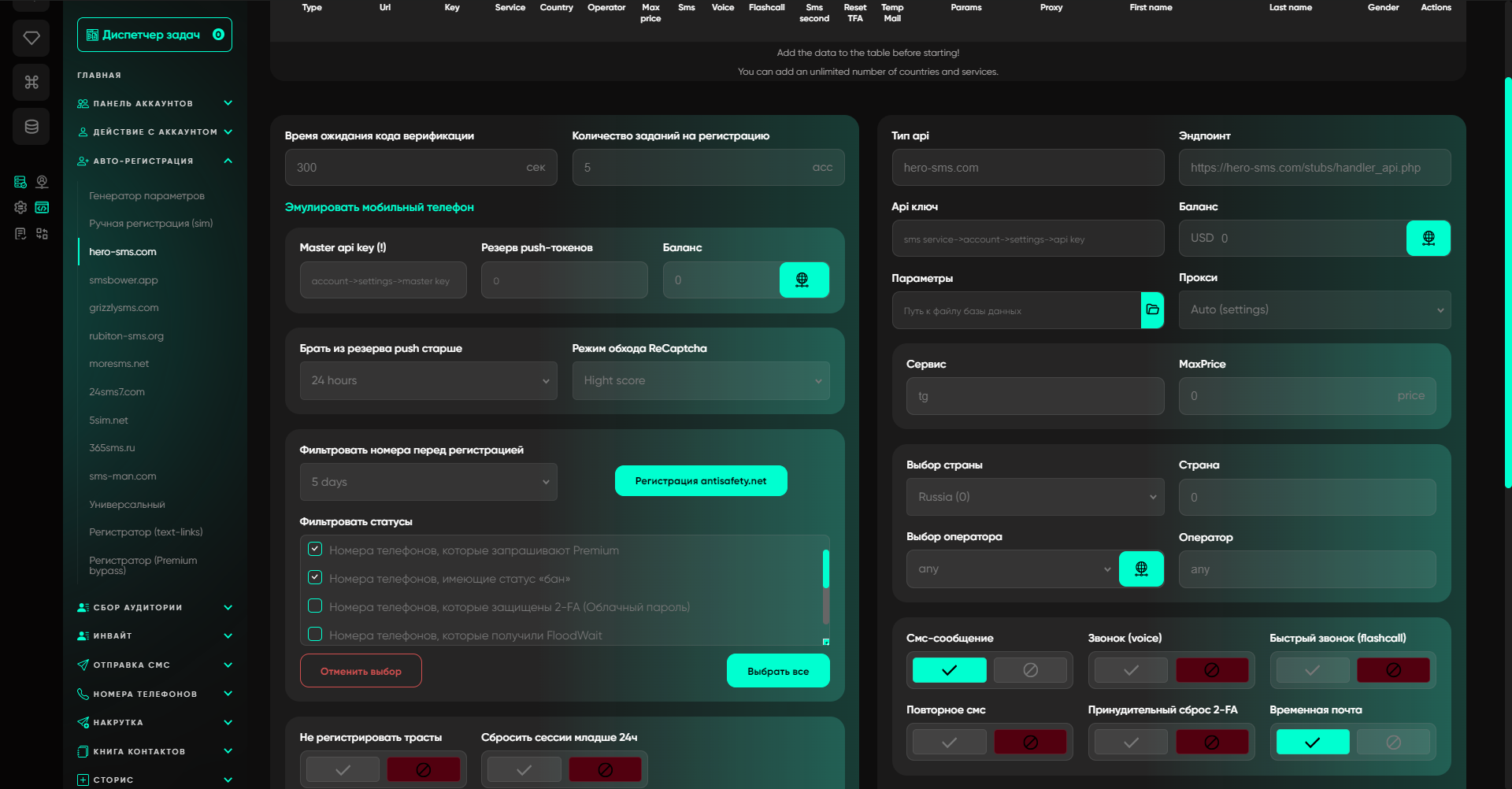
In it, you can separately work with account registration and warming, manage accounts and their states, check and distribute proxies, collect audiences, invite users, send messages, and publish content.
Telegram Expert's main features cover the entire working cycle with accounts:
1. Account Panel. Centralized account management, grouping, statuses, bulk checking, and bulk actions.
2. Auto-registration. Parameter generator, manual registration, registration through SMS services, and universal registrar.
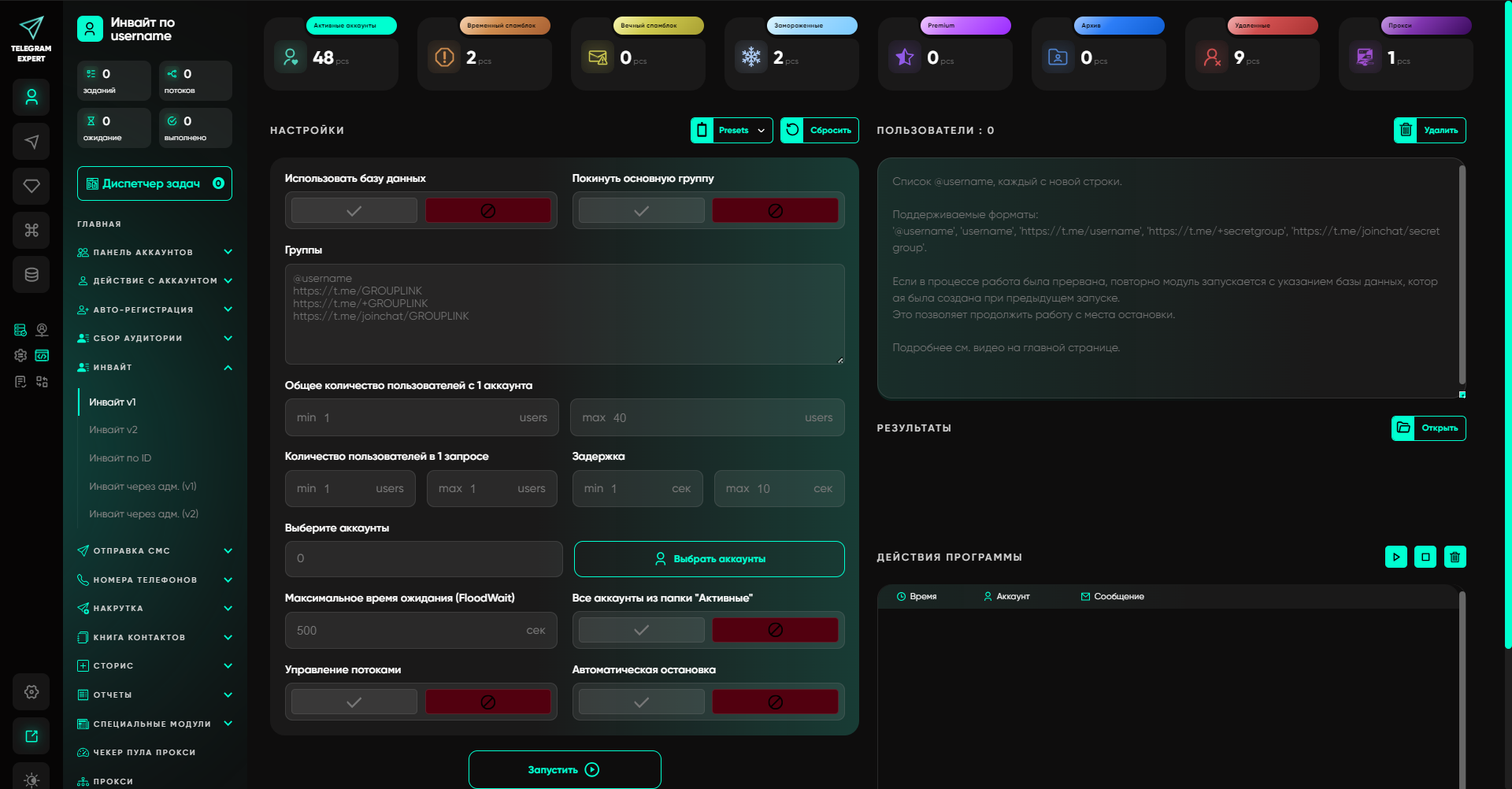
3. Audience Collection. Global search, collecting users from chats, comments, and accounts, link verification, and working with parsing databases.
4. Invite. Inviting users by username and ID, as well as invite tools through administrators and bots.
5. Sending Messages. Bulk mailings, sending by ID and contacts, working with open dialogs, auto-posting, auto-reply, comments, and AI commenting.
6. Phone numbers and contacts. Checking numbers in Telegram, working with phone databases, adding and removing contacts, exporting contacts, bulk messaging and invites via contact book.
7. Stories. Publishing, commenting, exporting links and deleting stories from accounts.
8. Reports and databases. Generating reports, merging databases and calculating results of bulk messages and invites.
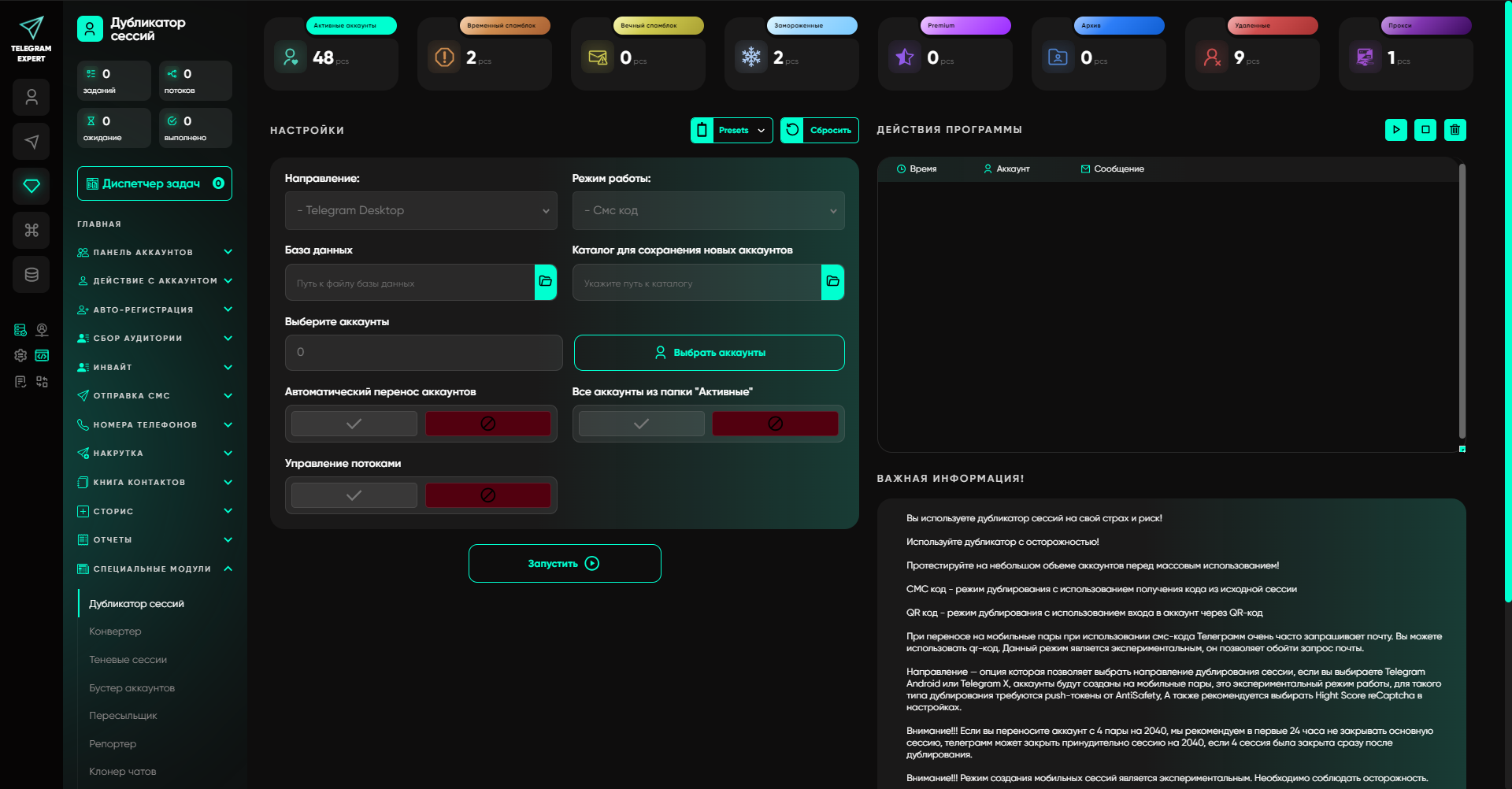
9. Special modules. Session duplicator, Session and TData converter, shadow sessions, account booster, forwarder, chat and channel cloners, content interceptor and admin management tools.
10. Proxies. Adding and checking proxies, as well as proxy pool checker with IP address overlap detection.
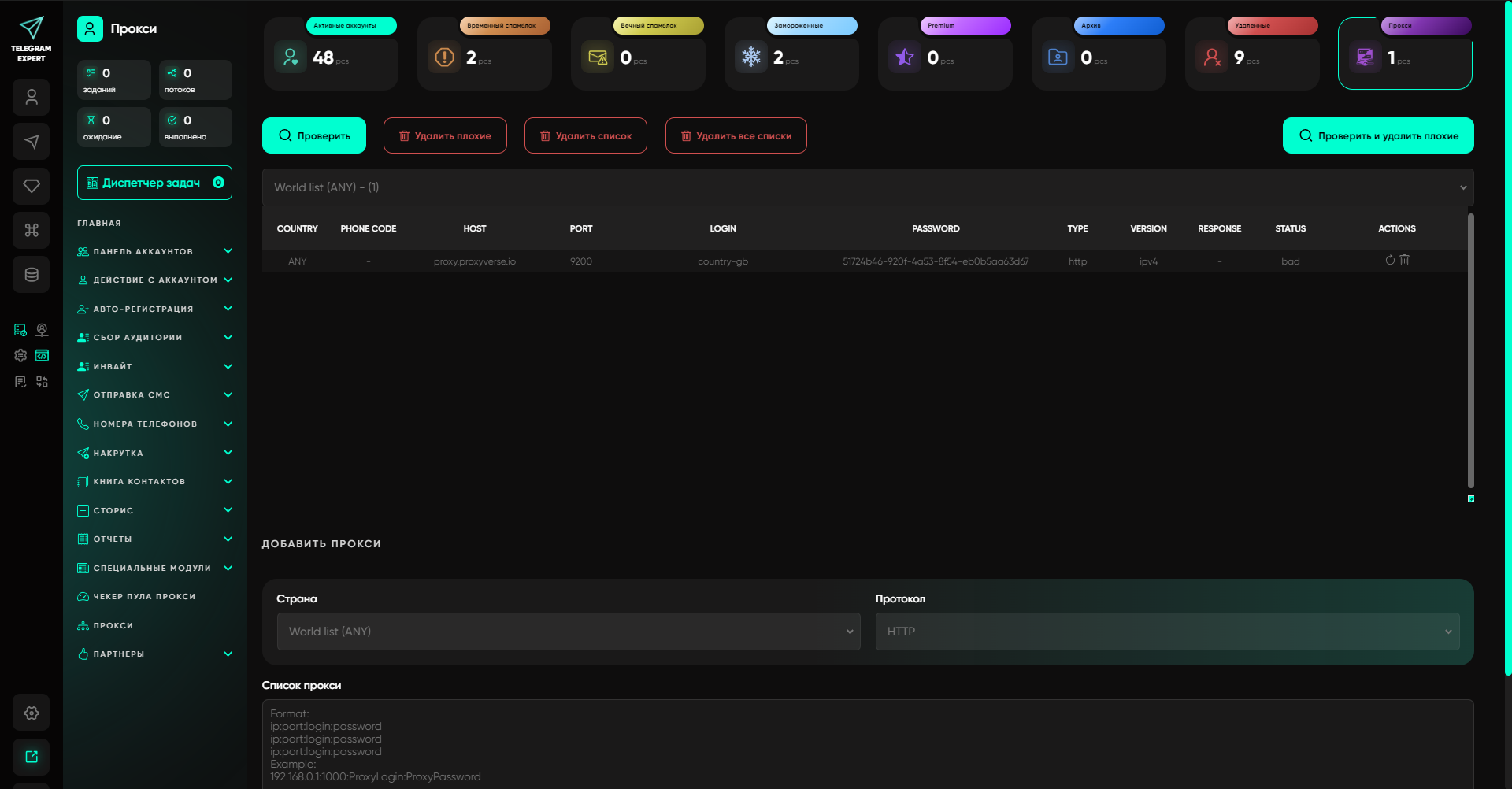
Therefore, Telegram Soft Expert cannot be viewed solely as a proxy management tool. Proxies handle connections, while the software manages the actual workflow: accounts, their states, databases, audiences, communication and results of individual operations.FAQ on Telegram automation failures
Do I need to change proxies after FLOOD_WAIT?
FLOOD_WAIT_X itself indicates the need to wait for the specified time before repeating the action. Telegram documentation does not describe changing IP as a way to cancel this wait.
Can I retry CHAT_WRITE_FORBIDDEN?Automatically retrying the same action won't solve the problem. The error means that the current account cannot send a message to this chat. You need to change the operation conditions or exclude the entry.
What to do after timeout?
First determine whether the action could have already been executed. For sending messages, Telegram provides a mechanism for matching operations and results through random_id and updateMessageID, so a lost response doesn't always mean an unsuccessful send.
How many times should I retry a request?
Telegram doesn't have a universal retry number for all methods. The number of attempts depends on the operation type and error. Temporary failures need limited retries with increasing intervals, while final errors don't need retries at all.
When is a new proxy actually needed?
When there are signs of connection issues or a specific route problem. Permissions errors, privacy issues, incorrect data and server limits don't become network problems just because the operation is performed through a proxy.
The right retry policy doesn't start with the number of proxies or retry attempts. It starts with error classification. If Telegram temporarily restricts an action, the task should wait. If the problem is in the route, you can change the proxy. If the action is forbidden, the entry should be completed. If the client didn't receive a response after the operation, you first need to rule out an already-executed action.
Telegram Soft Expert is useful precisely at the next level. With a large number of accounts and entries, such states need to be recorded in databases, statuses and processing results, not kept in your head. Then a failure of an individual operation remains an individual operation, rather than turning into a complete task rerun.
Related articles
How Many Instagram Accounts Can You Have in 2026 (And What Gets Them Banned)
The five-account switcher is a device limit, not a policy. Instagram's action limits by account age, how it links accounts, the enforcement ladder, and how to recover a restricted account.
How Many Accounts Can You Have on Each Platform in 2026
Published limits for eleven platforms side by side, the four different rule regimes behind them, and why the number in the app is never the real constraint.

How Much You Actually Make on OnlyFans in 2026: The Full Fee Stack
The published earnings distribution, every cut between a fan's dollar and your bank account, when the money actually lands, and the one metric that decides whether promotion works.
How to Test a Proxy Before You Buy It: A 10-Minute Checklist
Ten checks that tell you whether a proxy trial is worth paying for: exit ASN, hosting flags, rotation behaviour, subnet spread, DNS and WebRTC leaks, and success rate on your own target.

How to Make Money With Web Scraping in 2026: Five Models, Priced
Five ways scrapers get paid, what each one charges, and what a scrape actually costs to run, measured on real pages: HTML-only against a full browser render.

What a Multi-Accounting Stack Actually Costs in 2026
Real monthly numbers for 10, 50 and 200 accounts: antidetect profiles, proxies, numbers, cloud phones and card fees, with the one line item that eats 72% to 88% of the budget.