How to Test a Proxy Before You Buy It: A 10-Minute Checklist
Ten checks that tell you whether a proxy trial is worth paying for: exit ASN, hosting flags, rotation behaviour, subnet spread, DNS and WebRTC leaks, and success rate on your own target.
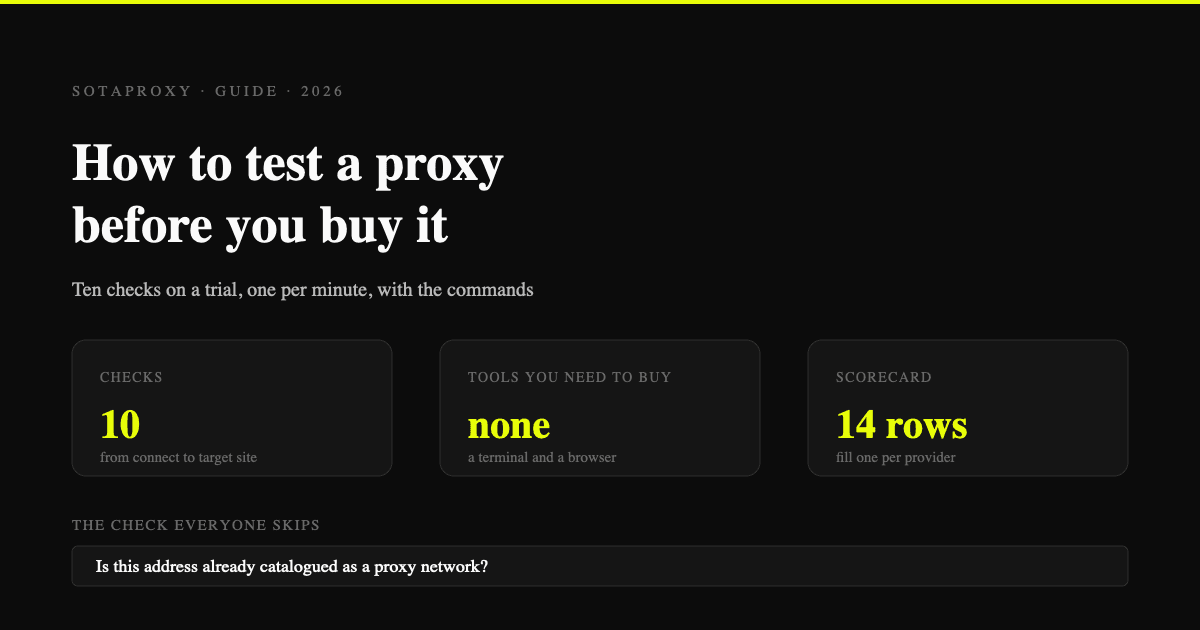
You have trial credentials from a provider and maybe an hour before you decide where to put your budget. This guide is the exact sequence we run on any pool before it goes anywhere near a client account: ten checks, one per minute, from "does it connect" to "does it survive the site you actually care about". Every command below is copy-paste ready. At the end there is a scorecard you can fill in for each provider you are comparing, so the decision comes from your numbers instead of the wording on a pricing page.
Nothing here needs an antidetect browser or a paid API key. A terminal and a browser are enough.
Why the product page cannot answer this
Every proxy site claims a 99.9% success rate, millions of IPs and full country coverage. None of those numbers are auditable, and none of them describe the thing that decides your outcome: what a specific target site thinks about the specific IP you get handed at 3pm on a Tuesday.
Three failure modes hide behind good marketing copy, and all three survive a casual test:
- Datacenter IPs sold as residential. The pool answers, the geo looks right, and the ASN belongs to a hosting company. Sites that block datacenter ranges block you on the first request.
- Recycled addresses. The IP is genuinely residential and genuinely burned: someone spent the last month scraping with it, and the reputation databases remember.
- Rotation that does not match the label. You pay for sticky sessions and the IP changes mid-checkout, or you pay for rotation and get the same twelve addresses in a loop.
The checklist below is built to surface exactly those three, fast.
Before you start
You need:
- Trial credentials in the usual form,
login:password@host:port. curl(already on macOS and Linux; on Windows use WSL or Git Bash).python3for pretty-printing JSON, optional but convenient.- A browser for the four visual checks.
Throughout this guide the placeholder connection string is:
login:password@proxy.sotaproxy.com:10000Swap in whatever the provider gave you. If their format carries targeting in the login (country, city, session id), keep those suffixes in place while you test, otherwise you are testing a different product than the one you intend to buy.
Minute 1: does it connect, and how slow is it
Start with the cheapest possible request and look at the timings, not the body.
curl -s -o /dev/null -x login:password@proxy.sotaproxy.com:10000 \
  -w "connect=%{time_connect}s ttfb=%{time_starttransfer}s total=%{time_total}s http=%{http_code}\n" \
  https://api.ipify.org
You get one line back:
connect=0.312s ttfb=0.674s total=0.679s http=200Read it like this. connect is how long the TCP and TLS handshake to the proxy took, and it is mostly distance plus provider overhead. ttfb includes the target's own response time, so compare providers on the difference between the two, not on the absolute number. http=200 only means the proxy passed the request through; a 407 means your credentials or IP whitelist are wrong, a 502 or 503 usually means the upstream node died, and an empty reply means the port is right but the protocol is not (you sent HTTP to a SOCKS5-only port).
Run it five times in a row. A residential pool that answers in 0.4s once and 2.8s the next four times is not a fast pool with an outlier, it is a slow pool with a lucky first request.
Minute 2: where does it actually exit
Now the important part: not the country flag in the dashboard, the record the target site will look up.
curl -s -x login:password@proxy.sotaproxy.com:10000 \
  "http://ip-api.com/json/?fields=status,country,countryCode,regionName,city,zip,timezone,isp,org,as,asname,mobile,proxy,hosting,query" \
  | python3 -m json.tool
A healthy residential exit looks like this:
{
  "status": "success",
  "country": "Germany",
  "countryCode": "DE",
  "regionName": "North Rhine-Westphalia",
  "city": "Essen",
  "zip": "45127",
  "timezone": "Europe/Berlin",
  "isp": "Vodafone GmbH",
  "org": "ARCOR-IP",
  "as": "AS3209 Vodafone GmbH",
  "asname": "VODANET",
  "mobile": false,
  "proxy": false,
  "hosting": false,
  "query": "203.0.113.44"
}
Four fields decide everything:
ispandas. A consumer internet provider (Vodafone, Comcast, Orange, Telefonica) is what you want for residential. A cloud or hosting name here (DigitalOcean, Hetzner, OVH, Amazon, Alibaba, Choopa, M247) means you are holding a datacenter IP no matter what the invoice says.hosting. If this istrueon a package sold as residential, the trial is already over. This single boolean catches most mislabelled pools.proxy. A crude flag, and atruehere is not automatically fatal on a residential IP, but it tells you the address is already in at least one public detection list.cityandtimezone. Write both down. You will need them again in minute 7.
Do this on at least ten different exits, not one. One clean IP proves nothing about a pool; ten clean IPs out of ten is a signal.
Minute 3: is it really residential
If minute 2 left you unsure, confirm from a second angle. Reverse DNS is the quickest tell, because consumer providers name their addresses and hosting companies usually do not:
IP=$(curl -s -x login:password@proxy.sotaproxy.com:10000 https://api.ipify.org)
dig +short -x "$IP"
A real home connection answers with something like p5dcc1a2b.dip0.t-ipconnect.de or cpe-172-16-0-1.nyc.res.rr.com. The words dip, dyn, dsl, cable, cpe, pool and res are all good news. A blank answer, or a name containing static, vps, server, cloud or the hosting company's own domain, is not.
ISP proxies are the honest exception. They are datacenter-hosted addresses that belong to a consumer provider's ASN, so hosting may read true while the ASN still says AT&T or Deutsche Telekom. That combination is fine when you bought ISP proxies on purpose, and it is a red flag when you thought you bought rotating residential.
Minute 4: what the reputation databases already know
An IP arrives with a history you did not create. Check it before you inherit it.
Take the exit IP from the previous step and open scamalytics.com/ip/<ip> in a browser. The fraud score at the top (0 to 100) is the least interesting part of that page. Scroll down to the tables, which are checked against public datasets and answer in plain yes or no:
- Datacenter. "Does the connecting device reside in a datacenter?" A
Yeshere on a residential package is the same verdict as thehostingflag in minute 2, from a second source. - Residential Proxy. "Is this IP address part of a residential proxy network?" This is the row that matters most and the one no provider wants you to look at. A
Yesmeans the address is already catalogued as proxy exit infrastructure, and every platform buying the same commercial datasets sees it too. - External Blacklists. Firehol, IP2ProxyLite, IPsum, Spamhaus and X4Bnet Spambot, each with its own yes or no. Spamhaus matters if the account will ever send email; the rest are general abuse history.
- Proxies. Separate rows for Anonymizing VPN, Tor Exit Node, Server, Public Proxy, Web Proxy and Search Engine Robot.
For calibration, 8.8.8.8 scores 0 out of 100 while reading Datacenter: Yes and Server: Yes, which is the useful lesson: a low fraud score does not mean the address looks like a home connection. Read the rows, not the badge.
Sample ten exits. One Residential Proxy: Yes is the nature of the business, because these datasets do catch real pools. Eight out of ten means the pool is thoroughly mapped and you are buying addresses that announce themselves.
Then run the check that actually correlates with your outcome: ask a site that is aggressive about IP reputation what it thinks.
curl -s -o /dev/null -x login:password@proxy.sotaproxy.com:10000 \
  -w "%{http_code}\n" https://www.google.com/search?q=test
A 200 is a pass. A 429 or a 503 from Google means the address is already rate limited by one of the strictest graders on the internet. Repeat against one site from your own stack: a 403 from an anti-bot system or an instant challenge page tells you more than any score out of 100.
Minute 5: does rotation match the label
Rotating pool, twenty requests, count what comes back:
for i in $(seq 1 20); do
  curl -s -x login:password@proxy.sotaproxy.com:10000 https://api.ipify.org
  echo
done | sort | uniq -c | sort -rn
Twenty unique addresses is what "new IP on every request" means. If you see counts of 3 and 4 next to the same address, the pool is smaller than advertised or your requests are being pinned to a node.
Sticky sessions are the mirror image. Hold a session and watch whether it holds you back:
for i in $(seq 1 10); do
  curl -s -x login_s_777_ttl_15m:password@proxy.sotaproxy.com:10000 https://api.ipify.org
  echo
  sleep 30
done | uniq -c
Ten identical lines over five minutes is a working sticky session. An IP change in the middle of that window is the single most expensive defect in this whole guide: it is what logs an account out mid-session, drops a checkout, and trains a platform's anti-fraud model to associate two addresses with one profile.
If the provider expresses stickiness differently (a session id in the login, a separate port, a dashboard toggle), test their syntax, not this one. Ours puts the session id and its lifetime inside the login, and the full form is on the residential proxies page.
Minute 6: how wide is the pool, really
Two hundred addresses inside one /24 is not two hundred addresses, it is one neighbourhood that gets blocked in one action. Measure the spread:
for i in $(seq 1 50); do
  curl -s -x login:password@proxy.sotaproxy.com:10000 https://api.ipify.org
  echo
done > ips.txt

echo "unique IPs:   $(sort -u ips.txt | wc -l)"
echo "unique /24s:  $(cut -d. -f1-3 ips.txt | sort -u | wc -l)"
echo "unique /16s:  $(cut -d. -f1-2 ips.txt | sort -u | wc -l)"
Fifty requests giving fifty IPs across forty-plus distinct /24s is a genuinely broad pool. Fifty IPs across six /24s is a small pool dressed up by rotation, and it will behave like six IPs the moment a target starts blocking by subnet.
Add the ASN spread if you want the full picture: run each IP through the ip-api call from minute 2 and count distinct as values. Real residential traffic comes from many providers; a pool that is 90% one ASN is one business decision away from disappearing.
Minute 7: geo consistency, the thing that gets accounts flagged
A German IP is not a German user. Platforms compare the address against the browser's timezone, language, DNS resolver and WebRTC candidates, and mismatches are cheap for them to spot.
Set your browser or antidetect profile to the proxy, then check three pages:
browserleaks.com/ipfor the DNS section. The resolver that answers should sit in the same country as the exit IP. A German exit resolving through a US resolver is a classic tell, and it comes from the proxy client, not the site.browserleaks.com/webrtcfor local and public candidates. Your real address must not appear here. If it does, either disable WebRTC or use a browser profile that routes it through the proxy; the proxy alone will not fix it.whoer.netfor the timezone and language comparison in one view.
Write down the mismatches. Some are the proxy's fault (DNS), some are yours (timezone in the browser profile), and knowing which is which stops you blaming a provider for something that lives in your own setup.
Minute 8: what the fingerprint checkers say
Open pixelscan.net and iphey.com through the same connection.
Read them with a healthy amount of scepticism. These tools score consistency between your browser fingerprint and your IP, which is genuinely useful, and their green badge is not a promise that Facebook will let you in. Treat a red result as a hard stop and a green result as "no obvious contradiction found", nothing more.
The failure worth hunting here is the automation tell. If you plan to drive the proxy from a script rather than a browser, look at your TLS fingerprint:
curl -s -x login:password@proxy.sotaproxy.com:10000 https://tls.browserleaks.com/jsonThe response includes a JA4 hash of your client's TLS handshake. Ours from plain curl starts t13d4907h2_, which identifies the client as curl to anyone matching hashes, whatever the IP says. A residential IP does not disguise a request that announces itself as a command line tool, and no proxy fixes that for you. That is a job for your HTTP client's configuration.
Minute 9: throughput and stability under repetition
One successful request is not a success rate. Run a hundred:
for i in $(seq 1 100); do
  curl -s -o /dev/null -x login:password@proxy.sotaproxy.com:10000 \
    -w "%{http_code} %{time_total}\n" https://api.ipify.org
done > run.txt

echo "success: $(awk '$1==200' run.txt | wc -l) / 100"
echo "p50:     $(awk '{print $2}' run.txt | sort -n | awk 'NR==50')s"
echo "p95:     $(awk '{print $2}' run.txt | sort -n | awk 'NR==95')s"
sort run.txt | awk '{print $1}' | uniq -c | sort -rn
The p95 matters more than the average. A pool with a 0.6s median and a 9s p95 will feel broken in real work, because one request in twenty stalls long enough to time out your scraper or your browser tab.
For bandwidth, pull a fixed-size file and read the rate:
curl -s -o /dev/null -x login:password@proxy.sotaproxy.com:10000 \
  -w "%{speed_download} bytes/s\n" https://speed.cloudflare.com/__down?bytes=10000000
On a metered residential plan, remember that this test costs you 10 MB. Do it once per provider, not once per IP.
Minute 10: the only test that counts
Everything above is a proxy for the real question, which is whether your target site accepts this address for your task. So ask it.
Open the actual platform through the proxy and go one step further than the homepage: load the login screen, or the product page, or the endpoint your script hits. Watch for the three answers that matter.
- Straight through. Good.
- Challenge or captcha on the first load. The IP's reputation precedes it. One occurrence is noise, four out of ten IPs doing it is the pool.
- A different country's version of the site. The site is reading a signal your proxy did not change, usually DNS or account history.
If you are buying for multi-accounting, do this with a fresh browser profile. Testing through the profile you already use logs your existing cookies against a new IP, which is exactly the pairing you are paying to avoid.
The scorecard
Fill one row per provider. It takes ten minutes and it survives the sales call.
| Check | Pass condition | Provider A | Provider B |
|---|---|---|---|
| Connect time | under 0.5s, stable across 5 runs | ||
| ASN and ISP | consumer provider, not hosting | ||
hosting flag | false on residential | ||
| Reverse DNS | consumer-style hostname | ||
| Fraud score | under 20 on 8 of 10 IPs | ||
| Google probe | 200, not 429 | ||
| Rotation | 20 unique IPs in 20 requests | ||
| Sticky session | no IP change inside the stated TTL | ||
| Subnet spread | 40+ distinct /24s per 50 IPs | ||
| DNS country | matches exit country | ||
| WebRTC | real address not exposed | ||
| Success rate | 98+ out of 100 | ||
| p95 latency | under 3x the median | ||
| Target site | loads without a challenge |
Red flags that end a trial early
- The provider will not give trial credentials at all, only a demo call.
- The dashboard shows a country picker but the exits ignore it.
hosting: trueon a package sold as residential.- Sticky sessions that break before the advertised TTL.
- Traffic counted at more than double what your own client reports.
- Support cannot tell you which upstream ASNs the pool uses.
What none of these checks can tell you
Honesty is worth more than a longer checklist, so:
- Whether the IP is clean on your specific platform. Reputation databases and fingerprint checkers are generic. A perfectly clean address can still be one that got twelve Facebook accounts banned last week, and no public tool exposes that.
- What the pool looks like tomorrow. You are sampling a moving inventory. Re-run the sampling once a month on the plan you actually bought.
- How the provider behaves when something breaks. The one thing you cannot measure in ten minutes is what happens at 2am when the pool degrades. Open a support ticket during the trial with a real question and time the answer.
If you want the connection formats and geo suffixes for our own pool while you run this, they are on the residential proxies page, and the static addresses are on the ISP page.
FAQ
How many IPs do I need to sample for the result to mean anything?
Ten for the geo and reputation checks, fifty for subnet spread, one hundred for the success rate. Below that you are measuring luck.
Can I run this on a free proxy list?
You can, and it is a useful exercise, because free lists fail minutes 2, 4 and 5 almost universally. Just never point a real account at one.
Does a high fraud score always mean the IP is unusable?
No. It means the address has visible history. On a residential IP used for casual browsing, a score in the twenties is common. On an address you intend to put a payout account behind, treat anything above 20 as a reason to rotate.
My exit IP is in the right country but the site shows another region.
Check DNS first (minute 7). A resolver in the wrong country overrides the IP for a lot of geo logic, and it is the most common cause of this exact symptom.
Sticky sessions keep changing IP before the TTL expires. Whose fault is it?
Test with curl rather than a browser to rule out your own client reconnecting. If curl on a fixed session id still changes address, it is the pool.
Is a datacenter IP always a bad choice?
No. It is a bad choice when it was sold to you as residential. For scraping targets that do not block hosting ranges, datacenter proxies are faster and much cheaper, which is the whole reason to know which one you actually received.
How often should I repeat this?
Once before you buy, once a month on the live plan, and immediately after any sudden change in your ban rate. The pool you tested in January is not the pool you are using in June.
Related articles
How Much Bandwidth Does Web Scraping Use? We Measured It, Requests vs Headless Chrome
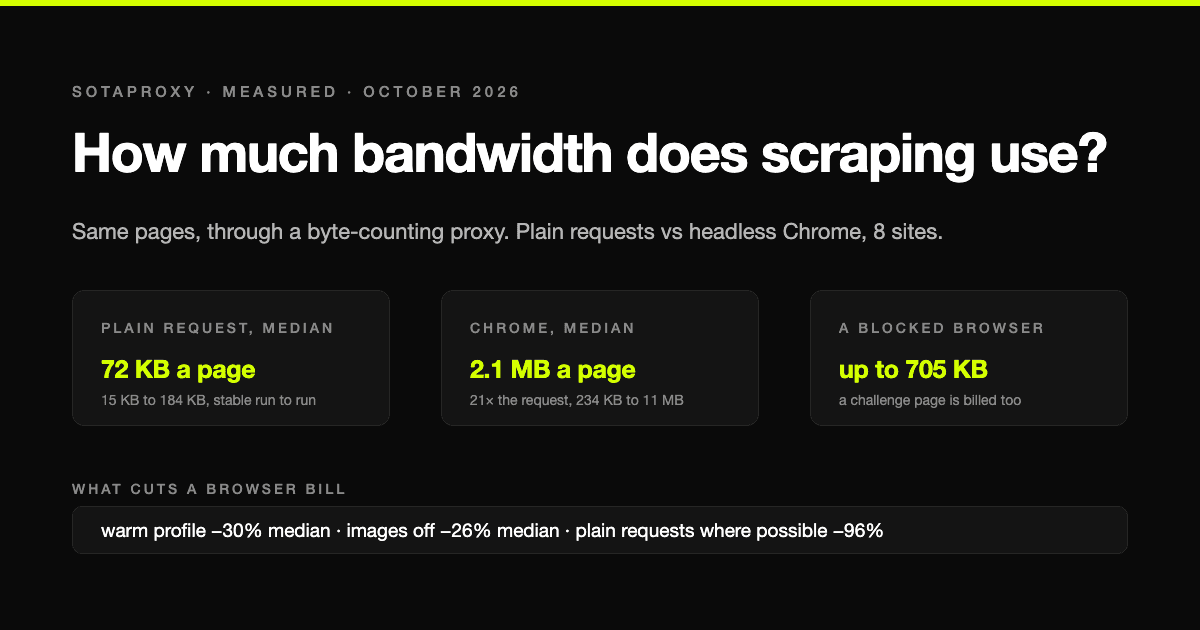
On residential proxies you pay per gigabyte, so the scraping method sets the bill. We loaded the same pages with plain HTTP requests and with headless Chrome through a proxy that counts every byte: the median page cost 72 KB one way and 2.1 MB the other, a 21-fold difference, plus what blocking images, reusing a browser and getting blocked actually cost.
How to Buy Proxies for the First Time: A 30-Minute Checklist
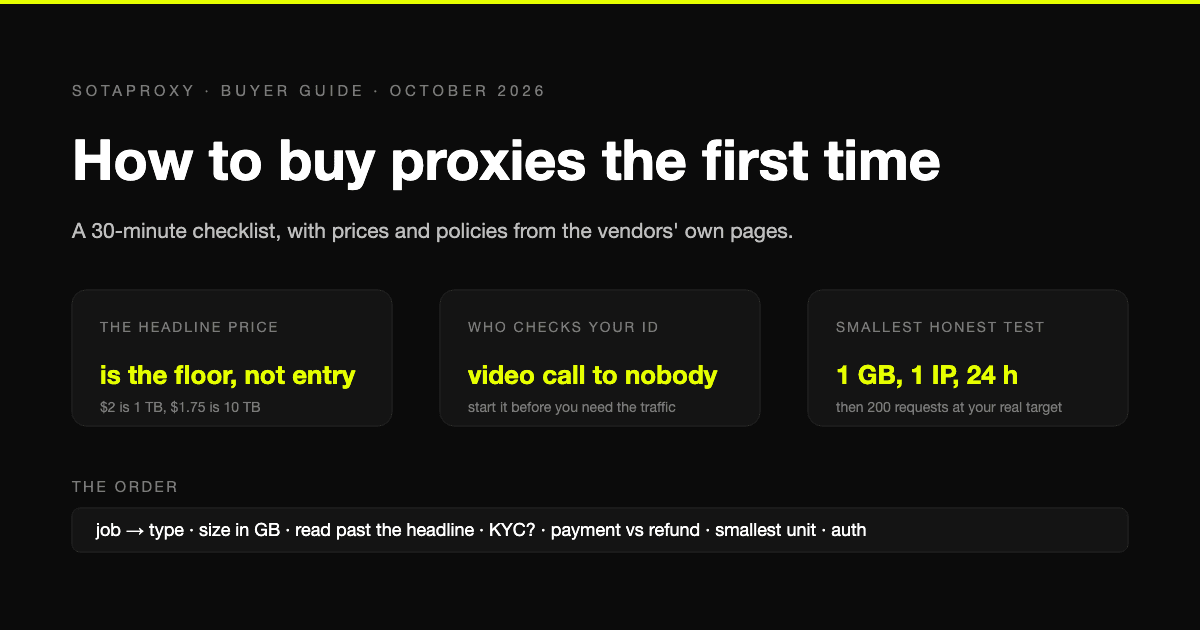
A first purchase goes wrong in predictable places: the wrong proxy type, a headline price nobody pays, an identity check nobody mentioned, a refund that does not apply to how you paid. The checklist, with prices and policies from the vendors' own pages.
Google Maps Lead Scraping: What It Actually Costs Per Usable Lead
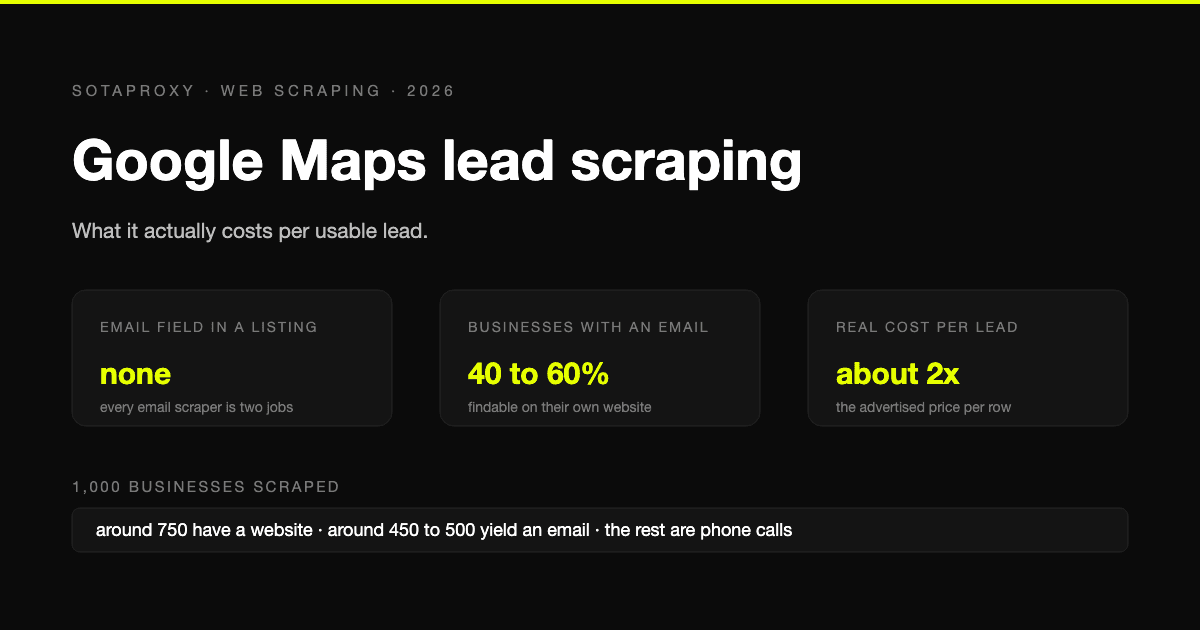
Google Maps has no email field, so every email scraper is a two-stage pipeline and only about half of businesses yield an address. What a thousand listings really costs per usable lead, the businesses-without-websites play, and where the law stands after the SerpApi ruling.
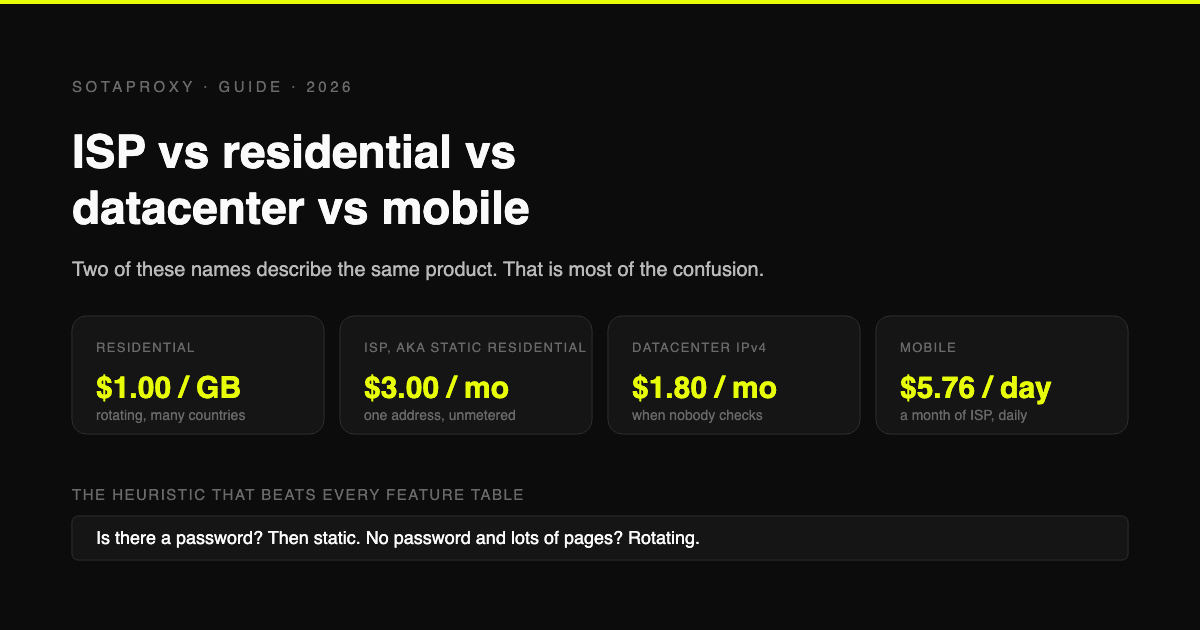
ISP vs Residential vs Datacenter vs Mobile Proxies: Which One You Actually Need
Static residential and ISP are the same product under two names, which is why half these comparisons compare a thing to itself. What each type is, what it costs per unit, and the one task each is genuinely best at.
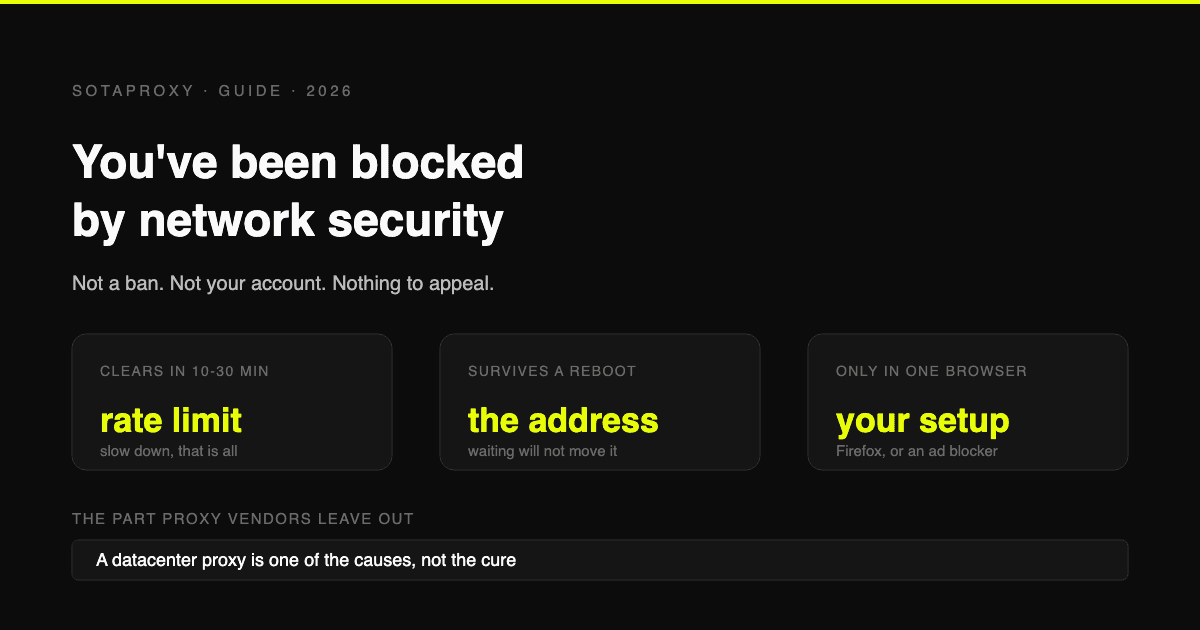
Reddit "You've Been Blocked by Network Security": Every Cause, and the Fix for Each
It is not a ban and there is nothing to appeal. It comes from Reddit's edge, applies to your connection, and has six causes. Here is how to tell which one you have, and how long each lasts.

How Many Google and Steam Accounts Can You Have in 2026
The two platforms in this series where the count is genuinely unlimited and the limit is somewhere else: Google rations phone numbers and never says how many accounts one buys, Steam lets you make as many accounts as you like and then locks every one of them until it has spent $5. The rules from Google's and Valve's own pages, and what actually ties two accounts together.