Referral Program

407 Proxy Authorization Required: A Technical Fix Guide

Fix the 407 Proxy Authorization Required error. This guide covers credential issues, antidetect browser setup, automation tool configuration, and prevention.

June 11, 2026
18 min read
407 Proxy Authorization Required: A Technical Fix Guide

You launch a profile in AdsPower, Dolphin Anty, GoLogin, Multilogin, or Hidemyacc. The proxy looks fine in the profile settings. Facebook Ads Manager won't load, TikTok Business Center stalls, or your scraper dies before the first request. Then you see it: 407 Proxy Authorization Required.

That error wastes hours when you debug the wrong layer. Most operators first blame the target. They think Facebook blocked the account, the cloaker broke, or the scraper hit a bot wall. Usually that's not it. A 407 means the traffic got stopped at the proxy gate before the request properly moved downstream.

If you run geo-targeted campaigns, account farming setups, or scraping stacks across multiple environments, that distinction matters. The fix isn't just “enter the password again.” You need to know whether the issue sits in the antidetect browser, the script runtime, the OS proxy layer, or a proxy auth method the client doesn't support.

Table of Contents

What a 407 Proxy Authorization Required Error Actually Is

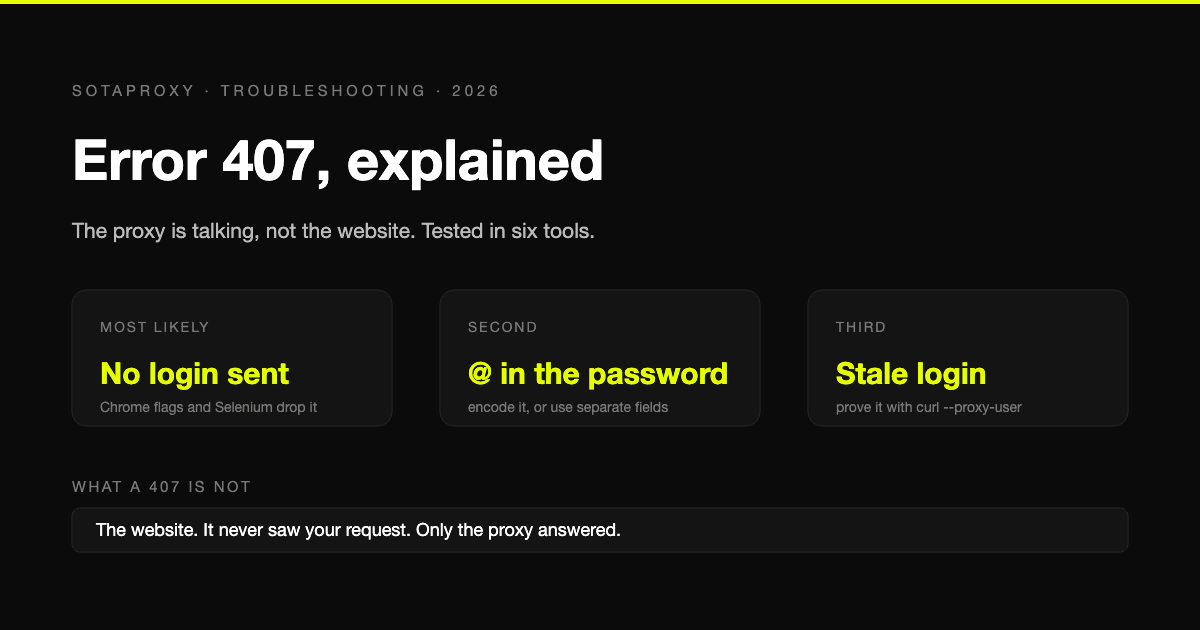
A 407 Proxy Authorization Required error is a proxy authentication failure. It isn't an origin-site error. MDN states that the response means the request lacks valid credentials for the proxy server, and the client can retry with a new or replaced Proxy-Authorization header after receiving a Proxy-Authenticate challenge, as documented in MDN's 407 status reference.

A diagram illustrating the six steps involved in a 407 Proxy Authorization Required error sequence.

The fast way to think about it

Treat the proxy like a security checkpoint. Your browser, antidetect profile, bot, or scraper sends a request. The proxy intercepts it and asks for proof that you're allowed to use that exit point. If the proof is missing, expired, malformed, or unsupported, the proxy returns 407.

That's why people lose time mixing this up with a 401 or 403. A 401 is about authenticating to the destination resource. A 403 means the destination understood the request and still refused it. A 407 means you didn't even clear the proxy layer.

If you're comparing setups, the proxy category can affect how often this shows up operationally. Residential, mobile, datacenter, and IPv6 proxies behave differently under load, auth style, and target tolerance. This matters more in ad account work than in casual browsing. A quick refresher on proxy types and where they fit helps when you're matching infrastructure to Facebook, TikTok, cloaking flows, or scraping tasks.

What to inspect first

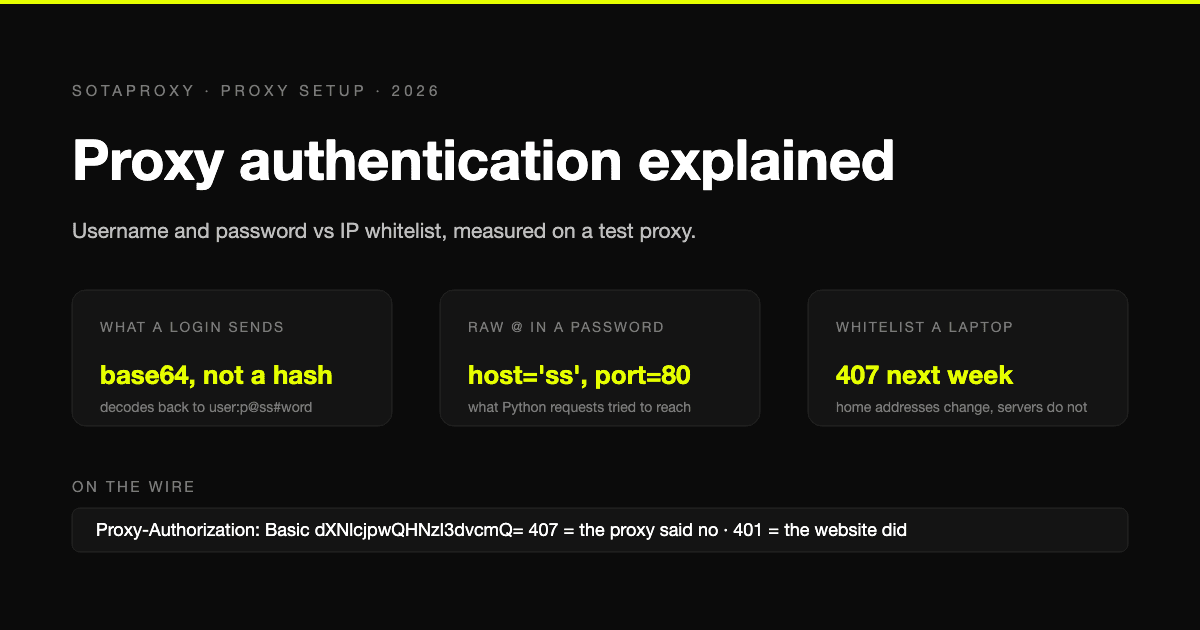
The header that matters is Proxy-Authenticate. That tells you what scheme the proxy expects. Your client then has to answer with a matching Proxy-Authorization header.

Practical rule: If you don't know what auth method the proxy asked for, you're still guessing.

Three checks cut through the noise fast:

  1. Confirm the traffic is using a proxy. A lot of “mystery” 407s happen because traffic got routed through an authenticated proxy path by system settings, a browser policy, or a network edge device.
  2. Check whether the proxy returned a challenge header. If it did, read the scheme instead of assuming username and password alone will solve it.
  3. Retry with credentials in the right place. In some tools that means profile-level proxy fields. In others it means environment variables, runtime config, or explicit request headers.

Misrouted traffic can also trigger a 407 when requests unintentionally go through an authenticated corporate or managed proxy path. That's why this error shows up in places where operators swear they “aren't using a proxy,” even while their machine or network clearly is.

Common Causes Ranked by Probability

The 407 code belongs to HTTP authentication standards and is the correct response when a proxy rejects credentials. HTTP/1.1 formally standardized this mechanism, which wasn't present in HTTP/1.0, as noted in the Tinyproxy implementation discussion on 407 support. In plain terms, this isn't a weird vendor-specific bug. It's the normal protocol response when proxy auth fails.

An infographic listing the six most common causes of 407 Proxy Authentication Required errors ranked by probability.

The short list that fixes most cases

Most 407 incidents in media buying and scraping come from boring config mistakes, not exotic blocks.

  • Bad credential formatting: The username or password is right in theory but wrong in the actual field. Common mistakes include pasting host:port:user:pass into a client that expects separate fields, or dropping a special character into a URL format without encoding it.
  • Wrong protocol on the chosen port: The profile says HTTP while the endpoint expects SOCKS5, or the reverse. Antidetect browsers often let you choose the protocol manually, which is useful until it's set wrong.
  • Whitelisting mismatch: Datacenter and some ISP flows often use IP authorization instead of or alongside user/pass auth. If your office IP, server egress IP, or cloud runner changed, the proxy can reject access even when your local config looks clean.
  • Stale credentials cached in the client: This happens after password changes, team handoffs, copied profiles, or long-lived sessions reused across ad account batches.

If you build your own relay or test box, setting up a proxy server correctly also matters. A sloppy local proxy layer can create fake symptoms that look like provider auth failures.

The less obvious failures

The nastier cases sit outside the app itself.

A transparent or corporate proxy can intercept traffic and inject its own authentication requirement. In that case, your residential or mobile proxy details may be fine, but the machine still gets a 407 because the network wants separate credentials. This is common on managed laptops, rented office seats, and some coworking environments.

Automation stacks also break after environment changes. A browser update, .NET runtime inheritance, a new PAC file, or a changed system proxy rule can override what your app thinks it's doing. Operators see this a lot when a script worked yesterday, then fails after an OS update or after moving the workload to a different VPS template.

If the same proxy works in one environment and throws 407 in another, stop blaming the proxy first. Compare the environments.

One more field pattern matters in account operations. The wrong endpoint path can put traffic onto an authenticated route you didn't intend to use. That shows up when teams clone profiles between Facebook and TikTok account batches, mix proxy templates, or reuse old cloaking browser containers without cleaning inherited network settings.

Configuring Proxies in Antidetect Browsers

Antidetect browsers fail differently than scripts because they have more moving parts. You're not just authenticating a proxy. You're binding a proxy to a fingerprinted profile, a timezone, language settings, cookies, and often a platform-specific workflow for Facebook ad accounts, TikTok ad accounts, cloaking pages, or account farming sequences.

Screenshot from https://sotaproxy.com/en

Support guidance for managed runtimes shows that 407 errors often appear after upgrades or configuration changes, and the root cause can be system proxy inheritance, bad PAC addresses, or credential delegation rather than the app's visible proxy fields, as described in Optimizely's 407 troubleshooting note. That same pattern shows up in antidetect setups all the time.

What breaks inside antidetect profiles

AdsPower, Dolphin Anty, GoLogin, Multilogin, and Hidemyacc all let you assign proxies at the profile level. That's convenient, but it creates a false sense of isolation. Operators assume the profile setting is the only thing that matters. It isn't.

Typical breakpoints look like this:

Tool Common 407 trigger What usually fixes it
AdsPower Wrong protocol selected for the imported endpoint Match the profile protocol to the endpoint type, then run the built-in check
Dolphin Anty Imported proxy string split into wrong fields Re-enter host, port, login, and password manually
GoLogin OS or extension layer still inheriting another proxy path Disable inherited system proxy behavior and retest
Multilogin Old profile clone carrying stale auth or region settings Create a fresh profile and test the proxy before importing cookies
Hidemyacc Fingerprint and geo setup don't match the proxy location Align timezone, locale, and WebRTC behavior with the proxy country

A proxy that “saves” in the UI isn't the same thing as a proxy that authenticates cleanly.

If you use Afina Browser antidetect tooling or similar profile-based systems, the same rule applies. Validate the network path before you import aged cookies, attach ad accounts, or warm a farm.

Profile setup checks that actually matter

Don't just paste a proxy and click launch. Use this order:

  • Enter the proxy in the format the tool expects: Some tools want one string. Others want separate host, port, username, and password fields.
  • Run the built-in proxy check before opening the profile: This catches bad auth early, before the browser creates extra noise with cookies, startup tabs, and extension traffic.
  • Test a fresh profile if an old one keeps failing: Profile clones often carry hidden junk. Cached auth, old extension state, and inherited network settings can all survive duplication.
  • Watch for PAC and system proxy inheritance: If the antidetect browser has a valid profile proxy but the host machine still routes traffic through a managed proxy, you'll keep chasing ghosts.

A lot of teams make this worse by bulk-importing hundreds of profiles with mixed endpoint formats. That's how you end up with some Facebook business managers opening cleanly while others throw 407 on the same machine.

Here's a walkthrough resource for teams that want a visual setup reference before deploying profiles at scale:

Geo and identity alignment

For ad operations, auth isn't the only layer that matters. If the proxy authenticates but the profile advertises a different region, timezone, or language pack, platforms can still flag the session.

Residential proxies work well when you need normal consumer routing behavior for Facebook or TikTok account work. Mobile proxies are useful when targets tolerate carrier IP churn better than static-looking sessions. Datacenter proxies are fast and simple for internal tooling, prechecks, and some farm workflows, but they're easier for platforms to classify. IPv6 can be practical where targets support it cleanly, but many ad-tech and legacy endpoints still behave inconsistently, so you need to test platform by platform.

For geo-targeted campaigns, operators get cleaner outcomes when they align proxy region, browser locale, timezone, and session history from the start instead of trying to fix mismatch signals later.

Authentication for Scripts and Automation Tools

Scripts fail with less theater than antidetect browsers. They usually just throw an exception, retry badly, and burn time. The fix is cleaner too. Strip the problem down until you know whether the credentials work outside your code.

The most reliable troubleshooting sequence includes checking system proxy settings, reviewing environment variables such as http_proxy, adding no-proxy exceptions for internal destinations, and testing with curl -v, as outlined in the Kolmisoft SIP and proxy troubleshooting guide.

Start with curl before touching code

Use curl -v first. It tells you whether the problem is in the proxy credentials or in your app logic.

A simple test flow:

  • Set the exact proxy endpoint you're using in production: Don't substitute a “similar” one.
  • Run curl -v through that proxy: The verbose output helps you see whether the proxy replies with an auth challenge or whether the request is dying elsewhere.
  • Check whether credentials are being sent as expected: If curl works and your script doesn't, the issue is usually your library config, auth handling, or inherited environment settings.
  • Add no-proxy rules for internal destinations when needed: Internal APIs, callback URLs, and local control panels often shouldn't traverse the authenticated proxy path at all.

curl -v is the fastest truth source when a scraper, checker, or account bot throws a 407 and the logs are vague.

Python and Node patterns

In Python requests, the clean approach is to define proxies explicitly in the session instead of hoping the runtime inherits the right values. In aiohttp, be careful with connector and auth handling because async stacks can hide errors behind retry loops.

In Node with axios, many teams break auth by mixing environment variables with per-request proxy config. In Puppeteer or puppeteer-extra, browser launch arguments and page-level navigation may behave differently from plain HTTP clients, especially if a stealth plugin, extension, or local MITM layer changes the path.

A practical workflow looks like this:

  1. Prove the endpoint with curl.
  2. Replicate the same endpoint format in the script.
  3. Disable ambient proxy inheritance while testing.
  4. Log the first response headers.
  5. Only then add retries, rotation, or account logic.

If you're running web crawlers at scale, this discipline matters more than fancy retry wrappers. Teams doing Python web crawling with proxies usually get better stability by validating the network path before they add parser logic, browser automation, or queue workers.

Environment-level traps

Advanced operators still get clipped here.

A cron job can inherit a different proxy env than your shell. A Docker container can receive http_proxy from the host or CI pipeline without you noticing. A Windows runner can push traffic through a default corporate proxy even when the app config points somewhere else. Internal admin tools can fail because they should have bypassed the proxy entirely.

For account farming, cloaking checks, ad verification, and scraper fleets, that means one worker can authenticate cleanly while another returns 407 using the same codebase. The code isn't always the variable. The runtime often is.

SIP tooling shows a parallel version of the same issue. A 407 there means the user agent must authenticate to the proxy before the request is accepted, and field fixes often involve using the right account-based auth mode and verifying the username/password pair. The lesson carries over: auth has to match the exact environment and identity form the proxy expects.

Advanced Authentication and Debugging

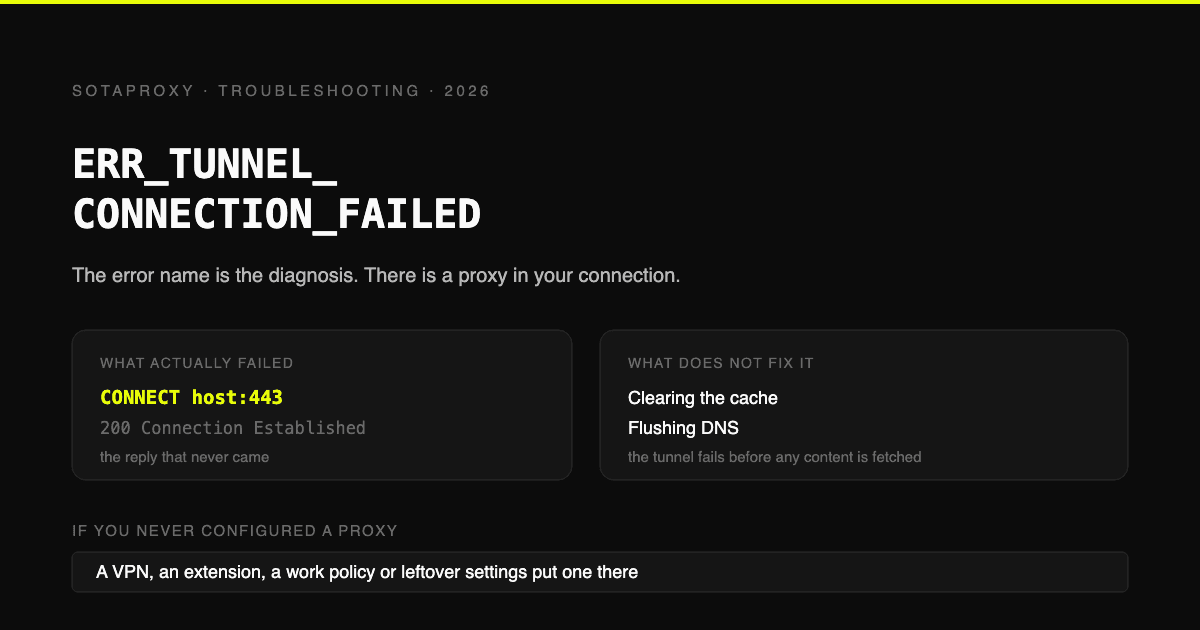
A 407 that survives the basic checks usually points to one of three things. The client answered the proxy with the wrong auth scheme, the request took a different network path than you expected, or the proxy challenged a CONNECT tunnel that your tool never completed correctly.

The protocol side is straightforward. The proxy sends a Proxy-Authenticate header, and the client has to answer with a matching Proxy-Authorization method. http.dev's explanation of 407 covers the header flow, but the field problem is usually client support, not theory.

A comparison chart outlining the pros and cons of five common proxy authentication and debugging methods.

Match the fix to the environment

Antidetect browsers and automation scripts fail differently.

In antidetect browsers, I usually see 407 tied to profile-level mistakes. A proxy works in one profile, then fails in another because the browser stored old credentials, the profile imported a stale proxy template, or an extension intercepted traffic before the browser sent the auth header. Browser wrappers also hide low-level handshake details, so the error looks random even when the root cause is consistent.

In scripts, the failure is more mechanical. The library may not support the proxy's auth scheme, may ignore credentials on HTTPS CONNECT, or may route traffic through a session object that differs from the one you tested. Headless runs also expose issues you never see in a desktop browser, especially when environment variables or container settings override the proxy config.

That split matters because the debugging path changes.

What to verify when the client should support auth

Start with the exact auth mode the proxy expects.

  • Basic auth: Usually fine for scraper fleets, profile-based ad ops, and rotating residential or mobile pools.
  • Digest or NTLM: Common in managed enterprise environments. Often unsupported or inconsistently handled in automation libraries and browser wrappers.
  • IP auth: Cleaner on fixed server egress, but fragile when runners, home connections, or cloud instances change outbound IPs.

If a browser profile fails and the same proxy works in cURL or a raw HTTP client, the proxy is probably fine. The browser stack is the issue. Check saved credentials, extension conflicts, per-profile proxy inheritance, and whether the tool supports auth on both HTTP requests and HTTPS CONNECT requests.

If a script fails while the browser works, inspect the library behavior first. Some clients send credentials only after the first challenge. Others need the proxy URL formatted exactly as http://user:pass@host:port. Some break once redirects, retries, or session pooling enter the picture.

Separate auth failures from SSL tunnel failures

HTTPS proxies add another layer of confusion. A bad CONNECT handshake can look like an auth problem because the client reports only the final 407 or generic tunnel failure. If you're tracing HTTPS traffic, this breakdown of an SSL proxy server and CONNECT handling helps distinguish certificate and tunnel issues from real credential failures.

A fast test sequence works better than broad trial and error:

  1. Test the proxy with a minimal client such as cURL.
  2. Confirm the same host, port, username, and password in the failing tool.
  3. Test one plain HTTP request.
  4. Test one HTTPS request through CONNECT.
  5. Capture request and response headers if the tool allows it.
  6. Disable extensions, retries, rotation logic, and profile extras until the handshake succeeds.

That order saves time in scraping and media buying setups where several layers can mutate the request before it reaches the proxy.

Trade-offs that matter in live operations

User/pass auth is flexible, especially for rotating pools, remote teams, and antidetect profiles passed between operators. It also creates more failure points. Credentials expire, get copied wrong, or sit in an old template long after the proxy endpoint changed.

IP whitelisting removes that credential layer, which is why I prefer it for stable backend jobs and fixed office egress. The trade-off is operational rigidity. If the source IP shifts, workers start failing immediately, and teams often misread the outage as an app bug.

Enterprise auth sits in the worst middle ground for cross-platform work. It can be fine inside a managed Windows environment and painful everywhere else. That is one reason a proxy can work in a browser on a company laptop and fail in a Linux container running the same target workflow.

Good debugging depends on logs, not guesses. You want to know whether the request reached the proxy, which auth scheme was requested, whether CONNECT was attempted, and which source path the process used.

Remove the affiliate link, ignore marketing copy, and read the handshake. That is usually where the 407 gets solved.

Preventive Measures for High-Volume Operations

At scale, 407 errors aren't a one-off nuisance. They're an operations problem. Every failed login check, dead scraper worker, and broken profile launch adds friction to account management, cloaking QA, region testing, and spend deployment.

Build around failure instead of reacting to it

The best teams design their stacks so proxy auth can fail without taking the whole workflow down.

  • Centralize credential storage: Don't leave proxy logins scattered across spreadsheets, browser notes, and cloned bot configs.
  • Separate profile templates by proxy type: Residential, mobile, datacenter, and IPv6 shouldn't all share the same assumptions.
  • Validate before launch: Test proxies before opening warmed Facebook or TikTok profiles, before running farm actions, and before starting scraping batches.
  • Keep bypass rules explicit: Internal tools, callback services, and admin panels often need no-proxy exceptions instead of forced routing.

For account farming, this matters even more. A single bad template can clone a 407 failure across a whole batch of profiles. Then the team blames the anti-detect stack, the ad account trust score, or the target platform, when the failure started in a dirty proxy template.

Where teams still get sloppy

Teams usually know the basics. They still cut corners on process.

One operator changes credentials and doesn't tell the scraper team. Another updates the PAC path on managed devices but not on the VPS fleet. Someone clones GoLogin profiles from a TikTok batch into a Facebook batch without resetting region assumptions. A cloaking checker inherits a system proxy it should never have touched.

Those are avoidable failures.

Stable proxy auth isn't glamorous. It wins because it keeps the rest of the stack predictable.

If you manage high-volume traffic, make 407 prevention part of your deployment checklist. Treat proxy auth the same way you treat account cookies, browser fingerprints, spend limits, and failover logic. Operators who do that lose less time to fake “platform issues” and keep campaigns moving.


If you need proxy infrastructure that's built for scraping, ad account management, antidetect browsers, geo-targeted campaigns, and multi-account operations, take a look at Sota Proxy. It covers residential, mobile, ISP, datacenter, and IPv6 use cases, and if you already refer tools or infrastructure to other operators, its partner program offers up to 40% commission.

Related articles

What Is Forward Proxy: A Complete Guide for 2026
forward proxyproxy typesantidetect browser

What Is Forward Proxy: A Complete Guide for 2026

Learn what is forward proxy, how it works for outbound traffic, and why teams use it with antidetect browsers for Facebook, TikTok, and scraping.

August 7, 2026
Read more
What Is a Proxy Used for: 2026 Arbitrage Guide
proxy use casesresidential proxiesproxy types

What Is a Proxy Used for: 2026 Arbitrage Guide

What is a proxy used for - Learn what a proxy is used for in 2026, from boosting security to managing multi-account operations for arbitrage teams

August 4, 2026
Read more
Rotating Proxy Server: Mastering Techniques for 2026
rotating proxy serverresidential proxiesweb scraping

Rotating Proxy Server: Mastering Techniques for 2026

Master rotating proxy servers for farming, ad verification & scraping. Learn architecture, rotation, & anti-detection tactics.

July 10, 2026
Read more
Fingerprint Spoofing: Methods, Detection, and Antidetect Use
fingerprint spoofingantidetect browserbrowser fingerprinting

Fingerprint Spoofing: Methods, Detection, and Antidetect Use

Learn how fingerprint spoofing works, the methods used to bypass detection, and how antidetect browsers with proxies manage multi-account operations safely.

August 26, 2026
Read more
How to Avoid CAPTCHA on Automated Workflows
avoid captchaantidetect browserproxy setup

How to Avoid CAPTCHA on Automated Workflows

Learn how to avoid CAPTCHA on automated workflows with proxy tactics, antidetect browsers, request pacing, and solver fallbacks built for real operators.

August 21, 2026
Read more
Blocklist on Instagram: How to Detect and Fix Blocks
blocklist on instagraminstagram blockinstagram shadowban

Blocklist on Instagram: How to Detect and Fix Blocks

Learn how blocklist on Instagram really works, how to detect blocks and shadowbans, and the exact steps to manage your blocked accounts list.

July 30, 2026
Read more