How to Change IP Location for Ad & Social Accounts
Learn how to change IP location using proxies, VPNs, and antidetect browsers. A guide for media buyers and account managers on avoiding blocks and bans.
You changed the IP. The account still got flagged.
That's the gap most “how to change IP location” guides never address. They assume your goal is streaming, price checks, or basic privacy. Your goal is different. You're trying to run Facebook and TikTok ad accounts, keep farmed profiles alive, verify ads by city, launch cloaking flows, or keep bulk identities stable inside AdsPower, Dolphin Anty, GoLogin, Multilogin, or Hidemyacc.
For that work, changing the visible IP is only the first layer. The hard part is picking the right IP type, keeping session behavior coherent, matching browser fingerprints to location, and checking for leaks before a platform does it for you.
Table of Contents
- Why Consumer IP Changers Fail for Business Use
- Choosing Your Method Datacenter vs Residential vs Mobile
- Proxy Implementation for Bulk Operations
- Integrating Proxies with Antidetect Browsers
- Verifying Geolocation and Preventing Leaks
- Advanced IP Strategies for Account Safety and Automation
Why Consumer IP Changers Fail for Business Use
If your Facebook ad account gets suspended right after login, the problem usually isn't that you forgot to change your IP. The problem is that you changed it with the wrong tool.
Most public guides about how to change IP location still revolve around consumer VPN apps and manual settings. That's the wrong stack for media buying, account farming, cloaking, and geo-targeted campaigns. The gap is real. Existing guides focus on consumer VPNs, while 2025 data indicates that 78% of Facebook ad account suspensions correlate with non-residential or generic datacenter IP flags according to this walkthrough on changing your IP address.
That's why the usual advice fails in practice. A consumer VPN might help you appear in another country. It usually won't help you look like a stable, believable user in the exact city, ISP environment, and browser profile the platform expects.
Why the usual setup breaks
Consumer VPNs are built for broad access, not identity consistency. They often push you onto shared exits that are already noisy, overused, or easy to classify.
For high-risk workflows, that creates obvious problems:
- Generic location patterns that don't match local user behavior for the ad account
- Shared reputation issues when too many users hit the same exit nodes
- Poor city-level control when you need a specific metro, not just a country
- Weak fit for antidetect setups where the browser fingerprint says one thing and the network layer says another
Practical rule: If the tool is marketed mainly for streaming and public Wi-Fi safety, don't assume it's suitable for Facebook ad accounts, TikTok ad accounts, or bulk social logins.
What actually works
Operators who survive longer usually treat IP management as part of identity management. That means:
- Matching the proxy type to the task.
- Keeping sessions stable when the workflow needs continuity.
- Pairing each account with a browser profile in AdsPower, Dolphin Anty, GoLogin, Multilogin, or Hidemyacc.
- Verifying geolocation and leak status before touching the account.
If you only swap your public IP and leave everything else generic, platforms still see the mismatch. That's why “how to change IP location” for business use has to start with infrastructure, not apps.
Choosing Your Method Datacenter vs Residential vs Mobile
The right method depends on what you're doing. Scraping a low-friction target, checking ad placements, farming Facebook profiles, and running TikTok spend from antidetect browsers are not the same job. If you use the same proxy type for all of them, you'll either burn money or burn accounts.
What each proxy type is good at
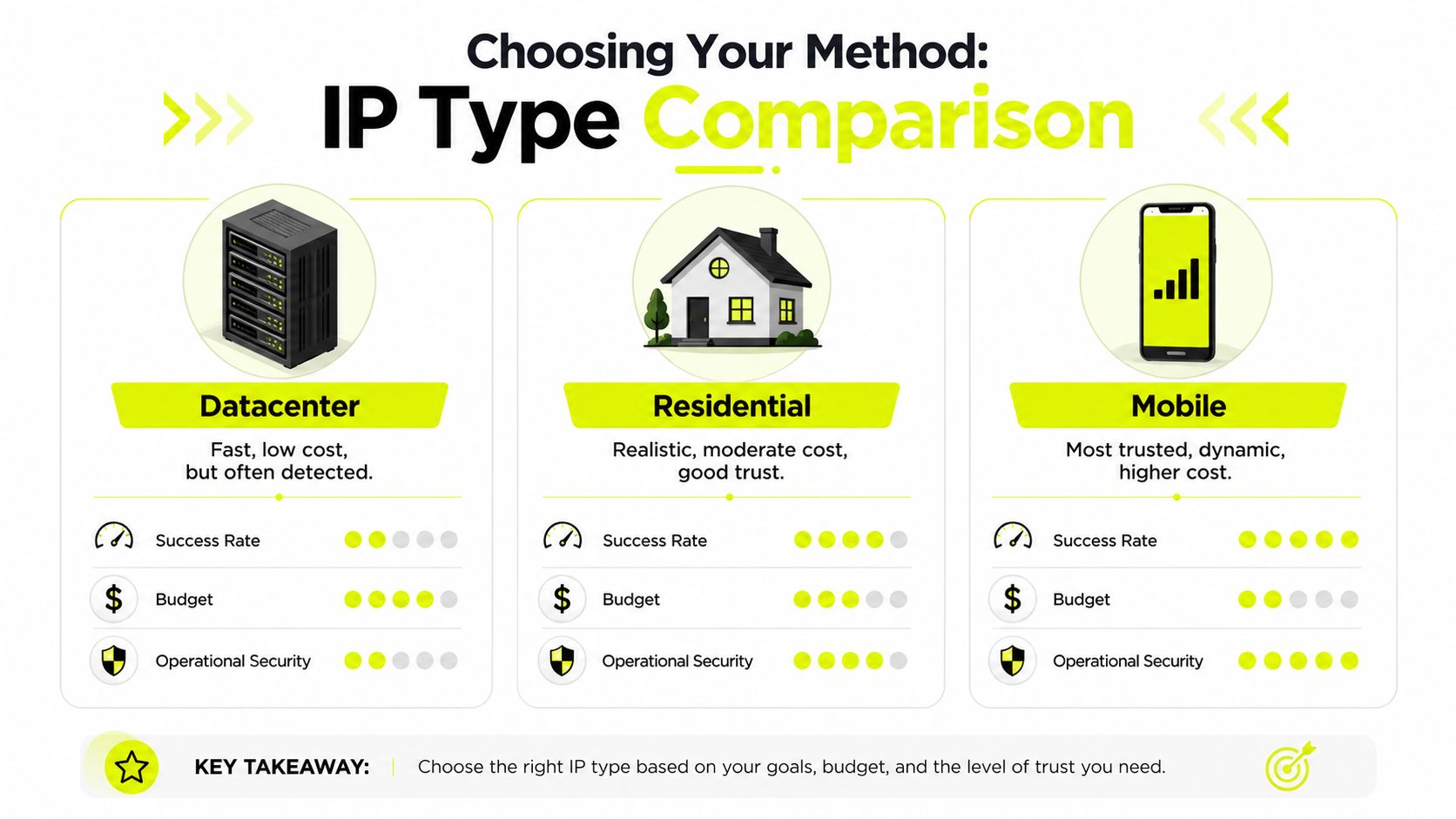
Datacenter proxies are the speed play. They're fast, cheap, and easy to scale. They fit non-sensitive scraping, rough QA checks, and jobs where volume matters more than trust. But they're the first thing many anti-fraud systems classify. On protected domains, residential proxies maintain success rates between 95% and 99%, while datacenter proxies drop to 40% to 60% according to Bright Data's comparison of residential and datacenter proxies.
That gap is why datacenter IPs keep failing on Facebook, Google, and Instagram when the workflow involves account trust.
Residential proxies are the default choice for most account work. They come from ISP-backed consumer-looking connections, so they blend better into normal traffic. They're slower and more expensive than datacenter IPs, but they hold up far better when you need believable user context for account farming, ad verification, market checks, and cloaking prelanders.
Mobile proxies sit even higher on the trust ladder for certain jobs. They route traffic through cellular networks and look like real mobile-device traffic. That's why they tend to survive better on mobile-first and heavily defended targets. The trade-off is cost. They're expensive enough that their use is generally limited to the most critical accounts.
ISP proxies deserve their own mention even though they're often skipped in shallow guides. They're static residential-style IPs with stronger session stability than rotating residential pools. For long account sessions in Multilogin or AdsPower, they often fit better than aggressively rotating endpoints.
IPv6 proxies are a separate practical decision, not a “better proxy type.” Use them when your target accepts IPv6 cleanly and your workflow benefits from address diversity. Keep in mind that some targets, tools, and geo-detection systems still behave differently with IPv6, so test before rolling them into sensitive ad operations.
A practical selection matrix
| Proxy type | Best fit | Main upside | Main downside |
|---|---|---|---|
| Datacenter | High-volume scraping, low-sensitivity checks | Fast and cheap | Easier to detect |
| Residential | Ad verification, account farming, geo-targeted campaigns | Better trust and location realism | More expensive, less raw speed |
| Mobile | Facebook and TikTok ad accounts, high-risk social operations | Hardest to detect in many mobile-heavy environments | Highest cost |
| ISP | Long-lived browser profiles, stable account sessions | Good balance of legitimacy and session stability | Less flexible than large rotating pools |
| IPv6 | Specific scaling and range-diversity use cases | Broad address space | Needs target-side compatibility testing |
A simple way to choose:
- Use datacenter when failure is acceptable and speed is the priority.
- Use residential when the account matters and the target has real anti-bot controls.
- Use mobile when you're dealing with high-value Facebook or TikTok profiles and want the strongest network-side trust.
- Use ISP when the profile needs to stay stable for repeated logins and long session duration.
- Use IPv6 only after confirming the target and your verification stack handle it properly.
If you want a clean breakdown of the technical differences, this proxy types overview is a useful reference.
The fastest proxy is often the worst proxy for account longevity.
Proxy Implementation for Bulk Operations
Picking the proxy type is only half the job. The other half is how you rotate it.
A lot of operators still make the same mistake. They buy a residential pool, turn on per-request rotation, and assume more movement means more safety. For bulk account work, that logic burns sessions.
Use one IP per coherent task
For residential pools used in automation, the pattern that holds up is one IP per coherent task, not rotating on every request. Rapid switching inside a single session can trigger anti-fraud checks and cause success rates to drop by 40% to 60% on platforms like Facebook and TikTok, based on production guidance on changing IPs at scale.
That's why sticky sessions matter.
If one profile is logging into Facebook in GoLogin, checking Business Manager, updating billing, and reviewing ad comments, keep that flow on one IP. Don't pivot mid-session unless the task itself changes. The same logic applies to TikTok ad account review, account warming, and cloaking QA where continuity matters.
How teams usually map tasks to sessions
A workable mental model looks like this:
Account login and maintenance
Give each profile a sticky residential, ISP, or mobile session. Keep the identity stable while the browser is active.Ad verification by region
Use location-specific residential IPs. Rotate between checks, not during one review pass.Scraping and collection
Rotate more aggressively, but only when the target and parser can tolerate it.Checkout or one-time transaction flows
Keep the IP static until the flow ends. Payment and trust systems hate visible network jumps.
If a human would stay on one connection while doing the task, your automation should usually do the same.
People often confuse rotation with randomness. Platforms don't reward randomness. They reward coherence.
Operational habits that reduce damage
Use a task map. Tie each account or campaign action to a session policy before launch.
Define the unit of work
Is it one login, one ad review cycle, one scrape job, or one checkout? That answer decides the session boundary.Assign the right stickiness
Social account management inside AdsPower, Dolphin Anty, and Multilogin usually needs stable sessions. Broad data collection can rotate more.Quarantine bad performers
If one IP starts triggering checkpoints, don't immediately recycle it into another valuable account.Separate pools by purpose
Don't mix cloaking tests, Facebook warmup, TikTok scaling, and general scraping on the same pool policy.
For a deeper tactical read, this rotating proxy server guide is worth bookmarking.
The same logic applies if you manage accounts for clients or run consulting on setup. Some teams also monetize their stack recommendations. If that matters to you, Sota Proxy has a referral program with up to 40% commission through its affiliate structure, which can make sense if proxy infrastructure is already part of your service offer.
Integrating Proxies with Antidetect Browsers
An IP alone doesn't create a believable identity. It only gives the profile a network origin. The browser still has to look consistent.
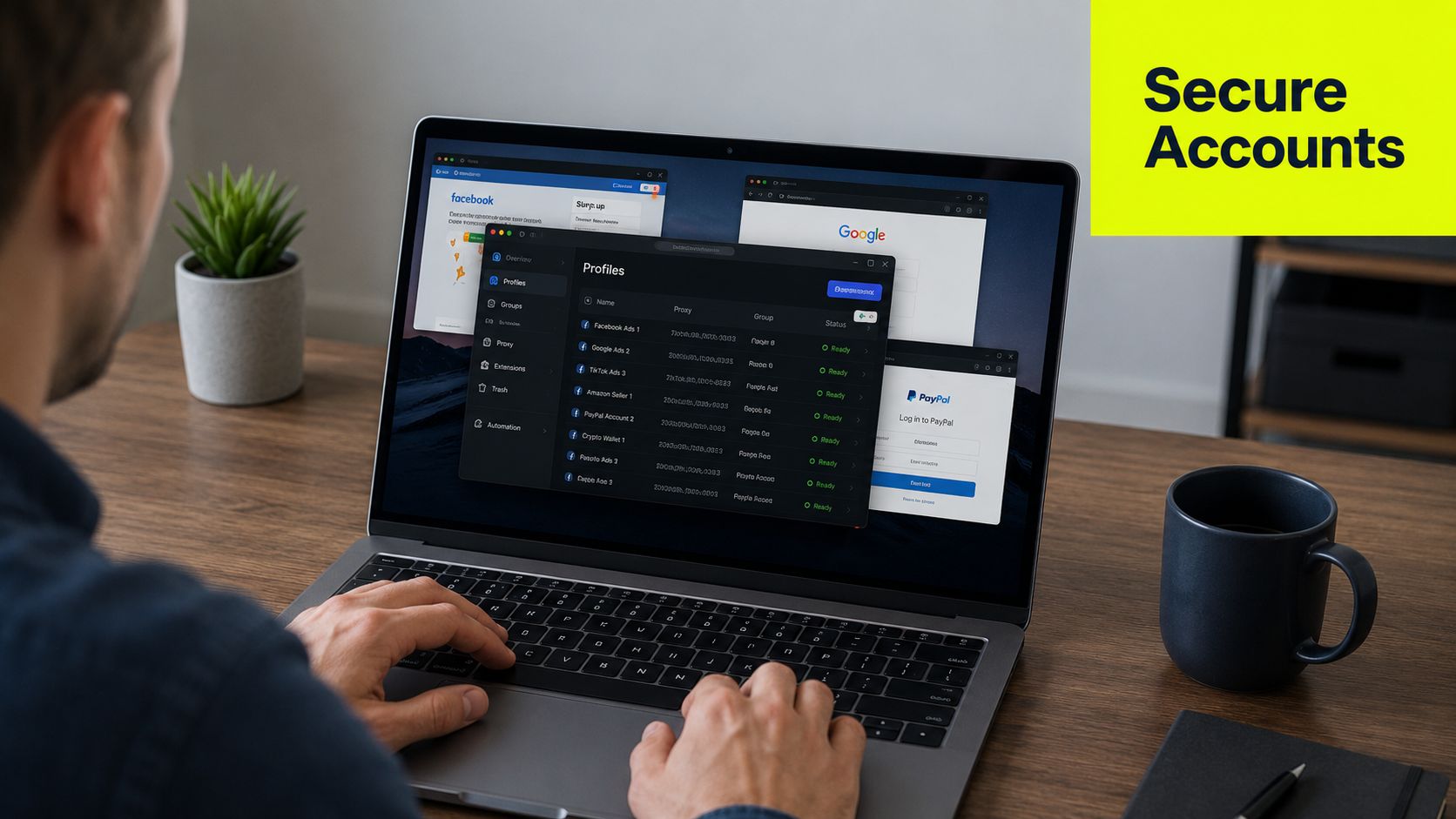
That's why serious multi-accounting always pairs the proxy with an antidetect browser profile in AdsPower, Dolphin Anty, GoLogin, Multilogin, or Hidemyacc.
Build one identity per profile
A clean profile has to agree with itself.
If the proxy says Berlin, but the browser language, timezone, fonts, and session behavior look like a machine assembled from three other regions, you've created friction before the account even loads. Antidetect tools exist to reduce that mismatch. They let you isolate cookies, local storage, canvas traits, WebGL, user agent choices, screen characteristics, and other fingerprint surfaces per profile.
For practical use, the rule is simple:
- one account
- one browser profile
- one proxy endpoint or one sticky session policy
- one consistent locale setup
That applies whether you're running Facebook ad accounts, TikTok ad accounts, warmed social profiles, or cloaking review environments.
A typical workflow inside AdsPower, Dolphin Anty, GoLogin, Multilogin, or Hidemyacc looks like this:
- Create the browser profile.
- Assign the proxy credentials.
- Sync timezone and language with the proxy region.
- Test the profile before login.
- Keep that mapping stable over time.
If you use Multilogin heavily, this Multilogin proxy integration page gives a direct setup reference.
Where mobile proxies make sense
Mobile proxies aren't necessary for every account. They matter when the target is aggressive and the account value justifies the spend.
According to ProxyEmpire's breakdown of proxy types, mobile proxies route through real mobile-device connections and are the hardest to detect for IP masking. That's why they're so useful for managing accounts on platforms like Facebook and TikTok inside antidetect browsers.
Use them selectively:
- High-value ad accounts that have already built history
- Sensitive account farming stages where network trust matters more than cost
- Mobile-first review flows where desktop-style traffic stands out more
Here's a visual walkthrough if you want to compare profile handling patterns before standardizing your stack:
Match the browser to the IP, then match the behavior to the browser. Most bans happen when one of those layers drifts.
Verifying Geolocation and Preventing Leaks
Never assume the proxy is in the place the dashboard claims. Verify it.
A significant number of geo-targeted campaigns fail for this reason. The IP may route correctly, but the location databases used by ad systems, fraud filters, or verification tools may still classify it somewhere else.
Check the location, not just the IP
A critical issue in IP geolocation spoofing is database mismatch. Up to 22% of “wrong country” errors come from outdated MaxMind or IP2Location records rather than actual routing, according to this analysis of wrong-country IP geolocation problems.
For ad verification and geo-targeted campaigns, that matters a lot. You can select the right region and still fail creative review or campaign QA because the platform trusts a stale database entry.
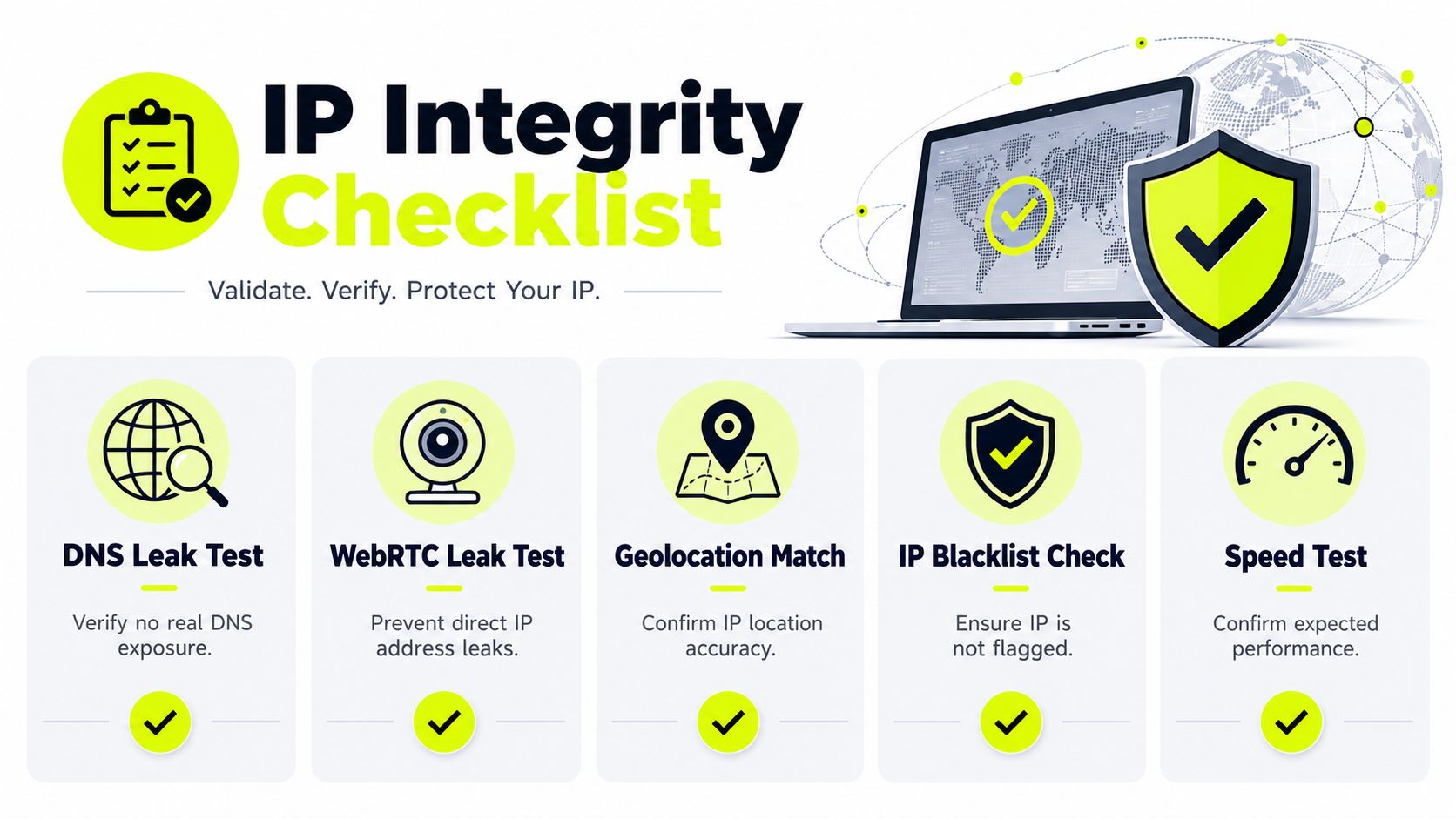
Your validation checklist should include:
- Geolocation checks across multiple tools to see whether the IP resolves consistently
- Timezone alignment so the browser doesn't contradict the proxy region
- Language alignment so the profile doesn't look assembled
- Blacklist review before assigning the IP to a valuable account
- Speed and stability checks so the session doesn't degrade during review or spend changes
Leak testing before account work
Even if the IP itself is right, browser leaks can expose the underlying environment.
The two common failures are WebRTC leaks and DNS leaks. WebRTC can expose local addressing paths. DNS leaks can send requests outside the expected proxy path, which breaks the identity story you're trying to maintain. If you need a practical reference on how to block browser IP leaks, that walkthrough is worth using as a preflight check before you touch Facebook, TikTok, or cloaking assets.
A fast pre-login checklist:
- Open the profile and test WebRTC behavior
- Confirm DNS is resolving through the intended path
- Check the visible city and country
- Compare browser timezone and language to that location
- Only then log into the account
If you're troubleshooting resolver behavior specifically, this proxy DNS explainer is useful background.
A proxy that passes authentication but leaks DNS or browser IP data isn't clean enough for multi-account work.
Advanced IP Strategies for Account Safety and Automation
Once the basics are stable, the edge comes from process. Good operators don't just buy better proxies. They build rules around how those proxies enter and leave production.
Warm IPs before high-risk actions
Fresh IPs can work. Fresh IPs doing aggressive actions usually don't.
If you're launching a new account environment, start with low-friction behavior. Browse. Scroll. Load ordinary pages. Let the account and network path build a believable pattern before you push edits, spend changes, linking events, or repeated logins from automation.
That applies across:
- Facebook ad accounts
- TikTok ad accounts
- account farming flows
- cloaking review profiles
- geo-targeted campaign QA inside antidetect browsers
Warming also helps you spot fragile profiles before they touch money. If the setup throws checkpoints during light activity, you've learned something cheap.
Separate your proxy pool by risk
Don't run one flat pool for everything.
A safer structure is to segment by workflow and replacement tolerance. Valuable social accounts should never share operational logic with disposable scrapers. Cloaking tests shouldn't contaminate the same handling policy as established ad spend accounts.
A simple segmentation model:
| Pool | What goes there | Rotation style |
|---|---|---|
| Warm accounts | New profiles and early-stage account farming | Sticky and conservative |
| Spend accounts | Active Facebook and TikTok ad accounts | Stable, low-change sessions |
| Verification | Ad checks by city or region | Rotate between checks |
| Research | Scraping, parsing, and broad collection | More aggressive rotation |
This matters outside Meta too. If you manage social at scale, this guide to managing Twitter accounts at scale is a useful parallel because the account-isolation logic carries over even when the platform changes.
Keep an exit plan for every IP
Every IP should have a status, not just a balance.
Good teams track whether an IP is fresh, warmed, active, questionable, or retired. If one starts causing challenges, don't argue with it. Pull it from sensitive workflows and quarantine it. Reusing a shaky IP across multiple assets is how small detection signals turn into account loss.
A durable system usually includes:
- Dedicated mappings between account and proxy history
- Notes on platform reactions after logins, edits, and campaign actions
- Separate treatment for mobile, residential, ISP, datacenter, and IPv6 ranges
- Defined retirement rules when an IP starts producing friction
If you're building that kind of setup, this multiple account management guide is a useful companion read.
The answer to how to change IP location for ad and social accounts isn't “use a VPN.” It's build a location-consistent identity, keep task-level session coherence, test for leaks, and assign the right proxy type to the right risk tier.
If you need residential, mobile, ISP, datacenter, or IPv6 proxies for ad verification, multi-accounting, cloaking, and geo-targeted campaigns, Sota Proxy is built for that kind of workload. It gives you city-level targeting, rotation control, sticky sessions, and a stack that fits antidetect browsers and automation workflows instead of basic consumer use.
Related articles
What Is a Proxy Used for: 2026 Arbitrage Guide
What is a proxy used for - Learn what a proxy is used for in 2026, from boosting security to managing multi-account operations for arbitrage teams
How to Get Around an IP Ban: A Technical Guide for 2026
Facing an IP ban? Learn how to get around an IP ban with technical steps for diagnosing block types, choosing the right proxies, and configuring your stack.

Rotating Proxy Server: Mastering Techniques for 2026
Master rotating proxy servers for farming, ad verification & scraping. Learn architecture, rotation, & anti-detection tactics.
How to Set Up Proxy: A Guide for Automation & Ad Teams
Learn how to set up proxy servers for technical use cases. A step-by-step guide on configuration, proxy types, automation, and troubleshooting for ad teams.
Multiple Account Management a Secure Scalable Framework
Build a secure, scalable multiple account management system. This guide covers threat modeling, proxies, antidetect browsers, and automation for media buyers.
Dolphin Anty for Multi-Accounting: Features, Automation, and Proxy Integration
How to use Dolphin Anty for multi-accounting: browser profiles, Cookie Robot, scenarios, Synchronizer, API automation, and three ways to connect SotaProxy proxies. Promo code SOTA20 gives 20% off.