Referral Program

Set Up Proxy in iPhone: 2026 Guide for Marketers

Proxy in iphone - Configure a proxy in your iPhone for traffic arbitrage & multi-account ops. Our 2026 guide covers manual Wi-Fi setup, third-party apps, &

June 10, 2026
16 min read
Set Up Proxy in iPhone: 2026 Guide for Marketers

You're usually looking for a proxy in iPhone when desktop control isn't enough. Maybe you need to check a Facebook ad flow from the target country, warm a TikTok account from the right region, review cloaked landers on mobile, or log into a farmed profile without exposing the wrong network. Then iOS reminds you it was built for consumers, not operators.

That's where people make mistakes. They flip on the built-in proxy, assume all traffic is covered, switch Wi-Fi, open an app, and think they're still clean. They're not. On iPhone, proxying is usable, but only if you know exactly where native iOS stops working and where third-party apps take over.

A lot of teams also confuse basic iPhone proxying with the kind of session isolation they run in AdsPower, Dolphin Anty, GoLogin, Multilogin, or Hidemyacc on desktop. It's not the same thing. On mobile, you need to think in terms of network scope, app behavior, session consistency, and whether the account you're touching is sensitive enough that a partial setup can trigger review or suspension.

Table of Contents

Configuring Proxies on iPhone for Professional Use

If you manage geo-targeted campaigns from a phone, the problem shows up fast. You open Facebook, TikTok, or a browser session tied to an offer, and you need the traffic to exit from the right place every time. On iPhone, that sounds simple until you realize Apple gives you only a narrow native path for proxy control.

A professional man in a business suit using his smartphone while sitting at an office desk.

There are really three working routes. The first is the built-in Wi-Fi proxy setting. The second is Automatic Proxy Configuration with a PAC file, which Apple supports for managed routing on iPhone, as noted in this iPhone PAC setup reference. The third is what serious operators end up using anyway, a third-party app that can push traffic through a broader tunnel and support protocols the native menu doesn't.

Where iPhone proxying came from

A lot of the older iPhone proxy workflow came from app debugging, not media buying. Proxyman for iOS and Charles tutorials show the standard inspection path: install and trust a root certificate on iPhone, then capture and decrypt HTTP(S) traffic from the device, which made proxying practical for mobile traffic inspection and debugging as described in this Charles and Proxyman walkthrough.

That history matters because the same device-level proxy path developers used for debugging is what buyers later reused for region checks, QA, account work, and traffic inspection.

Practical rule: If your setup only works for one Wi-Fi network and one browser test, you don't have an account-safe mobile workflow yet.

For teams that also build their own internal tooling, this helps to understand the split between a simple endpoint and a usable routing layer. If you need background on that architecture, this guide on how to make a proxy server is a useful technical refresher.

Choosing the Right Proxy Method for Your iPhone

Most failures happen before setup. People choose the wrong method for the job. If all you need is a one-off IP change on one Wi-Fi network, native iOS can do it. If you need reliable app coverage for Facebook, TikTok, account farming, cloaking checks, or automation support, native iOS is usually the weak link.

An infographic outlining four different methods for configuring proxy settings on an iPhone device for users.

What each method is good at

Method Best use Main limitation
Built-in iOS Wi-Fi proxy Quick tests on one Wi-Fi network Limited scope and weaker control
PAC file on iPhone Managed routing rules in controlled environments Breaks quietly if PAC URL or auth is wrong
Third-party proxy app Serious account work and broader traffic routing More setup and more room for user error
Carrier or APN-based routing Specific mobile environments Not something most buyers control directly

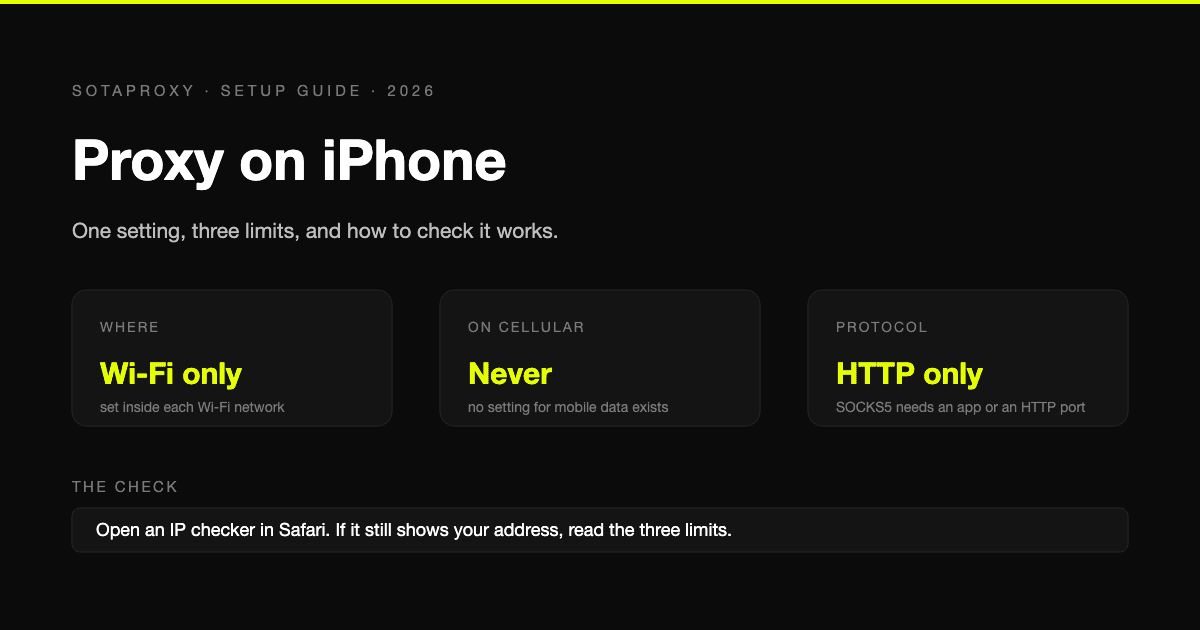
The biggest trap is assuming the built-in iPhone proxy works like a device-wide VPN. It doesn't. Apple's HTTP Proxy setting lives under Wi-Fi network settings, which means it is network-scoped rather than a universal device-wide tunnel, and many guides still fail to explain whether that affects all app traffic or mostly web traffic, as discussed in this Apple community thread on iPhone HTTP Proxy scope.

The decision framework operators actually use

If you're checking a landing page from a local Wi-Fi connection and only need a quick browser-level validation, native Wi-Fi proxying can be enough.

If you're trying to manage sensitive Facebook or TikTok ad accounts from an iPhone, don't rely on a setup that may drop coverage when you change networks or that some apps may not fully respect.

If you run cloaking checks, account farming, or mobile QA for region-locked flows, use a third-party proxy app. That's the closest iPhone gets to a practical operator setup.

A simple explanation:

  • Use built-in Wi-Fi proxy when the task is short, controlled, and disposable.
  • Use PAC when your team wants centralized routing logic on managed devices.
  • Use third-party apps when session consistency matters more than convenience.
  • Avoid mixing methods blindly on the same workflow, especially when multiple accounts are involved.

Match the method to the proxy type

The method and the IP type aren't the same decision. You still need to choose the proxy itself correctly. For a deeper breakdown, this guide to proxy types is worth reviewing.

In practice:

  • Residential proxies fit account creation, warming, and normal browsing patterns better because they look closer to consumer traffic.
  • Mobile proxies make sense when the platform is sensitive and you want mobile-origin behavior for account work or geo-targeted campaign review.
  • Datacenter proxies are fine for speed-heavy jobs, internal checks, and some scraping tasks, but they're often the first thing platforms distrust.
  • IPv6 proxies can be useful where targets fully support IPv6 and you need scale, but they're not my first choice for fragile ad account workflows on mobile.

The safer route for account work is usually the one that preserves session consistency, not the one that's fastest to configure.

Native iOS Proxy Setup via Wi-Fi Settings

This is the fastest setup on iPhone, but also the easiest one to misuse. It works when you understand its limits and keep the task narrow.

On iPhone, proxy configuration is applied per Wi-Fi network through Settings > Wi-Fi > network info icon > HTTP Proxy, and iOS gives you three modes: Off, Manual, and Automatic, with Manual requiring the proxy server and port, plus authentication only if the provider requires it, as shown in this step-by-step iPhone proxy settings guide.

Manual setup

Use Manual when you have a fixed proxy endpoint from your provider.

The flow is simple:

  1. Open Settings.
  2. Tap Wi-Fi.
  3. Tap the info icon next to the active network.
  4. Scroll to HTTP Proxy.
  5. Choose Manual.
  6. Enter the server.
  7. Enter the port.
  8. Turn on Authentication only if your proxy uses username and password.
  9. Save and test.

That's enough for a clean single-network setup. It's useful for quick geo-checking of pages, localized search results, and lightweight browser verification from the phone itself.

Automatic setup with PAC

Use Automatic when the proxy logic comes from a PAC file URL. This is better when you want rule-based handling instead of forcing everything through one static endpoint.

A PAC setup is cleaner in managed environments because routing can change based on destination, but it also creates a false sense of confidence. If the PAC file is unreachable or wrong, the phone may look configured while traffic doesn't route the way you expect.

Here's a short demo if you want to compare the menu flow visually before doing it on a live device:

What breaks in real use

Native Wi-Fi proxying is where new team members burn accounts by assuming more coverage than they have.

Common mistakes:

  • Switching networks: The proxy is tied to one Wi-Fi network. If you move to another Wi-Fi connection, the proxy doesn't follow automatically.
  • Forgetting app behavior: Some apps don't behave like a clean browser test. A page may show the right IP while the app workflow still leaks or bypasses expected routing behavior.
  • Using it for long sessions: For repeated Facebook or TikTok logins, native setup is fragile. It's fine for checks. It's weak for daily account handling.
  • Skipping validation: The menu saving successfully doesn't prove traffic is exiting through the proxy.

Don't trust the iPhone UI. Trust the observed exit IP and the behavior of the exact app you're using.

For ad account work, I treat native iOS proxying like a temporary instrument. Good for inspection. Bad as a default operating layer.

Full Control with Third-Party Proxy Apps

If you do real account work on iPhone, this is the route that usually holds up. Native settings are too narrow. They're tied to Wi-Fi configuration and they don't natively support SOCKS5 in the built-in path. Apple's built-in iPhone proxy menu is limited to Wi-Fi-level HTTP proxy setup, and SOCKS5 typically requires a third-party app such as Shadowrocket or Potatso, as explained in this iPhone proxy limitation guide.

Why operators use apps like Shadowrocket

Apps like Shadowrocket, Quantumult X, and Potatso are popular because they behave closer to what a buyer expects from a routing layer. You import or create a profile, add host, port, username, and password, choose the protocol, then activate the local VPN-style tunnel the app creates.

That matters for three reasons:

  • Broader traffic coverage: You're no longer tied to the narrow Wi-Fi proxy menu.
  • SOCKS5 support: This is the main reason many operators move off the native path.
  • Better operational consistency: The app becomes the control point, not each individual Wi-Fi network.

The working setup pattern

The exact interface depends on the app, but the workflow is usually the same:

Step What you do
Add node or profile Enter proxy host, port, user, pass
Choose protocol HTTP, HTTPS, or SOCKS5 depending on provider
Select routing mode Global or rule-based depending on app
Enable local VPN Approve iOS VPN prompt
Test live traffic Open browser and target apps, then verify behavior

This is the version of proxy in iPhone that fits professional use. If you're opening Facebook Business Manager links, TikTok profile sessions, geo-specific payment pages, or cloaked review flows, you need app-agnostic routing, not a one-network toggle.

Where this matters for bans

On desktop, you already isolate accounts in AdsPower, Dolphin Anty, GoLogin, Multilogin, or Hidemyacc. On iPhone, a third-party proxy app doesn't magically give you full antidetect browser behavior, but it closes one major risk. It stops you from assuming the phone is proxied when only one network setting is.

Serious mobile account work fails when the operator thinks in browser tabs but the platform evaluates the whole device context.

There's also a protocol issue. A lot of account stacks prefer SOCKS5 because it's flexible in tooling and commonly supported across serious proxy workflows. The native iOS path can't carry that on its own. A third-party app fixes that.

If you're also dealing with encrypted inspection paths, SSL handling becomes part of the conversation. This overview of an SSL proxy server is useful when you need to separate simple IP routing from deeper HTTPS interception or controlled testing.

Verifying and Troubleshooting Your Proxy Connection

A broken proxy setup gets accounts flagged fast. The dangerous part is that iPhone can look configured while your traffic is still going out direct, or only part of the workflow is going through the proxy.

Start with the check that matters most. Confirm the exit IP right after setup, before you open Facebook, TikTok, BM links, payment pages, or any account with history. If the IP, country, or ASN does not match what you bought, stop there and fix it.

That first check usually exposes the common setup mistakes:

  • wrong host or port
  • bad username or password
  • expired or unreachable PAC URL
  • saved Wi-Fi proxy settings that are not routing traffic
  • a provider config pasted into the wrong proxy type

Then test the actual workflow, not just Safari. In these cases, native iOS settings waste time for ad teams. Safari may show the expected IP while the app session you care about behaves differently, especially once you switch networks or rely on traffic outside that one Wi-Fi profile.

Run the same path you use in production. Open the app, log in, load the pages you touch, and watch for behavior that does not fit the account's normal region and device story.

Check these points:

  • Geo consistency: language, storefront, offers, local inventory, and billing pages should match the target region
  • Login stability: no surprise verification loops, unusual activity prompts, or repeated session resets
  • Session consistency: the account should not show one region on one screen and another on the next
  • App coverage: the traffic you care about should follow the proxy, not just browser traffic on one network

If something looks off, use a short checklist and work top to bottom.

  1. Verify credentials
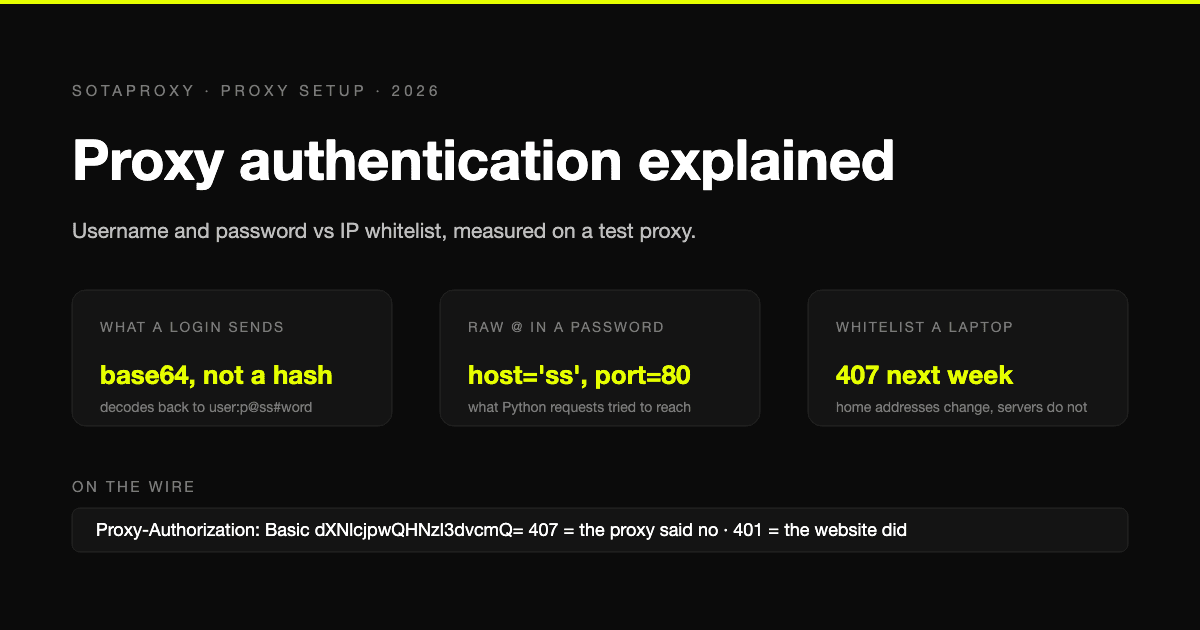
    Proxy usernames often include session parameters, country codes, or sticky session tags. One missing character breaks the route.

  2. Verify the protocol
    Native iOS Wi-Fi settings are limited. If your provider issued SOCKS5 credentials, the built-in path is not the tool for that job. Use a third-party app that supports the protocol directly.

  3. Verify the network you are on
    Native proxy settings are tied to the current Wi-Fi network. Move to another Wi-Fi, or fall back to cellular, and that setup may no longer protect the session at all.

  4. Verify DNS behavior
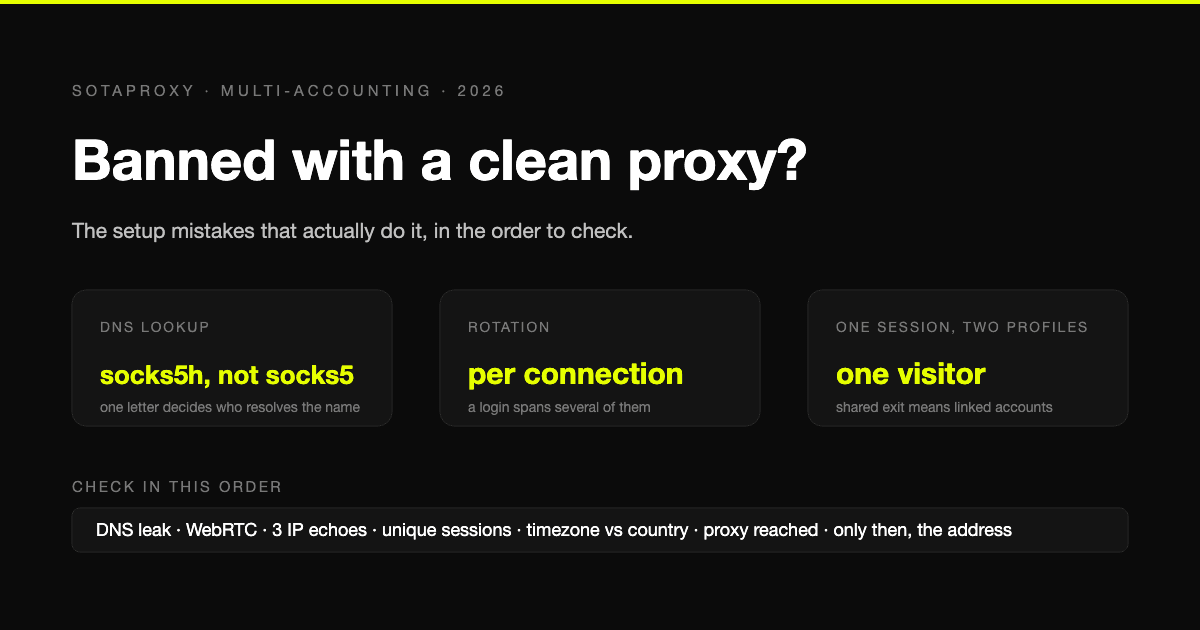
    Some failures look like bad proxy auth when the actual issue is DNS resolution or leakage. If you need to tighten that part, read this explanation of proxy DNS behavior and leaks.

  5. Verify the app method
    If the account work depends on app-agnostic routing, test it inside the proxy app you plan to use, not only in Apple's Wi-Fi menu.

One rule saves a lot of accounts. If the observed IP or location does not change, treat the proxy as failed. Do not log in anyway.

I stop troubleshooting native iOS settings quickly when the workflow is professional account work. If you corrected host, port, auth, and DNS issues and the result is still inconsistent, switch methods and move the phone into a third-party app such as Shadowrocket. That gives you repeatable routing, broader protocol support, and coverage that fits real mobile operations better than the built-in Wi-Fi proxy screen.

Use that path when:

  • you need the proxy to apply beyond a single saved Wi-Fi network
  • you need SOCKS5 support
  • you need the same routing logic across browser and apps
  • you are working on aged ad accounts where one direct connection can trigger review or kill trust

Proxy Management for Ad Accounts and Automation

The setup matters, but the operating pattern matters more. Most account flags don't happen because a proxy exists. They happen because the proxy doesn't match the session logic, the account history, or the workflow.

If you're running Facebook and TikTok accounts, farming social profiles, checking cloaked paths, or managing geo-targeted campaigns, the rule is simple. One account identity should map to one stable network story. Don't log an account from one country on desktop, another on iPhone, and a third through a random mobile connection unless the account was built for that behavior.

Match proxy type to the job

A professional infographic outlining five key proxy strategies for managing multiple digital advertising accounts effectively.

Different jobs need different IPs.

  • Residential proxies fit account creation, warming, and day-to-day account access better than datacenter IPs when the platform is sensitive.
  • Mobile proxies are strong when you want a mobile-looking network context for app-based account work or geo-targeted checks on iPhone.
  • Datacenter proxies are better for speed-heavy operations, scraping, internal QA, and tasks where trust score matters less than throughput.
  • IPv6 proxies can work well for scale in compatible environments, but I'd keep them away from fragile ad accounts unless you've already tested how the platform treats that traffic.

Rules that keep accounts cleaner

For mobile account handling, I'd enforce these team rules:

  • Keep session geography stable: If an ad account is built around one country or city, keep the phone checks aligned with that same location.
  • Don't rotate sensitive accounts aggressively: Rotation is useful for scraping and broad data collection. It's often a bad habit for a single ad account that needs continuity.
  • Separate identities hard: One proxy per account cluster is safer than sharing one exit across unrelated Facebook pages, TikTok profiles, or store logins.
  • Avoid hybrid chaos: Don't mix direct home Wi-Fi, random office Wi-Fi, and proxied mobile sessions on the same account without a reasoned workflow.
  • Test mobile before scale: A cloaked page or geo offer that works in desktop review can still fail on iPhone app traffic.

Where iPhone fits in the stack

iPhone is useful for validation, moderation checks, mobile UX review, app login handling, and region-specific page checks. It is not a substitute for a full antidetect browser environment. For bulk account management, the heavy lifting still belongs on desktop with tools like AdsPower, Dolphin Anty, GoLogin, Multilogin, and Hidemyacc.

The phone comes in when you need the mobile side of the story to match the desktop identity cleanly.

That's especially true for:

Use case Better session style
Facebook ad account review Sticky residential or mobile
TikTok app account handling Sticky mobile or residential
Account farming Stable identity per device and proxy
Cloaking review Geo-aligned proxy with live mobile test
Broad scraping Rotating residential or fast datacenter depending on target

If your team also refers other operators to infrastructure vendors, affiliate terms matter too. Sota Proxy has an affiliate program with up to 40% commission, which is relevant for agencies, team leads, and arbitrage operators who already recommend stack components to partners. For Facebook-specific account work, their proxy for Facebook guide is directly relevant.


If you need residential, mobile, ISP, or datacenter IPs for mobile checks, ad account workflows, scraping, or geo-targeted campaign review, Sota Proxy is built for that kind of operational use. You can configure sticky or rotating sessions, work with city-level targeting, and if you refer other buyers or teams, the affiliate program pays up to 40% commission.

Related articles

Buy Proxies for Geo Surfing That Actually Work
buy proxies for geo surfinggeo surfing proxiesresidential proxies

Buy Proxies for Geo Surfing That Actually Work

Learn how to buy proxies for geo surfing the right way - choose types, target cities, configure antidetect browsers and validate geo results.

September 9, 2026
Read more
What Is Geo Targeting: The Complete Guide for 2026
geo targetinggeo targeting explainedresidential proxies

What Is Geo Targeting: The Complete Guide for 2026

Learn what is geo targeting and how IP, GPS, and Wi-Fi signals shape it. Residential, mobile, and ISP proxies power real geo-targeted campaigns.

July 24, 2026
Read more
Top 10 Best Proxy for Web Scraping in 2026
best proxy for web scrapingweb scraping proxiesresidential proxies

Top 10 Best Proxy for Web Scraping in 2026

Discover the best proxy for web scraping in 2026. Our expert guide helps you choose reliable and efficient proxies for your data extraction needs.

May 21, 2026
Read more
Canada Proxy Server Guide for Ad & Account Operators
canada proxy serverresidential proxies canadamobile proxies

Canada Proxy Server Guide for Ad & Account Operators

Use a Canada proxy server for multi-account ops. This guide compares residential, mobile, and datacenter IPs for Facebook, TikTok, and antidetect browsers.

June 3, 2026
Read more
Top Bandwidth Management Tools: Compare 10 Solutions For
bandwidth management toolstraffic shapingnetwork monitoring

Top Bandwidth Management Tools: Compare 10 Solutions For

Find top bandwidth management tools for traffic arbitrage, scraping & ad ops. Compare 10 solutions to control & prioritize network traffic in 2026.

July 23, 2026
Read more
Contains in Xpath
contains in xpathXPath functionsSelenium selectors

Contains in Xpath

Contains in xpath - Master the `contains` in XPath function. Get syntax, examples, advanced patterns, and performance tips for Selenium and proxy automation

July 22, 2026
Read more