Zip Code Targeting for Ad Campaigns: The Practitioner Guide
Zip code targeting explained for media buyers and traffic arbitrage teams. Covers proxy setup, ad platform rules, detection risks, and best practices.
You can get a ZIP-targeted campaign live, spend the first few hours feeling good about the setup, then watch delivery collapse because the proxy exit, the browser fingerprint, and the ad platform's location logic don't agree. That's the part most guides skip. ZIP code targeting isn't a toggle, it's a stack, and if you run Facebook and TikTok ad accounts through AdsPower, Dolphin Anty, GoLogin, Multilogin, or Hidemyacc with sloppy geo alignment, the platform will usually find the mismatch before your test budget tells you anything useful.
For traffic arbitrage teams, account farmers, cloaking ops, and geo-targeted campaigns, the work starts after you pick the ZIP. You need the right proxy type, the right antidetect profile, the right location settings, and a setup that survives platform checks without leaking the wrong geography. That's why ZIP code targeting is more useful when you treat it like infrastructure instead of media settings.
Table of Contents
- Why ZIP Code Targeting Matters for Media Buyers
- What ZIP Code Targeting Means
- IP Geolocation vs GPS vs Browser Signals vs ZIP Routing
- Practical Use Cases for ZIP Code Targeting
- Residential and Mobile Proxy Types for ZIP Targeting
- Configuring a ZIP-Targeted Proxy in an Antidetect Browser
- Legal and Detection Risks You Cannot Ignore
- Best Practices and Troubleshooting for ZIP Targeting
Why ZIP Code Targeting Matters for Media Buyers
A buyer builds a local TikTok campaign for a Texas offer, then clones the same angle into Facebook retargeting with English and Spanish creative. The ZIP list looks tight, the offer is local, and the setup should work. Then the account starts acting like the traffic is from somewhere else, and the campaign dies before the first real optimization cycle.
That's the practical reason ZIP code targeting still matters. It gives you a way to localize the offer, narrow the audience, and keep creative aligned with the neighborhood the user thinks they're in. It also makes it easier to run different messages by market, especially when you're testing cities, suburbs, and edge zones that don't deserve the same spend.
The media layer only works if the traffic layer agrees
A ZIP filter inside the ad platform is only one part of the system. The browser profile, proxy exit, language, timezone, and declared location all need to support the same geography. If you tell TikTok or Facebook one ZIP but your IP and browser context point somewhere else, the platform can treat the session as suspicious even before the ad gets any meaningful delivery.
That's why ZIP targeting is no longer just a media setting. It's a location claim that has to survive platform checks, ad review, and session behavior. When the stack matches, local relevance feels natural and the campaign has a chance to learn. When it doesn't, the mismatch is usually the first thing that kills the launch.
Practical rule: if your declared ZIP, proxy geo, and browser signals don't line up, don't scale the campaign. Fix the stack first.
What ZIP Code Targeting Means
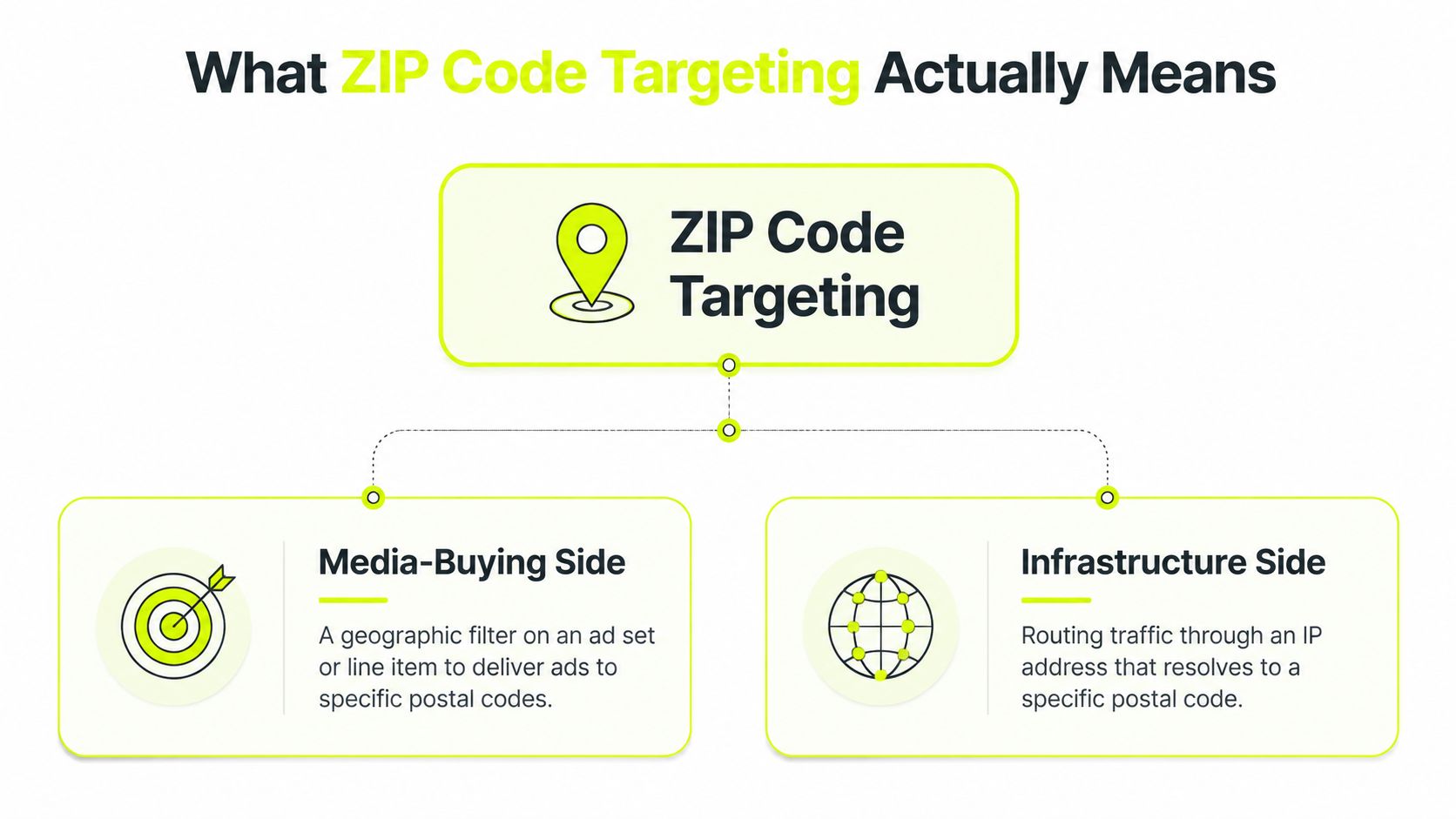
ZIP code targeting has two meanings in practice. On the media side, it is a geographic filter inside an ad set or line item. On the infrastructure side, it means routing traffic through a proxy and browser profile that resolve to the same postal geography the campaign is trying to hit.
The media-buying side
The Census Bureau draws a hard line between USPS ZIP Codes and ZIP Code Tabulation Areas, or ZCTAs. ZIP Codes are postal delivery routes. ZCTAs are generalized statistical areas used for demographic and housing data. That distinction matters because advertisers often talk about ZIPs as if they were clean neighborhood boundaries, but they are not.
The PMC linkage study found 41,104 unique 5-digit ZIP Codes and 19.4% (7,966) did not have a one-to-one matching ZCTA, while the majority of those non-matching ZIPs, 90% (7,142), were P.O. boxes or large-volume customer ZIP Codes. It also found 15% of ZCTAs contained more than one non-matching ZIP Code. That is enough to make ZIP-based targeting operationally useful, but not precise enough to treat it like household-level geography.
The infrastructure side
Many teams get sloppy here. They assume a ZIP list in the platform is enough, then bind random proxy traffic to an antidetect profile and hope the platform accepts it. That works only when the IP, the session behavior, and the browser fingerprint all support the same story.
If you need a broader location framework first, Sota Proxy's geo-targeting overview is a useful reference point. For ZIP work, though, the key point is simpler. The routing layer has to support the media layer, or the campaign ends up arguing with itself.
For ZIP lists, local resources like browse ZIP and county resources can help you keep mapping clean before you build the ad set.
IP Geolocation vs GPS vs Browser Signals vs ZIP Routing
Platforms don't look at one signal and call it done. They compare multiple location cues, then decide whether the session feels consistent. ZIP code targeting works best when you understand which signal does what, and which one can support a specific postal geography.
| Signal | Precision | Spoofing Risk | Best Use |
|---|---|---|---|
| IP geolocation | Usually city or ISP region, not native ZIP detail | Moderate | Basic location consistency and regional routing |
| GPS | Precise on mobile, uncommon on desktop | High if forced inconsistently | Mobile sessions where device location matters |
| Browser signals | Weak alone, but useful as checks | Moderate to high | Timezone, locale, and WebRTC consistency |
| ZIP routing through proxy and profile | Closest practical match for postal targeting | Lower when everything aligns | ZIP-aware campaigns, account warming, and verification |
Why IP-only logic falls short
IP geolocation is cheap and widely used, but it doesn't natively expose a 5-digit ZIP. That's why a plain datacenter IP or a random residential exit from the wrong metro can pass a broad city check while still failing once the platform compares the rest of the session. If you need a practical walkthrough for shifting IP context cleanly, this proxy location guide gives you the core mechanics.
GPS is more precise on mobile, but it's not the answer for desktop workflows. Browser-derived signals like timezone, locale, and WebRTC leakage are weaker on their own, but they act like consistency checks. The platform is looking for agreement, not just a single believable field.
The ZIP isn't the signal. It's the claim. The proxy, browser, and device context have to back it up.
Where ZIP routing closes the loop
ZIP-level routing works when you treat the proxy as part of the profile, not a separate tool. A residential or mobile exit that resolves to the right metro, plus a browser profile that matches timezone and language, gives the platform a much cleaner story than IP-only targeting ever can. That's the difference between a session that looks local and one that looks assembled.
Practical Use Cases for ZIP Code Targeting
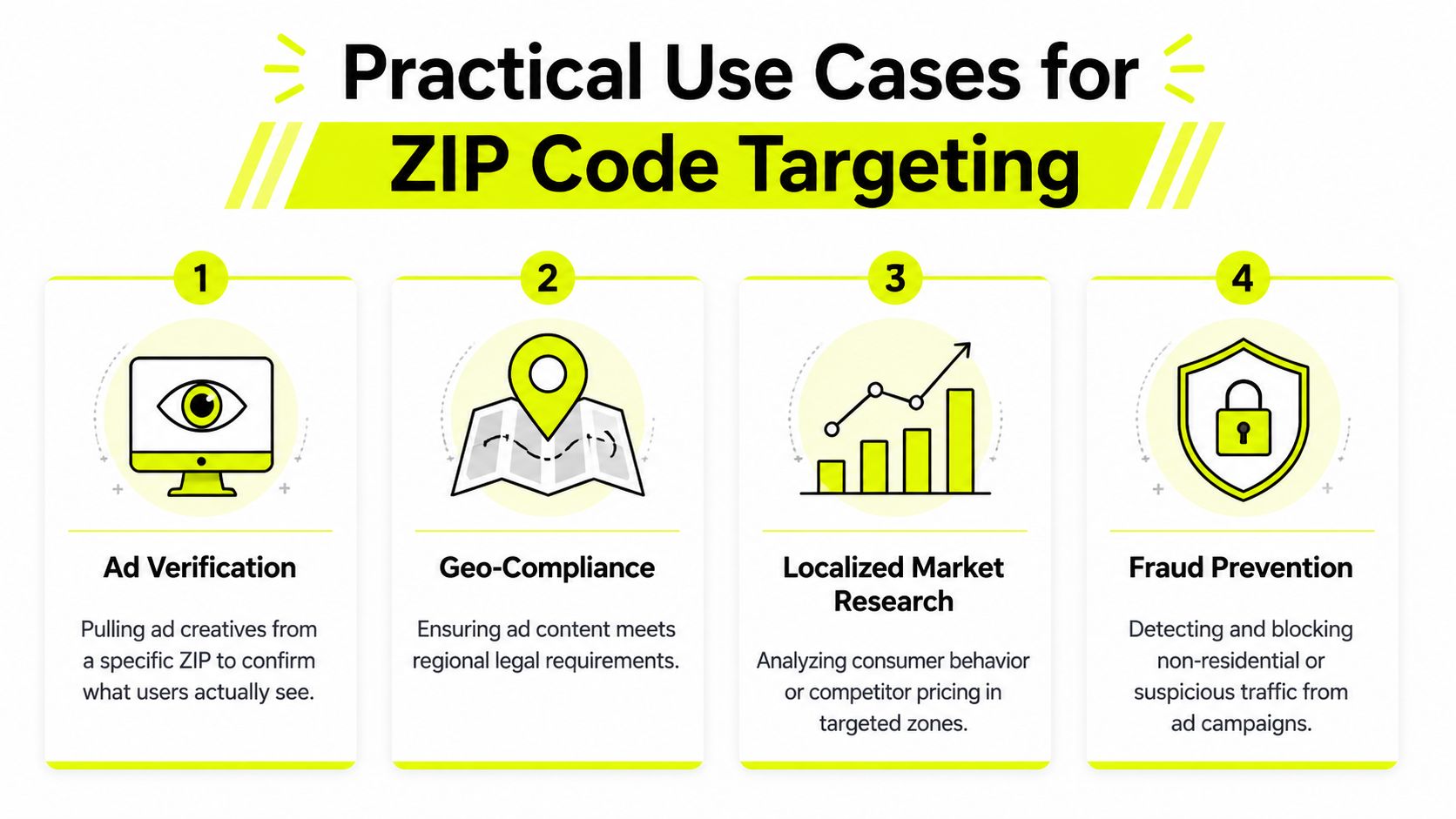
ZIP code targeting breaks into four operational jobs. The stack changes depending on whether you're checking delivery, running a local offer, warming accounts, or splitting traffic for cloaking. If you use the same proxy logic for all four, you'll waste time and burn profiles.
Ad verification and geo-compliance
When you need to see what users see in a specific postal area, ad verification comes first. Use a residential proxy in AdsPower, Dolphin Anty, GoLogin, Multilogin, or Hidemyacc, because you want the session to look like a normal consumer, not a cloud host. Mobile proxies can also work when you need a handset-like path, especially if the platform is sensitive to desktop fingerprints.
For compliance checks, the point is to confirm the live creative, landing page, and local message before you spend on scale. If you run regulated verticals, the local version matters even more because the platform and the market may not allow the same targeting logic everywhere. A practical local-media resource like boost local reach with geofencing is useful when you're comparing ZIP logic with broader area tactics.
Localized campaigns
Localized campaigns are where ZIP targeting usually earns its keep. You can run English and Spanish creative in different postal clusters, isolate neighborhoods with different offers, or split test local landing pages by metro. Facebook ad accounts handle postal-code targeting in more markets than some buyers expect, while TikTok can be more fragile on coverage and campaign structure.
For these campaigns, residential proxies are the safest default. Mobile proxies work when the audience is mobile-first and you need device-like behavior. Datacenter proxies are a bad fit here if you care about longevity, because they tend to burn faster on the major social platforms.
Account farming and cloaking
Account farming needs the account to look local from day one. That means the proxy, the profile fingerprint, and the sign-up pattern have to match the target area before you ever touch the ad account. Residential or ISP proxies fit that workflow better than cheap datacenter pools.
Cloaking is more delicate. Real users and reviewers need different routes, and ZIP-aware routing becomes one more control layer in that split. If the review traffic and the actual traffic don't stay inside the same geography model, the detection surface gets messy fast.
Residential and Mobile Proxy Types for ZIP Targeting
ZIP-level work exposes proxy quality fast. If the exit IP does not match the geography you are trying to hold, the platform may still accept the setting, but the session can look off. The proxy type has to fit the job, or the whole setup starts to feel artificial.
The proxy type has to match the job
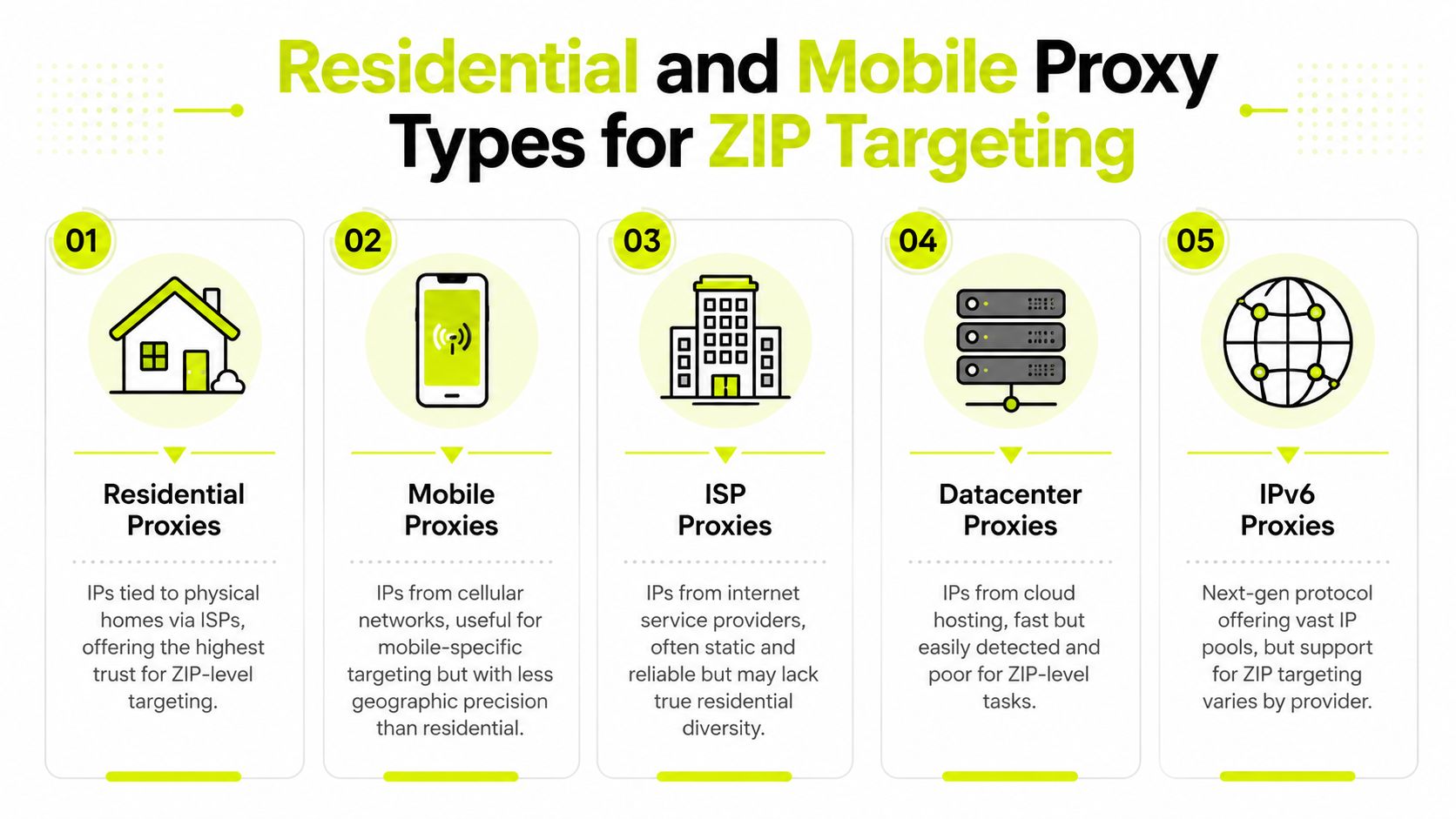
Residential proxies come from consumer ISPs, so they usually carry stronger trust for ad verification and account farming. They are the cleanest option when you need a ZIP-aligned session that behaves like a normal household connection. For teams that want a deeper look at how that category is built and used, the residential backconnect proxy guide is a useful reference. Mobile proxies ride cellular networks, which makes them harder to flag, but they are less exact when you need one exit pinned to one postal area.
ISP proxies sit between those two options. They give datacenter-like speed with residential registration, which helps when you want steadier performance without giving up too much trust. Datacenter proxies are fast and cheap, but they burn quickly on Facebook and TikTok when you push ZIP-specific workflows. IPv6 proxies are plentiful and inexpensive, but geo support depends heavily on the provider, so they remain a mixed bag for postal targeting.
A usable setup pattern
For a ZIP-targeted residential setup, bind the proxy to one profile in AdsPower, Dolphin Anty, GoLogin, Multilogin, or Hidemyacc and keep that profile tied to one market. Filter the proxy pool to the metro area matching the ZIP, then keep the session sticky long enough to resemble normal browsing instead of rapid rotation. If the browser locale and timezone do not match the ZIP's market, the setup looks patched together.
SotaProxy supports residential, mobile, ISP, and datacenter IPs, plus city-level targeting, so it can sit inside a ZIP workflow when you need location control without rebuilding the rest of the stack. It also runs an affiliate program with up to 40% commission, which matters for teams that resell tooling or bundle infrastructure into service offers.
Practical rule: use residential for verification and account warming, mobile for device-like behavior, ISP when you want steadier performance, and datacenter only when the risk profile is already low.
Configuring a ZIP-Targeted Proxy in an Antidetect Browser
A ZIP-targeted setup starts with the proxy pool, not the ad account. Pick a residential or mobile pool that lets you filter by city, then narrow it to the metro area that contains the target ZIP. Sota Proxy supports city-level targeting from the dashboard, which gives you a cleaner first pass before the proxy ever touches a browser profile.
Build the profile around one geography
In AdsPower, Dolphin Anty, GoLogin, Multilogin, or Hidemyacc, create one profile for one ZIP cluster. Add the proxy host, port, credentials, and rotation choice, then test the exit against a third-party IP lookup before you connect the ad account. If the lookup resolves to the wrong market, fix the proxy selection before you touch the campaign. For a platform-specific example, the Afina proxy configuration guide shows the same profile-first approach.
Timezone, locale, and language need to match the ZIP's audience. Keep the browser in the same region you are signaling through the proxy and the ad settings. That alignment matters because mixed signals are one of the fastest ways to make a profile look patched together.
Build around one geography at a time. If you want to test multiple ZIPs, split them into separate profiles and keep each one clean. Reusing a profile across different markets is where detection risk rises.
Stickiness matters more than people think
Facebook sessions usually tolerate shorter sticky windows than TikTok, so avoid rotating too aggressively in the middle of active work. Keep the IP stable for a session boundary, finish the task, then rotate only when the next login or workflow step starts. Frequent mid-session changes make the account look noisy.
A practical browser-side rule is simple. If you are doing ZIP-level work, keep the fingerprint ordinary and keep the profile tied to one metro signal. Mixing far-apart geographies inside one profile creates a mismatch that proxy quality alone will not hide. The more the stack looks like one real user in one place, the less time you spend fighting platform checks.
Legal and Detection Risks You Cannot Ignore
Google's policy is blunt on this point. It bans ZIP code targeting for Housing, Employment, and Consumer Finance ads in the U.S. and Canada, and it also says advertisers in those markets can't target by gender, age, parental status, or marital status for those categories. Broader geographic targeting is allowed, including city, country, and radius, but ZIP-based setup has to come out when the vertical falls under those restrictions (Google Ads policy).
Meta takes a different approach. Meta Ads Manager supports postal-code targeting, but that does not make every setup portable across platforms or policy classes (Meta Ads Manager location targeting). If you are mirroring geo tests across Facebook and TikTok ad accounts, check the category and the market before you assume the same ZIP logic will survive review. Platform support and policy enforcement are separate problems.
Privacy risk sits in the dataset, not just the ad account
HIPAA treats full five-digit ZIP codes as geographic identifiers. One summary of the rule says Safe Harbor only allows the first three digits when the area has a population greater than 20,000, and areas with 20,000 or fewer people have to be replaced with "000" (an overview of HIPAA ZIP identifier rules). ZIP+4 remains identifying under that same summary. If you are handling ZIP-level datasets for audience enrichment, account farming, or cloaking workflows, the compliance question is real, not theoretical.
The same risk shows up before a campaign ever launches. If your list, enrichment file, or profile metadata carries a ZIP that should not be present under the rule set you are operating in, the problem starts with the dataset and spreads into the account behavior you create from it.
Detection happens at the stack level
Platforms cross-check the declared ZIP against IP, GPS, and browser signals. When those signals do not match, the account can get flagged, restricted, or starved of delivery. That is why the risk is not only policy violation, it is a stack that looks inconsistent before a human review ever happens.
Use an IP reputation check before you build the profile. If the exit IP is dirty, ZIP logic will not save the account. A bad reputation score can make an otherwise correct geo setup look suspicious the moment the session connects.
Best Practices and Troubleshooting for ZIP Targeting
Canonicalize ZIPs in a master table before you upload anything. Don't let ad ops teams type variants by hand, and don't mix nearby metro areas inside the same profile just because the ZIP list looks convenient. If the browser profile is supposed to live in Dallas, keep it in Dallas and don't bolt Austin signals onto it.
Launch checks that actually catch problems
- Validate the proxy first: run the exit through a third-party lookup before you connect the browser profile.
- Match session timing: keep sticky sessions stable through a real work window, then rotate only on a clean boundary.
- Align the fingerprint: timezone, locale, and language should all support the ZIP's market.
- Check platform eligibility: if delivery looks weak, confirm the ZIP is accepted in the ad platform UI before you blame the proxy.
- Separate profiles cleanly: don't reuse the same proxy across profiles if you care about account hygiene.
If a campaign gets low delivery, look at ZIP eligibility first. If the platform accepts the ZIP but the account still gets flagged, audit the geo stack for one mismatch. If the proxy leaks the wrong location, narrow the pool to the target metro or shorten the sticky window so the exit doesn't drift outside the intended market.
Buyer checklist before launch
- One profile, one geography
- One proxy exit, one session
- One platform policy check
- One fingerprint match
- One test login before spend
Keep that sequence tight, and ZIP targeting stays a useful tool instead of a cleanup problem.
If you're building ZIP-targeted campaigns and you want the proxy layer to match the ad platform layer without constant rework, use Sota Proxy for residential, mobile, ISP, and datacenter options with city-level targeting and sticky session control. It fits the kind of ZIP workflow that lives or dies on clean geography, not just a checked box in the dashboard.
Related articles
What Is Geo Targeting: The Complete Guide for 2026
Learn what is geo targeting and how IP, GPS, and Wi-Fi signals shape it. Residential, mobile, and ISP proxies power real geo-targeted campaigns.

How to Avoid CAPTCHA on Automated Workflows
Learn how to avoid CAPTCHA on automated workflows with proxy tactics, antidetect browsers, request pacing, and solver fallbacks built for real operators.

How to Set Up Proxy: A Guide for Automation & Ad Teams
Learn how to set up proxy servers for technical use cases. A step-by-step guide on configuration, proxy types, automation, and troubleshooting for ad teams.
10 IPRoyal Alternatives for Serious Proxy Workloads
Compare 10 IPRoyal alternatives for scraping, ad verification, account farming, antidetect browsers, geo campaigns, pricing, rotation, and support.
10 Oxylabs Alternatives for Scraping and Ad Operations
Compare 10 oxylabs alternatives by proxy type, geo coverage, uptime, rotation, pricing, and use case for scraping, ad verification, and account farming.

Top Brightdata Alternatives for Proxy Teams in 2026
Explore the best brightdata alternatives for scraping, ad verification, and geo-targeted campaigns in 2026, plus migration tips.