Watch YouTube Unblock: The 2026 Pro Guide
Learn to watch YouTube unblock reliably for ad verification, account farming, & geo-targeting. Master proxies & antidetect browsers for 2026 success.

Your campaign is live. The geo split looks clean in the ad manager. Then you open YouTube from the profile you use for checks and get the wrong market, the wrong ad inventory, or no access at all. At that point, “watch YouTube unblock” stops being a casual problem and becomes an ops problem.
That's the gap most guides miss. They're written for someone trying to bypass a school filter or stream a blocked video. They aren't written for teams running Facebook and TikTok ad accounts, building account farming pipelines, testing cloaks, or verifying geo-targeted campaigns inside AdsPower, Dolphin Anty, GoLogin, Multilogin, or Hidemyacc. For that work, access alone isn't enough. The session has to look clean, stay stable, and match the market you're simulating.
Table of Contents
- Why Generic YouTube Unblock Methods Cripple Operations
- Diagnosing Blocks and Why Quick Fixes Fail
- Choosing Your Proxy Arsenal for YouTube
- Configuring Proxies in Antidetect Browsers
- Managing Sessions and Verifying Your Footprint
- Final Checks Legal Caveats and Scaling Your Team
Why Generic YouTube Unblock Methods Cripple Operations
A basic unblock method can get a video to load. It can't give you reliable market validation. That's the difference.
YouTube's scale is why this matters. It has over 2.72 billion monthly logged-in users in 2026, a projection that represents close to half of all internet users worldwide, which makes it a critical platform for ad verification and market research where bad geo-targeting can ruin your dataset (Digital Applied YouTube platform data). If your profile resolves in the wrong country, your check is worthless.
The real failure point
A lot of media buyers learn this the hard way. They launch a geo-targeted campaign, open YouTube through a cheap datacenter setup, and get served inventory that doesn't match the intended region. The ad account says one thing. The browser session says another. The verification result is garbage.
That problem gets worse in multi-account environments. If your team runs Facebook and TikTok ad accounts alongside YouTube checks, the same weak IP pool that causes mismatched ad verification can also contaminate account farming workflows and cloaking reviews. One bad network source creates noise across the whole stack.
Practical rule: “Unblocked” only matters if the session also looks local, persistent, and ordinary.
Why generic guides break under real workloads
Most unblock tutorials focus on VPNs, browser extensions, or public web proxies. Those tools may help a casual user watch a single video. They don't solve the conditions professionals care about:
- IP reputation: The session needs an address that doesn't already look burned.
- Fingerprint congruence: Browser language, timezone, device profile, and network origin have to agree.
- Session integrity: The same account should not appear to jump environments without a reason.
- Geo precision: A campaign review in one region can't default to another market and still be useful.
This is why teams using high anonymity proxy setups care less about bypassing blocks and more about reducing mismatch between traffic source, browser profile, and target platform expectations.
For practitioners, the target isn't “watch YouTube unblock.” The target is operationally clean access that holds up during ad verification, account warmup, moderation review, and repeated logins across AdsPower, Dolphin Anty, GoLogin, Multilogin, and Hidemyacc.
Diagnosing Blocks and Why Quick Fixes Fail
Before changing tools, identify the block. Different blocks fail in different ways.
A local network block usually shows up at the office, school, or shared workspace level. A geo-block shows content mismatch, unavailable videos, or country-specific restrictions. A platform-level issue looks different. The page may load, but your session behaves inconsistently because YouTube or adjacent systems don't trust the environment.
Three block types operators actually run into
Local firewall restrictions
This is the easiest one to recognize. The network itself blocks access. You switch networks and the issue disappears.Geo restrictions
The site loads, but region-locked content or local ad inventory doesn't match the market you need for verification or cloaking review.Trust and anomaly flags
This is the expensive one. The session technically works, but your setup looks synthetic. That breaks ad checks, moderation simulation, and account handling.
A working page load doesn't prove a usable session.
Why the usual fixes waste time
The classic shortcut is a mobile hotspot. That can bypass local Wi-Fi restrictions, but it's a poor fit for sustained operator work. Switching to a hotspot consumes approximately 3GB of data per hour for 1080p video, and URL-based tricks have near-0% success rates against modern institutional or geographic filters (analysis of current YouTube unblock methods).
That means the old hacks are dead for serious use:
- Hotspots: Fine for a quick check. Bad for repeated ad review sessions or team workflows.
- DNS-only changes: Sometimes enough for weak local filtering. Useless when geo controls or trust systems sit further upstream.
- URL edits and embed tricks: Legacy clutter. They don't solve modern filtering.
- Generic browser proxies: Often enough to get a page open, not enough to preserve account trust.
If you're dealing with account farming or shared buyer teams, stop guessing. Trace the failure. If the block disappears on another network, it's local. If the wrong market appears, it's geo. If the environment keeps behaving inconsistently across accounts and browsers, you're dealing with trust and detection.
For teams that get repeated failures, basic IP ban avoidance practices matter more than another list of “unblock websites” tools. The useful question isn't how to force a page open. It's how to hold a believable session long enough to do work.
Choosing Your Proxy Arsenal for YouTube
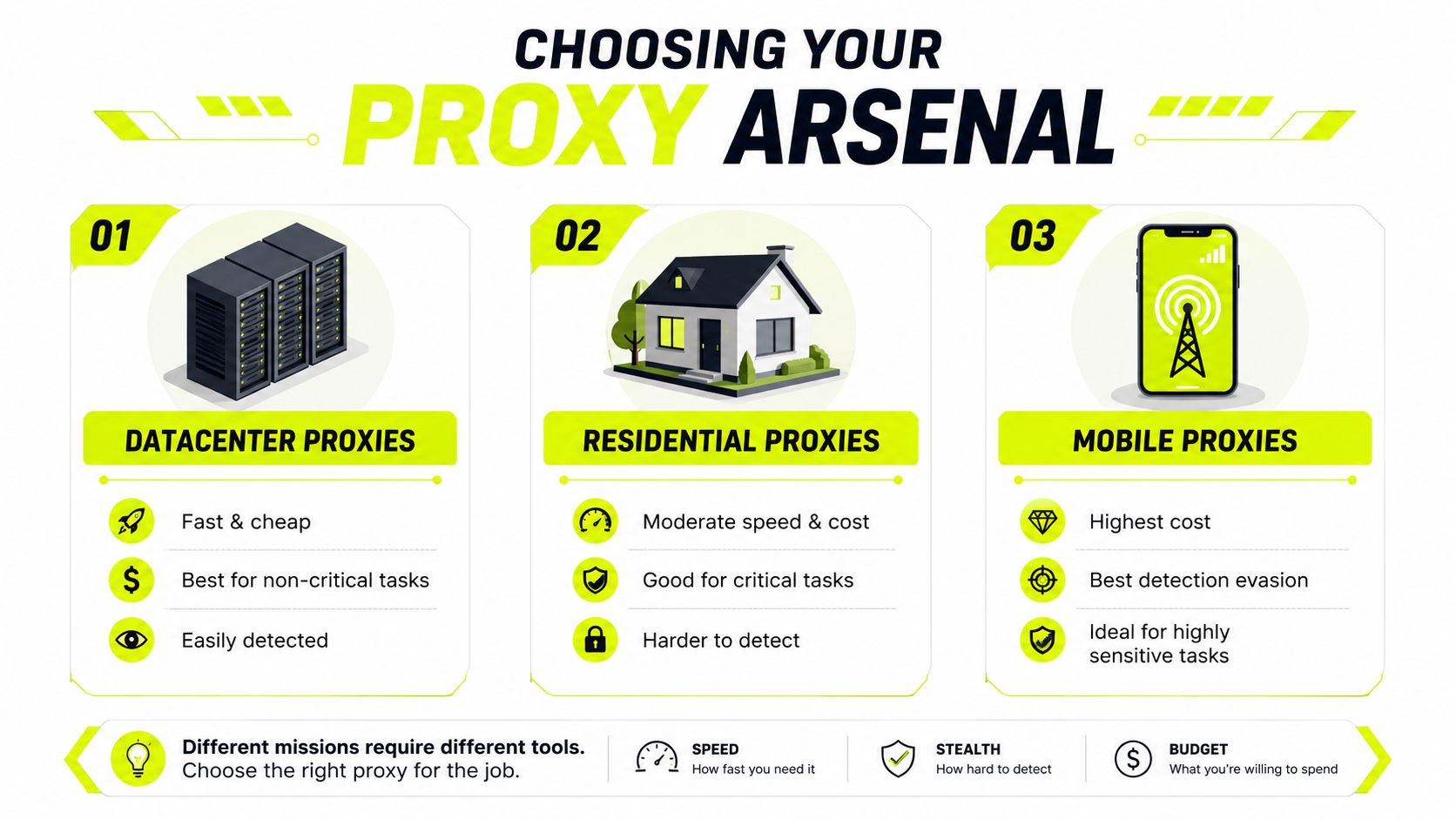
Your proxy type decides whether your YouTube setup is usable or disposable. Speed matters, but trust matters more.
For protected platforms, residential proxies achieve 95–99% success rates, while datacenter proxies reach 40–60% because they're easier to detect as non-human traffic (Bright Data comparison of residential and datacenter proxies). That gap is why cheap setups look attractive on paper and fail in production.
What each proxy type actually changes
Here's the practical breakdown.
| Proxy type | Practical profile | Best use | Weak point |
|---|---|---|---|
| Datacenter | Fast, cheap, predictable | Throwaway checks, bulk non-critical tasks | Easy to flag |
| Residential | Real ISP context, stronger trust | Ad verification, geo-targeted campaigns, account support | Costs more, slower than datacenter |
| Mobile | Highest trust profile for sensitive social workflows | High-value Facebook and TikTok ad accounts, account farming, mobile-first services | Highest cost, lower speed |
| ISP | Mix of datacenter speed and residential legitimacy | Login-heavy work, long sessions, review workflows | Not as stealthy as top mobile pools |
| IPv6 | Large address space, often economical | Scale tasks where target supports IPv6 cleanly | Compatibility and trust vary by target |
Datacenter proxies still have a place. I'd use them for rough checks where failure is acceptable. If the task touches revenue, moderation, cloaking review, or persistent profiles, they're usually the wrong choice.
Residential proxies are the daily driver for most media buyers. They map well to geo-targeted campaigns because they look like traffic from real ISPs. That makes them more useful for validating what a local user sees on YouTube, especially when the same environment also touches Facebook and TikTok ad accounts.
Mobile proxies sit above residential when trust is the first concern. For high-value accounts, mobile-origin traffic looks more natural to social platforms. That matters when a profile handles spend, appeals, warmup, or repeated logins tied to account farming operations.
ISP proxies are a strong middle option. They fit workflows where speed and session stability both matter, such as long ad review sessions, repeated dashboard access, or login-heavy tasks.
Where IPv6 fits
IPv6 proxies get oversold. They can be useful, especially for scale and cost control, but they aren't automatically the right answer for YouTube verification or social account work.
The practical issue isn't address format. It's target support and trust handling. If the workflow depends on looking like an ordinary local consumer, residential or mobile usually give a cleaner path. If the target environment accepts IPv6 cleanly and the task is less sensitive, IPv6 can reduce cost pressure.
Use the cheapest proxy that still preserves the result you need. Cheap traffic that corrupts the signal isn't cheap.
For teams mapping proxy choice to task, residential proxy workflow guidance is usually the closest fit for YouTube ad verification, cloaking checks, and market-level validation. Save mobile for the accounts you can't afford to lose. Save datacenter for work you can afford to repeat.
Configuring Proxies in Antidetect Browsers
A clean IP inside a dirty browser profile still looks wrong. That's why antidetect browsers are not optional for serious YouTube operations.
If you're checking geo-targeted campaigns, managing account farming batches, or moving between Facebook and TikTok ad accounts, run the proxy inside AdsPower, Dolphin Anty, GoLogin, Multilogin, or Hidemyacc. A normal browser with a proxy extension leaves too many mismatches.
Over the last 12 months, Meta and TikTok updated anti-fraud systems to detect non-residential IPs, causing a 45% rise in account suspensions for users using generic proxies. Clean residential IPs combined with properly configured antidetect browsers are the safer path (Proton VPN article discussing unblock methods and detection trends).
Build a profile that matches the IP
The workflow is simple, but the details matter.
- Create a fresh browser profile in AdsPower, Dolphin Anty, GoLogin, Multilogin, or Hidemyacc.
- Add your proxy credentials. Use host, port, username, and password exactly as issued.
- Pick the browser engine and device profile that matches the use case. Don't run a mobile-region workflow through a desktop profile unless you have a reason.
- Test connection before any login.
- Save the profile and keep it tied to a single account or single verification purpose.
The bigger mistake isn't proxy entry. It's environmental mismatch.
What to align before login
A believable profile needs internal consistency:
- Timezone: Match it to the proxy country.
- Language: Use browser and content preferences that make sense for the target region.
- Geolocation behavior: Don't leave location prompts conflicting with the proxy region.
- WebGL and hardware profile: Keep them coherent with the chosen browser persona.
- Cookies and session age: Fresh for new identities. Stable for existing ones.
If you're using Multilogin, the key is profile discipline. Keep one proxy identity mapped to one account lane. Don't recycle one profile across unrelated geos or business managers. If you need that setup, Multilogin proxy integration details are the type of configuration reference that prevents small mistakes from becoming account loss.
Operator rule: IP location, browser language, timezone, and account history should tell the same story.
That applies directly to YouTube. If you're trying to watch YouTube unblocked for ad verification, but your proxy says Germany, your timezone says Brazil, and your browser language says US English, the session won't look natural.
A quick visual walkthrough helps if you're setting this up across a team:
Run one template per market. One for UK checks. One for DE. One for UAE. One for US Hispanic if that's a campaign lane. Don't let junior buyers improvise profile settings on the fly. Most “proxy doesn't work” complaints are really profile mismatch problems.
Managing Sessions and Verifying Your Footprint
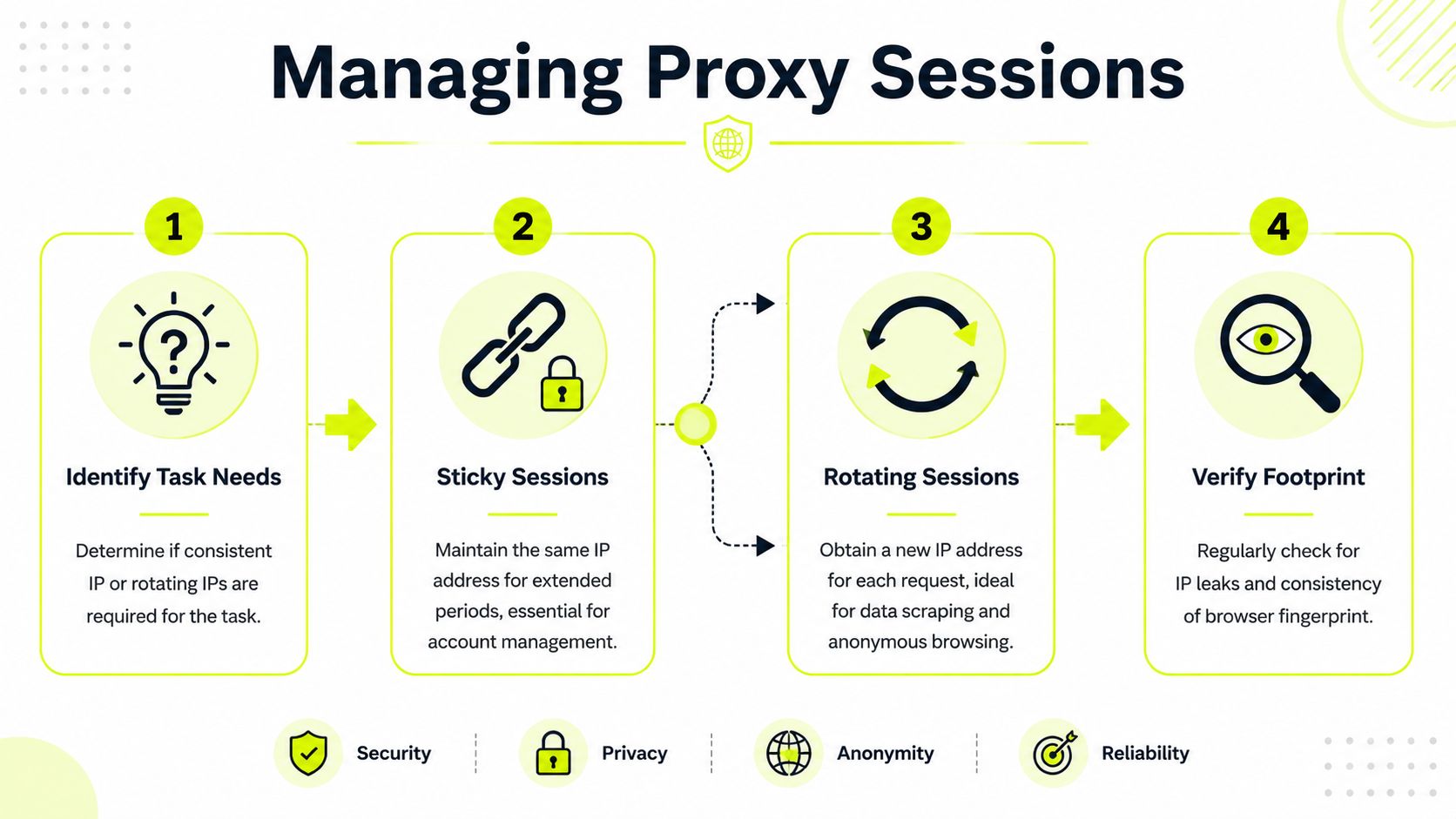
The proxy itself is only part of the setup. Session handling decides whether the profile survives repeated use.
Teams slip in such situations. They buy decent IPs, then rotate too aggressively for account work or stay sticky for scraping tasks that need diversity. Both mistakes create noise.
Data shows 78% of free or unverified proxy IPs are flagged as “malicious” by major ad platforms within 24 hours, while residential and mobile pools with verified ownership maintain a 99.9% clean rate for long-term sessions (Forbes Advisor discussion of YouTube unblock options). That gap is why session strategy has to start with clean supply.
Match session type to task
Sticky sessions are for continuity. Rotating sessions are for spread.
Use sticky sessions when the platform expects identity continuity:
- Account management: Facebook and TikTok ad accounts, warmed YouTube channels, marketplace logins.
- Account farming: One profile, one lane, stable network identity.
- Manual review work: Cloaking checks, ad previews, repeated moderation tests.
Use rotating sessions when the task benefits from many distinct visits:
- Ad verification at scale: Multiple region checks without tying all requests to one IP.
- Scraping and parsing: Broader collection patterns with lower repetition per address.
- Research runs: Simulating diverse user viewpoints.
If your team mixes the two, the fix isn't complicated. Put account handlers on sticky. Put scrapers and broad verification jobs on rotating. Keep the configs separate so nobody cross-uses them.
Run a footprint check before scale
Don't trust a new setup because the login works. Verify it.
A simple preflight routine catches most bad configs:
Check the external IP
Confirm the browser exits in the country and city you expect.Test for leaks
Review DNS and WebRTC exposure using your preferred leak tools.Inspect profile consistency
Make sure timezone, language, and browser persona align with the proxy region.
The key isn't perfection. It's consistency. A clean sticky session with a sloppy browser profile still burns accounts. A rotating setup with weak leak control still contaminates ad verification.
For teams standardizing this process, a shared definition of sticky sessions helps stop misuse. One team member's “stable” can mean ten minutes. Another's can mean all day. Lock down the rule so every operator handles YouTube, cloaking checks, and social account work the same way.
Final Checks Legal Caveats and Scaling Your Team
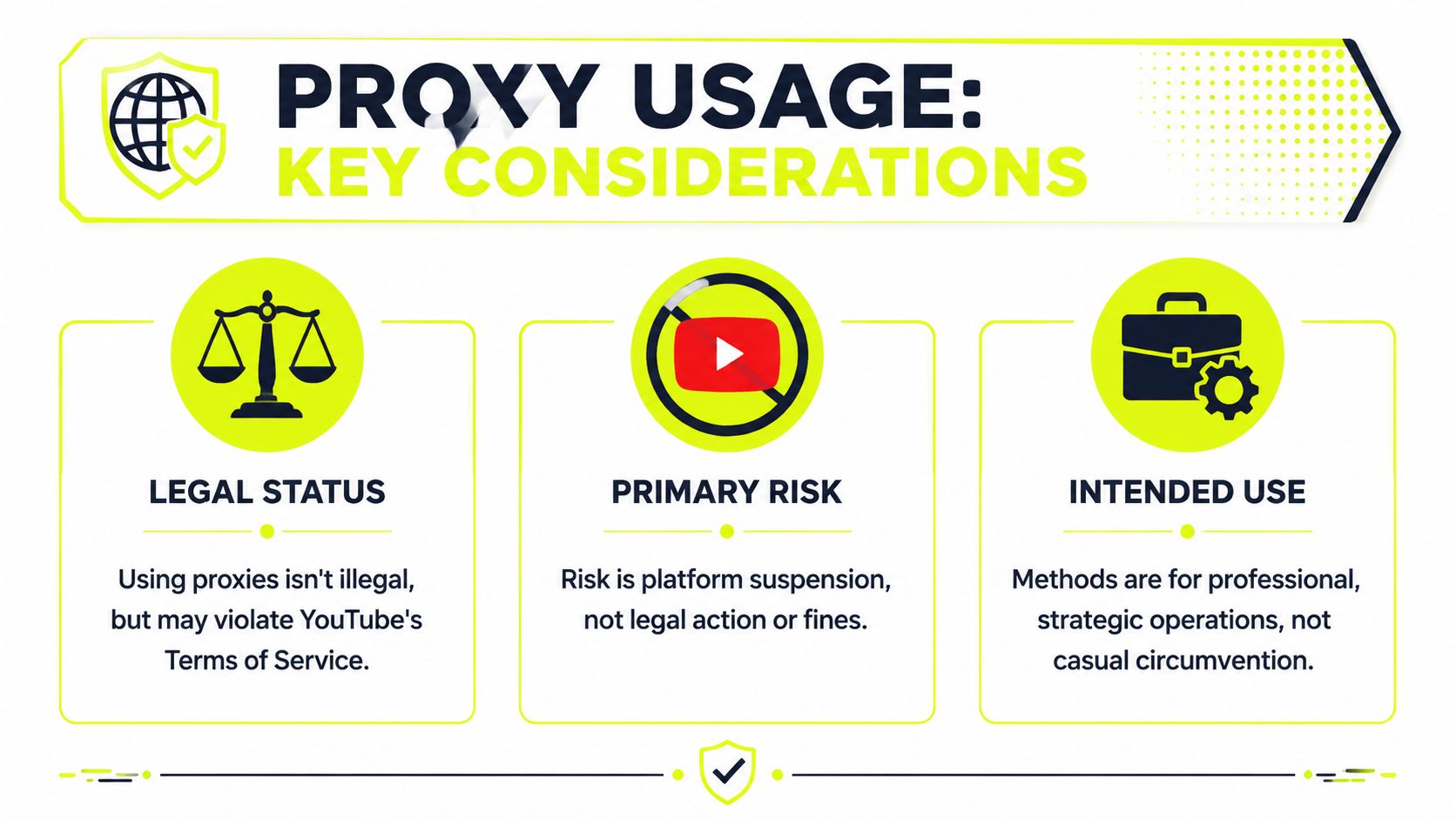
Using proxies to access YouTube isn't automatically illegal. The practical risk for most operators is platform enforcement, not courtroom drama.
That matters because the wrong mindset leads to sloppy setups. If your team treats watch YouTube unblock as a loophole hunt, they'll keep reaching for throwaway tools. If they treat it as infrastructure for ad verification, market research, account farming, and geo-targeted campaign checks, they'll build cleaner workflows.
Use case by use case
The setup should match the job.
- Ad verification: Use rotating residential proxies matched to campaign regions. You want coverage and believable local presence.
- High-value account handling: Use sticky residential or mobile proxies. Stability matters more than raw throughput.
- Cloaking review: Keep the browser profile and network story tightly aligned. Sloppy locale settings defeat the purpose.
- Data collection: Blend rotating residential with ISP proxies where speed and session consistency both matter.
- Sensitive social work: If the accounts matter, don't force them through cheap datacenter inventory.
If losing the account hurts, don't optimize for the lowest CPM on infrastructure.
Team scaling without sloppy overlap
The biggest scaling problem isn't technical. It's operational drift. One buyer uses GoLogin with a clean residential setup. Another uses Dolphin Anty with random public proxies. A third reuses one profile for three markets. Then nobody trusts the results.
Set rules:
- One profile lane per market
- One proxy policy per task type
- One owner for profile templates
- One verification checklist before launch
For agencies and arbitrage teams, centralizing proxy buying also creates a side benefit. If you're already standardizing infrastructure across buyers, account farmers, and QA staff, referral economics can offset overhead. Sota Proxy has an affiliate program with up to 40% commission, which is relevant if your team or network manages recurring proxy spend and wants part of that cost to come back into the operation.
The point isn't the commission by itself. It's control. The tighter your proxy standards, the fewer false reads you get on YouTube, the fewer avoidable flags you trigger on Facebook and TikTok ad accounts, and the less time your team wastes debugging sessions that were broken before the browser even opened.
If your team needs clean YouTube access for ad verification, account farming, cloaking checks, or geo-targeted campaign reviews, Sota Proxy is built for that kind of operator workflow. You can choose residential, mobile, ISP, or datacenter IPs, control sticky or rotating sessions, and standardize setups across AdsPower, Dolphin Anty, GoLogin, Multilogin, and Hidemyacc. If you manage buyer teams or recurring client infrastructure, their affiliate program also offers up to 40% commission, which can help reduce proxy spend while keeping the stack consistent.
Related articles

Fingerprint Spoofing: Methods, Detection, and Antidetect Use
Learn how fingerprint spoofing works, the methods used to bypass detection, and how antidetect browsers with proxies manage multi-account operations safely.
What Is Forward Proxy: A Complete Guide for 2026
Learn what is forward proxy, how it works for outbound traffic, and why teams use it with antidetect browsers for Facebook, TikTok, and scraping.
Residential Backconnect Proxy: 2026 Guide & Best Practices
Master the residential backconnect proxy. A 2026 guide on how it works, its benefits over other proxies, and best practices for ad verification & account

Set Up a Proxy in Chrome Browser for Multi-Account
Configure a proxy in Chrome browser for multi-account management. Learn system settings, extensions, antidetect browsers, and best practices for operators in
Dolphin Anty for Multi-Accounting: Features, Automation, and Proxy Integration
How to use Dolphin Anty for multi-accounting: browser profiles, Cookie Robot, scenarios, Synchronizer, API automation, and three ways to connect SotaProxy proxies. Promo code SOTA20 gives 20% off.
How to Avoid CAPTCHA on Automated Workflows
Learn how to avoid CAPTCHA on automated workflows with proxy tactics, antidetect browsers, request pacing, and solver fallbacks built for real operators.