Mastering XML and Python for Ad Account Automation
Learn to master XML and Python for ad tech. This guide shows how to parse, query, and modify XML for Facebook/TikTok ad accounts and account farming.

You pull a feed from an affiliate network, expect a clean product list, and get a bloated XML document with nested offers, geo rules, tracking parameters, and half-documented fields. Then you need to push that data into Facebook and TikTok workflows, split creatives by country, sync account-level settings across AdsPower or Multilogin, and keep the whole thing stable across dozens or hundreds of profiles.
That's where XML and Python still matter. Not in a nostalgic, legacy-systems way. In a practical, production way. Traffic arbitrage teams still run into XML in partner feeds, SOAP endpoints, office-generated exports, signed enterprise data, and config files tied to automation stacks. If you manage ad accounts, account farming setups, cloaking rules, or geo-targeted campaigns, you need a parser that doesn't fall apart when the feed gets weird.
Python is still one of the cleanest ways to handle that work. Its built-in XML tooling gives you enough to parse, modify, and write XML without adding dependencies for basic jobs, and its broader ecosystem gives you stronger options when feeds get large, queries get complex, or input can't be trusted.
Table of Contents
- Why You Still Need to Master XML in 2026
- Choosing the Right Python XML Parser
- Parsing and Querying XML Data with XPath
- Modifying and Writing XML for Automation Tasks
- Optimizing Performance with Streaming and Proxies
- Secure XML Handling and Best Practices
Why You Still Need to Master XML in 2026
A buyer pushes a campaign live at 2 a.m. The bids are current, the creatives are approved, and the targeting logic looks clean in your dashboard. Then the partner feed updates in XML, one nested field shifts, and half the rules in your automation chain stop matching. That is still normal in ad tech.
Arbitrage teams inherit XML through old partner systems, compliance endpoints, billing exports, device profile templates, and SOAP APIs that never got replaced. JSON runs plenty of modern tooling, but the systems around it often still speak XML. In traffic arbitrage, that usually means one Python job pulling offer metadata, another rewriting account or browser configs, and a third validating geo or redirect rules before spend goes live.
The teams that handle this well treat XML as an operational dependency, not a legacy curiosity. If you run multi-account setups, account farming workflows, cloaking layers, or feed-driven campaign launches, XML errors are not academic. They produce bad redirects, broken payout mapping, wrong country targeting, and silent config drift across dozens or hundreds of accounts.
Where XML still shows up in ad operations
In production, XML tends to appear in a few repeat offenders:
- Partner feeds: offer catalogs, caps, payout changes, country blocks, and conversion rules.
- Account infrastructure: browser profile exports, automation templates, launch configs, and tool-specific settings.
- Compliance and verification: review snapshots, redirect maps, localized content checks, and audit payloads.
- Legacy connectors: SOAP services, signed identity data, finance exports, and internal systems that never moved to JSON.
AWS notes that XML is still widely used for system-to-system data exchange, publishing, and configuration workflows in its overview of XML. That matches day-to-day ad operations. XML survives where schema discipline, compatibility, and predictable nesting still matter more than developer preference.
Manual XML handling breaks fast. A quick regex patch works once, then fails on namespaces, repeated nodes, mixed content, or a missing optional field from one partner. I have seen small feed mistakes cascade into spend allocation bugs that took longer to diagnose than to prevent with proper parsing and validation.
Python stays useful here because it lets teams build feed processors, config transformers, and validation jobs quickly enough for real operations. For arbitrage groups pulling feeds through rotating infrastructure, collection is only one part of the pipeline. Parsing has to be just as reliable. Teams already working with proxy IP rotation for automation workflows usually learn this after the first remote feed job succeeds at the network layer and fails inside a brittle XML parser.
The practical rule is simple. If external feeds influence bidding, routing, account setup, or cloaking logic, XML belongs in your baseline skill set.
Choosing the Right Python XML Parser
Not every XML task deserves the same parser. The right choice depends on file size, query complexity, trust level of the source, and how often the script runs.
For many jobs, ElementTree is enough. Python's built-in XML support made it a default language for XML scripting because you can parse, traverse, extract, and write XML without third-party packages, as described in the Python documentation for ElementTree. That's useful when you need a deploy-anywhere script on a farm box, a campaign runner, or a management node with minimal dependencies.
Parser choice by workload
RealPython distinguishes between push parsing with xml.sax and pull parsing with xml.etree.ElementTree, noting that pull parsing can show up to 35% higher performance efficiency for complex data sets and is critical for processing multi-gigabyte files without memory overflow in demanding workflows, as covered in its Python XML parser guide. For arbitrage teams, that's the difference between a parser that survives ugly partner feeds and one that becomes the bottleneck.
Here's the practical comparison.
| Library | Best For | Key Advantage | Primary Drawback |
|---|---|---|---|
xml.etree.ElementTree |
Standard feed parsing, config editing, basic automation | Built into Python and easy to deploy | Limited XPath support and fewer advanced features |
lxml |
Heavy querying, large complex feeds, namespace-heavy documents | Strong XPath support and mature feature set | Extra dependency and more setup discipline |
xmltodict |
Small config files and quick transformations | Converts simple XML to dict-like structures fast | Falls apart when structure gets deep or mixed-content gets messy |
Where each parser works well
ElementTree is the default when the job is straightforward. Read a feed. Extract tags. Update values. Write the file back. It's a solid fit for editing geo rules in a cloaking config, loading account templates, or transforming a partner export before passing it into another internal tool.
lxml is what I'd use when selection logic matters. If you need XPath that can target a specific campaign set, match nested attributes, or handle namespaces cleanly, lxml saves time. That matters when one XML document contains many Facebook and TikTok ad account mappings, creative variants, landing page rules, and geo-specific bid overrides.
xmltodict is convenient for small files where the XML structure is predictable and you want dictionary-style access immediately. That's fine for lightweight settings. It's not what I'd trust for a complex feed that drives spend.
If the feed controls money, approvals, redirects, or account state, use a parser that makes structure explicit. Convenience stops being an advantage once debugging starts.
There's also the workflow angle. Teams already doing Python web crawling for data collection often try to treat XML feeds like semi-structured text. That works until namespaces, repeated sibling tags, or deep nesting appear. XML isn't HTML scraping. It rewards stricter handling.
A simple decision rule helps:
- Use
ElementTreefor built-in reliability and no-dependency deployments. - Use
lxmlwhen XPath precision and better XML ergonomics matter. - Use
xmltodictonly for small, simple, trusted input.
Avoid xml.sax unless you already know why you need event-driven callbacks. For most ad-tech automation, it adds complexity without enough upside.
Parsing and Querying XML Data with XPath
A traffic arbitrage team usually notices bad XML selection logic at the worst possible time. A partner feed lands minutes before launch, one XPath misses a namespace, half the Germany campaigns never route to the right account pool, and the operator only sees it after spend starts.
XPath is what keeps that from turning into a manual cleanup job. It lets Python select exactly the nodes that drive routing, account assignment, bid checks, and cloaking rules, without writing nested loops for every feed variant.

A realistic campaign feed example
Assume a partner or internal generator gives you XML like this:
from lxml import etree

xml_data = """
<campaigns>
    <campaign id="fb-de-01" platform="facebook" status="active">
        <geo>DE</geo>
        <account>farm_batch_12</account>
        <creative>
            <name>de_video_a</name>
            <bid>1.80</bid>
        </creative>
    </campaign>
    <campaign id="tt-us-02" platform="tiktok" status="paused">
        <geo>US</geo>
        <account>farm_batch_22</account>
        <creative>
            <name>us_ugc_b</name>
            <bid>1.20</bid>
        </creative>
    </campaign>
    <campaign id="fb-de-03" platform="facebook" status="active">
        <geo>DE</geo>
        <account>agency_pool_4</account>
        <creative>
            <name>de_static_c</name>
            <bid>1.55</bid>
        </creative>
    </campaign>
</campaigns>
"""

root = etree.fromstring(xml_data)
Now query it with XPath:
germany_campaigns = root.xpath("//campaign[geo='DE']")
for campaign in germany_campaigns:
    print(campaign.get("id"), campaign.get("platform"))
That gives you the Germany campaigns without extra traversal code. Tighten the filter when the feed controls budget or account state:
high_bid_facebook = root.xpath(
    "//campaign[@platform='facebook' and @status='active' and creative/bid > 1.50]"
)

for campaign in high_bid_facebook:
    print(campaign.get("id"))
In production, queries like these usually sit inside routing jobs that split traffic by country, send campaigns into separate Facebook or TikTok account groups, map landing pages to cloaking profiles, or verify that farmed accounts only receive approved geos. If operators also maintain browser-specific launch configs, it helps to keep the account mapping logic aligned with the team's Firefox browser proxy settings workflow so campaign selection and browser routing do not drift apart.
Using XPath for campaign selection
XPath earns its place when the selection rule is harder than the parse itself.
With manual tree walking, a feed with nested account groups, browser profiles, redirect rules, and fallback creatives turns into loops inside loops plus a lot of if checks. That costs time during debugging and makes feed changes riskier. XPath keeps the rule visible in one expression, which is easier to review before a launch.
A few examples:
# All active campaigns
root.xpath("//campaign[@status='active']")

# All creative names for Germany
root.xpath("//campaign[geo='DE']/creative/name/text()")

# Campaigns assigned to a specific account pool
root.xpath("//campaign[account='farm_batch_12']")
Use XPath when operators need to answer a business question directly from the XML. Which active campaigns can go to a warmed account pool? Which creatives belong to DE and clear the bid floor? Which records should be excluded from a cloaked landing page set? Those questions map cleanly to XPath, and that clarity reduces mistakes.
Namespaces and missing nodes
Two things break XML scripts in ad operations all the time. Namespaces and optional elements.
Namespaces show up in partner exports, signed payloads, office-generated XML, and schema-driven feeds. When findall() or XPath returns nothing even though the tags are in the file, the namespace is often the reason.
Example:
xml_ns = """
<ns:campaigns xmlns:ns="http://example.com/campaigns">
    <ns:campaign id="1">
        <ns:geo>DE</ns:geo>
    </ns:campaign>
</ns:campaigns>
"""

root = etree.fromstring(xml_ns)
ns = {"ns": "http://example.com/campaigns"}

campaigns = root.xpath("//ns:campaign[ns:geo='DE']", namespaces=ns)
Ignore the namespace map and the query fails unnoticed. That is how a script passes testing on yesterday's sample file and fails on today's feed revision.
Missing XML nodes cause the other class of failures. The FreeCodeCamp guide on parsing XML in Python without external libraries warns about unsafe access patterns such as calling .text on a missing result from find(). In ad-tech feeds, that shows up when a campaign is missing a bid, a browser profile lacks a country code, or a cloaking rule omits an optional parameter.
Use defensive extraction:
campaign = root.find(".//campaign")
geo = campaign.find("geo") if campaign is not None else None

if geo is not None and geo.text:
    print(geo.text)
else:
    print("missing geo")
Or with lxml and XPath:
geo_values = root.xpath("//campaign[@id='fb-de-01']/geo/text()")
geo = geo_values[0] if geo_values else None
Missing nodes are normal in production feeds. Treat every optional field as nullable, validate before access, and fail with logging that tells the operator which campaign ID, partner source, or account pool caused the issue. That keeps parser errors from turning into silent misrouting.
Modifying and Writing XML for Automation Tasks
Reading XML is only half the job. Teams that run account farms, geo-targeted redirects, or browser-profile templates usually need to change XML and push it back out.
That might mean swapping a target country, inserting a tracking token, removing a deprecated rule, or generating account-specific config files before a launch.

Editing a cloaking or campaign template
Start with a simple XML template:
import xml.etree.ElementTree as ET

xml_data = """
<campaign_config>
    <target_country>US</target_country>
    <platform>facebook</platform>
    <tracking_param>old_value</tracking_param>
    <obsolete_flag>1</obsolete_flag>
</campaign_config>
"""

root = ET.fromstring(xml_data)
Now change it in memory:
country = root.find("target_country")
if country is not None:
    country.text = "DE"

tracking = root.find("tracking_param")
if tracking is not None:
    tracking.text = "de_launch_batch_7"

obsolete = root.find("obsolete_flag")
if obsolete is not None:
    root.remove(obsolete)

new_elem = ET.SubElement(root, "browser_profile")
new_elem.text = "multilogin_de_stack"
That pattern is useful when you clone one baseline config into several market-specific variants. One script can generate separate outputs for Germany, France, or the UK, assign different browser profiles, and keep your campaign rules consistent across account groups.
A practical example:
- AdsPower or GoLogin profile export: inject account labels and geo assignment.
- Facebook campaign helper: replace the target country and append a tracking token.
- Cloaking config: remove stale checks and insert a new rule for a landing path.
If you need browser-level proxy alignment during testing, teams often pair this sort of config generation with setup checks inside Firefox-based environments. A reference on browser proxy settings in Firefox is useful when the XML config drives location-sensitive validation.
Writing clean XML back to disk
Once you've updated the tree, serialize it:
tree = ET.ElementTree(root)
tree.write("campaign_config_de.xml", encoding="utf-8", xml_declaration=True)
If you want a string first:
xml_output = ET.tostring(root, encoding="unicode")
print(xml_output)
A few writing rules matter in production:
- Preserve required tag names: partner systems often reject small naming changes.
- Don't reorder nodes casually: some older consumers are brittle.
- Keep template versions separate: one bad overwrite can break multiple launch paths.
- Validate before upload: especially if another tool consumes the modified file automatically.
Clean writes matter more than clever writes. A boring XML file that imports correctly beats a fancy transformation pipeline that saves malformed output.
For multi-account management, XML generation often becomes a batch operation. Feed in an account list, map geo and platform, output one config per browser profile or campaign cluster. Python handles that well because the XML API stays readable even when the automation around it gets bigger.
Optimizing Performance with Streaming and Proxies
A traffic team pulling hourly XML feeds across dozens of accounts usually hits the same wall first. RAM climbs, workers stall, and one oversized partner export backs up the rest of the queue.
Full-tree parsing is fine for small documents and one-off scripts. In production feed ingestion, especially for ad campaign sync, account inventory updates, and verification jobs, it wastes memory you should keep available for retries, logging, and downstream normalization. The safer pattern is to stream nodes, extract what matters, and discard the rest immediately.
Why streaming holds up better under load
Streaming fits the XML jobs traffic arbitrage teams run:
- repeated campaign or offer nodes in large partner feeds
- geo-specific verification exports pulled through different exits
- account farming inventories bundled into one document
- polling workers that process the same schema all day without restarting
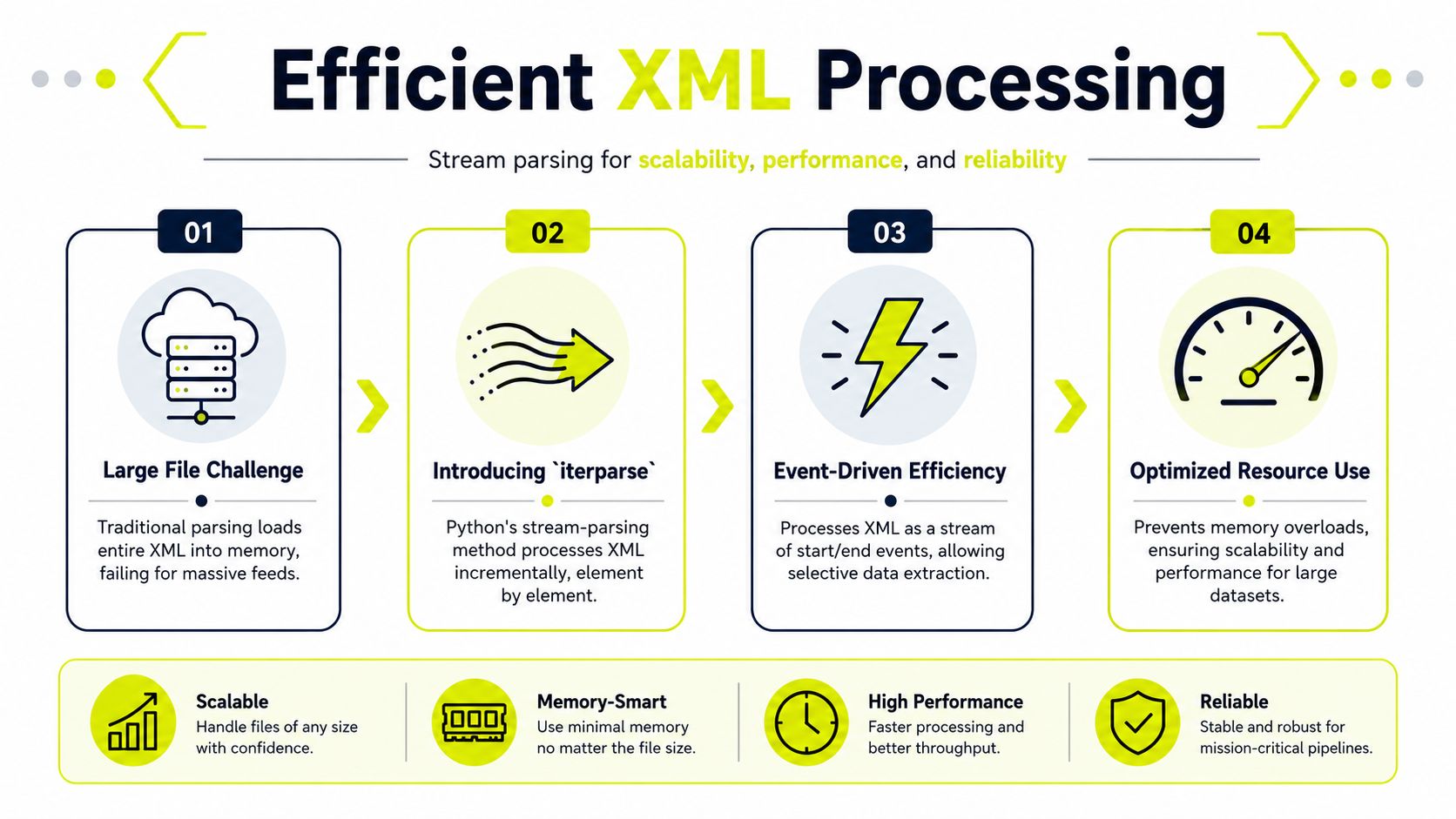
The goal is simple. Keep resident memory predictable even when feed size is not.
Using iterparse for large remote feeds
iterparse is the practical choice when the feed is too large to hold comfortably in memory.
import xml.etree.ElementTree as ET

for event, elem in ET.iterparse("large_feed.xml", events=("end",)):
    if elem.tag == "campaign":
        campaign_id = elem.attrib.get("id")
        geo = elem.findtext("geo")
        platform = elem.attrib.get("platform")

        if geo == "DE" and platform == "facebook":
            print(campaign_id)

        elem.clear()
elem.clear() is what keeps this pattern useful. Without it, long-running workers slowly accumulate processed nodes and end up failing like full-tree parsers anyway.
For ad-tech pipelines, I trust this approach for one-pass jobs. Read the feed, extract campaign fields, map them into a smaller internal format, then write to a queue or database. If the task needs cross-record comparisons, do that in a second stage after you have reduced the payload.
Match the proxy to the feed behavior
Proxy selection affects data quality as much as parser choice. If the endpoint changes output by country, ASN, mobile carrier, or reputation profile, the wrong exit gives you a clean parse of the wrong feed.
Use cases break down pretty cleanly:
- Datacenter proxies: good for fast bulk pulls from stable endpoints that do not localize aggressively
- Residential proxies: better for country-specific feeds, regional validation, and endpoints that react to IP reputation
- Mobile proxies: useful for checking mobile-only offer flows, carrier-dependent redirects, and cloaked paths shown to moderation or fraud systems
- IPv6 proxies: worth using when the target handles IPv6 well and address rotation matters more than broad compatibility
TLS behavior matters too. Partner endpoints often serve different certificates, rate limits, or filtering rules depending on route and region. Teams validating encrypted feeds through multiple exits should understand SSL proxy server behavior for secure partner endpoints before they blame parser logic for bad data.
A common production mistake is separating network collection from XML processing as if they were unrelated systems. They are one pipeline. A Germany-only campaign feed fetched through the wrong region can pass schema checks, populate your database, and still poison bidding, review checks, and cloaking verification across multiple accounts.
The practical rule is to measure both sides together. Track fetch latency, response size, parse time, memory use, and country correctness per proxy group. That is how teams keep ingestion stable when they are syncing many accounts at once and cannot afford silent data drift.
Secure XML Handling and Best Practices
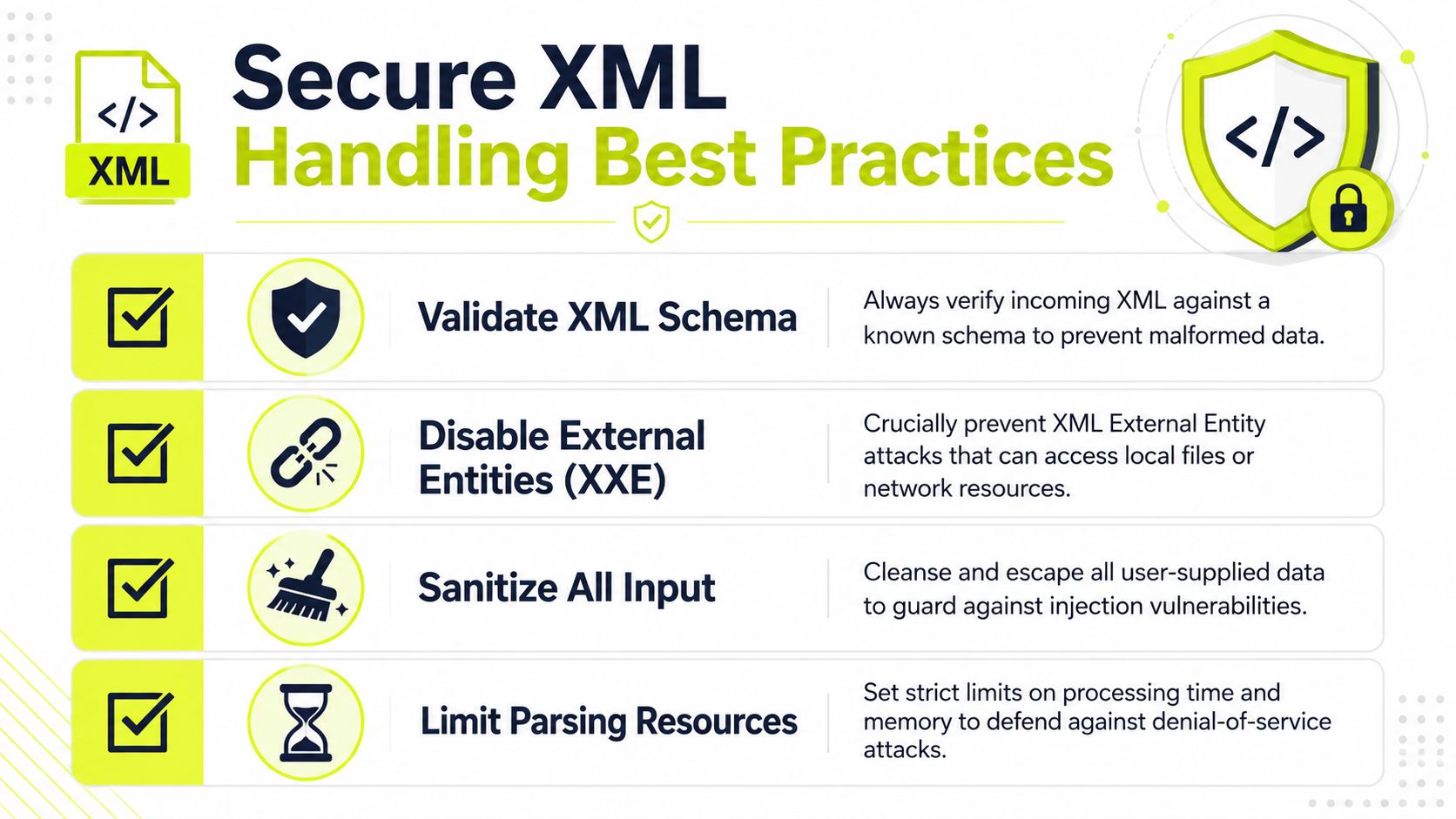
Parsing XML from an untrusted source is a security decision, not just a coding decision.
That matters in ad-tech because teams often ingest files from affiliate networks, partner APIs, rented tools, internal uploads, and one-off vendor exports. If you treat all of that input as safe, you're inviting avoidable risk into the same environment that holds campaign logic, account mappings, and automation credentials.
Why untrusted XML is an operational risk
The Python community explicitly warns that its XML-processing modules are not secure against maliciously constructed data, and for untrusted sources, alternatives like defusedxml are recommended, as discussed in the Python community thread on XML safety warnings.
That warning matters because most XML examples online stop at parsing syntax. Production teams need to think about abuse cases:
- XXE attacks: external entities can be abused to access local files or internal resources if the parser allows it.
- Denial-of-service inputs: maliciously crafted XML can consume excessive resources.
- Unsafe serialization habits: XML used as a transport for sensitive structured data can create trust problems if validation is weak.
Signed XML is still relevant in high-trust workflows. SignXML notes that XML Signature remains used for SAML 2.0, XAdES, EBICS, and WS-Security in its project documentation. That's one reason XML hasn't disappeared from serious integrations. If your traffic stack touches identity, enterprise billing, or regulated partner data, secure XML handling isn't optional.
A production checklist
Use a security-first baseline every time:
- Treat third-party XML as hostile by default: especially from uploads, partner dashboards, or undocumented endpoints.
- Use safer parsing options: prefer hardened libraries such as
defusedxmlwhen the source isn't fully trusted. - Validate structure before business logic runs: schema validation and strict field checks catch malformed data early.
- Set resource boundaries: parsing jobs should have limits for time, memory, and file size.
- Separate ingest from execution: don't let parsed XML directly trigger sensitive actions without validation.
- Audit DNS behavior in your collection stack: when proxying requests for remote XML, understand how proxy DNS handling affects request paths.
The expensive XML bug usually isn't a syntax error. It's a trust error.
That applies whether you're importing a signed payload, processing a feed for account farming, or validating cloaking rules for geo-targeted campaigns. Reliable automation depends on the parser being strict, defensive, and isolated from untrusted input.
If you're building XML-driven automation for ad verification, feed ingestion, account farming, or multi-account browser workflows, Sota Proxy gives you the proxy layer to test geo-specific outputs, pull remote feeds reliably, and validate what Facebook or TikTok traffic sees across regions. For teams that already share tooling with other operators, its affiliate program also offers up to 40% commission.
Related articles

7 Best Items to Resell for Profit in 2026
Discover the 7 best items to resell for profit in 2026. This guide covers sneakers, LEGO, and more for high-margin flipping with actionable sourcing tips.

Session Persistence for Proxy Operators and Antidetect
Master session persistence for proxy rotation and antidetect browsers. Learn sticky session types, TTL strategies, and SotaProxy setups.

What Is Geo Targeting: The Complete Guide for 2026
Learn what is geo targeting and how IP, GPS, and Wi-Fi signals shape it. Residential, mobile, and ISP proxies power real geo-targeted campaigns.
Reddit "You've Been Blocked by Network Security": Every Cause, and the Fix for Each
It is not a ban and there is nothing to appeal. It comes from Reddit's edge, applies to your connection, and has six causes. Here is how to tell which one you have, and how long each lasts.
How Many Discord Accounts Can You Have in 2026 (Per Email, Per Phone, Per Device)
Discord publishes no cap on accounts. The real limits are one per email, one phone number at a time with no VOIP, and five in the Account Switcher, which Discord says it may enforce across.